
1. المقدمة
Thank you for choosing the SILENTWARE Air 1000 Black ATX Midi Tower PC Case. This manual provides essential information for the proper installation, operation, and maintenance of your new PC case. Please read this manual thoroughly before beginning the assembly process to ensure a smooth and successful build.
2. معلومات السلامة
- افصل دائمًا مصدر الطاقة من مقبس الحائط قبل تركيب أو إزالة أي مكونات داخل علبة الكمبيوتر.
- تعامل مع المكونات بحرص لتجنب التلف الناتج عن التفريغ الكهروستاتيكي. يُنصح باستخدام سوار معصم مضاد للكهرباء الساكنة.
- احذر من الحواف الحادة داخل العلبة.
- لا تحاول تعديل الهيكل أو مكوناته، لأن ذلك قد يبطل الضمان الخاص بك ويشكل مخاطر على السلامة.
- احفظ العلبة بعيدًا عن الماء والرطوبة ودرجات الحرارة القصوى.
3. محتويات العبوة
يرجى التأكد من وجود جميع العناصر في الحزمة الخاصة بك:
- SILENTWARE Air 1000 Black ATX Midi Tower PC Case
- Pre-installed 4x 120mm ARGB Fans
- Accessory box (screws, cable ties, standoffs, etc.)
- دليل المستخدم (هذا المستند)
4. انتهى المنتجview
The SILENTWARE Air 1000 is an ATX Midi Tower PC case designed for optimal airflow and component compatibility. It features a mesh front panel for maximum ventilation and a tempered glass side panel to showcase your build.


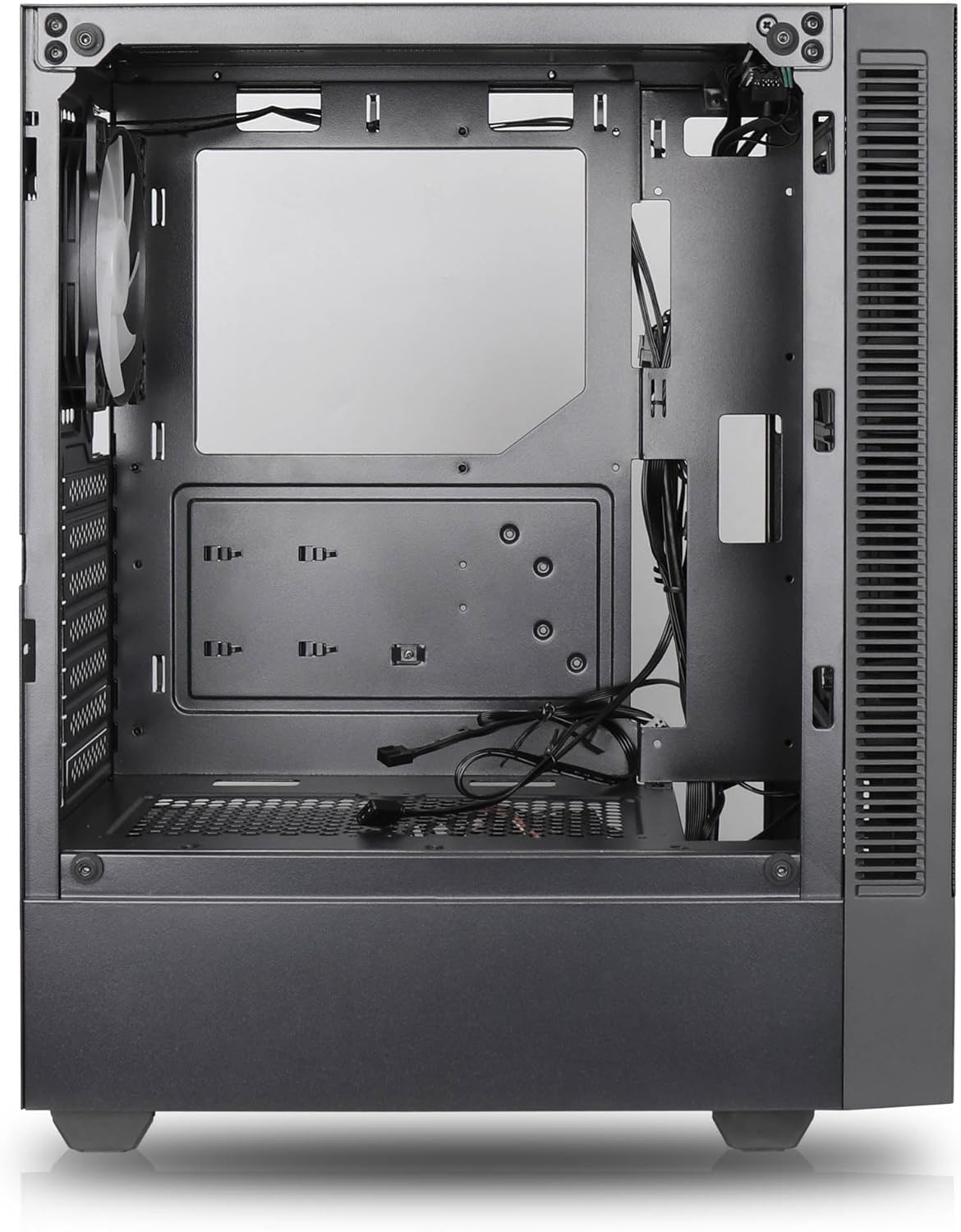

المميزات الرئيسية:
- الحد الأقصى لتدفق الهواء: Large mesh front panel and four pre-installed 140mm A-RGB fans with hydraulic bearings ensure excellent ventilation.
- Easy PC Building: Thoughtful design with daisy-chain connections simplifies installation, eliminating the need for additional adapters or controllers.
- تصميم عالي الجودة: Genuine tempered glass side panel showcases installed components and provides a minimalist, premium aesthetic.
- Flexible Lighting and Control: 3-pin A-RGB fans and 4-pin fan control allow for impressive lighting effects and easy adjustment of fan speed and curves directly from the motherboard.
- Powerful Component Compatibility: Supports GPUs up to 400mm long, radiators up to 360mm (front and top) and 140mm (rear), and space for up to 4 fans.
- Compact Case with Ampالفضاء: Midi tower format accommodates E-ATX, ATX, mATX, and ITX motherboards, up to two 2.5" SSDs, two 3.5" HDDs, and ATX power supplies.
5. دليل التثبيت
Follow these steps for component installation. Refer to your individual component manuals for specific instructions.
5.1. إعداد القضية
- ضع العلبة على سطح مستوٍ وثابت.
- Carefully remove the tempered glass side panel by unscrewing the thumb screws and gently pulling it away. Set it aside on a soft, non-abrasive surface.
- Remove the solid right side panel by unscrewing the thumb screws and sliding it backward.
5.2. تركيب اللوحة الأم
- قم بتثبيت درع الإدخال/الإخراج في الفتحة الخلفية للعلبة.
- Ensure the correct standoffs are installed for your motherboard form factor (E-ATX, ATX, mATX, ITX). Adjust or add standoffs as needed.
- قم بوضع اللوحة الأم بعناية على الحوامل، مع محاذاة فتحات البراغي.
- ثبّت اللوحة الأم باستخدام البراغي المرفقة. لا تفرط في إحكام ربطها.
5.3. تركيب وحدة إمداد الطاقة (PSU)
- ضع وحدة تزويد الطاقة في الحجرة المخصصة لها في الجزء الخلفي السفلي من الهيكل.
- Ensure the PSU fan faces downwards (if the case has a bottom vent) or upwards, depending on your cooling preference.
- قم بتثبيت وحدة تزويد الطاقة في الهيكل باستخدام البراغي المرفقة من الخلف.
5.4. تثبيت محرك التخزين
أقراص SSD مقاس 2.5 بوصة:
- Locate the 2.5" drive mounts (typically behind the motherboard tray).
- Secure the SSDs using the provided screws.
محركات الأقراص الصلبة مقاس 3.5 بوصة:
- Locate the 3.5" drive cages (usually near the PSU shroud).
- Slide the HDDs into the drive trays and secure them with screws or tool-less mechanisms if available.
5.5. تثبيت بطاقة الرسومات (GPU)
- قم بإزالة أغطية فتحة PCIe الضرورية من الجزء الخلفي للعلبة.
- Align your GPU with the PCIe slot on the motherboard and press firmly until it clicks into place.
- Secure the GPU to the case with screws.
5.6. إدارة الكابلات
استخدم فتحات توجيه الكابلات ونقاط التثبيت خلف لوحة الأم لتنظيم الكابلات. هذا يحسن تدفق الهواء والمظهر العام.
6. التشغيل
6.1. تشغيل
After all components are installed and cables are connected, reattach the side panels. Connect the power cable to the PSU and a wall outlet, then press the power button on the top I/O panel of the case.
6.2. التحكم في مروحة ARGB
The pre-installed ARGB fans feature 3-pin ARGB connectors for lighting control and 4-pin connectors for fan speed control. These can be connected directly to compatible headers on your motherboard. Use your motherboard's software or BIOS settings to customize lighting effects and fan curves.
7. الصيانة
7.1. التنظيف
- قم بتنظيف مرشحات الغبار بانتظام (إن وجدت) للحفاظ على تدفق الهواء الأمثل.
- Use a can of compressed air to remove dust from inside the case and components.
- امسح الأسطح الخارجية بقطعة قماش ناعمة.amp قماش. تجنب المواد الكيميائية القاسية.
- بالنسبة للوحة الزجاجية المقسّاة، استخدم منظف الزجاج وقطعة قماش من الألياف الدقيقة.
8. استكشاف الأخطاء وإصلاحها
- جهاز الكمبيوتر لا يعمل: Check all power connections, including the 24-pin motherboard power, 8-pin CPU power, and GPU power cables. Ensure the PSU switch is in the 'ON' position.
- Fans not spinning/RGB not working: Verify that fan and ARGB headers are correctly connected to the motherboard. Check motherboard software for fan speed and lighting control settings.
- ارتفاع درجة الحرارة: Ensure proper airflow by checking fan orientation and cleaning dust filters. Verify CPU cooler and GPU cooler are properly seated.
- لا يوجد عرض: Confirm the monitor cable is connected to the graphics card (not the motherboard integrated graphics, unless you are using integrated graphics). Reseat the graphics card and RAM modules.
9. المواصفات
| ميزة | مواصفة |
|---|---|
| ماركة | SILENTWARE |
| اسم الموديل | Silentware Flow 100 ARGB |
| رقم موديل العنصر | التدفق 100 |
| ASIN | B0CB8CZ5GF |
| لون | أسود |
| نوع الحالة | البرج الاوسط |
| مادة | زجاج مقسّى |
| التوافق مع اللوحة الأم | ATX، Micro ATX، Mini ITX |
| الأجهزة المتوافقة | ATX, mATX, ITX motherboards, GPUs up to 325mm, radiators up to 360mm, 2.5" and 3.5" storage drives |
| الاستخدامات الموصى بها | الألعاب |
| طريقة التبريد | هواء |
| مراوح مثبتة مسبقًا | مروحتان ARGB مقاس 120 مم |
| حجم المروحة | 140 Millimeters (Note: Product description mentions 140mm fans, while pre-installed are 120mm. Please verify with product packaging.) |
| نوع تركيب مصدر الطاقة | التركيب السفلي |
| أقصى طول GPU | 400 ملم |
| Radiator Support (Front/Top) | حتى 360 ملم |
| دعامة المبرد (الخلفية) | حتى 140 ملم |
| حجرات محرك الأقراص مقاس 2.5 بوصة | حتى 2 |
| حجرات محرك الأقراص مقاس 3.5 بوصة | حتى 2 |
10. الضمان والدعم
For warranty information and technical support, please refer to the official SILENTWARE website or contact your retailer. Specific details regarding spare parts availability and software updates are not available in the provided product information.