
مقدمة
This manual provides detailed instructions for the setup, operation, and maintenance of your Artlii Enjoy4 Mini Projector. Please read this manual thoroughly before using the projector to ensure proper functionality and to maximize your viewing experience. The Artlii Enjoy4 offers native 1080P Full HD resolution, dual-band 2.4G/5G WiFi, and Bluetooth 5.0 connectivity for versatile entertainment and presentation needs.

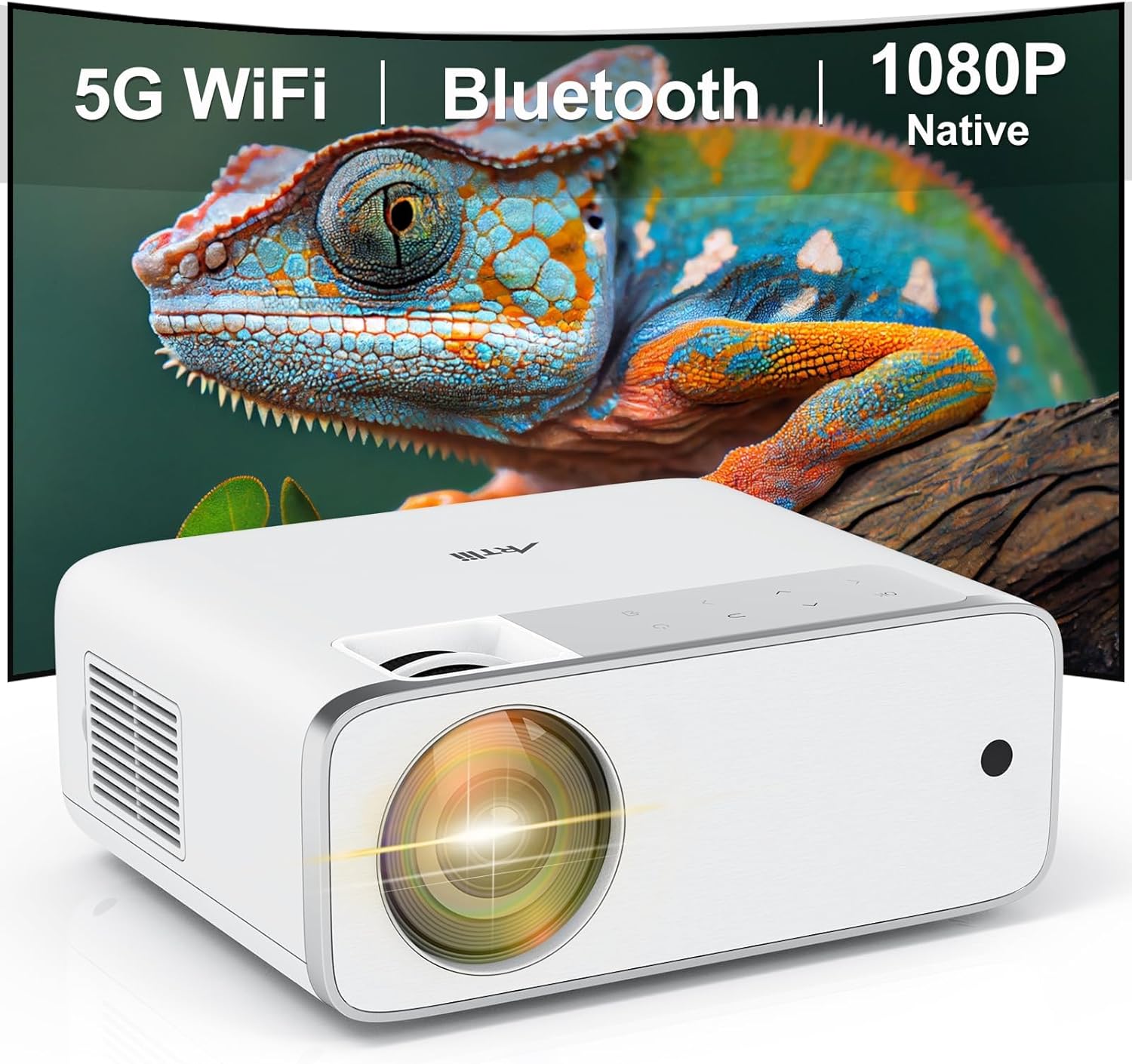
Image: The Artlii Enjoy4 Mini Projector, showcasing its key features including 5G WiFi, Bluetooth, and native 1080P resolution.
محتويات الحزمة
يرجى التحقق من محتويات العبوة عند فتحها. في حال وجود أي أغراض مفقودة أو تالفة، يُرجى التواصل مع خدمة العملاء.
- Artlii Enjoy4 Mini Projector
- جهاز تحكم عن بعد (بطاريات AAA غير متضمنة)
- كابل الطاقة
- كابل HDMI
- 3.5mm to RCA AV Cable
- غطاء العدسة
- مجموعة التنظيف
- دليل المستخدم
المنتج انتهىview
الجبهة والأعلى View
الصورة: الجبهة view of the projector, highlighting the projection lens and infrared receiver.
The front of the projector features the main projection lens. The top panel includes illuminated control buttons and focus/keystone adjustment dials.

Image: Close-up of the projector's top control panel, showing illuminated buttons for power, navigation, and input selection, visible in both day and night settings.
Rear and Side Ports

Image: Rear panel of the projector displaying various connectivity options such as HDMI, USB, AV, and a 3.5mm audio jack, illustrating its multi-device compatibility.
The rear and side panels house the input/output ports. These include:
- منافذ HDMI (x2): For connecting devices like laptops, gaming consoles, TV sticks, and DVD players.
- منافذ USB (x2): For connecting USB drives for media playback or powering external devices.
- منفذ AV: For connecting older devices using the included 3.5mm to RCA cable.
- مخرج صوت 3.5 ملم: لتوصيل مكبرات الصوت الخارجية أو سماعات الرأس.
- مدخلات الطاقة: لتوصيل كابل الطاقة.
يثبت
1. تحديد مستوى
Position the projector on a stable, flat surface or mount it to a ceiling or tripod. Ensure the projector lens is perpendicular to your projection surface (screen or wall) for optimal image geometry. The recommended projection distance ranges from approximately 1.18 meters to 9.2 meters, allowing for screen sizes from 37 inches up to 300 inches.

Image: Illustration of the Artlii Enjoy4 Mini Projector's flexible placement options and the resulting screen sizes at different projection distances, from 37 inches to 300 inches.
2. توصيل الطاقة
- قم بتوصيل كابل الطاقة بمنفذ إدخال الطاقة الخاص بجهاز العرض.
- قم بتوصيل الطرف الآخر من كابل الطاقة بمأخذ الطاقة.
- اضغط على زر الطاقة الموجود على جهاز العرض أو جهاز التحكم عن بعد لتشغيله.
3. ضبط التركيز وتصحيح الانحراف
بعد تشغيل الجهاز، اضبط وضوح الصورة وشكلها:
- حلقة التركيز: قم بتدوير حلقة التركيز بالقرب من العدسة حتى تظهر الصورة المسقطة حادة وواضحة.
- تصحيح الانحراف: Use the keystone adjustment dial (or digital keystone in settings) to correct trapezoidal distortion, ensuring the image is rectangular. The Artlii Enjoy4 supports ±15° keystone correction.

Image: Visual representation of the keystone correction feature, demonstrating how the projector can adjust the image to a perfect rectangle even when placed at an angle, with a range of ±15 degrees.
تعليمات التشغيل
1. Connecting Devices via Cable
يدعم جهاز العرض العديد من التوصيلات السلكية:
- HDMI: Connect your device (laptop, game console, TV stick) to one of the HDMI ports using an HDMI cable. Select the corresponding HDMI input from the projector's source menu.
- USB: Insert a USB flash drive into a USB port to play media files (photos, videos, music). Navigate the media browser using the remote control.
- من: Use the provided 3.5mm to RCA cable to connect older devices like DVD players. Select the AV input from the source menu.
2. الاتصال اللاسلكي (واي فاي)
The Artlii Enjoy4 supports dual-band 2.4G and 5G WiFi for stable and fast wireless connections.
- Go to the projector's settings menu and select "WiFi Settings".
- قم بتشغيل الواي فاي واختر الشبكة التي تريدها من القائمة.
- أدخل كلمة مرور الواي فاي باستخدام لوحة المفاتيح التي تظهر على الشاشة.
- Once connected, you can use screen mirroring features or access online content (if supported by connected devices).

Image: The Artlii Enjoy4 Mini Projector in use, projecting content wirelessly, emphasizing its fast and stable 2.4G/5G dual-band WiFi capabilities.
3. اتصال بلوتوث الصوت
قم بتوصيل مكبرات صوت خارجية تعمل بتقنية البلوتوث أو سماعات رأس للحصول على تجربة صوتية محسّنة.
- تأكد من أن جهاز الصوت الذي يعمل بتقنية البلوتوث في وضع الاقتران.
- On the projector, navigate to "Bluetooth Settings" in the menu.
- قم بتشغيل البلوتوث وحدد جهازك من قائمة الأجهزة المتاحة للاقتران.

Image: The Artlii Enjoy4 Mini Projector surrounded by Bluetooth-compatible headphones and speakers, illustrating its ability to connect to external audio devices for an improved sound experience.
4. Screen Mirroring (Smartphone/Tablet)
The projector supports screen mirroring from compatible smartphones and tablets (iOS and Android). Refer to the projector's on-screen instructions for specific steps, which typically involve connecting both devices to the same WiFi network and enabling screen mirroring on your mobile device.
5. إعدادات الصورة والصوت
- وظيفة التكبير: Adjust the image size from 75% to 100% using the remote control or menu settings without moving the projector.
- نسبة العرض إلى الارتفاع: Select between 16:9 and 4:3 aspect ratios to match your content.
- وضع الصورة: Choose from various picture modes (e.g., Standard, Vivid, User) to optimize image quality.
- وضع الصوت: Adjust audio settings or select a sound mode (e.g., Standard, Music, Movie).
صيانة
تضمن الصيانة الدورية الأداء الأمثل وطول عمر جهاز العرض الخاص بك.
- تنظيف العدسات: Use a soft, lint-free cloth and lens cleaning solution (if necessary) to gently wipe the projector lens. Avoid abrasive materials.
- إزالة الغبار: Periodically clean the projector's vents with a soft brush or compressed air to prevent dust buildup, which can affect cooling and performance.
- تخزين: When not in use, cover the lens with the provided cap and store the projector in a cool, dry place away from direct sunlight and extreme temperatures.
استكشاف الأخطاء وإصلاحها
إذا واجهت أي مشكلات، راجع المشكلات والحلول الشائعة التالية:
- لا توجد صورة:
- تأكد من توصيل كابل الطاقة بشكل آمن وتشغيل جهاز العرض.
- Verify the input source is correctly selected (e.g., HDMI1, USB).
- Check if the connected device is powered on and outputting a signal.
- صورة ضبابية:
- اضبط حلقة التركيز البؤري على عدسة جهاز العرض.
- تأكد من أن مسافة العرض تقع ضمن النطاق الموصى به.
- Correct any keystone distortion using the adjustment dial or menu settings.
- لا يوجد صوت:
- تحقق من مستوى الصوت على كل من جهاز العرض وجهاز المصدر المتصل.
- في حالة استخدام مكبرات صوت خارجية، تأكد من توصيلها بشكل صحيح عبر البلوتوث أو مقبس الصوت 3.5 ملم.
- تأكد من صحة إعدادات إخراج الصوت على جهازك المصدر.
- مشاكل الاتصال بشبكة الواي فاي/البلوتوث:
- Ensure WiFi/Bluetooth is enabled on both the projector and the device you are trying to connect.
- تأكد من إدخال كلمة مرور الواي فاي بشكل صحيح.
- Move the projector closer to your WiFi router or Bluetooth device to improve signal strength.
- Restart both the projector and the connecting device.
تحديد
| ميزة | مواصفة |
|---|---|
| ماركة | Artlii |
| نموذج | Enjoy4 |
| الدقة الأصلية | 1920 × 1080 (دقة عالية كاملة) |
| سطوع | شموم شمعة أنسي |
| نسبة التباين | 1400:1 |
| حجم العرض | 37" - 300" (Recommended: 40" - 200") |
| تصحيح الانحراف | ±15° يدوي |
| وظيفة التكبير | 75% - 100% |
| الاتصال اللاسلكي | واي فاي 2.4G/5G، بلوتوث 5.0 |
| منافذ الإدخال | منفذان HDMI، منفذان USB، منفذ AV واحد، مخرج صوت 3.5 ملم واحد |
| الأجهزة المتوافقة | TV Sticks, Smartphones (iOS & Android), Laptops, DVD Players, USB Drives, PS5, Xbox |
الضمان والدعم
Information regarding specific warranty terms and customer support contact details is typically provided with your product packaging or on the manufacturer's official website. Please refer to those resources for the most accurate and up-to-date information.