
1. انتهى المنتجview
This manual provides instructions for the CarlinKit CarPlay Ai Box, Model 8G+128G - Ultra. This device upgrades your wired CarPlay system to a wireless Android 13 platform, enabling wireless CarPlay and Android Auto, along with access to various applications and enhanced navigation features. It features an 8GB RAM and 128GB ROM for smooth performance and ampلو التخزين.
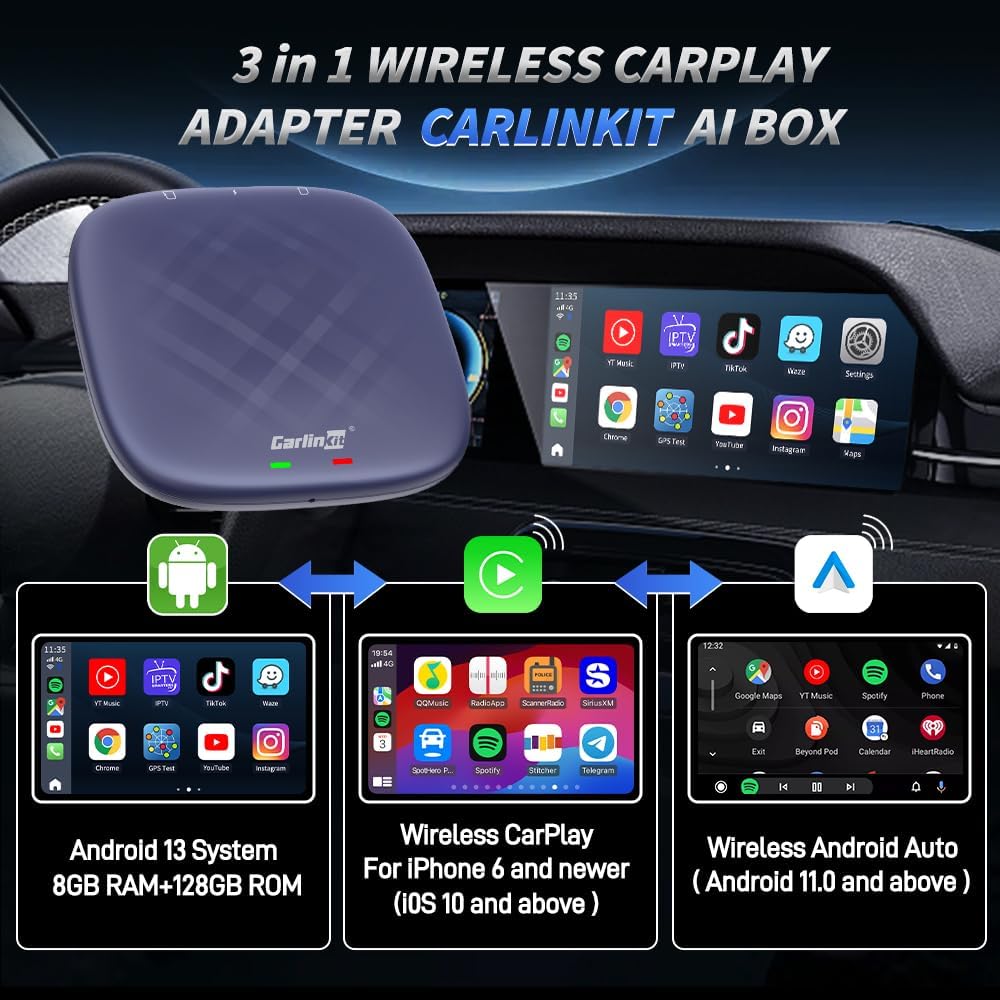
Figure 1: CarlinKit Ai Box 3-in-1 Wireless Adapter Overview
2. محتويات العبوة
تأكد من وجود جميع العناصر في الحزمة الخاصة بك:
- CarlinKit CarPlay Ai Box (8G+128G - Ultra)
- كابل من النوع C إلى النوع C
- كابل USB-A إلى Type-C
- دليل التعليمات

الشكل 2: محتويات العبوة
3. متطلبات التوافق
Before installation, please ensure your vehicle and mobile device meet the following requirements:
- توافق السيارة: Must have a built-in wired CarPlay touch screen system.
- المركبات غير المتوافقة: Not compatible with BMW and Tesla models.
- التوافق المحدود: Nissan/Changan vehicles may experience compatibility issues. Please purchase with caution.
- التوافق مع iPhone: أجهزة iPhone 6 وما فوق، التي تعمل بنظام iOS 10.0 وما فوق.
- توافق هواتف أندرويد: الهواتف التي تعمل بنظام أندرويد 11.0 وما فوق.

Figure 3: Vehicle Compatibility Notes
4. الإعداد والتثبيت
Follow these steps to set up your CarlinKit CarPlay Ai Box:
- قم بتوصيل الجهاز: Plug the CarlinKit Ai Box into your car's USB port. Select the appropriate cable (Type-C to Type-C or USB-A to Type-C) based on your car's port. The device's indicator lights will flash upon successful connection.
- التعرف الأولي: When connecting for the first time, your car's infotainment system will adapt to the device's resolution and may reboot. This is normal.
- الوصول إلى تطبيق AutoKit: Once the device is recognized and the system has loaded, tap the "AutoKit" icon on your car's screen to access the product's wireless CarPlay/Android Auto connectivity interface.
- Wireless CarPlay Connection (for iPhone users):
- On your iPhone, go to Settings and enable Wi-Fi and Bluetooth.
- In the Bluetooth settings, find and pair with the CarlinKit Ai Box's Bluetooth signal (e.g., "AutoKit-TBox Plus").
- Confirm the pairing request on your iPhone and allow CarPlay access. Wireless CarPlay will become available.
Video 1: Wireless CarPlay Operation Tutorial
- Wireless Android Auto Connection (for Android users):
- On your Android phone, enable Wi-Fi and Bluetooth.
- In the Bluetooth settings, find and pair with the CarlinKit Ai Box's Bluetooth signal (e.g., "AutoKit-TBox Plus").
- Confirm the pairing request on your Android phone. Wireless Android Auto will become available.
Video 2: Wireless Android Auto Operation Tutorial
- SIM/TF Card Insertion (Optional): For 4G network access or expanded storage, insert a Nano SIM card (metal face down) and/or a Micro SD card into the designated slots on the device. Ensure correct orientation to avoid damage.
- Hotspot Connection (Optional): To provide internet access to the device via your mobile phone, enable your phone's personal hotspot. On the car screen, navigate to WLAN settings and connect to your phone's hotspot.

Figure 4: Connecting the Ai Box to Car USB

Figure 5: SIM/TF Card Slots
Video 3: SIM/TF Card Insertion Tutorial

Figure 6: Hotspot Connection Method
5. تعليمات التشغيل
The CarlinKit Ai Box provides a full Android 13 system on your car's display, offering a range of functionalities:
- الوصول إلى التطبيق: Download and use various applications from the Google Play Store, including navigation, music, and video streaming services.
- Video Streaming & Gaming: Enjoy platforms like Netflix, YouTube, and TikTok directly on your car's screen. The device also supports connecting game controllers for in-car gaming.
- ملاحة: Utilize built-in GPS, Glonass, and BeiDou satellite positioning for accurate navigation with your preferred map applications.
- التحكم بالمساعد الصوتي: Use voice commands (e.g., "Hey Google", "Hey Siri") for navigation, calls, music, and other functions, ensuring a hands-free experience.
- Retain Original Car Features: The device integrates seamlessly with your car's existing controls, including touch screen, touchpad, steering wheel buttons, and OEM knobs.
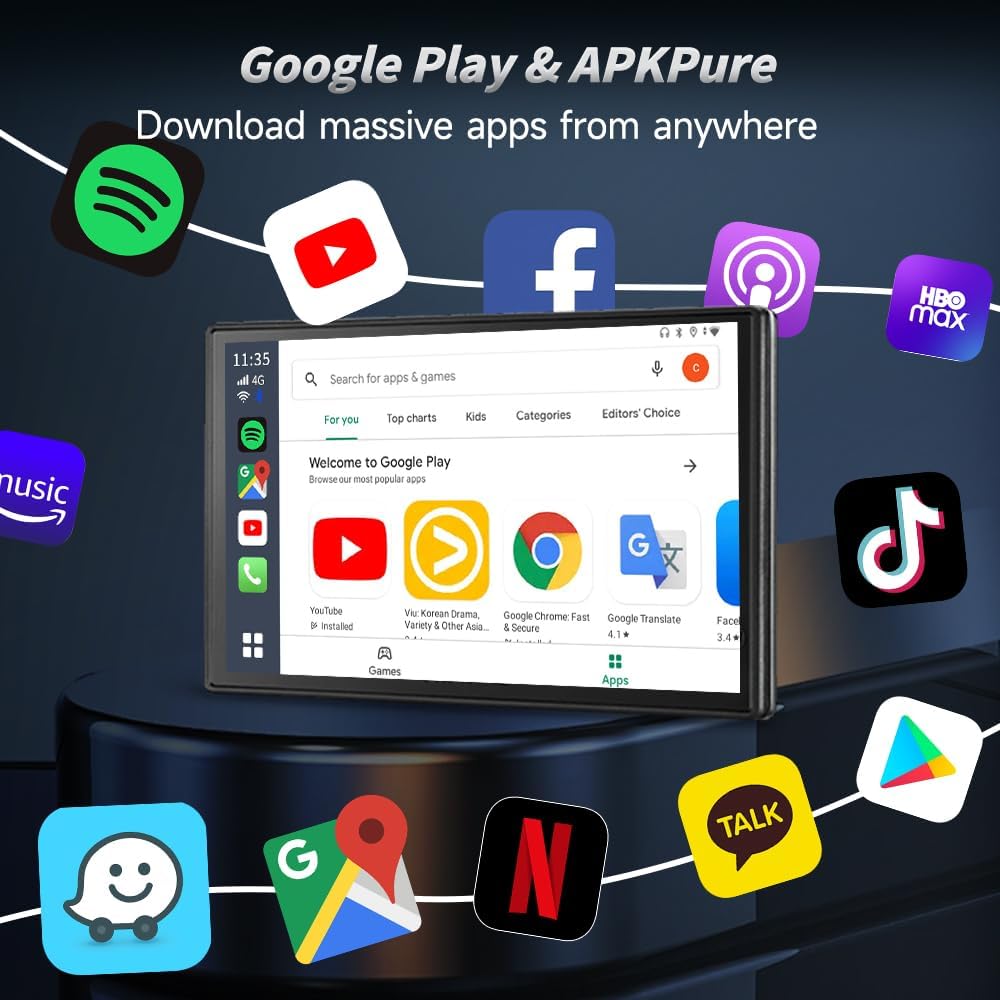
Figure 7: Google Play Store on Car Screen

Figure 8: Video Streaming and Gaming
Video 4: Next Gen Chip Big Memory Flawless Video Experience More

Figure 9: GPS Navigation Functionality

Figure 10: Voice Assistant Control

Figure 11: Original Car Feature Retention
6. مواصفات المنتج
| ميزة | التفاصيل |
|---|---|
| ماركة | كارلينكيت |
| اسم الموديل | 8G+128G - Ultra |
| نظام التشغيل | أندرويد 13 |
| المعالج | Qualcomm SM6225 2.0 GHz 11nm |
| ذاكرة | 8 جيجا بايت رام + 128 جيجا بايت روم |
| تكنولوجيا الاتصال | Bluetooth (4.2 BLE + 5.0 BLE), Wi-Fi (802.11 a/b/g/n/ac, 2.4G+5G) |
| نظام الملاحة عبر الأقمار الصناعية المدعوم | GPS, Glonass, BeiDou |
| إدخال واجهة الإنسان | شاشة تعمل باللمس |
| وزن العنصر | 0.16 كيلوغرام |
| المكونات المضمنة | Packing box, Type-C to Type-C Cable, USB-A to Type-C Cable, instructions |

Figure 12: Internal Components and Specifications
7. استكشاف الأخطاء وإصلاحها
إذا واجهت أي مشكلات، فيرجى الرجوع إلى الحلول الشائعة التالية:
- مشاكل الاتصال: Ensure the device is securely plugged into the correct USB port. Verify your car supports wired CarPlay. Check your phone's Wi-Fi and Bluetooth settings to ensure they are enabled and correctly paired.
- الأداء البطيء: Close any unused applications running in the background on the Ai Box. Ensure a stable internet connection if streaming content.
- لا يوجد صوت: Check volume levels on both the car's infotainment system and the CarlinKit Ai Box. Ensure the correct audio source is selected in your car's system.
- توافق التطبيق: Not all Android applications are optimized for car screens. Some apps may not function as expected or may require specific screen resolutions.
- Device Rebooting: If the device reboots unexpectedly, try restarting your car's infotainment system. If issues persist, ensure the device firmware is up to date.
8. الضمان ودعم العملاء
CarlinKit is committed to providing excellent after-sales support:
- ضمان الأجهزة: Enjoy a 365-day hardware warranty for non-human damage.
- سياسة العائدات: تتوفر سياسة إرجاع واستبدال لمدة 90 يومًا.
- Software & Technical Services: Benefit from free lifetime software upgrades and technical support.
- اتصل بالدعم: If you encounter any problems or have questions, please contact the seller directly. To expedite assistance, include the product name and ASIN (B0C7M9RT2W) in your message.
Video 5: CarlinKit Methods for After-Sales Contact