
1. المقدمة
This manual provides detailed instructions for the proper use and maintenance of your Micool DY20PLUS Bluetooth Earpiece. Please read this manual thoroughly before using the product to ensure safe and efficient operation. The Micool DY20PLUS is a single-ear Bluetooth headset designed for clear communication, featuring noise cancellation and extended talk time.
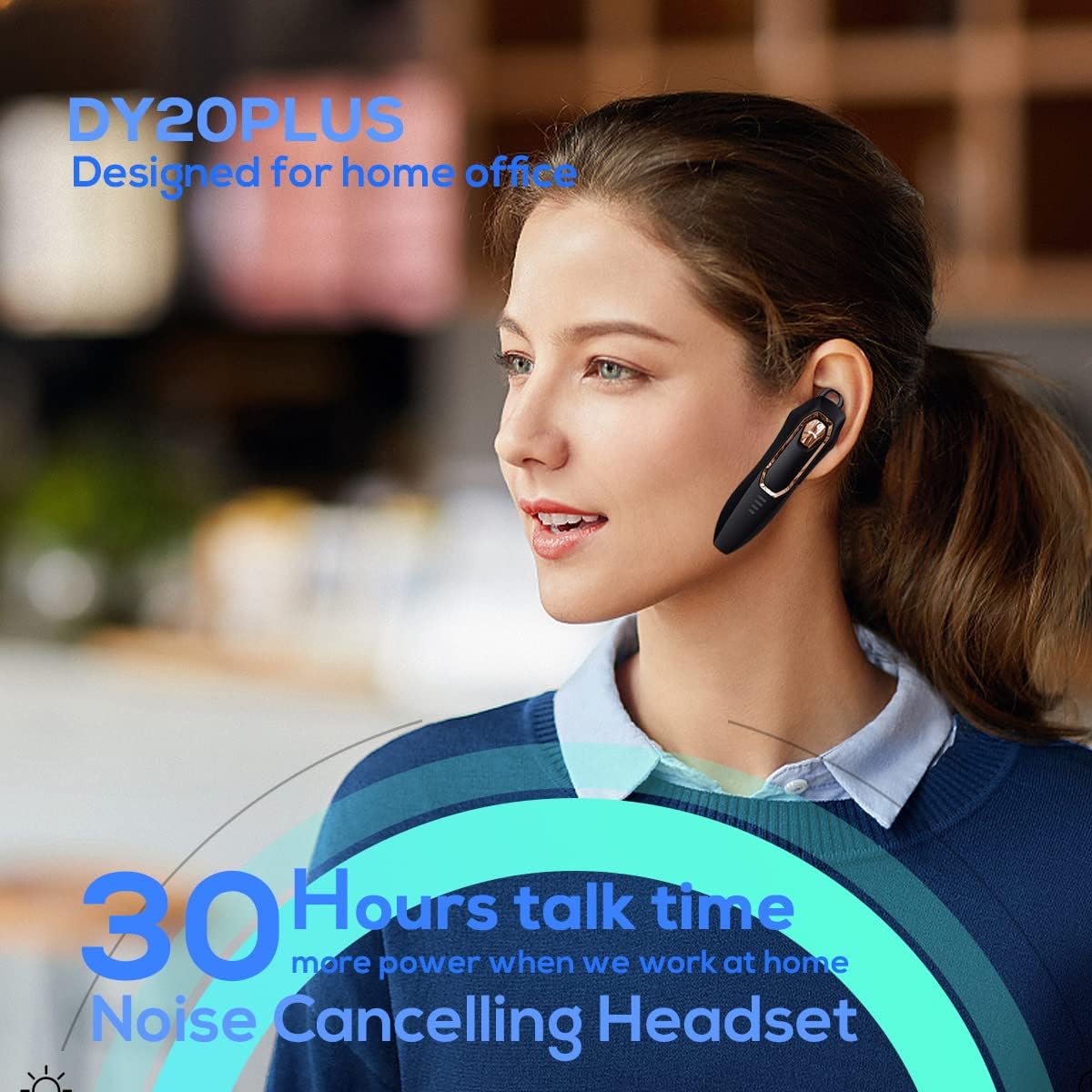
Figure 1: Micool DY20PLUS Bluetooth Earpiece
الفيديو 1: انتهىview of Micool Bluetooth Headset features, including noise cancellation and long battery life.
2. محتويات العبوة
يرجى التحقق من الحزمة للعناصر التالية:
- Micool DY20PLUS Bluetooth Earpiece
- كابل شحن USB
- خطافات أذن (بأحجام مختلفة)
- دليل المستخدم
3. انتهى المنتجview
Familiarize yourself with the buttons and indicators on your Micool DY20PLUS earpiece:

Figure 2: Earpiece controls and functions.
- MFB (زر متعدد الوظائف): تشغيل/إيقاف الطاقة، تشغيل/إيقاف مؤقت، الرد على المكالمات/إنهاؤها.
- رفع الصوت (+): زيادة مستوى الصوت، المسار التالي (الضغط لفترة طويلة).
- اخفض الصوت (-): خفض مستوى الصوت، المسار السابق (الضغط لفترة طويلة).
- زر كتم الصوت: Mute/unmute microphone during a call.
- مؤشر LED: يعرض حالة الطاقة والإقران والشحن.
- منفذ الشحن: منفذ USB للشحن.
4. الإعداد
4.1 Charging the Earpiece
Before first use, fully charge the earpiece. Connect the provided USB charging cable to the earpiece's charging port and a USB power source. The LED indicator will show charging status and turn off when fully charged. A full charge provides up to 30 hours of talk time.
4.2 اقتران بلوتوث
To connect your Micool DY20PLUS earpiece to your mobile phone or other Bluetooth-enabled device:
- Ensure the earpiece is turned off.
- Press and hold the MFB until the LED indicator flashes red and blue alternately, indicating pairing mode.
- على جهازك، قم بتمكين البلوتوث وابحث عن الأجهزة المتاحة.
- Select "DY20PLUS" from the list of devices.
- بمجرد الاتصال ، سيومض مؤشر LED باللون الأزرق ببطء.
The earpiece supports connecting to two devices simultaneously. After pairing with the first device, disable Bluetooth on it, then pair with the second device. Re-enable Bluetooth on the first device, and both should connect.
Video 2: Demonstrates Bluetooth pairing and setting up the "Speak Caller's Name" function using the RealTTS app.
5. تعليمات التشغيل
5.1 تشغيل/إيقاف التشغيل
- تشغيل الطاقة: اضغط مع الاستمرار على زر MFB لمدة 3 ثوانٍ تقريبًا حتى يومض مؤشر LED باللون الأزرق.
- إيقاف التشغيل: اضغط مع الاستمرار على زر MFB لمدة 3 ثوانٍ تقريبًا حتى يومض مؤشر LED باللون الأحمر ثم ينطفئ.
5.2 إدارة المكالمات
- الرد على المكالمة: اضغط على زر MFB مرة واحدة ضغطة قصيرة.
- إنهاء المكالمة: اضغط على زر MFB ضغطة قصيرة مرة واحدة أثناء المكالمة.
- رفض المكالمة: اضغط لفترة طويلة على MFB لمدة 2 ثوان.
- كتم الصوت/إلغاء كتم الصوت: Short press the dedicated Mute button during a call.
- Switch Call Audio: During a call, you can switch the audio output between the earpiece and your phone. Refer to your phone's call interface for this option.
5.3 تشغيل الموسيقى
- تشغيل/إيقاف مؤقت: اضغط على زر MFB مرة واحدة ضغطة قصيرة.
- المسار التالي: اضغط لفترة طويلة على زر رفع الصوت (+).
- المسار السابق: اضغط لفترة طويلة على زر خفض الصوت (-).
5.4 التحكم في مستوى الصوت
- ارفع على الصوت: اضغط لفترة قصيرة على زر رفع الصوت (+).
- تقليل الحجم: اضغط لفترة قصيرة على زر خفض الصوت (-).
5.5 مساعد صوتي
Double-tap the MFB to activate your device's voice assistant (Siri, Cortana, Bixby, Google Assistant, etc.). This allows for hands-free control of your connected device.
6. الصيانة
- Keep the earpiece dry. Do not expose it to extreme temperatures.
- Clean the earpiece with a soft, dry cloth. Avoid using harsh chemicals.
- Store the earpiece in a cool, dry place when not in use.
- Avoid dropping or subjecting the earpiece to strong impacts.
7. استكشاف الأخطاء وإصلاحها
| مشكلة | السبب المحتمل | حل |
|---|---|---|
| لا يمكن تشغيل الطاقة | بطارية منخفضة | Charge the earpiece fully. |
| لا يمكن الاقتران بالجهاز | Earpiece not in pairing mode; Bluetooth off on device; too far apart. | Ensure earpiece is in pairing mode (flashing red/blue). Turn on Bluetooth on your device. Keep devices within 1 meter during pairing. |
| لا يوجد صوت أو جودة صوت رديئة | Volume too low; earpiece not selected as audio output; interference. | Adjust volume on both earpiece and device. Check device's audio output settings. Move away from sources of interference. |
| Caller's name not announced | RealTTS app not installed or permissions not granted. | Download and install the "RealTTS" app. Ensure Bluetooth and contact access permissions are granted to the app. |
8. المواصفات
| ميزة | التفاصيل |
|---|---|
| اسم الموديل | DY20PLUS |
| ماركة | Micool |
| نسخة البلوتوث | 5.0 |
| لاسلكي المدى | حتى 50 مترا (150 قدما) |
| وقت التحدث | تصل إلى 30 ساعة |
| التحكم في الضوضاء | Active Noise Cancellation (2 Microphones) |
| وزن | 12g (Ultra-light) |
| التوافق | Bluetooth-enabled devices (phones, laptops, tablets) |
| مادة | بلاستيك |
| رمز المنتج الموحد | 768399519588 |
9. الضمان والدعم
Micool products come with a standard manufacturer's warranty. For specific warranty details, please refer to the warranty card included in your product packaging or visit the official Micool website. If you encounter any issues or require technical assistance, please contact Micool customer support through their official channels.