
1. معلومات هامة حول السلامة
يرجى قراءة جميع التعليمات بعناية قبل التركيب والاستخدام. احتفظ بهذا الدليل للرجوع إليه مستقبلًا.
- السلامة الكهربائية: Always turn off the power at the circuit breaker or fuse box before beginning installation or performing any maintenance. Ensure all electrical connections comply with local codes and ordinances. If you are unsure about wiring, consult a qualified electrician.
- التركيب: Ensure the mounting structure can support the weight of the fan. The fan must be mounted with the blades at least 7 feet (2.1 meters) from the floor.
- خلوص الشفرة: Maintain a minimum clearance of 30 inches (76 cm) from the wall to the blade tips to ensure proper airflow and prevent interference.
- تنظيف: Always disconnect power before cleaning. Use a soft, damp القماش. لا تستخدم المنظفات الكاشطة.
- الأطفال والحيوانات الأليفة: Keep children and pets away from the fan during operation and maintenance.
2. محتويات العبوة
تأكد من وجود كافة المكونات قبل البدء في التثبيت:
- Ceiling Fan with Integrated Light
- جهاز التحكم عن بعد
- معدات التركيب
- دليل التعليمات
3. مواصفات المنتج
| ماركة | WenineStar |
| رقم الموديل | WenineStar-2026 |
| مقاس | 20 بوصة (القطر) |
| الأبعاد (الطول × العرض × الارتفاع) | 20 بوصة طول × 20 بوصة عرض × 5 بوصة ارتفاع |
| مادة | Wood, PMMA |
| نوع التركيب | تركيب شبه مسطح |
| مصدر الضوء | الصمام المتكامل |
| واتtage | 50 واط |
| سطوع | تصل إلى 4500 لومن |
| طريقة التحكم | Remote Control, App Operable |
| سرعات المروحة | 6 |
| نوع المحرك | Reversible, Silent (approx. 35dB) |
Recommended room size: 90-225 sq.ft.
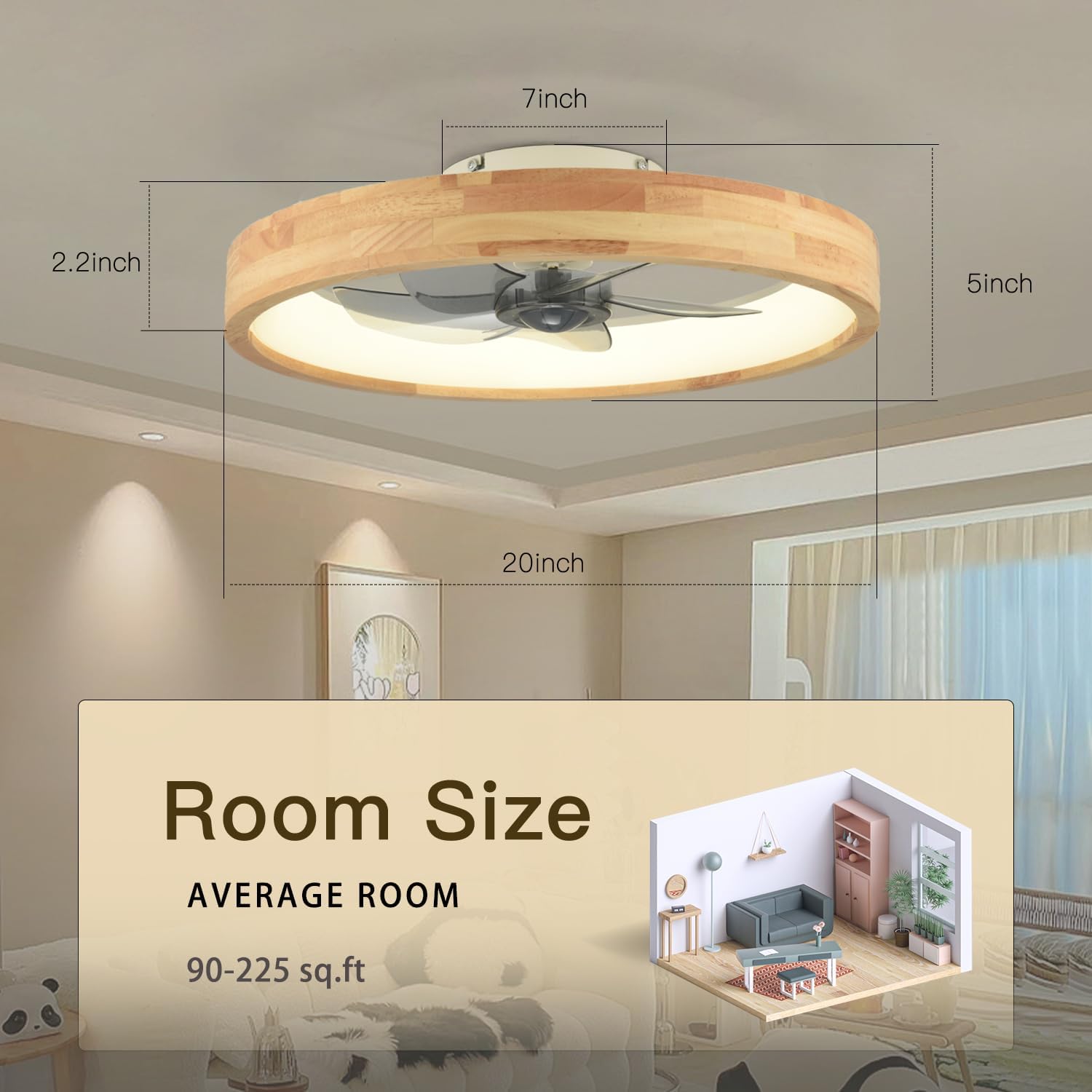
Diagram showing the dimensions of the WenineStar 20-inch ceiling fan and recommended room size of 90-225 sq.ft.
4. دليل التثبيت
The WenineStar ceiling fan is designed for easy installation. Most components are pre-assembled. Follow these general steps:
- التحضير للتثبيت: افصل الكهرباء عن قاطع الدائرة. أخلِ منطقة العمل.
- شريحة متزايدة: Secure the mounting bracket to the ceiling junction box. Ensure it is firmly attached and can support the fan's weight.
- التوصيلات الكهربائية: Connect the fan's electrical wires to the household wiring according to the wiring diagram provided in the separate installation instructions. Typically, this involves connecting live, neutral, and ground wires. Use wire nuts to secure connections.
- تركيب جسم المروحة: Carefully lift the fan body and attach it to the mounting bracket. Ensure all screws are tightened securely.
- الفحوصات النهائية: تأكد من جميع التوصيلات وتأكد من تثبيت المروحة بإحكام. أعد توصيل التيار الكهربائي من قاطع الدائرة.
Refer to the detailed installation instructions included in your package for specific wiring diagrams and mounting procedures.
5. تعليمات التشغيل
Your WenineStar ceiling fan can be controlled via the included remote control or a compatible smartphone application.
5.1 وظائف التحكم عن بعد
The remote control allows for comprehensive adjustment of fan and light settings:
- تشغيل/إيقاف التشغيل: Separate buttons for fan and light.
- سرعة المروحة: Select from 6 adjustable fan speeds.
- تعتيم الضوء: ضبط سطوع الضوء من 0% إلى 100%.
- درجة حرارة اللون: Cycle through warm light (3000K), natural light (4500K), and cold white light (6000K).
- محرك عكسي: Change fan direction for summer (downdraft) or winter (updraft) modes.
- المؤقت: اضبط المروحة على الإيقاف التلقائي بعد ساعة أو ساعتين.
- وضع الإضاءة الليلية: يقوم بتنشيط إعداد الإضاءة المنخفضة السطوع.
- صامت: Silences operational beeps.
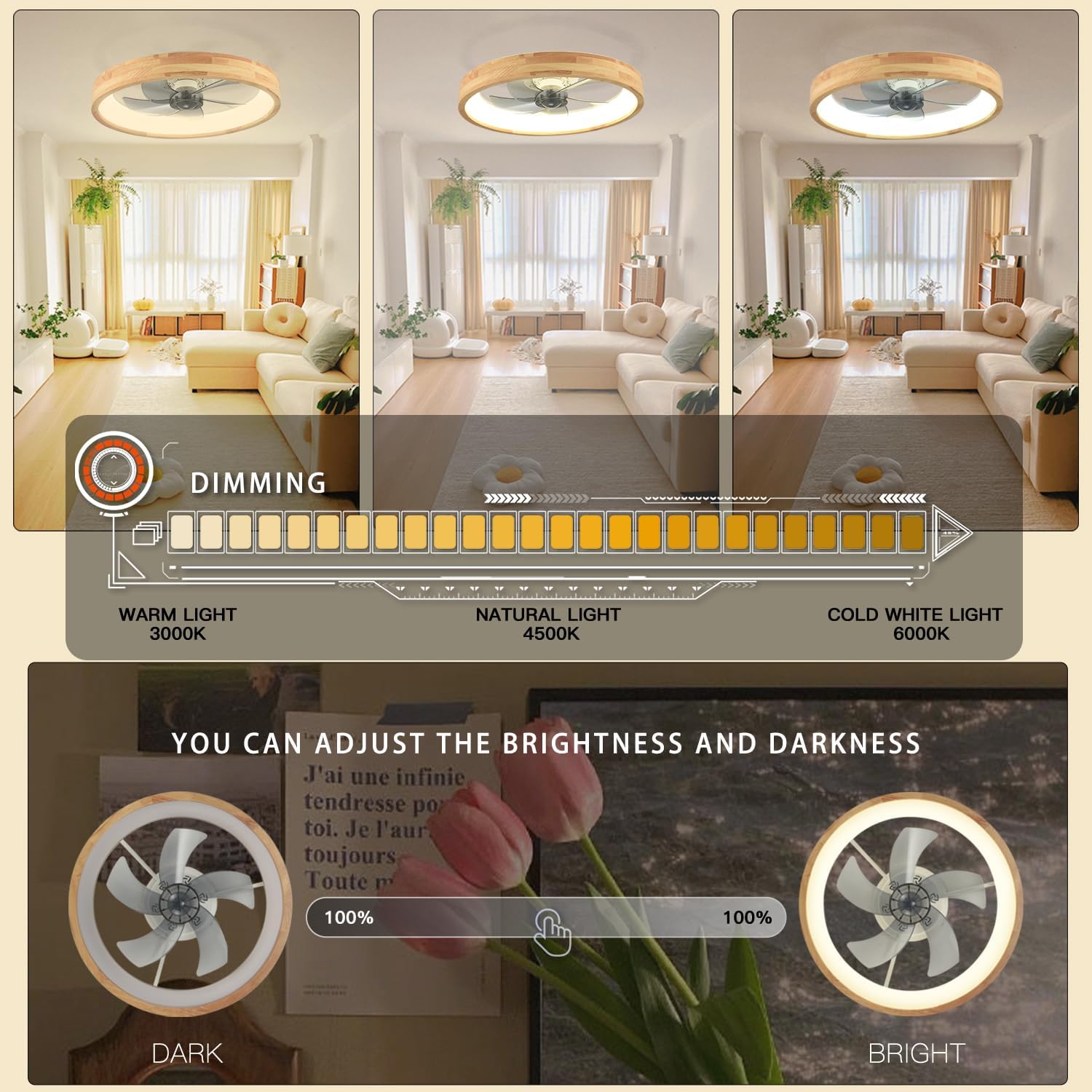
Adjust light brightness and color temperature from warm to cool white.
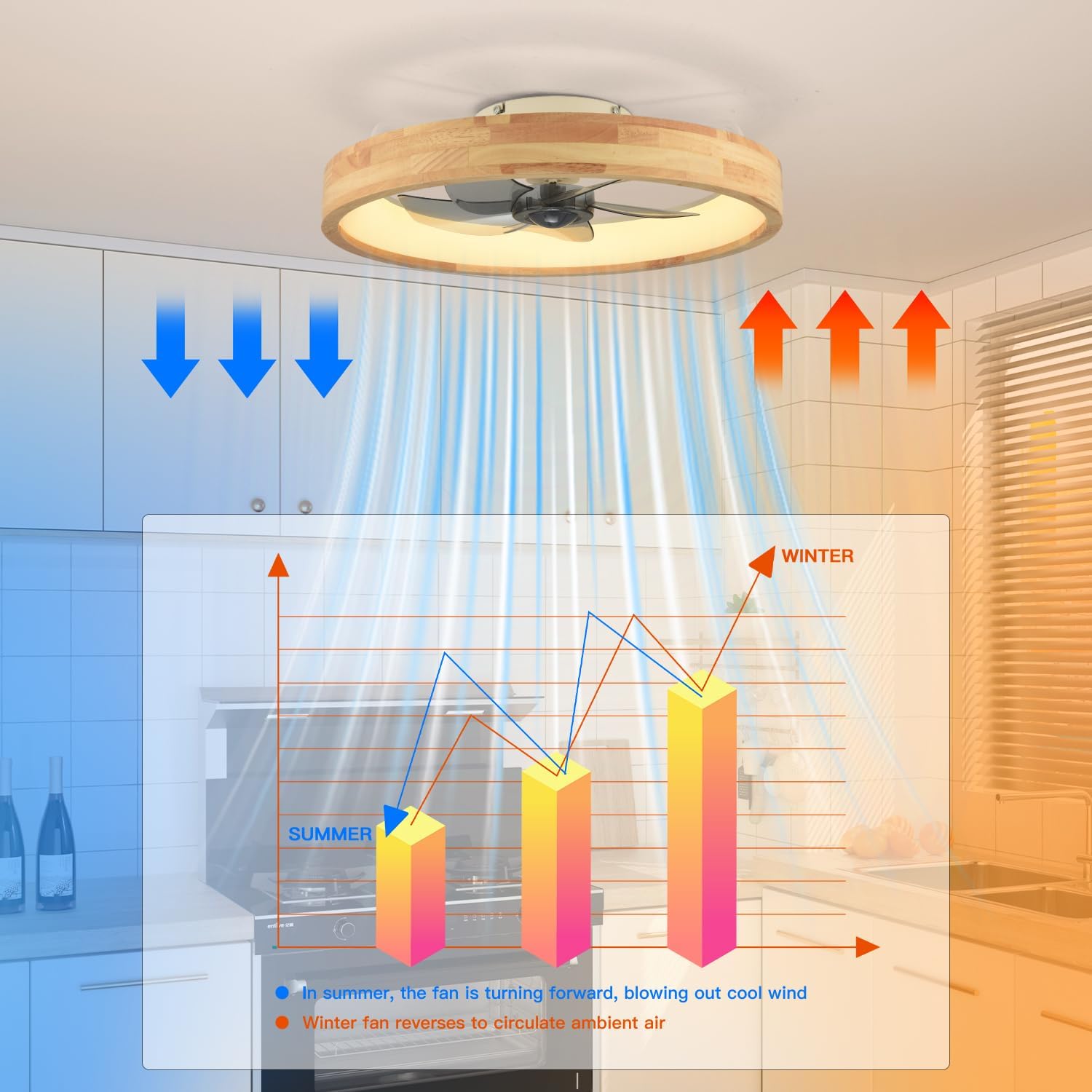
Utilize the reversible motor for optimal airflow in both summer and winter.
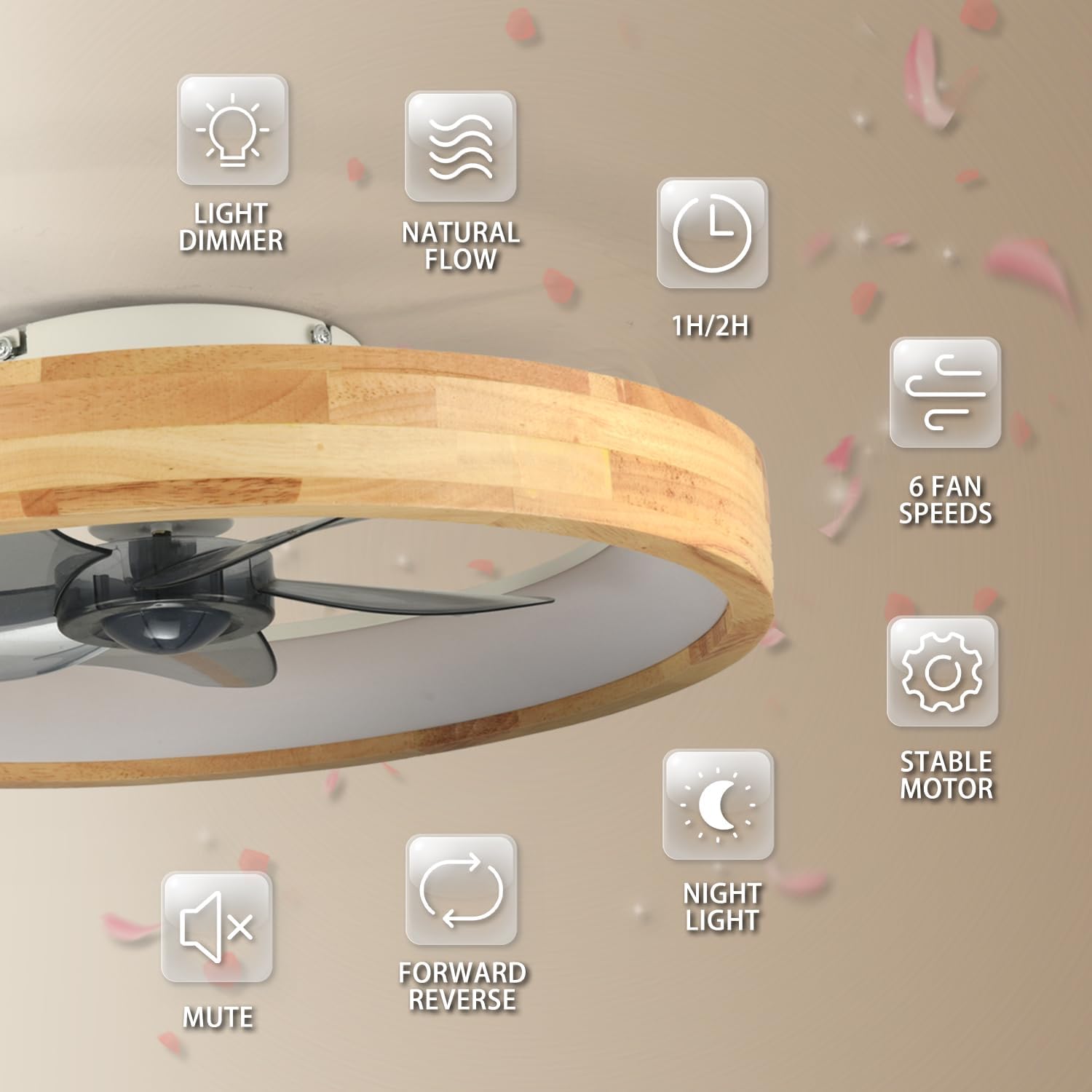
زيادةview of the fan's key features, including dimming, fan speeds, and timing.

The fan operates quietly at approximately 35dB, ensuring a peaceful environment.
5.2 التحكم في تطبيقات الهاتف الذكي
For additional convenience, the fan can be controlled via a dedicated smartphone application. Download the app from your device's app store and follow the in-app instructions for pairing and control.

Control your fan and light settings using either the remote or a smartphone app.
5.3 عرض فيديو
Video demonstrating the light and fan functions of the WenineStar ceiling fan, showcasing different light settings and fan speeds.
6. الصيانة
تضمن الصيانة المنتظمة الأداء الأمثل وطول العمر لمروحة السقف الخاصة بك.
- تنظيف: To clean the fan, ensure the power is turned off at the circuit breaker. Use a soft, lint-free cloth to wipe down the wooden frame and light cover. For the fan blades, a slightly damp cloth can be used. Avoid using harsh chemicals or abrasive cleaning materials, as these can damage the finish.
- إزالة الغبار: Periodically remove dust from the fan blades and motor housing to prevent accumulation that could affect performance.
- شد المثبتات: افحص جميع البراغي والمثبتات سنوياً للتأكد من أنها مثبتة بإحكام.

Instructions for easy cleaning of the fan, emphasizing power disconnection.
7. استكشاف الأخطاء وإصلاحها
If you encounter issues with your WenineStar ceiling fan, refer to the following common problems and solutions:
| مشكلة | السبب المحتمل | حل |
|---|---|---|
| المروحة لا تبدأ | No power supply; Loose wiring; Remote control battery low or not paired. | Check circuit breaker. Ensure all wiring connections are secure. Replace remote batteries or re-pair the remote control according to the separate remote pairing instructions. |
| الضوء لا يضيء | No power supply; Loose wiring; LED module fault. | Check power. Verify wiring. If issue persists, contact customer support. |
| جهاز التحكم عن بعد لا يعمل | Batteries dead; Not paired; Obstruction between remote and receiver. | Replace batteries. Re-pair the remote. Ensure clear line of sight to the fan's receiver. |
| المروحة تصدر ضوضاء مفرطة | Loose screws; Unbalanced blades. | Check and tighten all mounting screws. Ensure blades are securely attached. |
| التحكم في التطبيق غير متصل | Incorrect app version; Network issues; Pairing failure. | Ensure you have the latest app version. Check your Wi-Fi connection. Follow app's pairing instructions carefully. |
8. الضمان والدعم
WenineStar products are manufactured to high-quality standards. For specific warranty details, please refer to the warranty card included with your purchase or contact WenineStar customer support.
If you require technical assistance or have questions regarding your product, please contact our customer support team through the contact information provided in your product packaging or on the official WenineStar webموقع.