
مقدمة
The Hama C-Rotate Pro is a versatile and robust flash drive designed for convenient data storage and transfer. Featuring both USB-C 3.0 and USB 3.0/3.1 (Gen. 1) Type-A connectors, it offers broad compatibility with various devices. Its rotating mechanism protects the connectors, making it ideal for on-the-go use. This manual provides essential information for setting up, operating, maintaining, and troubleshooting your device.
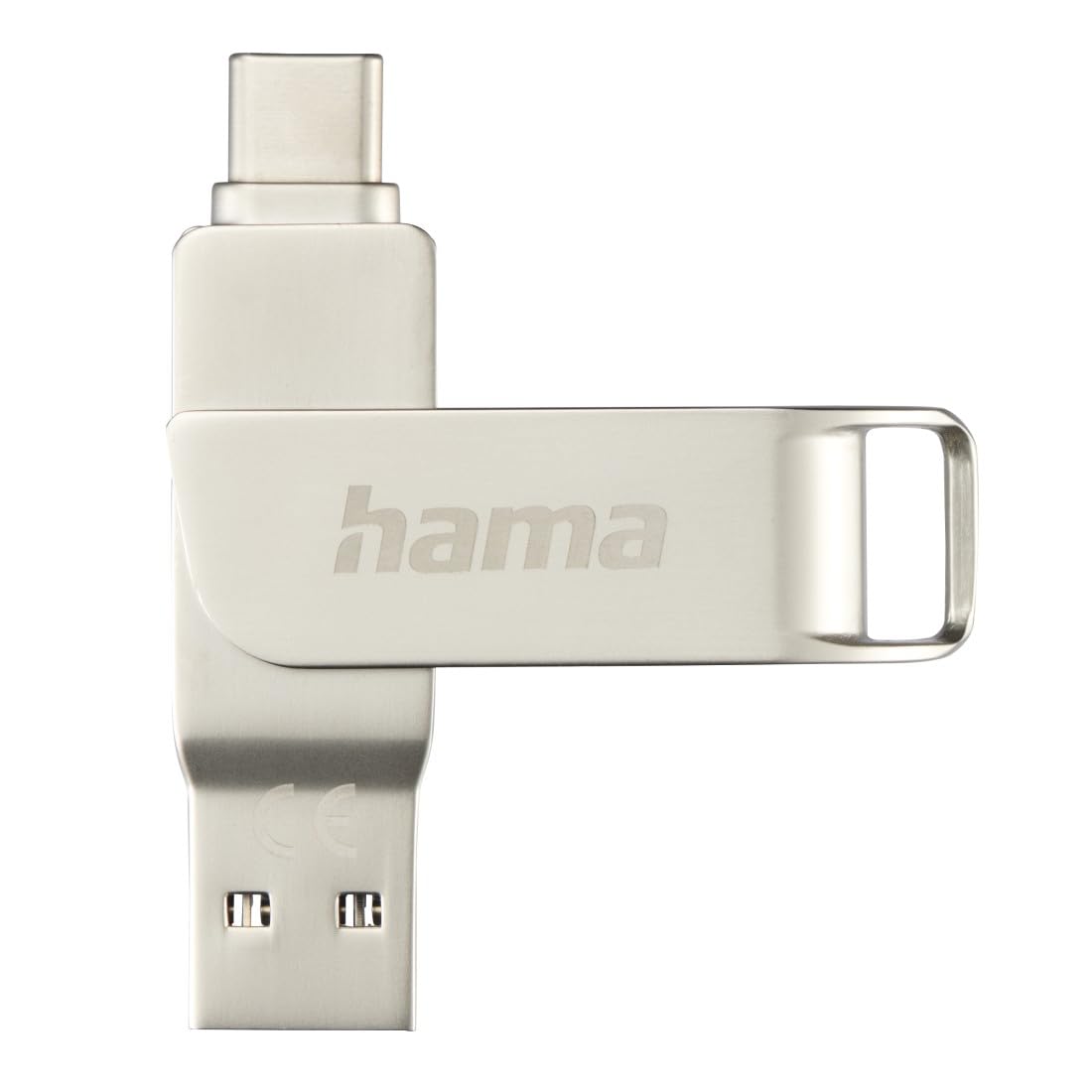
Image: The Hama C-Rotate Pro flash drive, showcasing its dual USB-A and USB-C connectors and the protective rotating metal casing.
يثبت
The Hama C-Rotate Pro flash drive is designed for plug-and-play functionality, requiring no special driver installation for most operating systems.
- حدد المنفذ الصحيح: Determine whether your device has a USB-C port or a standard USB-A port.
- Rotate the connector: قم بتدوير المعدن ج برفقasing to expose either the USB-C or the USB-A connector.
- Insert the flash drive: Plug the appropriate connector into the corresponding port on your computer, smartphone, or other compatible device.
- Device recognition: Your operating system (Windows 10/8/7, MacOS 9.x or higher) should automatically recognize the flash drive as a removable storage device.
Important Note: Never attempt to use both the USB-C and USB-A connectors simultaneously. Only one connector should be exposed and connected at a time.
تعليمات التشغيل
Once connected, the Hama C-Rotate Pro functions like any standard removable storage device.
- الوصول Files: افتح جهاز الكمبيوتر الخاص بك file explorer (Windows) or Finder (macOS) and locate the drive, typically labeled as a removable disk.
- نقل Files: السحب والإفلات files to and from the flash drive. For optimal speed, ensure you are using a USB 3.0/3.1 (Gen. 1) or USB-C 3.0 port.
- Full HD Video Playback/Recording: The drive supports direct recording and playback of Full HD videos, provided your device and software support this functionality.
- إزالة آمنة: قم دائمًا بإخراج محرك الأقراص المحمول بأمان من نظام التشغيل الخاص بك قبل إزالته فعليًا لمنع تلف البيانات.

Image: The Hama C-Rotate Pro with its USB-C connector ready for use.

Image: The Hama C-Rotate Pro with its USB-A connector ready for use.
صيانة
The Hama C-Rotate Pro is designed with a robust metal casing for durability. Minimal maintenance is required.
- تنظيف: Use a soft, dry cloth to wipe the exterior of the flash drive. Avoid liquid cleaners or abrasive materials.
- تخزين: When not in use, rotate the casing to protect both connectors from dust and physical damage. Store in a cool, dry place.
- التعامل: Avoid dropping the device or subjecting it to excessive force.
استكشاف الأخطاء وإصلاحها
- Issue: Flash drive not recognized by the device.
- حل:
- تأكد من إدخال محرك الأقراص المحمول بالكامل في منفذ USB.
- حاول استخدام منفذ USB مختلف على جهازك.
- Ensure only one connector (USB-C or USB-A) is exposed and connected at a time.
- أعد تشغيل الكمبيوتر أو الجهاز.
- Check if your operating system is compatible (Windows 10/8/7, MacOS 9.x or higher).
- المشكلة: بطء سرعات نقل البيانات.
- حل:
- Ensure you are connecting the flash drive to a USB 3.0/3.1 (Gen. 1) or USB-C 3.0 port on your device. Connecting to a USB 2.0 port will result in significantly slower speeds.
- تأكد من أن files being transferred are not excessively fragmented or corrupted.
- Close other applications that might be using system resources or performing disk operations.
- Issue: Data corruption or loss.
- حل:
- Always use the "Safely Remove Hardware" or "Eject" option in your operating system before physically disconnecting the flash drive.
- تجنب فصل محرك الأقراص أثناء نقل البيانات النشط.
تحديد
| اسم الموديل | سي-روتيت برو |
| رقم الموديل | ham_n17_00182490 |
| سعة التخزين | 64 جيجا بايت |
| الواجهة | USB-C 3.0, USB 3.0/3.1 (Gen. 1) Type-A |
| سرعة القراءة | Up to 70 MB/s (with USB 3.0/3.1 Gen. 1 or USB-C 3.0 interface) |
| مادة | معدن |
| الأبعاد (الطول × العرض × الارتفاع) | 62.2 مم × 14 مم × 8.9 مم |
| وزن | 16.34 جرام |
| توافق نظام التشغيل | Windows 10/8/7, MacOS 9.x or higher |
| المميزات الخاصة | Rotating mechanism, OTG (On-The-Go) functionality |
معلومات الدعم
For further assistance or to access the official product page and additional resources, please visit the Hama webموقع.
- دليل على الإنترنت: The user manual for the Hama C-Rotate Pro USB stick can be found on www.hama.com under item number 00182490.
- الشركة المصنعة Webموقع: For general product information and support, visit www.hama.com.
تُرفق معلومات الضمان عادةً مع عبوة المنتج أو تكون متاحة على الموقع الرسمي للشركة المصنعة. website. Please refer to those resources for details regarding your product's warranty.