
DOQAUS LIFE 4
دليل مستخدم سماعات الرأس اللاسلكية DOQUAUS LIFE 4 فوق الأذن بتقنية البلوتوث
Brand: DOQAUS | Model: LIFE 4
مقدمة
This manual provides comprehensive instructions for the DOQAUS LIFE 4 Over-Ear Bluetooth Headphones. It covers essential information regarding setup, operation, maintenance, and specifications to ensure optimal use of your device. The LIFE 4 headphones are designed for extended listening with a focus on comfort, sound quality, and versatile connectivity.
الميزات الرئيسية
- وقت اللعب الممتد: عمر بطارية يصل إلى 90 ساعة بشحنة واحدة.
- صوت قابل للتخصيص: Three professional EQ modes (Normal, Bass Boost, Vocal/Treble Boost) for tailored audio experiences.
- التواصل الواضح: Built-in HD microphone for crystal-clear calls.
- Comfort-Focused Design: Plush memory foam ear cups and an adjustable, lightweight headband for prolonged wear.
- الاتصال المزدوج: Seamless connection to two devices simultaneously via Bluetooth 5.3.
- الاستخدام المرن: يدعم كلاً من الاتصال اللاسلكي بتقنية البلوتوث والاتصال الصوتي السلكي بقطر 3.5 ملم.
- تصميم محمول: Foldable earcups for easy storage and transport.
ماذا يوجد في الصندوق
Upon opening your DOQAUS LIFE 4 headphones package, you will find the following items:
- 1 x DOQAUS LIFE 4 Over-Ear Headphone
- 1 × كابل شحن USB
- 1 x Aux Audio Cable (3.5mm)
- 1 × دليل المستخدم
- 1 x Exquisite Package (packaging material)

Image: Contents of the DOQAUS LIFE 4 headphone package, including the headphones, charging cable, AUX cable, and user manual.
دليل الإعداد
فيديو: أكثر منview of unboxing, setting up, and key features of the DOQAUS LIFE 4 headphones.
1. شحن سماعات الرأس
Before initial use, fully charge your DOQAUS LIFE 4 headphones. A full charge takes approximately 2.5 hours and provides up to 90 hours of playtime. A quick 10-minute charge can provide 5 hours of music playback.
- Connect the provided USB charging cable to the USB-C port on the headphone.
- قم بتوصيل الطرف الآخر من كابل USB بمصدر طاقة USB متوافق (على سبيل المثال، منفذ USB في الكمبيوتر، أو محول الحائط).
- The LED indicator on the headphone will show charging status (refer to the LED indicator section in the physical manual for specific light patterns).
- بمجرد الشحن بالكامل ، افصل كابل الشحن.

Image: DOQAUS LIFE 4 headphones in use, highlighting the extended 90-hour playtime.
Video: Demonstration of the DOQAUS LIFE 4 headphones' 90-hour battery life and charging process.
2. اقتران بلوتوث
The LIFE 4 headphones utilize Bluetooth 5.3 for stable and fast wireless connections.
- تأكد من شحن سماعات الرأس وإيقاف تشغيلها.
- Press and hold the Power button on the headphone until the LED indicator flashes blue and red, indicating pairing mode.
- على جهازك (الهاتف الذكي، الجهاز اللوحي، الكمبيوتر)، قم بتمكين البلوتوث وابحث عن الأجهزة المتاحة.
- Select "DOQAUS LIFE 4" from the list of devices.
- بمجرد الاتصال، سيتحول مؤشر LED إلى اللون الأزرق الثابت أو يومض باللون الأزرق ببطء.

الصورة: عن قرب view of the DOQAUS LIFE 4 headphones, highlighting the Advanced Bluetooth 5.3 wireless technology.
فيديو: انتهىview of Bluetooth 5.3 connectivity and stable connection features of the DOQAUS LIFE 4 headphones.
3. Dual Device Connectivity
يمكن لسماعات الرأس الاتصال بجهازين يعملان بتقنية البلوتوث في وقت واحد.
- قم بإقران سماعات الرأس بالجهاز الأول كما هو موضح أعلاه.
- قم بتعطيل البلوتوث على الجهاز الأول. ستعود سماعات الرأس إلى وضع الاقتران.
- قم بإقران سماعات الرأس بالجهاز الثاني.
- أعد تفعيل البلوتوث على الجهاز الأول. ستتصل سماعات الرأس تلقائيًا بالجهازين.
- سيتم تشغيل الصوت من الجهاز الذي يقوم بتشغيل الوسائط أو يستقبل مكالمة.

Image: A man enjoying music with DOQAUS LIFE 4 headphones connected wirelessly to his smartphone, illustrating stable Bluetooth connectivity.
تعليمات التشغيل
1. الضوابط زر
The DOQAUS LIFE 4 headphones feature intuitive button controls located on the earcups for easy management of audio and calls.
- زر الطاقة: اضغط مع الاستمرار لتشغيل/إيقاف التشغيل. اضغط ضغطة قصيرة لتشغيل/إيقاف الموسيقى مؤقتًا أو للرد على المكالمات/إنهائها.
- رفع الصوت / المسار التالي: اضغط ضغطة قصيرة لرفع الصوت. اضغط ضغطة مطولة للانتقال إلى المقطع التالي.
- خفض الصوت / المسار السابق: اضغط ضغطة قصيرة لخفض الصوت. اضغط ضغطة مطولة للانتقال إلى المقطع السابق.
- زر EQ: Short press to cycle through the 3 EQ modes (Normal, Bass Boost, Vocal/Treble Boost).
2. أوضاع المعادل
Enhance your listening experience with three distinct equalizer modes:
- الوضع العادي: يوفر معالج صوت متوازنfile suitable for most genres.
- وضع تعزيز الجهير: Amplifies low frequencies for a deeper, more impactful bass, ideal for workouts or bass-heavy music.
- Vocal/Treble Boost Mode: Enhances vocal clarity and high frequencies, perfect for podcasts, audiobooks, or acoustic music.

Image: Visual representation of the three EQ music modes available on the headphones.
Video: Demonstration of the 3 EQ modes for sound customization on the DOQAUS LIFE 4 headphones.
3. اتصال سلكي
For situations where Bluetooth is not available or preferred, use the included 3.5mm audio cable.
- Plug one end of the 3.5mm audio cable into the AUX port on the headphone.
- قم بتوصيل الطرف الآخر بمخرج الصوت 3.5 ملم الخاص بجهازك.
- The headphones will automatically switch to wired mode. Note that some controls may be limited in wired mode.

Image: DOQAUS LIFE 4 headphones demonstrating wireless and wired connection options.
4. إجراء واستقبال المكالمات
The built-in HD microphone ensures clear voice transmission during calls.
- الرد/إنهاء المكالمة: اضغط لفترة قصيرة على زر الطاقة.
- رفض المكالمة: اضغط لفترة طويلة على زر الطاقة.
- تنشيط مساعد الصوت: Double-press the Power button (if supported by your connected device).
الراحة والتصميم
The DOQAUS LIFE 4 headphones are engineered for comfort and portability, featuring:
- عقال قابل للتعديل: Easily customize the fit for various head sizes.
- Plush Memory Foam Earcups: Soft, breathable earcups provide comfort during extended listening sessions.
- Foldable and Swivel Design: Earcups can swivel 90 degrees and the headphones fold compactly for convenient storage and travel.
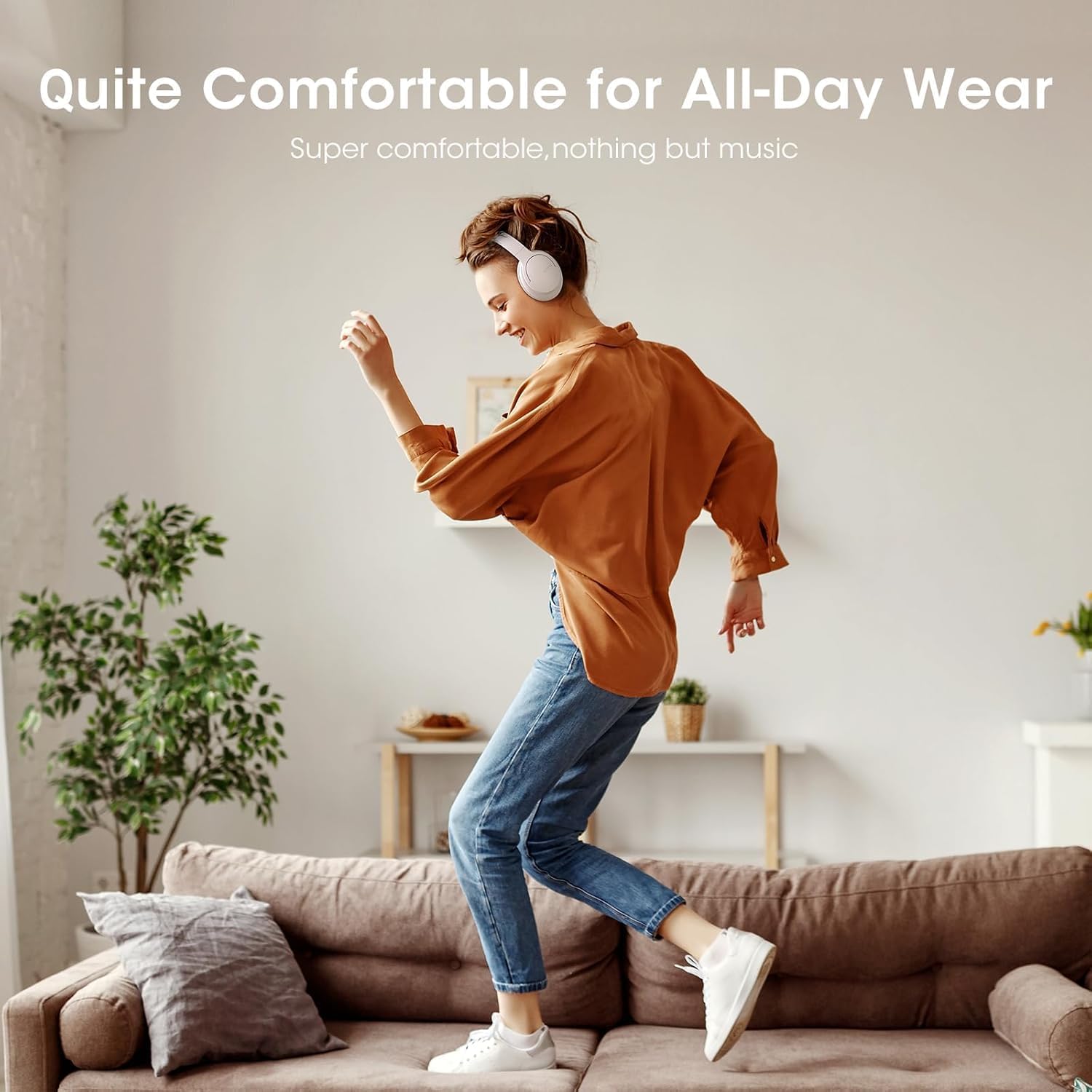
Image: Close-up of the plush memory foam earcups, highlighting the comfort-focused design.


Images: Details on adjustable headband, memory foam earcups, 90-degree swivel, and foldable design for enhanced comfort and portability.
فيديو: إعادةview focusing on the passive noise isolation and comfortable fit of the DOQAUS LIFE 4 headphones.
فيديو: إعادةview highlighting the all-day comfort and ergonomic design of the DOQAUS LIFE 4 headphones.
الصيانة والعناية
To ensure the longevity and optimal performance of your DOQAUS LIFE 4 headphones, follow these care guidelines:
- نظف سماعات الأذن وعصابة الرأس بانتظام بقطعة قماش ناعمة وجافة.
- تجنب تعريض سماعات الرأس لدرجات الحرارة العالية أو الرطوبة أو أشعة الشمس المباشرة.
- Do not immerse the headphones in water. While water-resistant, they are not waterproof.
- Store the headphones in a cool, dry place when not in use, preferably folded to protect the earcups.
- Avoid using abrasive cleaners or solvents on the headphones.
استكشاف الأخطاء وإصلاحها
If you encounter any issues with your DOQAUS LIFE 4 headphones, try the following steps:
- لا يوجد طاقة: تأكد من شحن سماعات الرأس بالكامل.
- لا يمكن الاقتران: Make sure the headphones are in pairing mode (flashing blue/red LED) and within range of your device. Try restarting both the headphones and your device.
- لا يوجد صوت: Check the volume levels on both the headphones and your connected device. Ensure the correct audio output is selected on your device.
- ضعف جودة الصوت: Move closer to your connected device to improve Bluetooth signal. Try switching EQ modes.
- اتصال متقطع: Ensure no obstacles are between the headphones and your device. Avoid environments with high Wi-Fi or other wireless interference.
تحديد
| ميزة | التفاصيل |
|---|---|
| اسم الموديل | الحياة 4 |
| ماركة | دوكوس |
| تكنولوجيا الاتصال | سلكي، لاسلكي (بلوتوث 5.3) |
| نسخة البلوتوث | 5.3 |
| مدى البلوتوث | 32.8 قدمًا (حوالي 10 أمتار) |
| عمر البطارية | 90 ساعة |
| وقت الشحن | 2.5 ساعة |
| حجم برنامج تشغيل الصوت | 40 مليمتر |
| أوضاع EQ | 3 (Normal, Bass Boost, Vocal/Treble Boost) |
| ميكروفون | ميكروفون مدمج عالي الدقة |
| التحكم في الضوضاء | عزل الصوت (سلبي) |
| مقبس سماعات الرأس | 3.5 ملم جاك |
| مادة | Plastic, Premium Memory Foam |
| وزن العنصر | 0.32 كيلوغرام (11.3 أونصة) |
| مستوى مقاومة الماء | مقاوم للماء |
| المميزات الخاصة | Adjustable Headband, Lightweight, Foldable |
الضمان والدعم
For warranty information, technical support, or customer service inquiries, please refer to the contact details provided in the original product packaging or visit the official DOQAUS webموقع.
Ask a question about this manual
Ask about setup, troubleshooting, compatibility, parts, safety, or missing instructions. Manuals+ will review the question and use this page’s manual context to help answer it.