
مقدمة
The Dyson Solarcycle Morph Desk Lamp is engineered to intelligently track your local daylight, transforming and adjusting its light output to provide optimal illumination throughout the day. This advanced LED lamp offers versatile lighting modes and is controlled via the Dyson Link app, adapting to your environment and personal preferences.
تتضمن الميزات الرئيسية ما يلي:
- Task light: Focused illumination for detailed work.
- Indirect light: Soft, ambient light for a relaxed atmosphere.
- Feature light: Highlights architectural features or artwork.
- الإضاءة المحيطة: Reduces eye strain and creates a comfortable environment.
- Magnetic touch-glide docking for seamless transitions.
- Control via the Dyson Link app for personalized settings and daylight tracking.
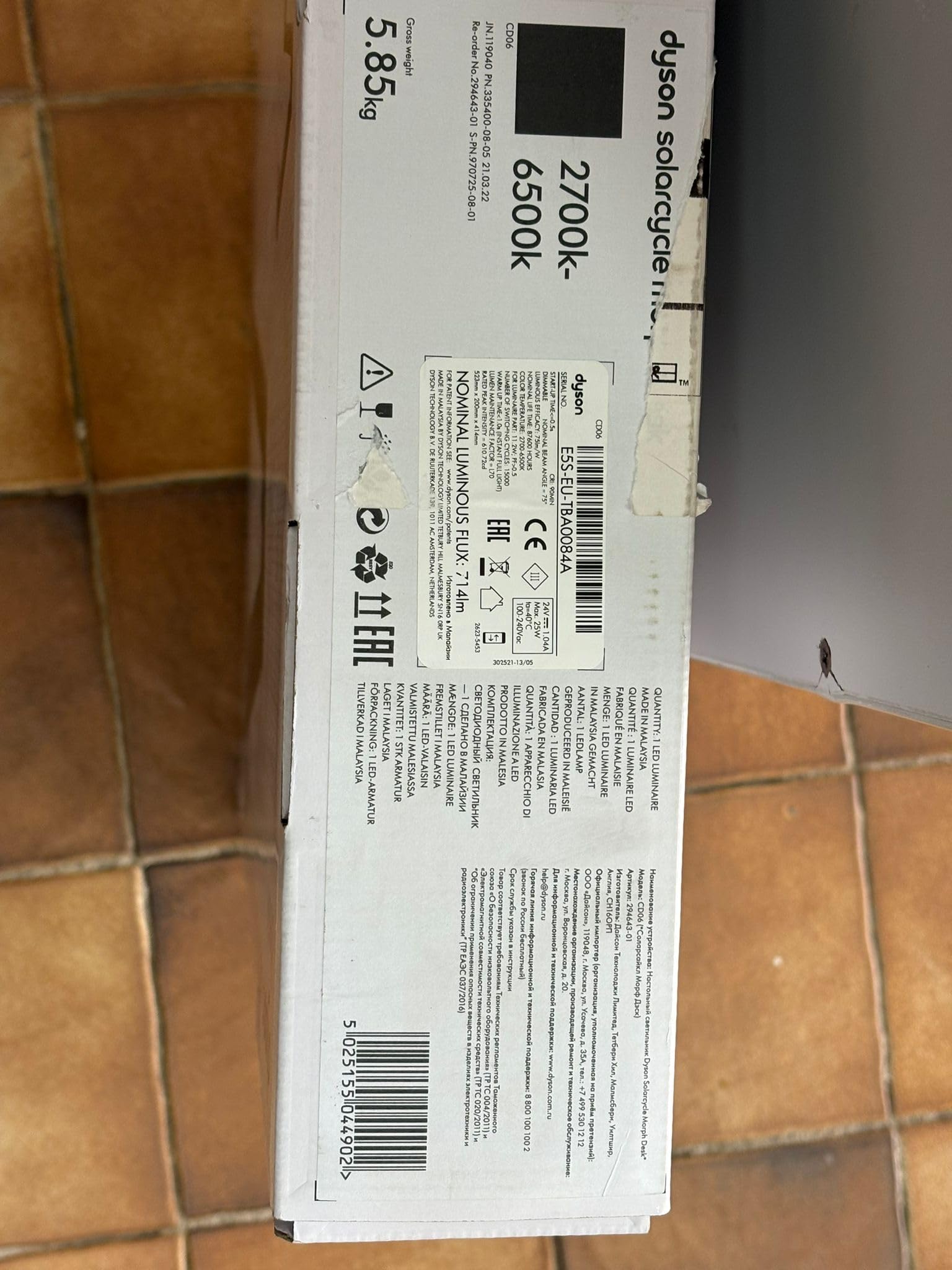
Image: The Dyson Solarcycle Morph Desk Lamp, illustrating its sleek design and adjustable components.
ماذا يوجد في الصندوق
Carefully unpack all components from the packaging. Ensure all items are present before proceeding with setup.
- Dyson Solarcycle Morph Desk Lamp وحدة
- وحدة تزويد الطاقة
- دليل المستخدم ومعلومات الضمان
يثبت
- الموقع: ضع lamp on a stable, flat surface. Ensure there is adequate space for the lamp's adjustable arm to move freely.
- توصيل الطاقة: Connect the power supply unit to the lamp's power input port. Plug the power supply into a suitable electrical outlet (100-240V compatible).
- التشغيل الأولي: لamp should illuminate upon connection to power. If not, press the power button located on the lamp رأس.
- Dyson Link App Setup:
- Download the Dyson Link app from your device's app store.
- افتح التطبيق واتبع التعليمات التي تظهر على الشاشة لإنشاء حساب أو تسجيل الدخول.
- Select 'Add Machine' and choose the Dyson Solarcycle Morph Desk Lamp.
- Follow the app's pairing instructions to connect your lamp via Bluetooth. This enables intelligent daylight tracking and advanced control features.

الصورة: الجبهة view من لamp, ready for placement and power connection.
تعليمات التشغيل
التحكم اليدوي
- زر الطاقة: اضغط لتدوير lamp تشغيل أو إيقاف.
- التحكم في السطوع: Use the touch-sensitive controls on the lamp head to adjust light intensity.
- التحكم في درجة حرارة اللون: Adjust the light's color temperature (from 2700K warm white to 6500K cool white) using the dedicated controls.
- Magnetic Touch-Glide Docking: لamp head can be magnetically docked to the stem for ambient light mode, or undocked and adjusted for task, indirect, or feature lighting.
Dyson Link App Controls
The Dyson Link app unlocks the full potential of your Solarcycle Morph lamp:
- Daylight Tracking: لamp intelligently adjusts its brightness and color temperature based on your local daylight conditions, providing consistent illumination.
- الإعدادات الشخصية: Customize light modes, brightness, and color temperature to suit your activities and preferences.
- الجدولة: Set schedules for your lamp to turn on/off or change modes automatically.
- وضع السكون: Gradually dims the light to help prepare for sleep.
- الوضع بالخارج: Randomly turns the light on and off to simulate occupancy when you are away.

الصورة: الجانب view من لamp demonstrating its flexible articulation for various lighting positions.
صيانة
The Dyson Solarcycle Morph Desk Lamp is designed for minimal maintenance. The integrated LEDs have an exceptionally long lifespan of approximately 181,000 hours.
- تنظيف: لتنظيف لamp, ensure it is unplugged from the power outlet. Use a soft, dry, lint-free cloth to wipe down surfaces. Do not use abrasive cleaners, solvents, or harsh chemicals, as these can damage the finish.
- إزالة الغبار: Gently remove any dust from the light head and arm using a soft brush or a dry cloth.
استكشاف الأخطاء وإصلاحها
Lamp عدم التشغيل
- Check if the power supply is securely plugged into both the lamp ومنفذ الحائط.
- تأكد من أن منفذ الحائط يعمل بشكل صحيح عن طريق اختباره بجهاز آخر.
- اضغط على زر الطاقة الموجود على lamp head firmly.
مشاكل اتصال التطبيق
- تأكد من تمكين Bluetooth على جهازك المحمول.
- تأكد من أن الخاص بكamp is within range of your mobile device.
- Restart the Dyson Link app.
- حاول إعادة تشغيل جهازك المحمول.
- If issues persist, try unpairing and re-pairing the lamp من خلال إعدادات التطبيق.
Light Flickering or Incorrect Output
- تأكد من لamp is receiving stable power. Avoid connecting to outlets with other high-power devices.
- Check for any physical obstructions around the light sensor if daylight tracking is enabled.
- Perform a soft reset by unplugging the lamp for 30 seconds and then plugging it back in.
تحديد
| ميزة | مواصفة |
|---|---|
| رقم الموديل | Dyson Solarcycle Morph |
| Product Dimensions (HxLxW) | 523 x 414.4 x 200.2 mm (20.59"H x 16.31"D x 7.88"W) |
| وزن العنصر | 3.5 كجم |
| نوع مصدر الضوء | قاد |
| نطاق درجة حرارة اللون | 2700K - 6500K (undocked), 1800K - 3400K (docked) |
| إنتاج الضوء | 850 لومن |
| القدرة المقدرة | 11.2 واط |
| حجم الإدخالtage | 100-240 فولت |
| تكرار | 50/60 هرتز |
| الصمام الحياة مرة | 181,000 ساعة |
| طريقة التحكم | App (Dyson Link), Push Button |
| بروتوكول الاتصال | بلوتوث |
| نوع المادة | الألومنيوم |
| مادة الظل | معدن |
| لون | أسود |

الصورة: الخلفية view من لamp, showing the minimalist design and power connection area.
معلومات الضمان
Dyson products typically come with a manufacturer's warranty. Please refer to the warranty card included with your product for specific terms and conditions. You can also find detailed warranty information and product registration options on the official Dyson webموقع.
يدعم
For further assistance, product registration, or to contact customer support, please visit the official Dyson support webيمكنك أيضاً العثور على الأسئلة الشائعة والموارد الإضافية هناك.
متجر دايسون الرسمي: تفضل بزيارة متجر دايسون على أمازون