
1. المقدمة
Thank you for choosing the Gigastone 24 inch 165Hz IPS Gaming Monitor. This manual provides essential information for setting up, operating, and maintaining your monitor. Please read it thoroughly before use to ensure optimal performance and safety.
This monitor features a 23.8-inch Full HD (1920x1080) IPS panel with a 165Hz refresh rate and 5ms response time, designed to deliver a smooth and immersive visual experience. It includes FreeSync technology to reduce screen tearing and stuttering, and Eye Care technology for comfortable viewing during extended use. The monitor also comes with built-in speakers and supports VESA mounting.
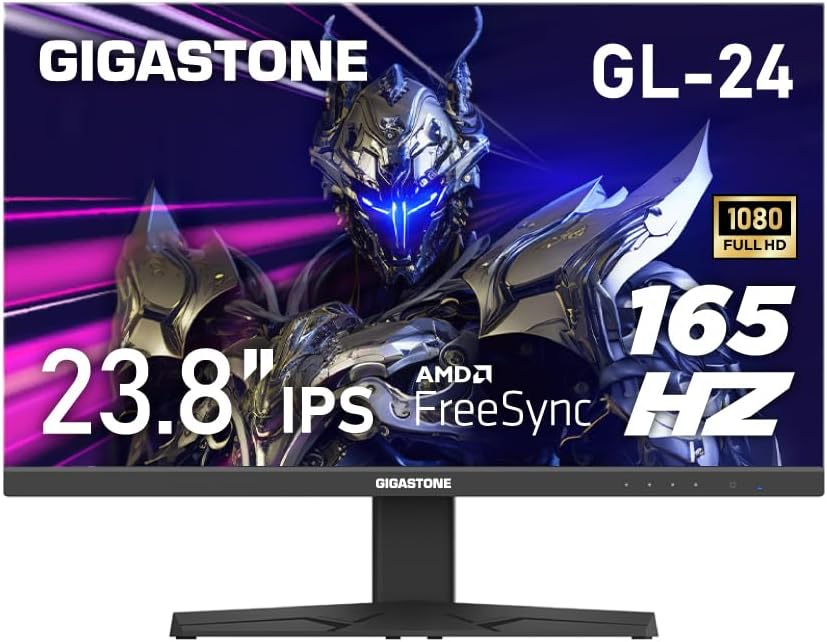
الشكل 1: الجبهة view of the Gigastone 24 inch 165Hz IPS Gaming Monitor.
2. محتويات العبوة
يرجى التحقق من محتويات الحزمة للتأكد من وجود جميع العناصر:
- Gigastone 24 inch 165Hz IPS Gaming Monitor
- حامل الشاشة (القاعدة والرقبة)
- محول الطاقة
- كابل HDMI
- كابل منفذ العرض (DP)
- دليل المستخدم (هذا المستند)
3. الإعداد
3.1 تجميع حامل الشاشة
- قم بإزالة الشاشة بعناية من عبوتها، وضعها على سطح ناعم ونظيف بحيث يكون وجهها لأسفل لمنع الخدوش.
- قم بتركيب عنق الحامل على لوحة الشاشة عن طريق محاذاة علامات التبويب والدفع حتى يستقر في مكانه.
- Attach the stand base to the stand neck. Secure it with the captive screw located at the bottom of the base.
3.2 توصيل الشاشة
قم بتوصيل الشاشة بجهاز الكمبيوتر الخاص بك أو بأجهزة أخرى باستخدام الكابلات المناسبة.

الشكل 2: خلفي view of the monitor with port labels.
- توصيل الطاقة: Connect the power adapter to the monitor's power input port, then plug the other end into a power outlet.
- اتصال HDMI: Connect one end of the HDMI cable to the HDMI port on your computer's graphics card and the other end to one of the HDMI ports (HDMI Ver 2.0) on the monitor.
- اتصال DisplayPort (DP): Connect one end of the DP cable to the DisplayPort on your computer's graphics card and the other end to the DP Ver 1.2 port on the monitor.
- مخرج الصوت: For external speakers or headphones, connect them to the Audio Out port on the monitor. The monitor also has built-in speakers.
3.3 تركيب VESA
The monitor supports VESA 100x100mm mounting standards, allowing you to attach it to a compatible wall mount or monitor arm (sold separately). To do this, remove the stand and attach the VESA mount using appropriate screws.

Figure 3: Monitor highlighting VESA 100x100mm mounting points.
4. تشغيل الشاشة
4.1 تشغيل/إيقاف التشغيل
اضغط على زر التشغيل الموجود أسفل يمين الشاشة لتشغيلها أو إيقافها. سيضيء مؤشر الطاقة عند تشغيل الشاشة.
4.2 قائمة العرض على الشاشة (OSD)
The OSD menu allows you to adjust various monitor settings. Use the control buttons (usually located on the bottom right or rear of the monitor) to navigate the menu.
- ملاحة: استخدم أزرار الاتجاهات للتنقل بين خيارات القائمة.
- اختيار: Press the central button to select an option or confirm a setting.
- مخرج: استخدم زر "خروج" أو "رجوع" للعودة إلى القائمة السابقة أو للخروج من شاشة العرض على الشاشة.
4.3 الميزات والإعدادات الرئيسية
- معدل التحديث (165 هرتز): This monitor supports a high refresh rate of 165Hz, providing smoother motion and reduced input lag, especially beneficial for gaming. Ensure your graphics card and connection cable (DisplayPort or high-speed HDMI) support 165Hz at 1920x1080 resolution. You may need to adjust this setting in your computer's display settings.
- FreeSync / Adaptive-Sync: This technology synchronizes the monitor's refresh rate with your graphics card's frame rate, eliminating screen tearing and reducing stuttering. To enable FreeSync, ensure it is activated in the monitor's OSD menu and in your graphics card's control panel (e.g., AMD Radeon Software).
- تقنية العناية بالعيون: The monitor incorporates features like Blue Light Shift and Anti-Flicker technology to reduce eye strain during prolonged use. These settings can typically be adjusted within the OSD menu.
- اختيار مصدر الإدخال: If you have multiple devices connected, use the OSD menu to switch between HDMI 1, HDMI 2, or DisplayPort inputs.
- إعدادات الصوت: Adjust the volume of the built-in speakers or connected external audio devices via the OSD menu.

Figure 4: Visual comparison demonstrating the smoothness of 165Hz refresh rate versus 75Hz.

Figure 5: Visual comparison showing the effect of FreeSync technology on screen tearing.
Video 1: An official product video demonstrating the monitor's features and gaming experience. This video highlights the visual quality and performance aspects of the Gigastone gaming monitor.
5. الصيانة
تضمن الصيانة المناسبة طول عمر الشاشة والأداء الأمثل لها.
- تنظيف الشاشة: امسح الشاشة برفق بقطعة قماش ناعمة وخالية من الوبر. لإزالة البقع الصعبة، استخدمampen the cloth slightly with water or a monitor-specific cleaning solution. لا رش السائل مباشرة على الشاشة.
- تنظيف Casing: استخدم قطعة قماش ناعمة وجافة لتنظيف الشاشة.asinز. تجنب استخدام المنظفات أو المذيبات الكاشطة.
- تهوية: تأكد من عدم حجب فتحات تهوية الشاشة لمنع ارتفاع درجة الحرارة.
- إيقاف التشغيل: قم دائمًا بإيقاف تشغيل الشاشة وفصلها عن مأخذ الطاقة قبل التنظيف أو إذا كانت ستظل غير مستخدمة لفترة طويلة.
6. استكشاف الأخطاء وإصلاحها
إذا واجهت مشكلات مع شاشتك، فراجع خطوات استكشاف الأخطاء وإصلاحها الشائعة التالية:
| مشكلة | الحل المحتمل |
|---|---|
| لا توجد صورة على الشاشة |
|
| Image is flickering or distorted |
|
| لا يوجد صوت من مكبرات الصوت |
|
If the problem persists after trying these steps, please contact Gigastone customer support for further assistance.
7. المواصفات
| ميزة | التفاصيل |
|---|---|
| رقم الموديل | GL-24FF3 |
| حجم الشاشة | 24 Inches (23.8" actual) |
| نوع اللوحة | اي بي اس |
| دقة | 1920 × 1080 (FHD) |
| معدل التحديث | 165 هرتز |
| وقت الاستجابة | 5 مللي ثانية |
| نسبة العرض إلى الارتفاع | 16:9 |
| Viewزاوية جي | عرض 178 درجة View |
| سطوع | 300 كانديلا |
| نسبة التباين | 1000:1 |
| الاتصال | 2x HDMI (Ver 2.0), 1x DisplayPort (Ver 1.2), Audio Out |
| VESA Mount | 100×100 ملم |
| المميزات الخاصة | FreeSync, Eye Care Technology (Blue Light Shift & Anti-Flicker), Built-in Speakers |
| أبعاد المنتج (الطول × العرض × الارتفاع) | 1.87 × 21.26 × 16.39 بوصة |
| وزن العنصر | 12.41 رطل |
8. الضمان والدعم
This Gigastone monitor comes with a ضمان الشركة المصنعة لمدة عامين. For warranty claims, technical support, or any inquiries, please contact Gigastone customer service. They offer 24/7 world-wide customer service.
Please refer to the official Gigastone website or your purchase documentation for the most up-to-date contact information and detailed warranty terms and conditions.