
1. المقدمة
Welcome to the Cloudpoem Kids Smart Watch instruction manual. This guide provides essential information for setting up, operating, maintaining, and troubleshooting your new smart watch. Designed specifically for children, this device combines fun features with important health and activity tracking capabilities to encourage a healthy and active lifestyle.
2. ماذا يوجد في الصندوق
- Cloudpoem Kids Smart Watch
- مشاهدة الفرقة
- كابل الشحن
- دليل المستخدم
3. الإعداد
3.1 الشحن الأولي
Before first use, fully charge your Cloudpoem Kids Smart Watch. Connect the charging cable to the watch and a compatible USB power source. A full charge typically takes approximately 2 hours. The watch offers up to 5 days of normal use and 30 days of standby time.
3.2 اتصال التطبيق
The smart watch is compatible with most iOS 8.0 & Android 4.4 or higher smartphones (not for PC or tablet). Download the companion app from your device's app store. The app allows for data synchronization, personalized settings, and parental controls for features like game time limits.
3.3 الإعدادات الأساسية
Upon powering on the watch, follow the on-screen prompts to set the date, time, and create a basic user profile (gender, age, height). These details help ensure accurate tracking of activities and health metrics.
4. تعليمات التشغيل
4.1 الملاحة
The Cloudpoem Kids Smart Watch features a responsive touchscreen. Swipe left/right or up/down to navigate through menus and tap to select options.
4.2 All-day Activity Tracker
The watch automatically tracks your child's steps, distances, and calories burned. It supports 9 activity modes, encouraging good sports habits.

Image: The smart watch interface showing 9 different sports modes and 24-hour activity tracking, including outdoor walk, cycling, badminton, basketball, outdoor run, football, indoor run, and dance.
4.3 Health Monitor
This smartwatch monitors daily real-time heart rate and blood oxygen levels. It also tracks sleep patterns, providing detailed analysis to help understand sleep quality and develop healthier schedules.

Image: The smart watch showing heart rate monitoring with a green light sensor and blood oxygen levels at 98%.

Image: The smart watch showing a graph of sleep patterns, categorizing sleep into Deep, Light, REM, and Awake stages over a period from 23:20 to 07:16.
4.4 لعبة ألغاز
The watch includes three built-in puzzle games to enhance thinking ability and improve intelligence. Parents can manage game time through the companion app.

Image: A close-up of the smart watch screen showing an icon for puzzle games, featuring a hamster character.
4.5 Other Practical Features
The watch offers additional features such as a calculator, multiple alarm clocks, a stopwatch, a deep breath guide, music control, and smart reminders for notifications.

Image: The smart watch screen showing a functional calculator interface.

Image: The smart watch screen showing alarm clock settings with options to set multiple alarms for different days of the week.
4.6 وجوه ساعة مخصصة
Personalize the watch with various customizable watch faces to suit your child's style.

Image: The smart watch screen showing several fun and colorful watch face options, including a dog, donuts, astronaut, and pixel art.
4.7 فيديو المنتج الرسمي
Video: An official product video from Cloudpoem showcasing the Smart Watch for Kids, highlighting its features and design for both boys and girls.
5. الصيانة
5.1 IP68 Waterproofing
The Cloudpoem Kids Smart Watch is IP68 waterproof, meaning it is resistant to dust and can withstand immersion in water up to 1.5 meters for 30 minutes. It is suitable for washing hands, showering, and swimming. However, it is not recommended for diving or prolonged submersion in hot water.
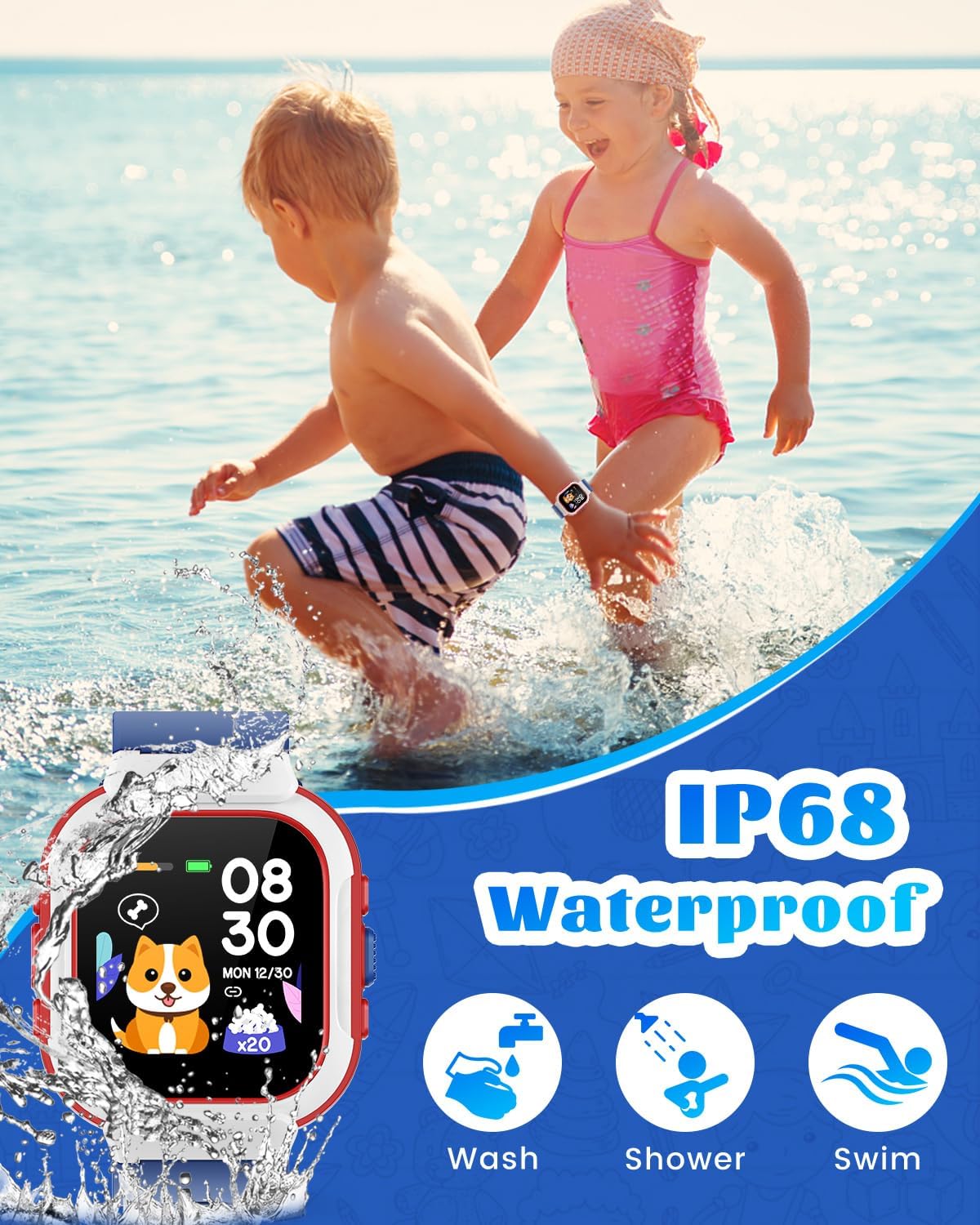
Image: The smart watch shown with water splashes, illustrating its IP68 waterproof rating, with icons for washing, showering, and swimming.
5.2 التنظيف
لتنظيف الساعة، امسحها برفق بقطعة قماش ناعمة.amp قطعة قماش. تجنب استخدام المواد الكيميائية القاسية أو المواد الكاشطة التي قد تتلف الشاشة أوasing.
5.3 أفضل ممارسات الشحن
To prolong battery life, ensure the watch is charged regularly. Avoid completely draining the battery frequently. Use only the provided charging cable.
6. استكشاف الأخطاء وإصلاحها
- الساعة لا تعمل: تأكد من شحن الساعة بالكامل. وصلها بالشاحن لمدة 30 دقيقة على الأقل.
- الشاشة لا تستجيب: Try restarting the watch by pressing and holding the side button. If the issue persists, ensure it's charged.
- تتبع النشاط غير الدقيق: Check that the user profile (age, height) is correctly entered in the app. Ensure the watch is worn snugly on the wrist.
- مشاكل الاتصال بالتطبيق: Ensure Bluetooth is enabled on your smartphone and the watch is within range. Restart both the watch and the app.
7. المواصفات
| ميزة | التفاصيل |
|---|---|
| أبعاد المنتج | 9.25 × 0.87 × 0.43 بوصة |
| وزن العنصر | 3.52 أونصة (0.1 كجم) |
| رقم موديل العنصر | Cloudpoem |
| البطاريات | مطلوب بطارية ليثيوم بوليمر واحدة (متضمنة) |
| حجم شاشة العرض الدائمة | 1.4 بوصة |
| سعة تخزين الذاكرة | 128 ميجا بايت |
| نظام التشغيل | متوافق مع iOS و Android |
| المميزات الخاصة | Alarm Clock, Calorie Tracker, Distance Tracker, Heart Rate Monitor, Sleep Monitor |
| سعة البطارية | 250 مليamp ساعات |
| تكنولوجيا الاتصال | بلوتوث |
| معيار الاتصال اللاسلكي | بلوتوث |
| نظام تحديد المواقع العالمي (جي بي اس) | لا يوجد نظام تحديد المواقع العالمي (GPS) |
| شكل | مستطيل |
8. الضمان والدعم
For warranty information and customer support, please refer to the documentation included with your product or visit the official Cloudpoem webالموقع. احتفظ بإيصال الشراء الخاص بك لاستخدامه في أي مطالبات بالضمان.