
مقدمة
Thank you for choosing the SOAR NCAA Sport True Wireless Earbuds V.5. This manual provides detailed instructions for the proper setup, operation, and maintenance of your earbuds. Please read this manual thoroughly before use to ensure optimal performance and longevity of your device.
محتويات الحزمة
- SOAR NCAA Sport True Wireless Earbuds V.5 (Left and Right)
- حافظة شحن محمولة
- كابل شحن USB من النوع C
- Extra Ear Gels (various sizes)
- دليل المستخدم (هذا المستند)
المنتج انتهىview
Familiarize yourself with the components of your SOAR True Wireless Earbuds.

Image: The SOAR NCAA Sport True Wireless Earbuds V.5, featuring the TCU Horned Frogs logo, are shown both inside their open charging case and as a single earbud outside the case. The closed charging case lid is also displayed, highlighting the team logo.

Image: A diagram highlighting the functional aspects of the earbuds, including sweat resistance, secure fit ear hooks, the portable charging case, clear call quality, and intuitive one-touch controls.
- سماعات الأذن: Left and Right earbuds with integrated controls and ear hooks for a secure fit.
- علبة الشحن: Stores and recharges the earbuds.
- مؤشرات LED: Provide status updates for charging and pairing.
- Multi-function Button/Touch Control: لإدارة التشغيل والمكالمات والمساعد الصوتي.
- ميكروفون: مزود بخاصية الاتصال بدون استخدام اليدين.
يثبت
1. شحن سماعات الأذن والعلبة
- قبل الاستخدام الأول، قم بشحن سماعات الأذن وعلبة الشحن بالكامل.
- ضع سماعات الأذن في علبة الشحن. تأكد من تثبيتها بشكل صحيح.
- قم بتوصيل كابل USB من النوع C بمنفذ الشحن الموجود على العلبة والطرف الآخر بمصدر طاقة USB (مثل الكمبيوتر أو محول الحائط).
- The LED indicators on the case and/or earbuds will show charging status. Refer to the LED indicator section for details.
- Once fully charged, disconnect the charging cable. A full charge provides over 10 hours of music and talk time.
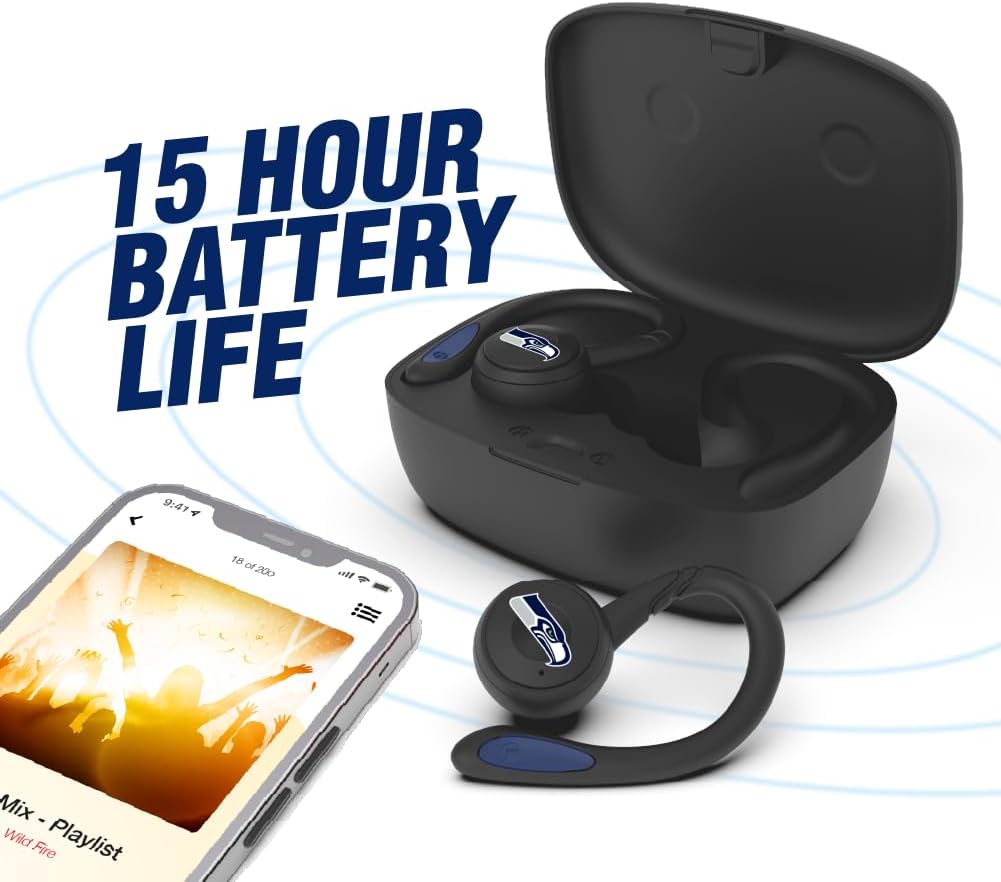
Image: The earbuds are shown within their charging case, positioned beside a smartphone playing music, emphasizing the extended battery life for continuous audio enjoyment.
2. الاقتران بجهاز بلوتوث
- تأكد من شحن وسادات الأذن.
- Open the charging case. The earbuds will automatically enter pairing mode, and their LED indicators will flash (e.g., blue and red alternately).
- على جهازك (الهاتف الذكي، الجهاز اللوحي، وما إلى ذلك)، قم بتمكين البلوتوث.
- بحث عن available Bluetooth devices. You should see "SOAR Earbuds V.5" or a similar name appear in the list.
- Select the earbuds from the list to connect. Once connected, the LED indicators on the earbuds will stop flashing or show a solid blue light, and you will hear an audible confirmation.
- إذا فشل الاقتران، قم بإيقاف تشغيل سماعات الأذن، وتعطيل البلوتوث على جهازك، ثم كرر الخطوات.
تعليمات التشغيل
تشغيل/إيقاف الطاقة
- تشغيل الطاقة: Open the charging case, or press and hold the multi-function button on each earbud for approximately 3 seconds.
- إيقاف التشغيل: Place the earbuds back into the charging case and close the lid, or press and hold the multi-function button on each earbud for approximately 5 seconds.
تشغيل الموسيقى
- تشغيل/إيقاف مؤقت: انقر مرة واحدة على الزر متعدد الوظائف الموجود على أي من سماعتي الأذن.
- المسار التالي: انقر نقراً مزدوجاً على الزر متعدد الوظائف الموجود على سماعة الأذن اليمنى.
- المسار السابق: انقر نقراً مزدوجاً على الزر متعدد الوظائف الموجود على سماعة الأذن اليسرى.
- رفع الصوت: Triple tap the multi-function button on the right earbud.
- اخفض الصوت: Triple tap the multi-function button on the left earbud.
استدعاء إدارة
- الرد/إنهاء المكالمة: انقر مرة واحدة على الزر متعدد الوظائف الموجود على أي من سماعتي الأذن.
- رفض المكالمة: اضغط مع الاستمرار على زر الوظائف المتعددة الموجود على أي سماعة أذن لمدة ثانيتين.
مساعد صوتي
- تنشيط مساعد الصوت: Press and hold the multi-function button on either earbud for 2 seconds (when not on a call).
صيانة
- تنظيف: استخدم قطعة قماش ناعمة وجافة وخالية من الوبر لتنظيف سماعات الأذن وعلبة الشحن. لا تستخدم مواد كيميائية قاسية أو مواد كاشطة.
- جل الأذن: Regularly remove and clean the ear gels with a damp القماش. تأكد من جفافها تمامًا قبل إعادة ربطها.
- تخزين: عند عدم الاستخدام، ضع سماعات الأذن في علبة الشحن لحمايتها والحفاظ على شحنها. خزّنها في مكان بارد وجاف بعيدًا عن أشعة الشمس المباشرة ودرجات الحرارة العالية.
- مقاومة الماء: The earbuds are sweat resistant, but not waterproof. Avoid submerging them in water or exposing them to heavy rain.
استكشاف الأخطاء وإصلاحها
| مشكلة | حل |
|---|---|
| سماعات الأذن لا تعمل. | تأكد من شحن سماعات الأذن. ضعها في علبة الشحن، ثم وصّلها بمصدر الطاقة. |
| سماعات الأذن غير مقترنة بالجهاز. |
|
| تعمل سماعة أذن واحدة فقط. |
|
| جودة الصوت رديئة أو انقطاعات. |
|
تحديد
| ميزة | التفاصيل |
|---|---|
| رقم الموديل | NCAA-TWS5-TXC |
| الاتصال | بلوتوث 5.0 |
| لاسلكي المدى | حتى 30 قدم (9 أمتار) |
| عمر البطارية | Over 10 hours (music & talk time per charge) |
| منفذ الشحن | يو إس بي من النوع سي |
| نوع التحكم | Touch Control / Multi-function Button |
| ميكروفون | مدمج |
| مادة | بلاستيك |
| وزن | Approximately 140 g (total item weight) |
الضمان والدعم
For warranty information and customer support, please refer to the official SOAR product webالموقع أو تواصل مع بائع التجزئة. احتفظ بإيصال الشراء لأي مطالبات بالضمان.
لمزيد من المساعدة، يرجى زيارة: www.soar.com (Note: This is a placeholder link. Please refer to the actual product packaging or manufacturer's webموقع للحصول على معلومات دعم دقيقة.)