
مقدمة
This manual provides comprehensive instructions for the safe and effective use of your DEWALT 20V MAX Cordless Drill and Impact Driver Combo Kit, model DCK277D2. Please read all instructions carefully before operating the tools to ensure proper function and to prevent injury.
محتويات الطقم
Your DEWALT DCK277D2 combo kit includes the following components:
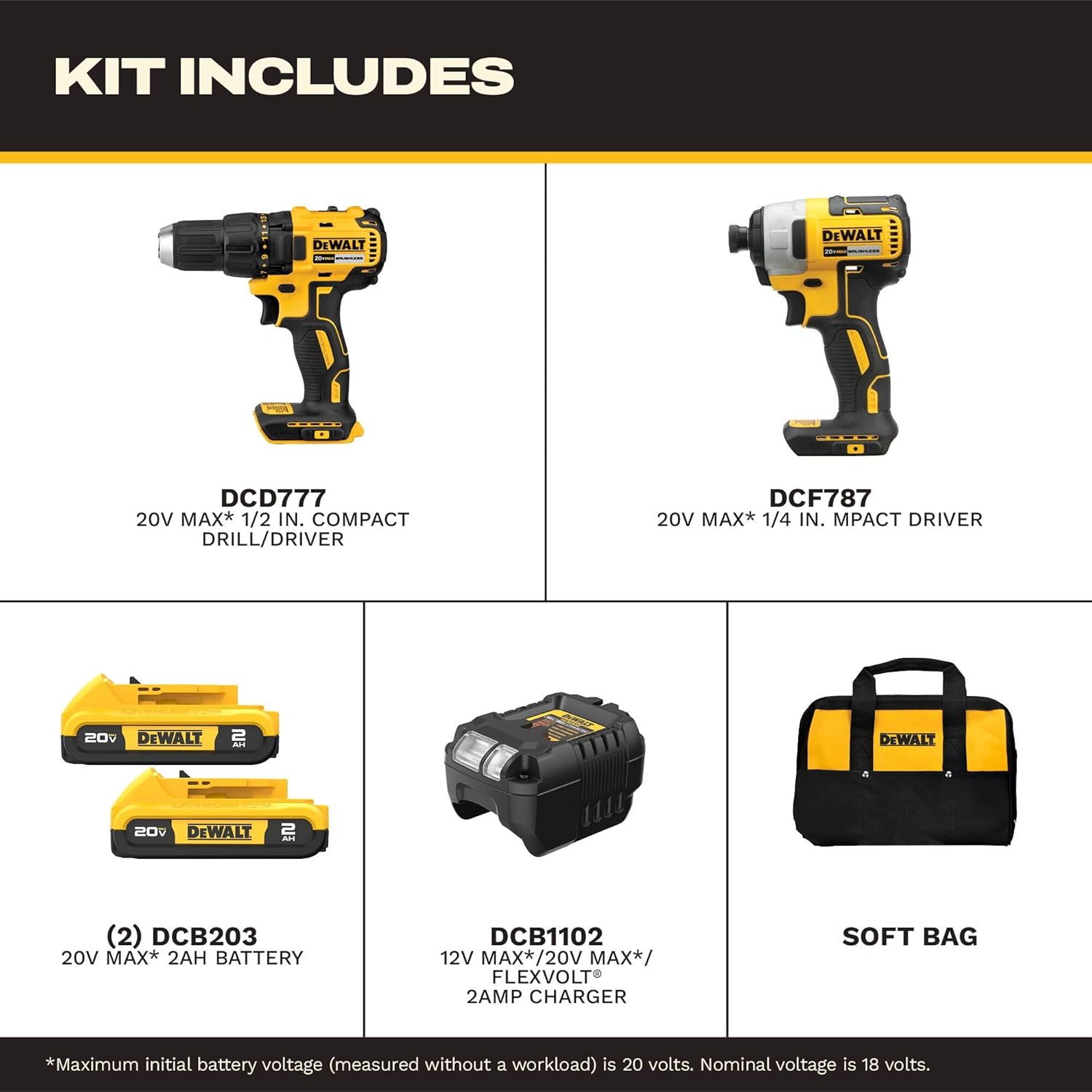
All components included in the DEWALT DCK277D2 combo kit.
- (1) DCD777 20V MAX* Brushless Drill/Driver: A versatile tool for drilling and driving fasteners.
- (1) DCF787 20V MAX* Brushless 1/4 in. Cordless Impact Driver: Designed for driving fasteners with high torque.
- (2) DCB203 20V MAX* Compact Lithium-Ion 2.0Ah Battery Packs: Provides power to both tools.
- (1) DCB1102 Charger: For recharging the 20V MAX* battery packs.
- (1) Contractor Bag: For convenient storage and transport of the kit.
DCD777 Drill/Driver Overview
The DCD777 drill/driver features a compact design and brushless motor for efficient performance. Key features include:

Key features of the DEWALT DCD777 Drill/Driver.
- 1/2 inch (13mm) Single Sleeve Ratcheting Chuck: For secure bit gripping.
- فرش السيارات: Provides extended runtime and durability.
- مقبض مريح: مصمم لتوفير قبضة وتحكم مريحين.
- ضوء LED: يضيء منطقة العمل لتحسين الرؤية.

The compact design of the DCD777 allows access to tight areas.
DCF787 Impact Driver Overview
The DCF787 impact driver offers high torque for demanding fastening applications. Its features include:

Key features of the DEWALT DCF787 Impact Driver.
- 1/4 inch (6.35mm) Hex Chuck: لتغيير البتات بسرعة.
- فرش السيارات: Ensures efficient power delivery and longer tool life.
- مقبض مريح: Provides comfort during prolonged use.
- ضوء LED: Enhances visibility in dimly lit work environments.
- عزم الدوران العالي: Delivers up to 1500 in-lbs of torque for tough tasks.

The brushless motor of the DCF787 provides efficient performance.
معلومات البطارية والشاحن
The kit includes two DCB203 20V MAX* Lithium-Ion battery packs and a DCB1102 charger.
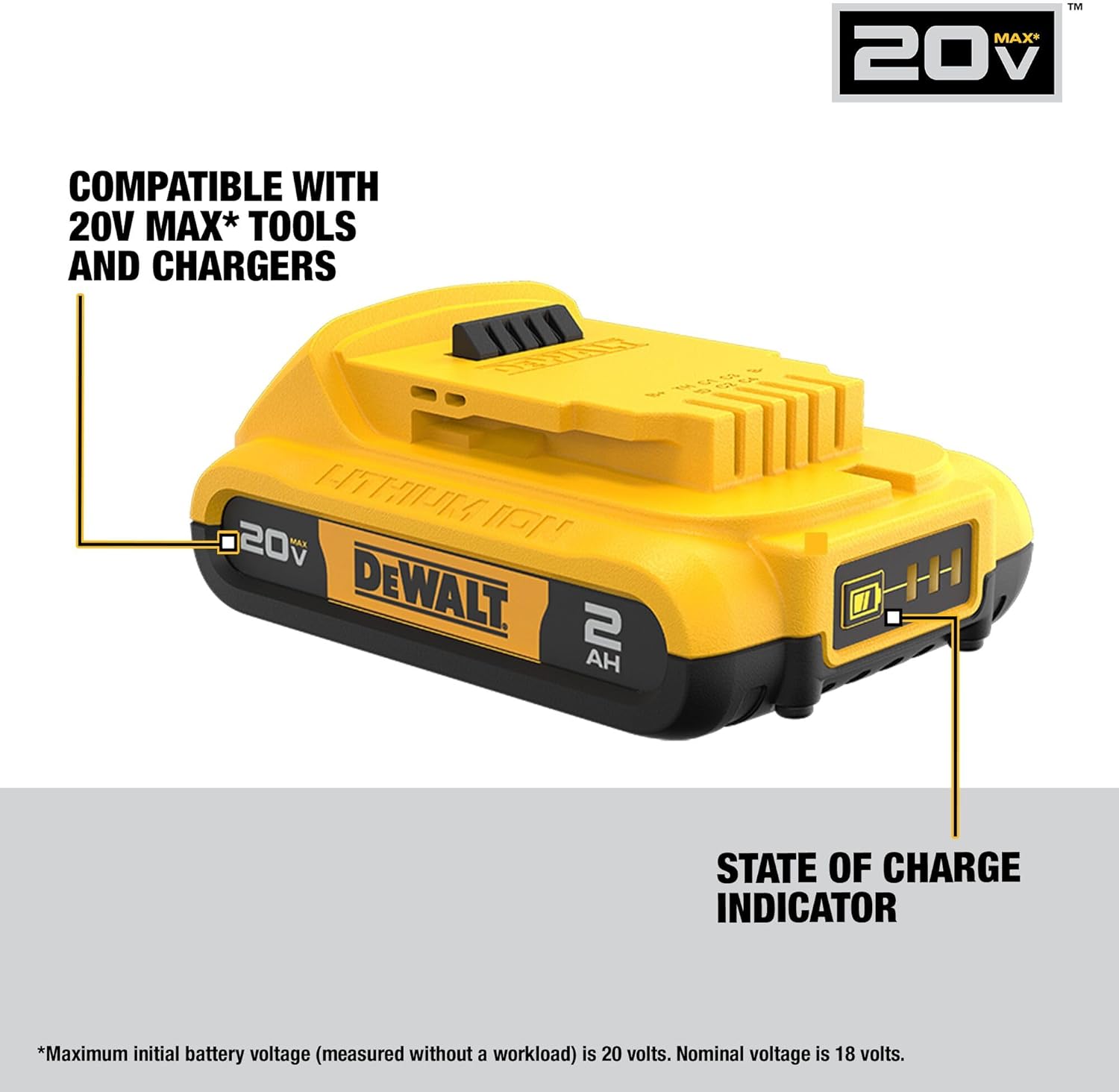
DEWALT DCB203 battery with state of charge indicator.
- توافق البطارية: The DCB203 batteries are compatible with all DEWALT 20V MAX* tools and chargers.
- مؤشر حالة الشحن: Batteries feature an indicator to show remaining charge.
- DCB1102 Charger: Designed to charge 12V, 18V, and 20V MAX* Lithium-Ion battery packs.
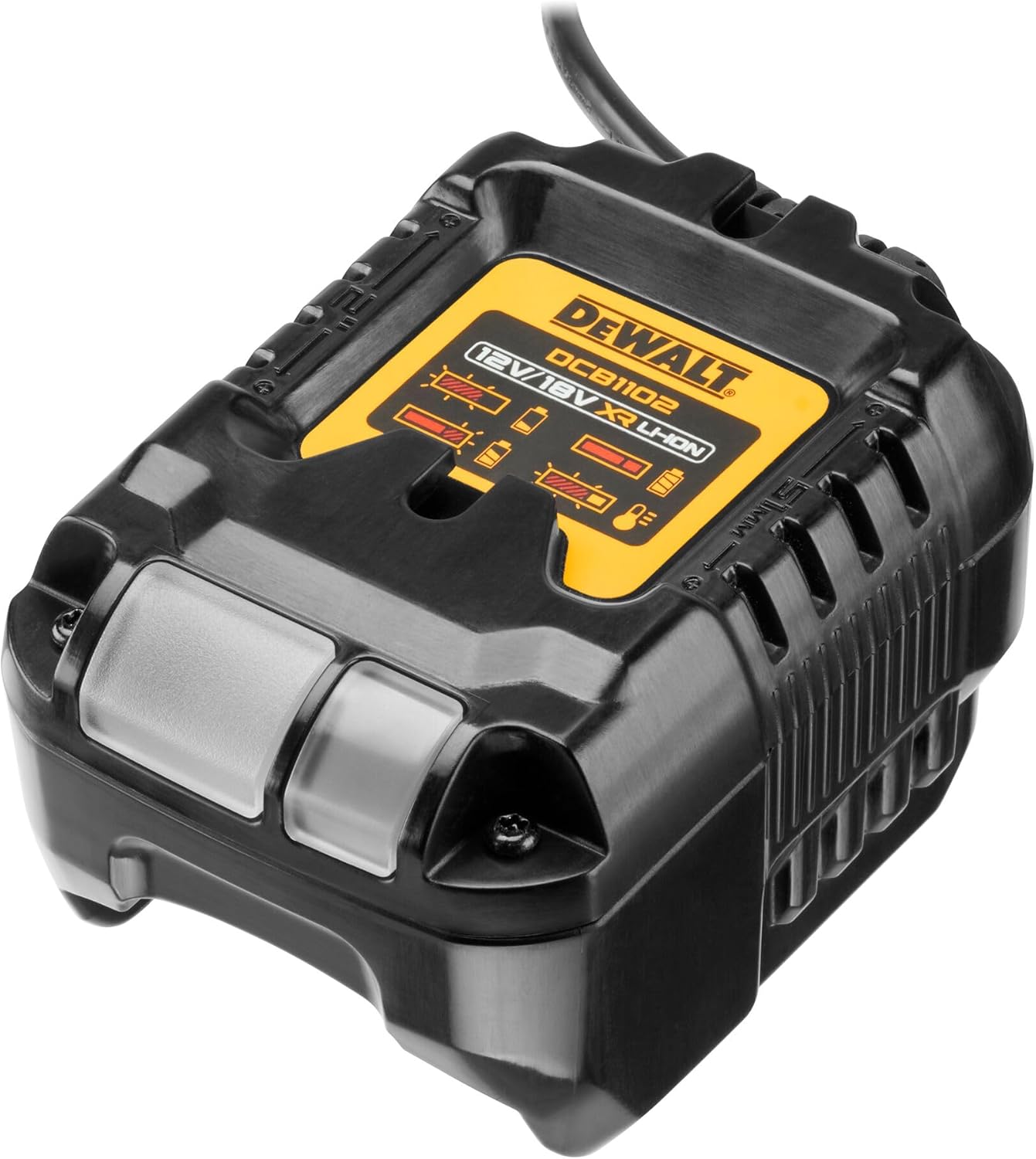
The DCB1102 charger for your DEWALT 20V MAX* batteries.
يثبت
1. الشحن الأولي للبطارية
- Connect the DCB1102 charger to a standard electrical outlet.
- Slide a DCB203 battery pack onto the charger until it clicks into place.
- Allow the battery to charge fully. The indicator light on the charger will show the charging status. Refer to the charger manual for specific light patterns.
2. تركيب البطارية وإزالتها
- للتثبيت: Align the battery pack with the tool's battery port and slide it in until it locks securely.
- للإزالة: اضغط على زر تحرير البطارية ثم قم بسحب حزمة البطارية خارج الأداة.
3. Bit Installation (DCD777 Drill/Driver)
- قم بتدوير المقبض عكس اتجاه عقارب الساعة لفتح الفكين.
- Insert the drill bit or driver bit into the chuck.
- أدر ظرف التثبيت باتجاه عقارب الساعة لشد الفكين بإحكام حول رأس المثقاب. تأكد من أن رأس المثقاب في المنتصف ومثبت بإحكام.
4. Bit Installation (DCF787 Impact Driver)
- Pull the collar of the 1/4 inch hex chuck forward.
- Insert the 1/4 inch hex shank bit into the chuck.
- Release the collar. The bit will lock into place. Pull on the bit to ensure it is securely fastened.
تعليمات التشغيل
1. التشغيل العام
- مفتاح الزناد: Squeeze the trigger to turn the tool on. Release to turn off.
- متغيرة السرعة: The trigger switch allows for variable speed control. Pressing the trigger further increases the speed.
- زر للأمام / للخلف: Located above the trigger, this button controls the direction of rotation. Push left for forward, right for reverse. Center position locks the trigger.
- ضوء العمل LED: يضيء مصباح LED المدمج عند الضغط على الزر، مما يؤدي إلى إضاءة سطح العمل. ويبقى مضاءً لمدة 20 ثانية تقريبًا بعد تحرير الزر.
2. DCD777 Drill/Driver Specifics
- إعدادات القابض: The adjustable clutch ring allows you to select the desired torque setting for driving screws. Higher numbers provide more torque. Use the drill symbol setting for drilling applications.
- محدد السرعة: A switch on top of the tool allows selection between two speed ranges: Low (for high torque applications) and High (for faster drilling).
3. DCF787 Impact Driver Specifics
- The impact driver delivers high rotational force and rapid impacts to drive fasteners quickly and efficiently. No clutch adjustment is typically needed as the impact mechanism handles varying resistance.
صيانة
1. التنظيف
- احرص على إبقاء فتحات تهوية الأداة نظيفة لمنع ارتفاع درجة حرارتها.
- استخدمي قطعة قماش ناعمةamp cloth to clean the exterior of the tools and batteries. Do not use harsh chemicals or abrasive cleaners.
- Never immerse the tools or batteries in liquid.
2. التخزين
- Store tools and batteries in a cool, dry place, away from direct sunlight and extreme temperatures.
- Ensure batteries are partially charged before storing for extended periods.
- Store tools in the provided contractor bag to protect them from dust and damage.
3. العناية بالبطارية
- Do not store batteries in a discharged state. Recharge them promptly after use.
- Avoid exposing batteries to water or extreme heat.
- If a battery pack is damaged, do not use it. Contact DEWALT service for replacement.
استكشاف الأخطاء وإصلاحها
يرجى الرجوع إلى الجدول أدناه للتعرف على المشكلات الشائعة وحلولها.
| مشكلة | السبب المحتمل | حل |
|---|---|---|
| لا تبدأ الأداة. | البطارية غير مشحونة أو مثبتة بشكل غير صحيح. | تأكد من شحن البطارية بالكامل وإدخالها بشكل صحيح. |
| انخفاض في استهلاك الطاقة أو مدة التشغيل. | شحن البطارية منخفض أو البطارية قديمة. | أعد شحن البطارية. فكّر في استبدال البطاريات القديمة. |
| ينزلق مثقاب الحفر في ظرف التثبيت. | لم يتم شد المقبض بشكل كافي. | Retighten chuck firmly around the bit. Ensure bit shank is clean. |
| Impact driver bit falls out. | Hex chuck collar not fully engaged. | Ensure bit is fully inserted and collar snaps back into place. |
| الأداة ترتفع درجة حرارتها. | انسداد فتحات التهوية أو الاستخدام المكثف لفترات طويلة. | أفرغ فتحات التهوية. اترك الأداة لتبرد. خفف الحمل. |
تحديد
Detailed specifications for the DEWALT DCK277D2 combo kit components:
| ميزة | مواصفة |
|---|---|
| ماركة | DEWALT |
| رقم الموديل | DCK277D2 |
| المجلدtage | 20 فولت كحد أقصى * |
| وزن العنصر | 8.8 رطلاً (المجموعة الإجمالية) |
| نوع البطارية | Lithium Ion (DCB203, 2.0Ah) |
| عدد البطاريات | 2 |
| DCD777 Chuck Size | 1/2 بوصة (13 مم) |
| DCF787 Chuck Size | سداسي 1/4 بوصة |
| DCF787 Max Torque | 1500 رطل |
| أقصى سرعة دوران | 2800 rpm (DCF787) |
| مصدر الطاقة | تعمل بالبطارية |
| نموذج الشاحن | DCB1102 |
الضمان والدعم
Your DEWALT DCK277D2 combo kit is backed by a comprehensive warranty and support program:
- ضمان محدود لمدة عامين: يغطي هذا الضمان عيوب المواد أو التصنيع لمدة ثلاث سنوات من تاريخ الشراء.
- عقد خدمة مجاني لمدة عام واحد: ستقوم شركة DEWALT بصيانة الأداة واستبدال الأجزاء البالية الناتجة عن الاستخدام العادي، مجانًا، في أي وقت خلال العام الأول بعد الشراء.
- ضمان استرداد الأموال لمدة 90 يومًا: إذا لم تكن راضيًا تمامًا عن أداء أداة DEWALT الكهربائية أو الليزر أو المسامير لأي سبب من الأسباب، فيمكنك إرجاعها في غضون 90 يومًا من تاريخ الشراء لاسترداد المبلغ بالكامل.
For warranty claims, service, or technical support, please refer to the official DEWALT webيمكنك زيارة الموقع الإلكتروني أو الاتصال بقسم خدمة العملاء مباشرةً. احتفظ بإثبات الشراء للتحقق من الضمان.