
1. معلومات هامة حول السلامة
Please read all safety instructions carefully before using the BYINTEK P70 Smart WiFi Projector. Keep this manual for future reference.
- مصدر الطاقة: استخدم محول الطاقة المرفق فقط. تأكد من أن مستوى الصوتtagيتوافق مع متطلبات جهاز العرض.
- سلامة البطارية: The projector contains a built-in lithium-ion battery. Do not expose to extreme temperatures, puncture, or disassemble.
- تهوية: تأكد من وجود تهوية مناسبة حول جهاز العرض لمنع ارتفاع درجة حرارته. لا تسد فتحات التهوية.
- حرارة: The projector may become warm during operation. This is normal. Avoid touching the lens or vents immediately after use.
- التعرض للضوء: لا تنظر مباشرة إلى عدسة جهاز العرض عندما يكون الضوءamp يتم تشغيله، لأن الضوء الساطع يمكن أن يسبب إجهادًا أو تلفًا للعين.
- الماء والرطوبة: أبقِ جهاز العرض بعيدًا عن الماء والمطر والرطوبة الزائدة. لا تشغّله بأيدٍ مبللة.
- تنظيف: افصل الكهرباء قبل التنظيف. استخدم قطعة قماش ناعمة وجافة. لا تستخدم منظفات سائلة أو بخاخات.
- أطفال: أبقِ جهاز العرض وملحقاته بعيداً عن متناول الأطفال.
2. انتهى المنتجview
The BYINTEK P70 is a portable smart DLP projector designed for versatile entertainment and presentation needs. It features an 8000mAh built-in battery, Android 9.0 operating system, auto-focus, and 3D support.
2.1 محتويات العبوة
- BYINTEK P70 Projector x 1
- جهاز التحكم عن بعد × 1
- محول الطاقة × 1
- ترايبود صغير × 1
- حقيبة تخزين × 1
- دليل المستخدم × 1
2.2 الميزات الرئيسية
- تصميم محمول: مدمجة وخفيفة الوزن لسهولة النقل.
- بطارية مدمجة: 8000mAh battery provides 1.5 to 3 hours of playback.
- نظام التشغيل أندرويد الذكي: Android 9.0 for app downloads, online streaming, and gaming.
- التركيز التلقائي: ضبط التركيز التلقائي للحصول على صور واضحة.
- تصحيح الانحراف ثنائي الأبعاد: Advanced keystone correction for flexible placement.
- دعم ثلاثي الأبعاد: استمتع بمحتوى ثلاثي الأبعاد غامر.
- الربط اللاسلكي: Supports wireless screen mirroring from Android, iOS, and PC devices.
- التوصيل السلكي: USB data cable sync for iOS and select Android devices.
- حجم الإسقاط الكبير: Up to 200 inches.
- 4K Playback: Supports up to 4K video input.
- Long LED Lamp حياة: 30,000 ساعة.
- مكبرات صوت ستيريو مزدوجة: Integrated 2x5W speakers for clear audio.

Image: Infographic detailing the BYINTEK P70's features including 4K support, DLP display, 6D keystone, 8000mAh battery, 3D, Type-C charge, 2G+32G memory, Android OS, and stereo speakers.
3. الإعداد
3.1 شحن جهاز العرض
Before first use, fully charge the projector. Connect the provided power adapter to the projector's Type-C port and plug it into a power outlet. The charging indicator will show the charging status.

Image: The BYINTEK P70 projector connected to a power bank via a Type-C cable, illustrating its portable charging capability.
3.2 التعيين الأولي
ضع جهاز العرض على سطح ثابت ومستوٍ. للحصول على أفضل أداء viewing, position it directly in front of your projection screen or wall. The included mini tripod can be used for angle adjustments.
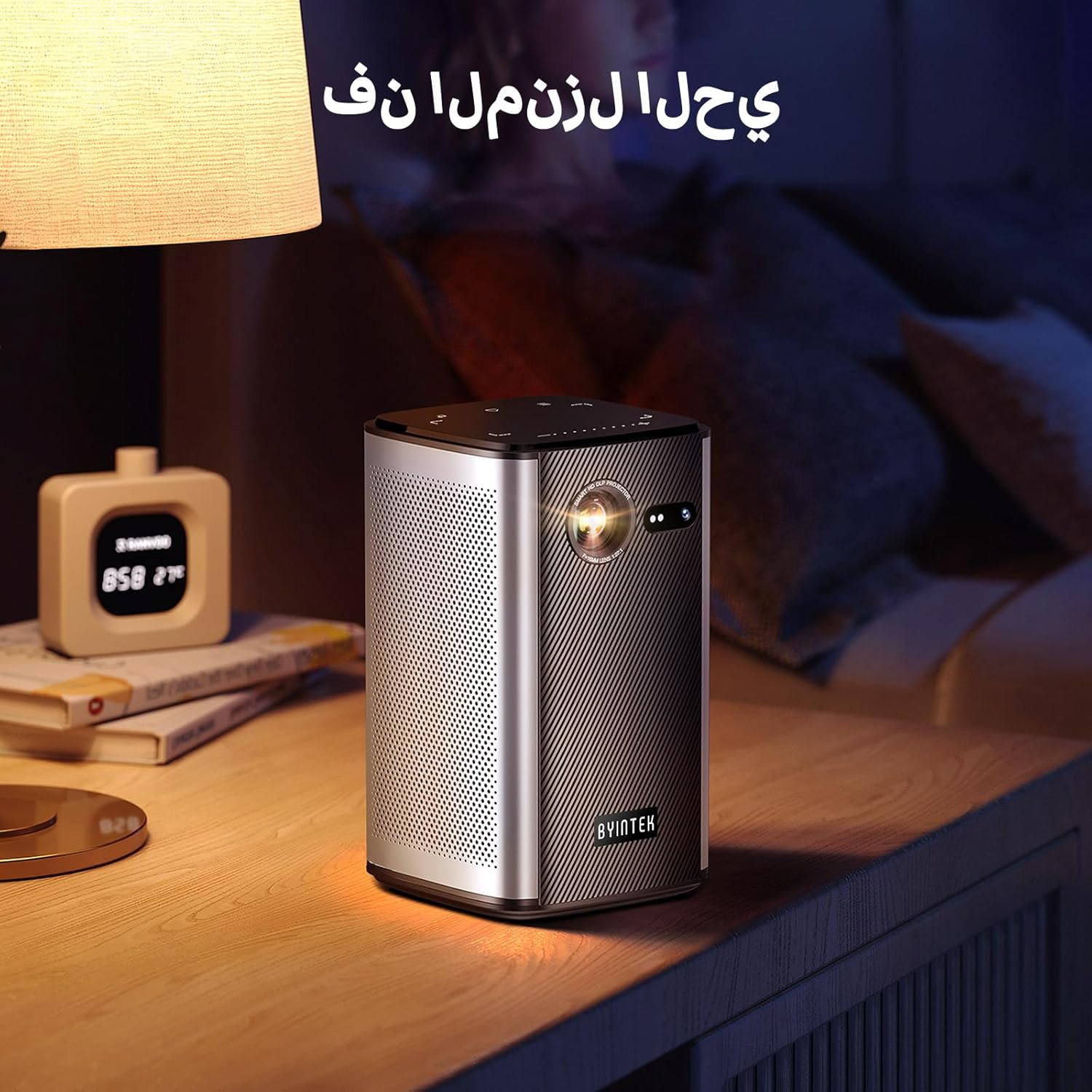
Image: The BYINTEK P70 projector placed on a bedside table, ready for indoor use.
3.3 تشغيل/إيقاف التشغيل
Press and hold the power button on the projector or remote control to turn the device on or off.
3.4 التركيز وتصحيح الانحراف
The BYINTEK P70 features automatic focus. For keystone correction, navigate to the settings menu using the remote control. The 6D keystone correction allows for precise image adjustment, even with side projection.

Image: A visual representation of the projector's auto-focus feature, showing a clear image projected onto a wall.
4. تعليمات التشغيل
4.1 التنقل في نظام التشغيل أندرويد
Use the remote control to navigate the Android 9.0 interface. The home screen provides access to pre-installed apps and settings. You can download additional applications from the app store.

Image: The projector displaying its Android operating system interface with various application icons like Miracast, Settings, AirPlay, Market, File Explorer, YouTube, and Netflix.
4.2 عكس الشاشة لاسلكيًا
The projector supports wireless screen mirroring for Android, iOS, and PC devices. Access the 'Miracast' or 'AirPlay' app on the projector's home screen and follow the on-screen instructions to connect your device.
4.3 Wired Screen Mirroring
For iOS devices and some Android devices, you can use a USB data cable for wired screen synchronization. Connect your device to the projector's USB port using its original data cable.
4.4 تشغيل ثلاثي الأبعاد
The BYINTEK P70 supports 3D content. To enjoy 3D movies, ensure your media file is in a compatible 3D format (e.g., Blu-ray 3D, SBS, TNB) and use active shutter 3D glasses (sold separately).

Image: A family wearing 3D glasses, enjoying a 3D movie projected by the BYINTEK P70, showcasing its 3D capability.
4.5 تقريب رقمي
Adjust the image size from 50% to 100% using the digital zoom function on the remote control. This allows you to fit the image perfectly to your screen without moving the projector.
5. الصيانة
5.1 تنظيف العدسة
استخدم قطعة قماش ناعمة وخالية من الوبر مصممة خصيصًا للعدسات البصرية لمسح عدسة جهاز العرض برفق. تجنب استخدام المواد الكاشطة أو المواد الكيميائية القاسية.
5.2 تنظيف الجزء الخارجي
امسح الجزء الخارجي من جهاز العرض بقطعة قماش ناعمة وجافة. لا تستخدم المنظفات السائلة أو البخاخات مباشرة على الجهاز.
5.3 التخزين
When not in use, store the projector in a cool, dry place, away from direct sunlight and extreme temperatures. Use the provided storage bag to protect it from dust and scratches.
5.4 العناية بالبطارية
لإطالة عمر البطارية، تجنب تفريغها بالكامل بشكل متكرر. في حال تخزينها لفترة طويلة، اشحنها إلى حوالي ٥٠٪ وأعد شحنها كل بضعة أشهر.
6. استكشاف الأخطاء وإصلاحها
| مشكلة | السبب المحتمل | حل |
|---|---|---|
| لم يتم عرض أي صورة | Projector not powered on; input source not selected; cable not connected. | Ensure projector is on. Select correct input source (HDMI, USB, Wireless). Check cable connections. |
| الصورة ضبابية | Out of focus; projector too close/far from screen; lens dirty. | Allow auto-focus to adjust. Adjust projector distance. Clean the lens. |
| جهاز التحكم عن بعد لا يعمل | Batteries low/dead; remote not paired; obstruction. | Replace remote batteries. Ensure line of sight to projector's IR receiver. Re-pair remote if necessary (refer to specific pairing instructions in the full manual). |
| لا يوجد صوت | Volume too low; external audio device connected; audio format not supported. | Increase projector volume. Disconnect external audio devices. Check audio format compatibility. |
| مشاكل النسخ اللاسلكي | Poor Wi-Fi signal; device compatibility; firewall settings. | Ensure strong Wi-Fi signal. Check device compatibility with Miracast/AirPlay. Disable firewalls temporarily for testing. |
| ارتفاع درجة حرارة جهاز العرض | Blocked ventilation; prolonged use in hot environment. | Ensure vents are clear. Operate in a well-ventilated area. Allow projector to cool down. |
7. المواصفات
| ميزة | مواصفة |
|---|---|
| ماركة | بايينتك |
| رقم الموديل | ص70 |
| أبعاد المنتج | 8.2 × 8.2 × 14.2 سم |
| وزن العنصر | 1.58 كيلوغرام |
| بطارية | 1 Lithium Ion battery (included), 8000mAh, 29.6 Wh |
| نظام التشغيل | أندرويد |
| دقة العرض | 960 × 540 |
| أقصى دقة للعرض | 4K Ultra HD Megapixel |
| تكنولوجيا الاتصال | واي فاي |
| المميزات الخاصة | Auto-focus, 3D Ready, Built-in Wi-Fi Receiver |
| الاستخدامات الموصى بها | السينما المنزلية |
| نوع العرض | دي إل بي |
| عامل الشكل | محمول |
| نوع التركيب | حامل ثلاثي القوائم |
| منافذ USB 3.0 | 1 |
| منافذ HDMI | 1 |
| المجلدtage | 12 فولت |
| واتtage | 25 واط |
| مصدر الطاقة | بطارية وبطارية |
8. الضمان والدعم
The BYINTEK P70 Smart WiFi Projector comes with a standard manufacturer's warranty. For specific warranty details, please refer to the warranty card included in your product packaging or contact BYINTEK customer support.
If you encounter any issues or have questions regarding your projector, please contact BYINTEK customer support through their official website or the contact information provided in your product documentation. Please have your model number (P70) and purchase details ready when contacting support.