
1. انتهى المنتجview
The Cudy GS108D is an 8-port Gigabit Ethernet Network Switch designed for expanding your network connectivity. It offers high-speed data transfer for devices such as computers, IPTVs, printers, NAS, game consoles, and routers. Featuring a plug-and-play design, fanless operation, and energy-efficient technology, this switch provides a reliable and quiet solution for both home and office networks.

الصورة: الجبهة view of the Cudy GS108D switch, highlighting its 8 Gigabit Ethernet ports and LED indicators.
المميزات الرئيسية:
- 8 منافذ جيجابت إيثرنت: يوفر اتصالات سلكية عالية السرعة لأجهزة متعددة.
- التوصيل والتشغيل: Requires no software installation or configuration for immediate use.
- تصميم بدون مروحة: Ensures quiet operation, suitable for any environment.
- كفاءة الطاقة: Compliant with IEEE802.3az standard, saving power when ports are idle.
- تركيب متعدد الاستخدامات: يدعم كلاً من وضعه على سطح المكتب وتركيبه على الحائط.
2. محتويات العبوة
تأكد من أن الحزمة الخاصة بك تحتوي على العناصر التالية:
- Cudy GS108D 8-Port Gigabit Ethernet Network Switch
- محول الطاقة
- دليل التعليمات (هذا المستند)
- Ethernet Cable (may vary by region/package)

Image: Contents of the Cudy GS108D package, showing the switch, power adapter, and an Ethernet cable.
3. الوصف المادي
اللوحة الأمامية:
The front panel features eight 10/100/1000 Mbps RJ45 ports. Each port has an associated LED indicator to show link/activity status.
- مؤشر الطاقة LED: يشير إلى حالة الطاقة للمفتاح.
- مؤشرات LED للربط/التشغيل (1-8):
- أخضر ثابت: A device is connected and the link is active.
- وامض باللون الأخضر: يتم إرسال البيانات أو استقبالها على المنفذ.
- عن: No device is connected or the link is inactive.

الصورة: مفصلة view of the Cudy GS108D's front panel, showing the 8 RJ45 ports and their corresponding LED indicators.
اللوحة الخلفية:
The rear panel typically contains the power input port.
أبعاد:
The compact design of the GS108D allows for flexible placement. Approximate dimensions are 138mm (5.43") L x 61.5mm (2.42") W x 24mm (0.94") H.
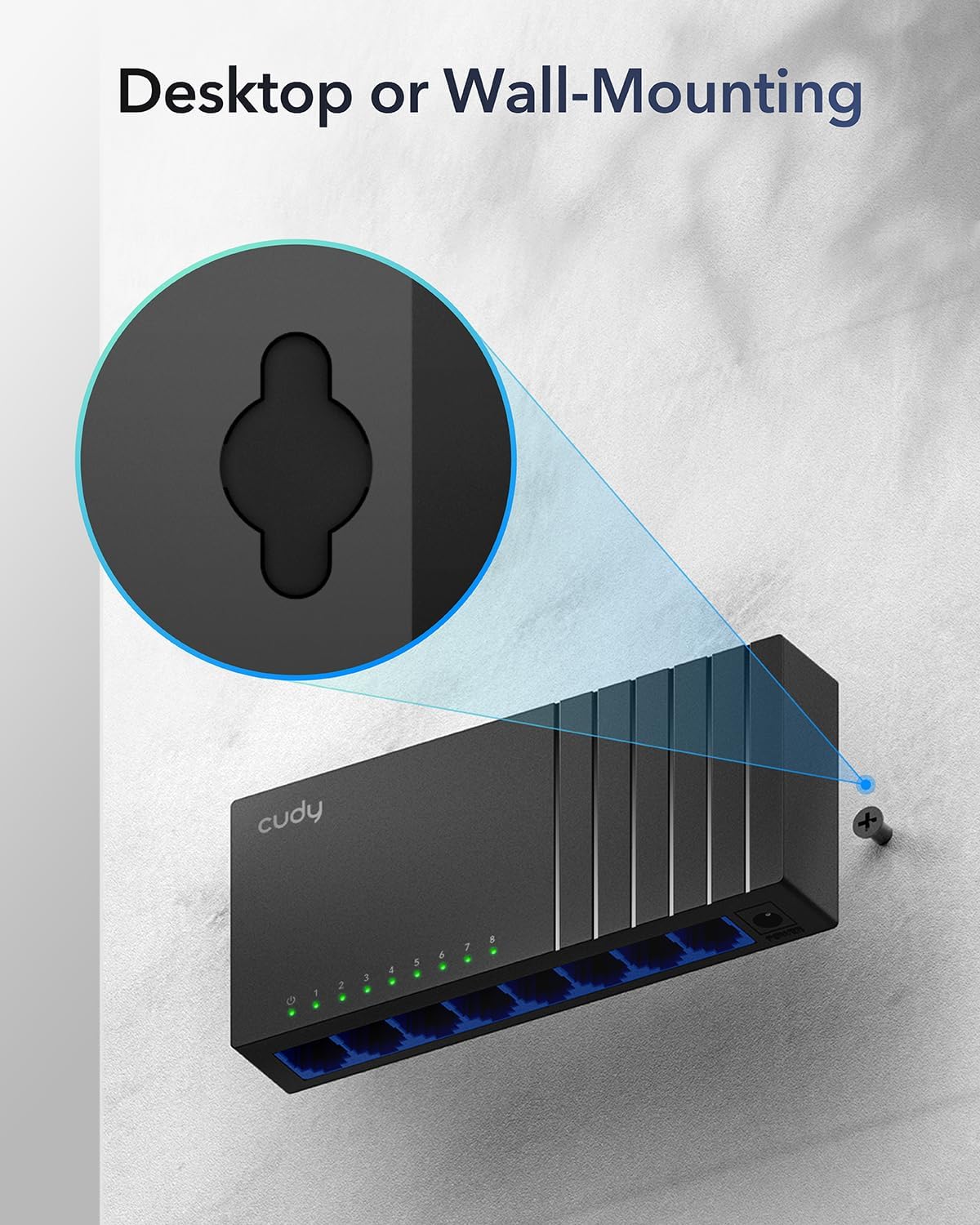
Image: The Cudy GS108D switch with its compact dimensions clearly indicated.
4. تعليمات الإعداد
The Cudy GS108D switch is designed for simple plug-and-play installation. No complex configuration is required.
الخطوة 1: توصيل الطاقة
- Connect one end of the provided power adapter to the power port on the rear panel of the GS108D switch.
- قم بتوصيل الطرف الآخر لمحول الطاقة بمأخذ كهربائي قياسي.
- تأكد من أن مؤشر LED للطاقة الموجود على اللوحة الأمامية مضاء، مما يشير إلى أن المفتاح يستقبل الطاقة.

Image: The Cudy GS108D switch with its power adapter connected and ready for use.
الخطوة 2: توصيل الجهاز
- Connect your network devices (e.g., computer, router, NAS, game console) to any of the 8 RJ45 ports on the front panel using standard Ethernet cables (Cat5e or higher recommended for Gigabit speeds).
- Ensure the Link/Act LED for each connected port illuminates, indicating a successful connection. If the LED is flashing, data is being transmitted.

Image: A laptop being connected to the Cudy GS108D switch with an Ethernet cable, demonstrating a typical setup.
الخطوة 3: خيارات التركيب
The GS108D supports both desktop placement and wall mounting.
- التنسيب على سطح المكتب: Simply place the switch on a flat, stable surface.
- التثبيت على الحائط: The switch features mounting slots on its underside. Use appropriate screws (not included) to secure the switch to a wall.

Image: The Cudy GS108D switch shown with its wall-mounting slots, illustrating how it can be securely attached to a wall.
5. تعليمات التشغيل
Once connected, the Cudy GS108D operates automatically without further user intervention.
التفاوض التلقائي
Each port on the switch automatically detects the network speed (10/100/1000 Mbps) and duplex mode (Half/Full Duplex) of the connected device and adjusts accordingly for optimal performance.
تحسين حركة المرور
The switch features a 4 Mbit packet buffer to ensure stable and efficient data forwarding, reducing packet loss and improving overall network performance, especially during high traffic loads.
Energy Efficiency (IEEE 802.3az)
The GS108D incorporates energy-efficient Ethernet technology. It automatically adjusts power consumption based on cable length and network traffic, reducing energy usage when ports are idle or when connected devices are turned off.

Image: Visual representation of the power-saving feature, showing reduced energy consumption when ports are idle.
النقل لمسافات طويلة
The switch supports long-distance Ethernet cable runs, allowing for reliable data transmission up to 170 meters (557 feet) with Cat5e or higher Ethernet cables.

Image: Illustration of the Cudy GS108D's capability for long-distance transmission, up to 170 meters, requiring Cat5e or higher cables.
6. الصيانة
To ensure optimal performance and longevity of your Cudy GS108D switch, follow these maintenance guidelines:
- الموقع: ضع المفتاح في مكان بارد وجاف بعيدًا عن أشعة الشمس المباشرة ومصادر الحرارة والرطوبة الزائدة. تأكد من وجود تهوية كافية حول الجهاز.
- تنظيف: استخدم قطعة قماش ناعمة وجافة لتنظيف الجزء الخارجي من المفتاح. لا تستخدم منظفات سائلة أو بخاخات.
- قوة: Use only the provided power adapter. Disconnect the power adapter during electrical storms or when unused for long periods.
- الكابلات: Ensure all Ethernet cables are securely connected and free from damage.
7. استكشاف الأخطاء وإصلاحها
If you encounter issues with your Cudy GS108D switch, refer to the following common troubleshooting steps:
لا يوجد طاقة
- تأكد من توصيل محول الطاقة بشكل آمن بالمفتاح والمأخذ الكهربائي العامل.
- تأكد من أن منفذ الطاقة يعمل عن طريق توصيل جهاز آخر.
- Verify that the Power LED on the switch is illuminated. If not, try a different power outlet.
لا يوجد اتصال/نشاط على المنفذ
- تأكد من توصيل كابل الإيثرنت بإحكام في كل من منفذ المحول والجهاز المتصل.
- Try using a different Ethernet cable to rule out cable damage.
- قم بتوصيل الجهاز بمنفذ مختلف على المحول.
- Verify that the connected device (e.g., computer, router) is powered on and its network adapter is enabled.
- If connecting to a router, ensure the router's port is active.
سرعة الشبكة بطيئة
- Ensure you are using Cat5e or higher Ethernet cables for Gigabit speeds. Older Cat5 cables may limit speed.
- Check the Link/Act LED for the port. A solid green light indicates a Gigabit connection. If it's amber or off, there might be a speed mismatch or connection issue.
- Verify that the connected devices also support Gigabit Ethernet.
- تقليل ازدحام الشبكة عن طريق الحد من الأنشطة المتزامنة ذات النطاق الترددي العالي.
8. المواصفات
| ميزة | وصف |
|---|---|
| ماركة | كودي |
| رقم الموديل | GS108D |
| عدد المنافذ | 8 |
| الواجهة | آر جيه 45 |
| معدل نقل البيانات | 1000 ميجابت في الثانية (جيجابت) |
| نوع المفتاح | إيثرنت |
| الأجهزة المتوافقة | Camera, Desktop, Laptop, Router |
| المجلدtage | 28 Volts (Input for power adapter) |
| درجة حرارة التشغيل | 40 درجة فهرنهايت إلى 104 درجة فهرنهايت (4.4 درجة مئوية إلى 40 درجة مئوية) |
| نوع مادة الغلاف | بلاستيك |
| أبعاد العنصر (الطول × العرض × الارتفاع) | 7.87" x 5.91" x 5.91" (Product packaging dimensions, actual device is smaller) |
| وزن العنصر | 200 جرام |
9. الضمان والدعم
معلومات الضمان:
The Cudy GS108D 8-Port Gigabit Ethernet Network Switch comes with a ضمان لمدة سنتين يسري هذا الضمان من تاريخ الشراء. يرجى الاحتفاظ بإثبات الشراء لتقديم مطالبات الضمان. يغطي هذا الضمان عيوب المواد والتصنيع في ظل الاستخدام العادي.
الدعم الفني:
For technical assistance, troubleshooting, or further inquiries, please visit the official Cudy website or contact Cudy customer support. Cudy is committed to delivering high-performance, user-friendly communication technology and provides resources to help you with your product.
يمكنك غالبًا العثور على موارد الدعم والأسئلة الشائعة ومعلومات الاتصال على Cudy Store on Amazon or the main Cudy webموقع.