
مقدمة
This manual provides essential information for the setup, operation, maintenance, and troubleshooting of your TuTu Smart TV TUS24HF1A. This 24-inch (60 cm) Android TV features integrated WiFi, Bluetooth, Google Assistant, and Chromecast, offering a comprehensive entertainment experience. Please read these instructions carefully before using your television.
1. الإعداد
1.1 فك التعبئة
أخرج التلفاز وجميع ملحقاته من العبوة بحرص. احتفظ بمواد التغليف لاستخدامها في النقل أو الصيانة مستقبلاً.
1.2 تركيب الحامل أو التثبيت على الحائط
Table Stand Installation:
- ضع شاشة التلفزيون على سطح ناعم ومسطح لمنع الخدوش.
- Align the TV stands with the corresponding slots on the bottom of the TV.
- ثبّت الحوامل باستخدام البراغي المرفقة. تأكد من تثبيتها بإحكام.
Wall Mounting (VESA 100 x 100 mm):
If you intend to wall mount your TV, ensure you use a VESA-compatible wall mount (100 x 100 mm) and follow the instructions provided with the wall mount kit. Remove the table stands if they are already attached.

Image: The TuTu Smart TV TUS24HF1A displayed on its included table stand, showing the front view من التلفاز.
1.3 توصيل الأجهزة الخارجية
Your TuTu Smart TV TUS24HF1A offers various connection ports:
- HDMI (x3): لتوصيل الأجهزة عالية الدقة مثل مشغلات Blu-ray أو وحدات التحكم في الألعاب أو أجهزة فك التشفير.
- يو اس بي (×2): لتوصيل أجهزة تخزين USB لتشغيل الوسائط fileأو للحصول على تحديثات الخدمة.
- RF (x2): لتوصيل هوائي أو إشارة تلفزيون الكابل.
- RJ45 (إيثرنت): للاتصال بالإنترنت السلكي.
- COAX Out: لإخراج الصوت الرقمي.
- ميني YPbPr: For analog component video input.
- CVBS/Audio In: For analog composite video and audio input.
- EARPHONE Out: لتوصيل سماعات الرأس.
- CI/CI+ Slot: For Conditional Access Modules (CAM) for encrypted channels.

Image: A diagram illustrating the various input and output interfaces available on the TuTu Smart TV, including RF, USB, Mini YPbPr, COAX Out, RJ45, CI/CI+, HDMI, CVBS/Audio In, and Earphone Out.
1.4 توصيل الطاقة والإعداد الأولي
- قم بتوصيل سلك الطاقة بالتلفزيون ثم بمأخذ الطاقة.
- اضغط على زر الطاقة الموجود على جهاز التحكم عن بعد أو على التلفزيون نفسه لتشغيله.
- Follow the on-screen instructions to complete the initial setup, including language selection, network connection (WiFi or Ethernet), and channel scanning.
2. تشغيل التلفزيون
2.1 التحكم عن بعد أكثرview
Familiarize yourself with the remote control buttons. Key functions include power, volume, channel selection, input source, navigation (up/down/left/right, OK), home, back, and dedicated app buttons.
2.2 واجهة تلفزيون أندرويد
Your TuTu Smart TV runs on Android TV, providing access to a wide range of applications and services. The home screen displays recommended content, installed apps, and settings.

Image: The Android TV home screen displaying a selection of popular streaming applications such as Netflix, YouTube, Prime Video, Disney+, and others.
2.3 استخدام مساعد جوجل
The integrated Google Assistant allows you to control your TV using voice commands. Press the Google Assistant button on your remote and speak into the microphone.
- "Hey Google, play a movie."
- "Hey Google, play a song."
- "Hey Google, turn up the volume."
- افتح نتفليكس.

Image: A visual representation of using Google Assistant with the TV remote, showing example voice commands and the TV responding.
2.4 تطبيقات البث
Access popular streaming services like YouTube, Netflix, Prime Video, Disney+, and more directly from your TV. Download additional applications from the Google Play Store.
2.5 جهاز Chromecast المدمج
Use Chromecast to cast content from your mobile device (smartphone, tablet) or computer to your TV. Ensure your mobile device and TV are connected to the same Wi-Fi network. Look for the Cast icon in compatible apps on your mobile device.
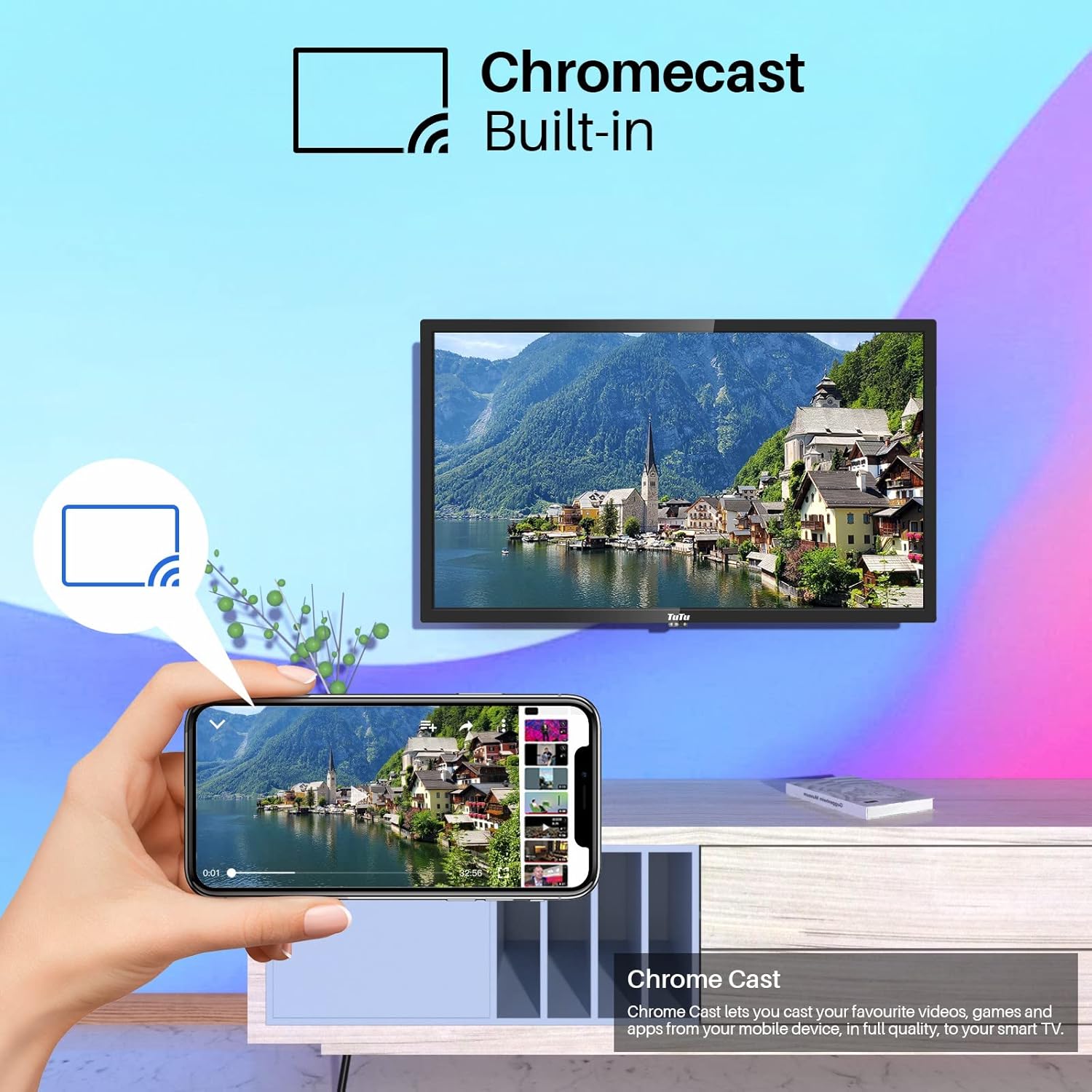
Image: A smartphone screen casting content to the TuTu Smart TV, illustrating the Chromecast built-in functionality.
2.6 ميزات جودة الصورة
The TuTu Smart TV TUS24HF1A incorporates several technologies for enhanced image quality:
- LED مباشر: Provides uniform backlighting for consistent brightness and contrast.
- تقليل الضوضاء ثنائية الأبعاد: Reduces visual noise in the picture for a clearer image.
- حركة التعويض: Improves the smoothness of fast-moving scenes.
- Precision Color: Utilizes a premium LED screen to produce rich and realistic colors.

Image: A diagram illustrating the effects of multi-technical image enhancement, including Direct LED, 3D Noise Reduction, and Motion Compensation, leading to a clearer final view.

Image: The TuTu TV screen showcasing vibrant and precise colors, highlighting the display's ability to produce rich tones and realistic images.
2.7 واسعة View زاوية
The TV is designed with a wide viewing angle, ensuring consistent picture quality from various positions in the room.

Image: A family watching the TuTu TV from a wide angle on a sofa, demonstrating the wide view angle feature.
3. الصيانة
3.1 تنظيف التلفزيون
- افصل دائمًا التلفاز عن الكهرباء قبل التنظيف.
- استخدم قطعة قماش ناعمة وجافة وخالية من الوبر لمسح الشاشة وجسم التلفزيون.
- بالنسبة للعلامات العنيدة على الشاشة، قم بالمسح برفقampبلّل قطعة القماش بالماء أو بمنظف شاشات متخصص. لا ترش السائل مباشرة على الشاشة.
- تجنب استخدام المنظفات الكاشطة أو الشمع أو المذيبات لأنها قد تتلف سطح التلفزيون.
3.2 تحديثات البرامج
قد يتلقى جهاز Android TV الخاص بك تحديثات برمجية دورية. تأكد من اتصال جهاز التلفزيون بالإنترنت لتلقي هذه التحديثات، التي قد تُحسّن الأداء وتضيف ميزات جديدة. يمكنك عادةً التحقق من وجود تحديثات في قائمة إعدادات التلفزيون.
4. استكشاف الأخطاء وإصلاحها
If you encounter issues with your TuTu Smart TV, refer to the following common solutions:
4.1 لا يوجد طاقة
- Check if the power cord is securely plugged into both the TV and the power outlet.
- تأكد من أن مأخذ الطاقة يعمل عن طريق اختباره بجهاز آخر.
- اضغط على زر الطاقة الموجود على التلفزيون نفسه، وليس فقط على جهاز التحكم عن بعد، لاستبعاد وجود مشكلة في جهاز التحكم عن بعد.
4.2 لا صورة ولا صوت
- تأكد من تحديد مصدر الإدخال الصحيح (على سبيل المثال، HDMI 1، TV).
- تحقق من جميع توصيلات الكابلات (HDMI، الهوائي، إلخ) للتأكد من أنها آمنة.
- Adjust the volume and ensure the TV is not muted.
- If using an external device, check its power and connections.
4.3 جهاز التحكم عن بعد لا يستجيب
- استبدال البطاريات في جهاز التحكم عن بعد.
- تأكد من عدم وجود أي عوائق بين جهاز التحكم عن بعد ومستشعر الأشعة تحت الحمراء الخاص بالتلفزيون.
- وجه جهاز التحكم عن بعد مباشرة نحو التلفزيون.
4.4 مشاكل اتصال الشبكة
- تأكد من أن جهاز توجيه الواي فاي الخاص بك يعمل بشكل صحيح.
- أعد تشغيل جهاز التوجيه والمودم.
- انتقل إلى إعدادات شبكة التلفزيون وحاول إعادة الاتصال بشبكة Wi-Fi الخاصة بك.
- إذا كنت تستخدم اتصالاً سلكيًا، فتأكد من توصيل كابل Ethernet بشكل آمن.
4.5 App Not Working
- Ensure your TV has an active internet connection.
- حاول إغلاق التطبيق وإعادة فتحه.
- Clear the app's cache and data in the TV's settings (Settings > Apps > [App Name] > Clear cache/Clear data).
- قم بإلغاء تثبيت التطبيق ثم إعادة تثبيته.
5. المواصفات
| ميزة | مواصفة |
|---|---|
| ماركة | TuTu |
| رقم الموديل | TUS24HF1A |
| حجم الشاشة | 24 بوصة (60 سم) |
| نظام التشغيل | أندرويد |
| تكنولوجيا العرض | قاد |
| دقة | 720 بكسل |
| نسبة العرض إلى الارتفاع | 16:9 |
| تكنولوجيا الاتصال | WiFi, Bluetooth, HDMI, USB |
| الاتصالات | 3x HDMI, 2x USB, WiFi, Bluetooth+EDR, WLAN, 2x RF, 1x Mini YPbPr, 1x COAX Out, 1x RJ45, 1x CI/CI+, 1x CVBS/Audio In, 1x EARPHONE Out |
| خدمات الإنترنت المدعومة | Youtube, Netflix, Prime Video, DAZN, Disney+, Google Play Store |
| أبعاد المنتج | 55P x 37l x 12H سنتيمتر |
| نوع التركيب | VESA 100 x 100 mm / Table Stand |
| الشركة المصنعة | INNO TECHNOLOGY BV |
6. الضمان والدعم
6.1 معلومات الضمان
Your TuTu Smart TV TUS24HF1A comes with a ضمان لمدة سنتين يسري هذا الضمان من تاريخ الشراء. ويغطي عيوب التصنيع والأعطال الناتجة عن الاستخدام العادي. يرجى الاحتفاظ بإثبات الشراء لتقديم مطالبات الضمان.
لا يغطي الضمان الأضرار الناجمة عن سوء الاستخدام أو الحوادث أو الإصلاحات غير المصرح بها أو التلف الناتج عن الاستخدام العادي.
6.2 دعم العملاء
For technical assistance, troubleshooting beyond this manual, or warranty claims, please contact TuTu customer support. Refer to the contact information provided with your product packaging or visit the official TuTu webموقع للحصول على تفاصيل الدعم.