
1. المقدمة
The XTUGA SEM100 is a professional wireless in-ear monitor system designed for stage performers, studio musicians, and lecturers. It provides crystal-clear, low-latency audio monitoring through UHF digital transmission, offering freedom of movement and reliable performance. This system features a rechargeable bodypack receiver, multiple frequency options, and versatile connectivity including Bluetooth and USB playback.
2. محتويات العبوة
يرجى التأكد من تضمين جميع العناصر المذكورة أدناه في طردك. في حال وجود أي عناصر مفقودة أو تالفة، يُرجى التواصل مع خدمة العملاء.
- الارسال × 1
- Bodypack Receiver × 1
- هوائي × 1
- سماعة × 2
- Cable Line × 4
- محول الطاقة × 1
- دليل المستخدم × 1
3. انتهى المنتجview
Familiarize yourself with the components of your XTUGA SEM100 system.

Figure 3.1: XTUGA SEM100 Wireless In-Ear Monitor System, showing the transmitter, bodypack receiver, and earphones.
3.1 Bodypack Receiver

الشكل 3.2: مفصل view of the bodypack receiver, highlighting the power light, charging connector, and earphone jack.
- زر الانارة: يشير إلى حالة الطاقة والاتصال.
- موصل الشحن: منفذ Type-C لشحن البطارية الداخلية.
- مدخل سماعة الأذن: 3.5mm output for connecting in-ear monitors.
- شاشة LCD: Displays channel, group, stereo mode, and lock status.
- أزرار التحكم: For navigation, volume adjustment, and frequency selection.
3.2 جهاز الإرسال

الشكل 3.3: الأمامي والخلفي view of the transmitter, showing input/output connectors, volume knobs, USB socket, and control buttons.
- زر إعداد الوظيفة: Used to access and adjust system settings.
- Up/Down Selection Buttons: للتنقل بين القوائم وضبط القيم.
- شاشة LCD: Displays frequency, group, channel, and other operational information.
- مؤشر البلوتوث: Lights up when Bluetooth is connected.
- مفتاح التشغيل: Turns the transmitter on or off.
- Last/Next Song Buttons: For controlling media playback via USB or Bluetooth.
- زر التشغيل/الإيقاف المؤقت: For controlling media playback.
- مقبس USB: لتشغيل الملفات من محرك أقراص USB.
- مقبض الصوت: يضبط حجم الإخراج.
- Earphone Monitoring Socket: 3.5mm jack for direct monitoring from the transmitter.
- 6.35mm Output Connector: مخرج الصوت.
- موصلات الإدخال: For audio input sources.
- مقبس طاقة: لتوصيل محول الطاقة.
- الهوائي: لنقل الإشارات اللاسلكية.
4. دليل الإعداد
4.1 الشحن الأولي
Before first use, ensure the bodypack receiver is fully charged. Connect the Type-C charging cable to the bodypack and a suitable USB power source. A full charge takes approximately 2.5 hours and provides up to 6 hours of operation.
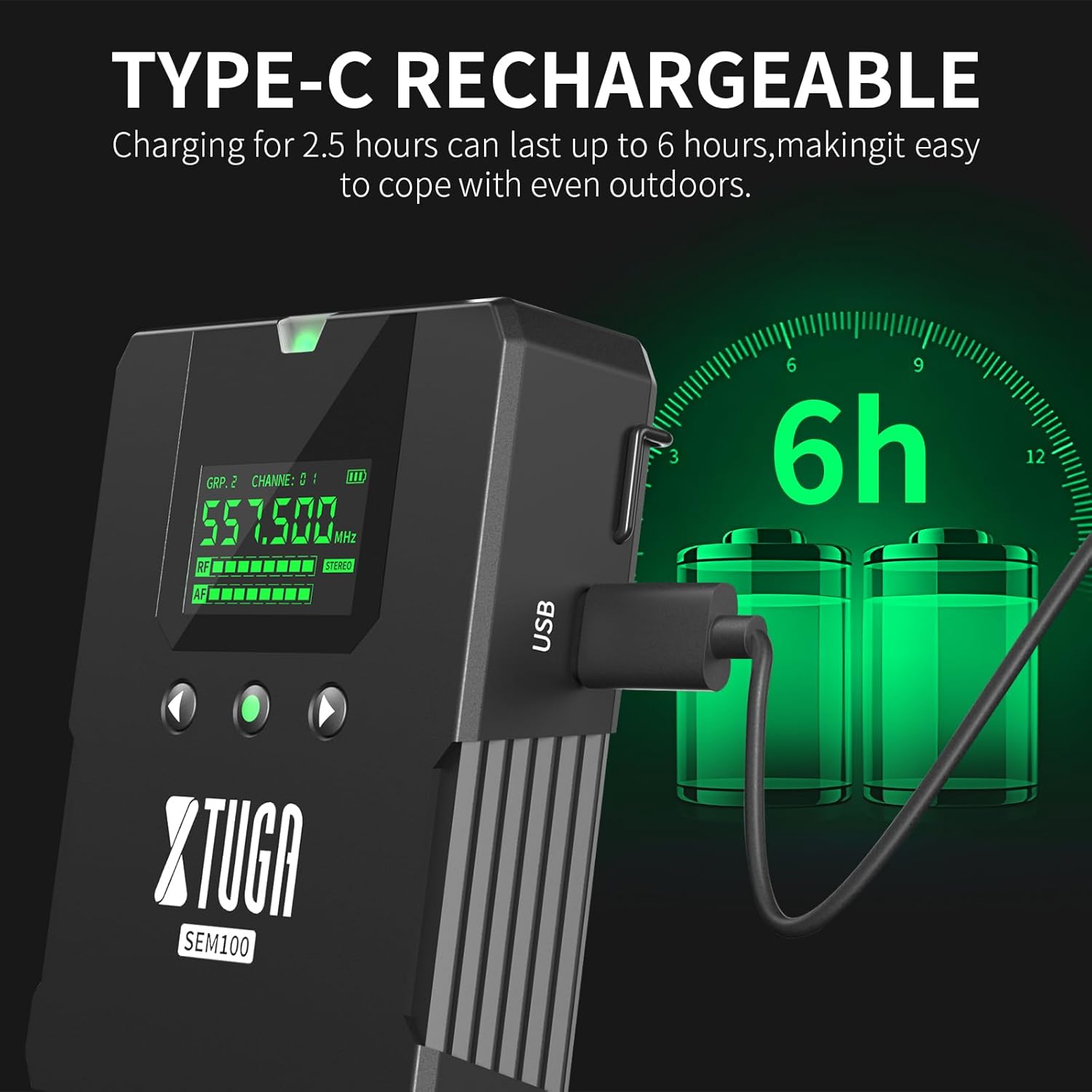
Figure 4.1: The bodypack receiver charging via its Type-C port, indicating a 2.5-hour charge time for 6 hours of use.
4.2 توصيل جهاز الإرسال
- Connect the provided antenna to the ANT connector on the rear of the transmitter.
- Connect the power adapter to the Power Socket on the transmitter and plug it into an electrical outlet.
- Connect your audio source (e.g., mixing console, instrument) to the Input Connectors on the transmitter.
4.3 Connecting the Bodypack Receiver
- Connect your in-ear monitors to the 3.5mm Earphone Jack on the bodypack receiver.
4.4 Frequency Synchronization
The system supports 40 frequency options, organized into 4 groups with 10 frequencies each. To ensure proper operation, the bodypack receiver must be synchronized with the transmitter's frequency.

Figure 4.2: The transmitter and two bodypack receivers displaying synchronized frequencies.
- قم بتشغيل كل من جهاز الإرسال وجهاز الاستقبال المحمول.
- On the transmitter, use the Up/Down selection buttons to choose your desired frequency group and channel.
- On the bodypack receiver, long-press the middle button (often labeled 'SET' or similar) to initiate synchronization. The bodypack will automatically scan and lock onto the transmitter's frequency. The indicator light on the bodypack will remain on after successful connection.
5. التشغيل
Video 5.1: Demonstrates the setup, frequency selection, Bluetooth connection, and monitoring features of the XTUGA SEM100 system.
5.1 تشغيل/إيقاف التشغيل
- المرسل: Press the Power Switch button on the front panel.
- جهاز استقبال لاسلكي محمول على الجسم: Long-press the power button on the top of the bodypack.
5.2 ضبط مستوى الصوت
- جهاز استقبال لاسلكي محمول على الجسم: Use the left and right navigation buttons on the bodypack to adjust the volume. The bodypack offers twelve levels of volume adjustment.
- المرسل: Use the Volume Knob on the front panel to adjust the overall output volume.
مفتاح أحادي/ستيريو 5.3
The bodypack receiver allows switching between mono and stereo monitoring modes.

Figure 5.1: The bodypack receiver's screen showing the option to switch between mono and stereo modes.
- On the bodypack receiver, press the appropriate button (refer to the bodypack's screen for indication) to toggle between mono and stereo modes.
5.4 Bluetooth/USB Playback
The transmitter supports playing accompaniment directly via Bluetooth or a USB drive.
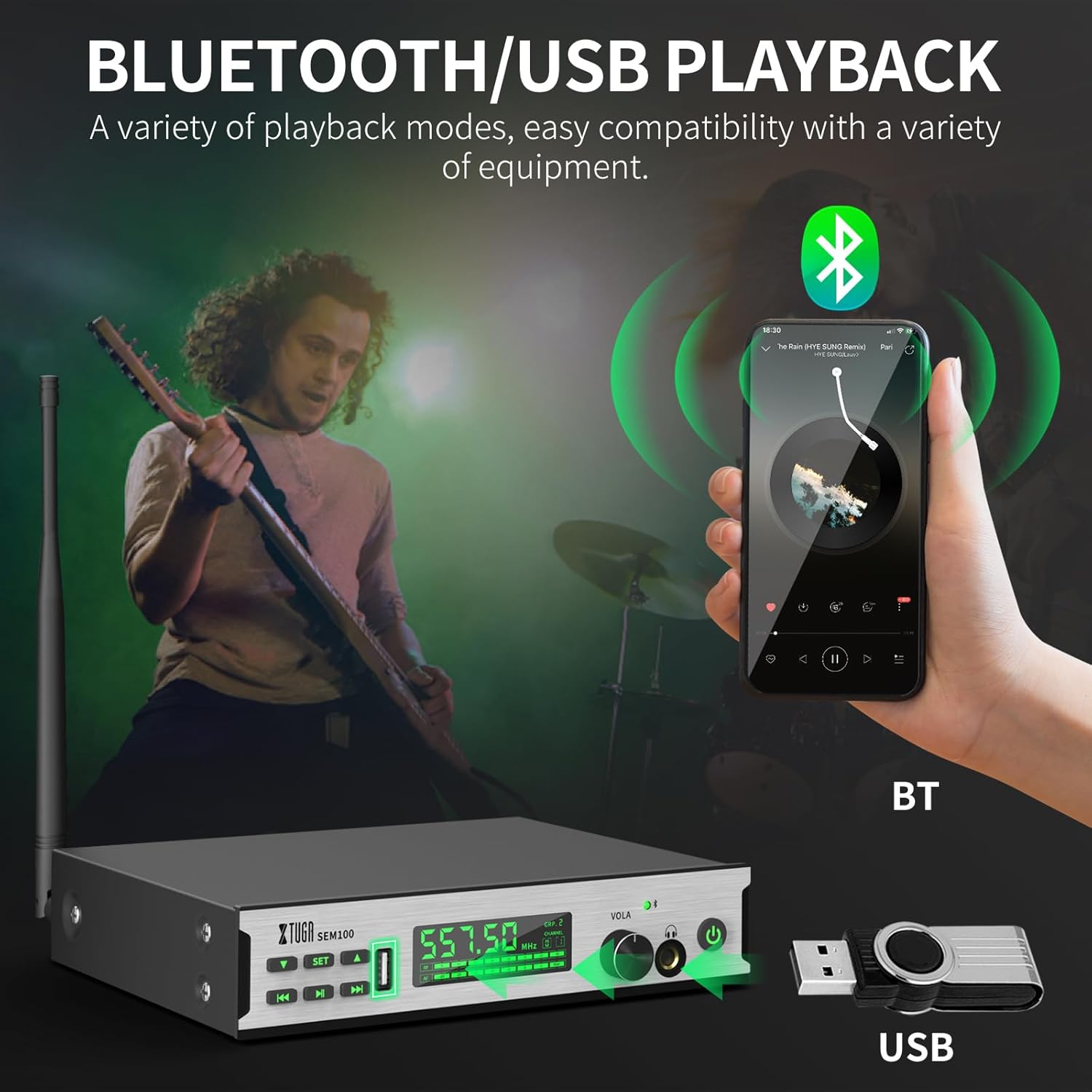
Figure 5.2: The transmitter connected to a smartphone via Bluetooth and a USB drive for accompaniment playback.
- بلوتوث: Enable Bluetooth on your smartphone or other device and pair with "XTUGA-SEM". The Bluetooth indicator on the transmitter will light up upon successful connection. Use the Play/Pause and Last/Next Song buttons on the transmitter to control playback.
- تشغيل USB: أدخل محرك أقراص USB يحتوي على الصوت files into the USB Socket on the transmitter. Use the Play/Pause and Last/Next Song buttons to control playback.
5.5 وظيفة قفل الشاشة
To prevent accidental changes during performance, the bodypack receiver features a lock screen function.

Figure 5.3: The bodypack receiver displaying a lock icon on its screen, indicating the lock function is active.
- Long-press the middle button on the bodypack receiver to activate or deactivate the lock screen function. When locked, a locking pattern or icon will appear on the screen, and controls will be unresponsive to prevent unintended adjustments.
6. الصيانة
Proper maintenance ensures the longevity and optimal performance of your XTUGA SEM100 system.
- تنظيف: Use a soft, dry cloth to clean the surfaces of the transmitter and bodypack receiver. Avoid using liquid cleaners or solvents.
- تخزين: Store the system in a cool, dry place away from direct sunlight and extreme temperatures. When not in use for extended periods, ensure the bodypack receiver is charged periodically to maintain battery health.
- العناية بالبطارية: Avoid fully discharging the bodypack's battery frequently. Recharge it regularly to prolong its lifespan.
7. استكشاف الأخطاء وإصلاحها
If you encounter issues with your XTUGA SEM100 system, refer to the following common troubleshooting steps:
- لا يوجد صوت:
- تأكد من تشغيل كل من جهاز الإرسال وجهاز الاستقبال المحمول.
- Verify that the frequencies of the transmitter and bodypack are synchronized.
- Check all cable connections (audio input to transmitter, earphones to bodypack).
- Adjust volume levels on both the transmitter and bodypack.
- Ensure the bodypack is not in lock screen mode.
- التداخل/التشويش:
- Change the frequency channel on the transmitter and re-synchronize the bodypack. The system offers 40 frequency options to avoid clashes.
- Ensure the transmitter and receiver are within the operating range (up to 213ft/65m).
- قلل من العوائق بين جهاز الإرسال وجهاز الاستقبال.
- تحقق من وجود أجهزة لاسلكية أخرى تعمل على ترددات مماثلة في الجوار.
- عمر البطارية قصير:
- Ensure the bodypack is fully charged (2.5 hours for 6 hours of use).
- قد يتدهور أداء البطارية بمرور الوقت مع الاستخدام المكثف.
8. المواصفات
Key technical specifications for the XTUGA SEM100 Wireless In-Ear Monitor System:
| ميزة | مواصفة |
|---|---|
| ماركة | XTUGA |
| رقم الموديل | إس إي إم 100 |
| لون | أسود |
| وضع الأذن | في الأذن |
| عامل الشكل | في الأذن |
| مقاومة | 4 أوم |
| مقبس سماعة الرأس | 3.5 ملم جاك |
| تكنولوجيا الاتصال | لاسلكي |
| التكنولوجيا اللاسلكية | بلوتوث |
| مدى البلوتوث | 65 متر (213 قدم) |
| نسخة البلوتوث | 4.0 |
| نوع التحكم | التحكم في مستوى الصوت، زر ضغط |
| التحكم في الضوضاء | لا أحد |
| نطاق التردد | 550 ميجا هرتز - 580 ميجا هرتز |
| نوع برنامج تشغيل الصوت | سائق المحرك المتوازن |
| مواد التغليف | معدن |
| وزن العنصر | 3.25 Kilograms (Total package weight) |
9. الضمان والدعم
XTUGA products are designed for reliability and performance. For warranty information, technical support, or service inquiries, please refer to the contact details provided in your product packaging or visit the official XTUGA webالموقع. احتفظ بإيصال الشراء الخاص بك كإثبات للشراء في حالة مطالبات الضمان.
For additional support, you may visit the XTUGA Store on Amazon: XTUGA Store