
PROSCAN PDVD1332
Proscan 13.3" Portable DVD Player
Model: PDVD1332 - User Manual
مقدمة
This manual provides comprehensive instructions for the safe and efficient operation of your Proscan 13.3" Portable DVD Player, model PDVD1332. Please read this manual thoroughly before using the device and retain it for future reference.
معلومات هامة حول السلامة
To reduce the risk of electric shock, fire, or injury, always follow basic safety precautions when using this product.
- لا تعرض الوحدة للمطر أو الرطوبة.
- لا تسد أي فتحات تهوية.
- استخدم فقط المرفقات/الملحقات المحددة من قبل الشركة المصنعة.
- افصل الوحدة أثناء العواصف الرعدية أو عند عدم استخدامها لفترات طويلة.
- قم بإحالة جميع أعمال الصيانة إلى موظفي الخدمة المؤهلين.
محتويات الحزمة
تأكد من تضمين جميع العناصر المدرجة أدناه في الحزمة الخاصة بك:
- Proscan 13.3" Portable DVD Player (PDVD1332)
- جهاز التحكم عن بعد
- محول التيار المتردد
- شاحن السيارة
- سماعات الأذن
- دليل المستخدم

Image showing the Proscan 13.3" Portable DVD Player alongside its travel essentials: remote control, earbuds, car charger, and AC power adapter. These accessories are designed to enhance the user's experience, especially during travel.
المنتج انتهىview
Familiarize yourself with the various components and controls of your portable DVD player.
الجبهة والأعلى View

The Proscan 13.3" Portable DVD Player shown open, displaying its large screen and the intuitive control panel located on the base. The screen is swiveled for optimal viewعمل.
جانب View والموانئ

جانب مفصل view of the Proscan Portable DVD Player, illustrating the accessible ports including USB, Card Slot (SD/MMC), Headphone Jack, AV Out, AV In, On/Off Switch, and DC 12V Power input.
عناصر التحكم الرئيسية:
- MODE/SETUP: Access menu settings.
- المجلد +/-: ضبط مستوى الصوت.
- تشغيل/إيقاف مؤقت: ابدأ التشغيل أو أوقفه مؤقتًا.
- قف: أوقف التشغيل.
- السابق / التالي: Navigate tracks or chapters.
- USB/SD/MMC: Ports for external media.
- AV IN/OUT: Audio/Video input and output.
- تيار مستمر 12 فولت: مدخل الطاقة لمحول التيار المتردد أو شاحن السيارة.
يثبت
شحن البطارية
The portable DVD player is equipped with a built-in lithium-polymer battery for extended playback. Before first use, fully charge the battery.
- Connect the AC power adapter to the DC 12V input port on the player.
- قم بتوصيل محول طاقة التيار المتردد بمأخذ حائط قياسي.
- The charging indicator light will illuminate. Once fully charged, the light may change color or turn off (refer to specific indicator behavior in the manual if available).
- For car use, connect the car charger to the DC 12V input and plug it into your vehicle's cigarette lighter socket.
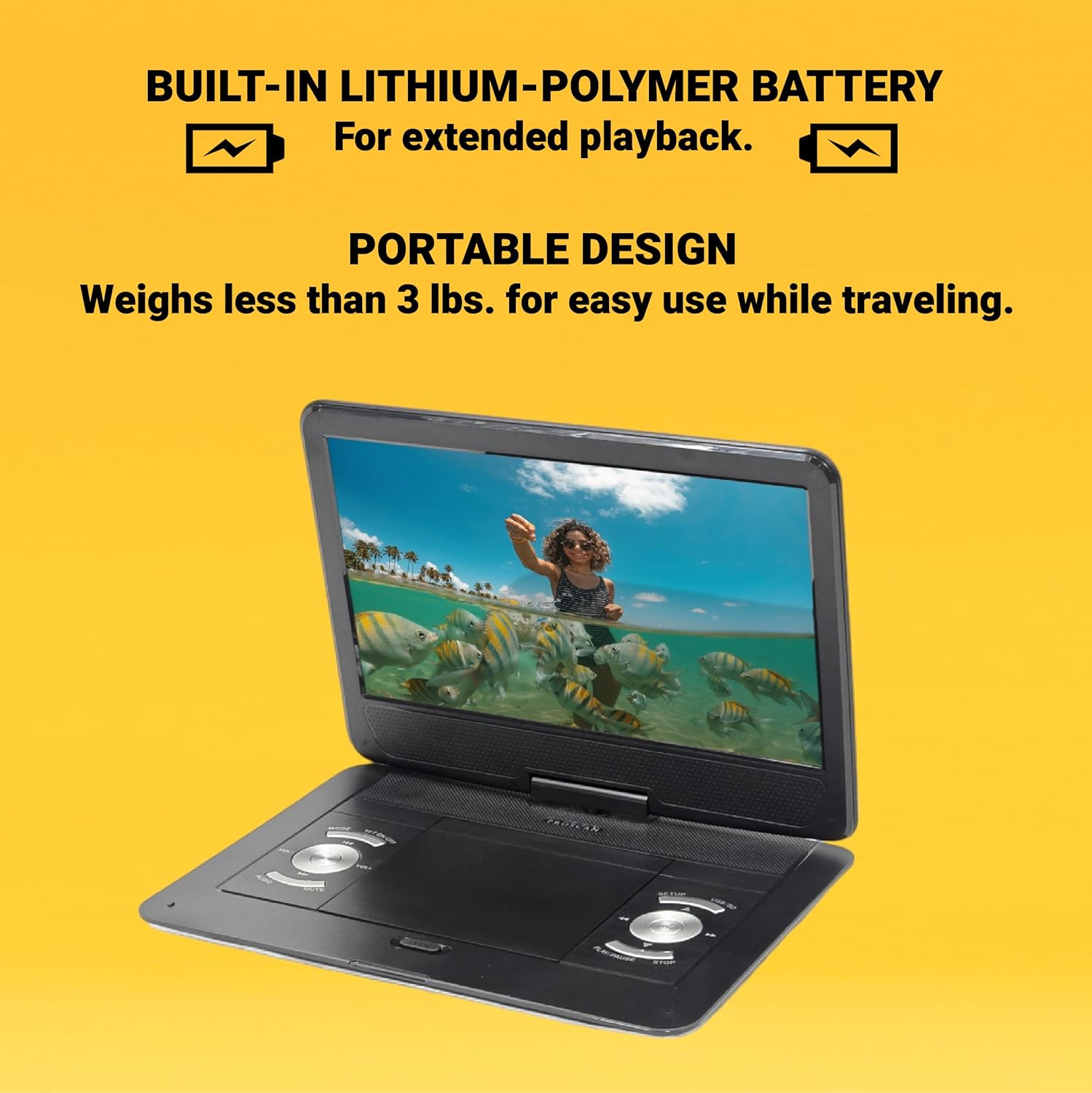
This image emphasizes the Proscan Portable DVD Player's built-in lithium-polymer battery, which provides extended playback, and its lightweight, portable design, weighing less than 3 lbs, making it ideal for travel.
تشغيل/إيقاف التشغيل
- لتشغيل الجهاز، حرك مفتاح التشغيل/الإيقاف إلى وضع "التشغيل".
- لإيقاف التشغيل، حرك مفتاح التشغيل/الإيقاف إلى وضع "إيقاف التشغيل".
تعليمات التشغيل
Playing a DVD/CD
- افتح غطاء حجرة القرص.
- Carefully place a DVD or CD onto the disc spindle with the label side facing up.
- اضغط برفق على القرص لأسفل حتى يستقر في مكانه.
- أغلق غطاء حجرة القرص.
- The player will automatically begin reading the disc. If not, press the تشغيل/إيقاف مؤقت زر.
Using USB/SD/MMC Media
The player supports MP3 and JPEG files from USB drives, SD cards, and MMC cards.
- Insert your USB drive into the USB port or your SD/MMC card into the card slot.
- استخدم وضع button to select the appropriate input source (USB or CARD).
- التنقل عبر fileليالي باستخدام السابق / التالي buttons and select with the تشغيل/إيقاف مؤقت زر.
ضبط مستوى الصوت
استخدم المجلد +/- buttons on the player or the remote control to adjust the audio volume.
استخدام جهاز التحكم عن بعد
The included remote control provides full functionality for operating the DVD player from a distance. Ensure the remote has working batteries and is pointed towards the player's IR sensor.
الصيانة والعناية
- تنظيف الشاشة: Use a soft, lint-free cloth to gently wipe the screen. Do not use liquid cleaners or abrasive materials.
- تنظيف الوحدة: امسح الجزء الخارجي من المشغل بقطعة قماش ناعمة وجافة.
- العناية بالقرص: أمسك الأقراص من حوافها. حافظ عليها نظيفة وخالية من الخدوش. خزّن الأقراص في علبها عند عدم استخدامها.
- تخزين: عند عدم استخدام الجهاز لفترات طويلة، قم بتخزينه في مكان بارد وجاف بعيدًا عن أشعة الشمس المباشرة ودرجات الحرارة القصوى.
استكشاف الأخطاء وإصلاحها
| مشكلة | السبب المحتمل | حل |
|---|---|---|
| لا يوجد طاقة | Battery drained; Power adapter not connected properly. | Charge the battery; Ensure power adapter is securely connected. |
| لا يوجد تشغيل للقرص | Disc inserted incorrectly; Disc is dirty or scratched; Incorrect region code. | Reinsert disc correctly; Clean or replace disc; Ensure disc is compatible with player's region. |
| لا يوجد صوت | Volume too low; Mute function activated; Headphones not connected properly. | Increase volume; Deactivate mute; Reconnect headphones securely. |
| جهاز التحكم عن بعد لا يعمل | البطاريات فارغة أو تم إدخالها بشكل غير صحيح؛ وجود عائق بين جهاز التحكم عن بعد والمشغل. | استبدل البطاريات؛ تأكد من صحة القطبية؛ أزل العوائق. |
تحديد
- نموذج: PDVD1332
- حجم الشاشة: شنومك بوصة تفت لد
- نوع العرض: شاشة الكريستال السائل
- تنسيقات الأقراص المدعومة: DVD, DVD-R/RW, CD-R/RW
- تنسيقات الوسائط المدعومة: MP3, JPEG (via USB/SD/MMC)
- المدخلات: USB, SD/MMC Card Slot, AV In, DC 12V
- المخرجات: Headphone Jack, AV Out
- بطارية: Built-in Lithium-Polymer
- وزن: حوالي 4 رطل
- أبعاد: حوالي 15.85 × 14.37 × 3.47 بوصة
- لون: أسود
الضمان والدعم
This product is sold as a renewed item. Please refer to the specific warranty terms provided by the seller or retailer at the time of purchase. For technical support or service inquiries, please contact the seller or the Proscan customer service department. Keep your purchase receipt as proof of purchase for any warranty claims.
For further assistance, you may visit the official Proscan website or contact their customer support line, details for which are typically found on the product packaging or the seller's information page.
Ask a question about this manual
Ask about setup, troubleshooting, compatibility, parts, safety, or missing instructions. Manuals+ will review the question and use this page’s manual context to help answer it.