
1. المقدمة
شكرا لك على الشراءasing the SODLK T300 120W Portable Bluetooth Speaker. This manual provides essential information for setting up, operating, and maintaining your speaker. Please read it thoroughly before use to ensure optimal performance and longevity of your device. Keep this manual for future reference.
2. معلومات السلامة
- لا تعرض مكبر الصوت لدرجات حرارة عالية أو أشعة الشمس المباشرة أو الرطوبة العالية.
- تجنب إسقاط السماعة أو تعريضها لصدمات قوية.
- لا تقم بتفكيك السماعة أو إصلاحها أو تعديلها بنفسك. اتصل بفنيي الصيانة المؤهلين لإجراء أي إصلاحات.
- أبقِ السماعة بعيدة عن الماء والسوائل الأخرى. هذا المنتج غير مقاوم للماء.
- استخدم فقط كابل USB المرفق للشحن.
- لا تقم بتشغيل مكبر الصوت بمستوى صوت مرتفع للغاية لفترات طويلة لتجنب تلف السمع.
3. محتويات العبوة
يرجى التحقق من الحزمة للعناصر التالية:
- مكبر صوت بلوتوث SODLK T300
- كابل شحن USB
- دليل المستخدم
4. انتهى المنتجview
The SODLK T300 is a powerful portable Bluetooth speaker designed for robust audio performance. It features a durable exterior, integrated handle, and dynamic LED lighting on the sides. The speaker incorporates advanced audio technology for a rich sound experience.

الصورة: الجبهة view of the SODLK T300 Portable Bluetooth Speaker, showcasing its black finish, front grille, and side LED lights.
Internally, the T300 is equipped with a sophisticated driver system to deliver its 120W output. This includes multiple dynamic driver units and vibrating diaphragms for enhanced bass and clear audio reproduction.

الصورة: انفجار view illustrating the internal components of the SODLK T300 speaker, highlighting the 4 dynamic driver units and DSP sound processing.
5. الإعداد
5.1 شحن السماعة
Before first use, fully charge the speaker. Connect the provided USB charging cable to the speaker's charging port and a compatible USB power adapter (not included). The LED indicator will show charging status and turn off or change color when fully charged.
5.2 تشغيل/إيقاف التشغيل
- لتشغيل: Press and hold the Power button for a few seconds until the LED lights illuminate and you hear an audible prompt.
- لإيقاف التشغيل: Press and hold the Power button again for a few seconds until the LED lights turn off and you hear an audible prompt.
6. تعليمات التشغيل
6.1 اقتران بلوتوث
The SODLK T300 features Bluetooth 5.1 for a stable and efficient wireless connection.

Image: Graphic illustrating the benefits of Bluetooth 5.1 connectivity for the SODLK T300, including faster and stronger connection, lower power consumption, better sound, more stable transfer, and higher noise reduction.
- Ensure the speaker is powered on and in Bluetooth pairing mode (the LED indicator will typically flash blue).
- على جهازك (الهاتف الذكي، الجهاز اللوحي، الكمبيوتر)، قم بتمكين البلوتوث وابحث عن الأجهزة المتاحة.
- Select "SODLK T300" from the list of devices.
- Once paired, the speaker will indicate a successful connection, and the LED light will change.
6.2 اتصال TWS (ستيريو لاسلكي حقيقي)
To connect two SODLK T300 speakers for a stereo sound experience:
- تأكد من تشغيل كلا السماعتين وعدم توصيلهما بأي جهاز بلوتوث.
- On one speaker, press the TWS button. It will enter TWS pairing mode.
- سيتصل مكبرا الصوت ببعضهما البعض تلقائيًا. وبمجرد الاتصال، سيعمل أحدهما كمكبر صوت رئيسي (القناة اليسرى) والآخر كمكبر صوت تابع (القناة اليمنى).
- قم بتوصيل جهازك بالسماعة الرئيسية عبر البلوتوث كما هو موضح في القسم 6.1.
6.3 Playing Music from Various Sources
The SODLK T300 supports multiple playback modes:
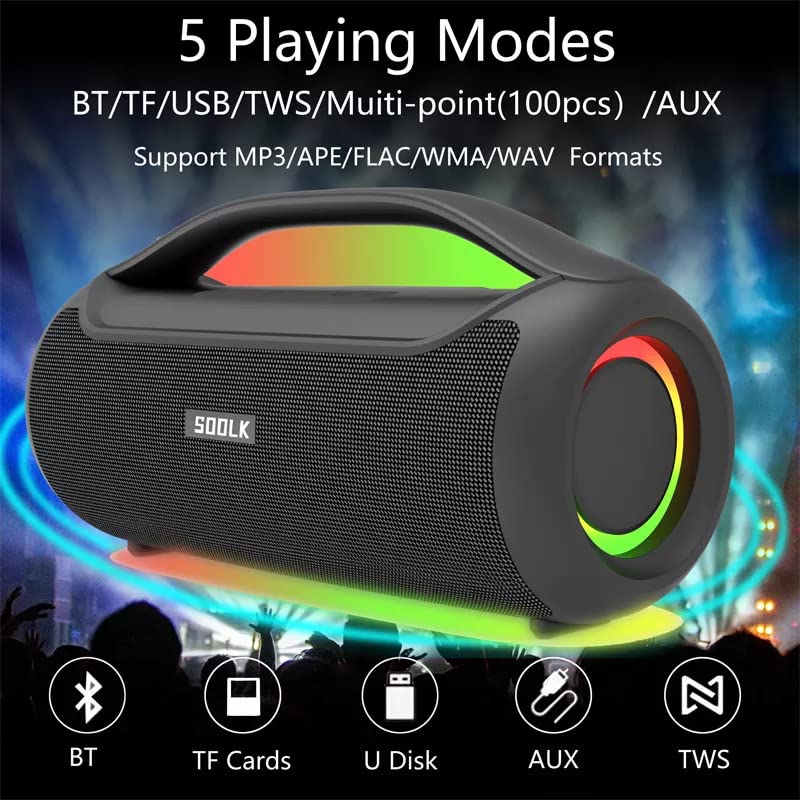
Image: Visual representation of the 5 playing modes supported by the SODLK T300: Bluetooth (BT), TF Cards, U Disk (USB), AUX, and TWS. It also indicates support for MP3/APE/FLAC/WMA/WAV formats.
- بلوتوث: Connect your device wirelessly as described in section 6.1.
- بطاقة TF: أدخل بطاقة TF (MicroSD) مع الصوت fileأدخل بطاقة TF في فتحة بطاقة الذاكرة. سينتقل مكبر الصوت تلقائيًا إلى وضع بطاقة TF ويبدأ التشغيل.
- قرص يو اس بي: أدخل محرك أقراص فلاش USB مع الصوت fileأدخله في منفذ USB. سينتقل مكبر الصوت تلقائيًا إلى وضع USB ويبدأ التشغيل.
- مدخلات AUX: Connect an external audio device using a 3.5mm AUX cable (not included) to the AUX port. The speaker will switch to AUX mode.
Use the speaker's control buttons to play/pause, skip tracks, and adjust volume.
6.4 EQ Playing Modes
The speaker offers three equalizer (EQ) modes to optimize your listening experience for different music genres.

Image: Graphic displaying the three EQ playing modes of the SODLK T300: HIFI 6D Surround, Vocal, and Deep Bass, with illustrative icons for each.
Press the EQ button to cycle through the following modes:
- HIFI 6D Surround: Provides an immersive, wide soundstage.
- صوتي: Enhances clarity for vocals, ideal for podcasts or acoustic music.
- باس عميق: Boosts low frequencies for a more impactful bass response.
6.5 التحكم في إضاءة LED
The SODLK T300 features dynamic LED lights. Press the Light button to cycle through different lighting modes or to turn the lights off.
6.6 NFC Connection (Near Field Communication)
For compatible devices, NFC allows for quick and easy Bluetooth pairing.
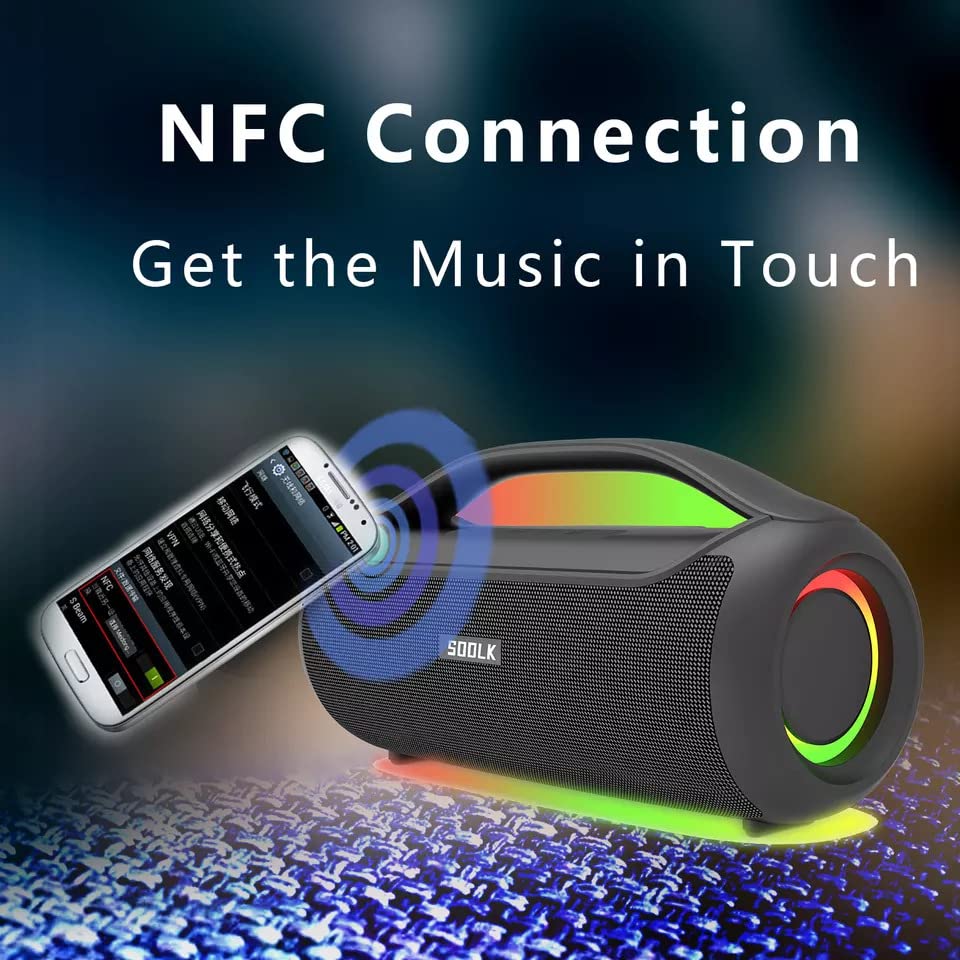
Image: A smartphone being tapped against the SODLK T300 speaker, illustrating the NFC connection process for instant music pairing.
- Ensure NFC is enabled on your smartphone or device.
- Tap your NFC-enabled device gently against the NFC area on the speaker.
- Your device will prompt you to connect via Bluetooth. Confirm the connection.
7. الصيانة
7.1 التنظيف
Wipe the speaker with a soft, dry cloth. Do not use abrasive cleaners, alcohol, or other chemical solvents, as these may damage the surface.
7.2 التخزين
عند عدم الاستخدام لفترات طويلة، يُحفظ مكبر الصوت في مكان بارد وجاف بعيدًا عن أشعة الشمس المباشرة ودرجات الحرارة العالية. يُنصح بشحن مكبر الصوت مرة واحدة على الأقل كل ثلاثة أشهر للحفاظ على عمر البطارية.
8. استكشاف الأخطاء وإصلاحها
| مشكلة | السبب المحتمل | حل |
|---|---|---|
| لا يتم تشغيل مكبر الصوت. | بطارية منخفضة. | اشحن السماعة بالكامل. |
| لا يوجد صوت. | Volume too low; incorrect input mode; device not paired. | Increase volume; switch to correct input mode (BT, AUX, TF, USB); re-pair Bluetooth device. |
| فشل اقتران البلوتوث. | مكبر الصوت ليس في وضع الاقتران؛ البلوتوث في الجهاز مغلق؛ بعيد جدًا عن مكبر الصوت. | Ensure speaker is in pairing mode; enable Bluetooth on device; move device closer to speaker. |
| فشل الاتصال بشبكة TWS. | Speakers already connected to another device; too far apart. | Disconnect speakers from other devices; ensure speakers are close to each other. |
9. المواصفات
Detailed technical specifications for the SODLK T300 speaker:
| ميزة | مواصفة |
|---|---|
| اسم الموديل | ت300 |
| نوع السماعة | رئيس المحمولة |
| ميزة خاصة | Subwoofer, LED Light, TWS Connection |
| تكنولوجيا الاتصال | Bluetooth 5.1, Auxiliary, TF Card, USB |
| الاتصالات اللاسلكية | بلوتوث |
| الحد الأقصى لقوة خرج السماعة | 120 واط |
| وضع إخراج الصوت | ستيريو |
| تكوين قناة الصوت المحيطي | 6D |
| مصدر الطاقة | تعمل بالبطارية |
| طريقة التحكم | أزرار اللمس |
| أبعاد المنتج | 11.2 عمق × 29.2 عرض × 10.1 ارتفاع سنتيمتر |
| مقاوم للماء | لا |
| المكونات المضمنة | USB Cable, Speaker, User Manual |
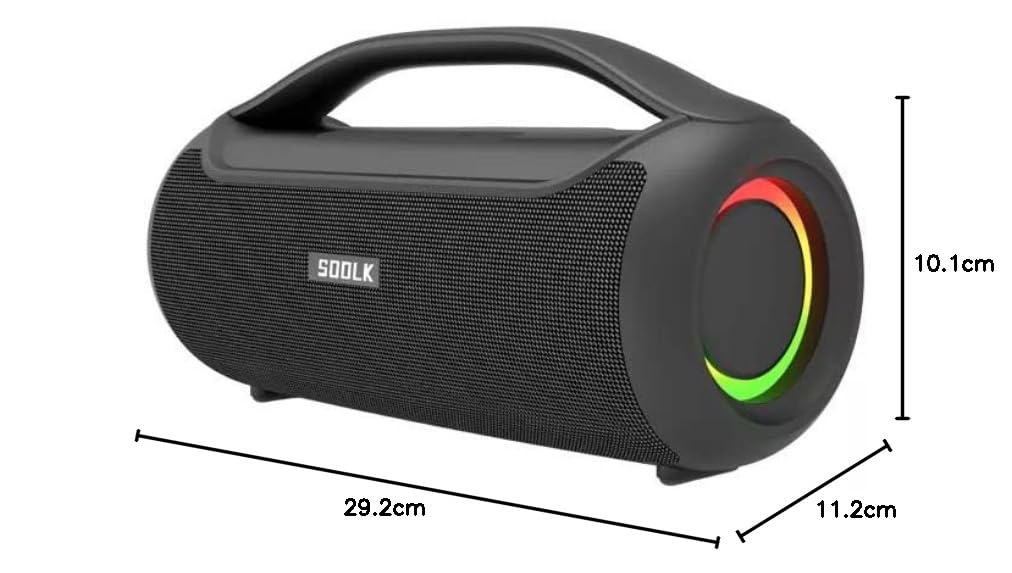
Image: Diagram showing the dimensions of the SODLK T300 speaker: 29.2cm (width), 11.2cm (depth), and 10.1cm (height).
10. الضمان والدعم
The SODLK T300 speaker comes with a ضمان لمدة سنتين يسري هذا الضمان من تاريخ الشراء. ويغطي عيوب التصنيع وجودة الصنع في ظل الاستخدام العادي. ولا يغطي الأضرار الناجمة عن سوء الاستخدام أو الحوادث أو التعديلات غير المصرح بها أو التلف الناتج عن الاستخدام العادي.
For warranty claims, technical support, or any inquiries, please contact your retailer or the SODLK customer service department with your purchase details.