
1. المقدمة
The Dangbei Neo Smart Projector is a compact, portable device designed to deliver a high-quality home theater experience. Featuring official Netflix licensing, 1080P Full HD resolution, HDR10 support, and intelligent adjustment technologies, this projector offers versatile entertainment options with ease of use. This manual provides essential information for setting up, operating, and maintaining your projector.

Figure 1: Dangbei Neo Smart Projector.
2. ماذا يوجد في الصندوق
Upon unboxing your Dangbei Neo Smart Projector, verify that all the following items are included:
- جهاز عرض دانجبي نيو الذكي
- جهاز التحكم عن بعد
- محول الطاقة
- كابل الطاقة
- دليل المستخدم
- قطعة قماش للتنظيف

الشكل 2: جهاز العرض والملحقات المرفقة.
3. الإعداد
3.1 التشغيل الأولي
- Connect the power cable to the power adapter, then plug the adapter into the projector's DC input port.
- قم بتوصيل كابل الطاقة بمأخذ كهربائي مناسب.
- اضغط على زر الطاقة الموجود على جهاز العرض أو جهاز التحكم عن بعد لتشغيل الجهاز.
3.2 اتصال الشبكة
The projector supports 5GHz Wi-Fi and Bluetooth 5.0 for seamless connectivity.
- انتقل إلى قائمة "الإعدادات" على الشاشة الرئيسية لجهاز العرض.
- Select 'Network' and choose your desired Wi-Fi network. Enter the password if prompted.
- For Bluetooth devices, select 'Bluetooth' in the 'Settings' menu and pair your device.
3.3 Intelligent Adjustment Technologies
The Dangbei Neo features 4-in-1 smart adjustment for an optimal viewالخبرة:
- التركيز التلقائي: The projector automatically adjusts for a clear and sharp image.
- تصحيح الانحراف التلقائي: The image is automatically adjusted to a rectangular shape, correcting for angled projections.
- ملاءمة الشاشة الذكية: The projector automatically aligns the image with the screen boundaries.
- تجنب عقبة: The projection automatically adjusts to avoid obstacles in its path.
These features typically activate automatically upon startup or movement of the projector. Manual adjustments are also available in the settings menu.
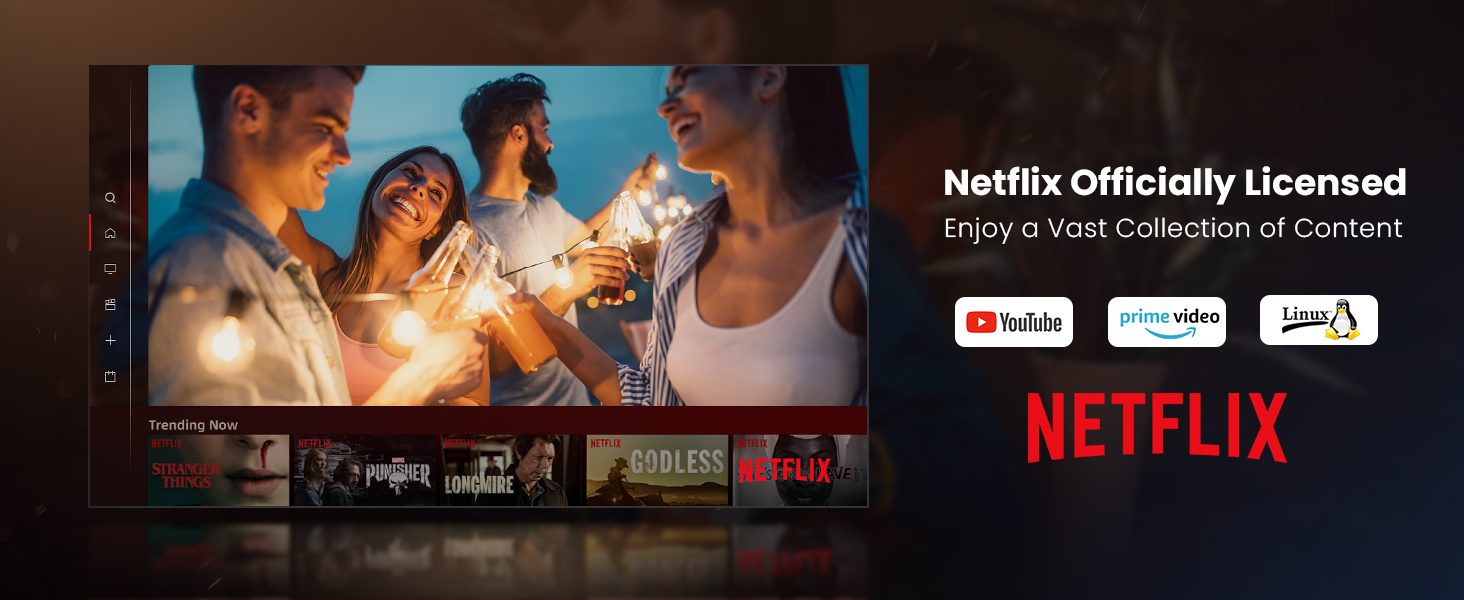
Figure 3: Visual representation of auto-focus and auto-keystone correction.
3.4 توصيل الأجهزة الخارجية
يوفر جهاز العرض خيارات اتصال متعددة:
- HDMI: Connect gaming consoles, laptops, or other HDMI-enabled devices. One HDMI port supports ARC for enhanced audio return.
- USB: Use the USB ports for multimedia playback from external storage devices.
- SPDIF: For digital audio output to compatible sound systems.
- LAN: للاتصال بالإنترنت السلكي.
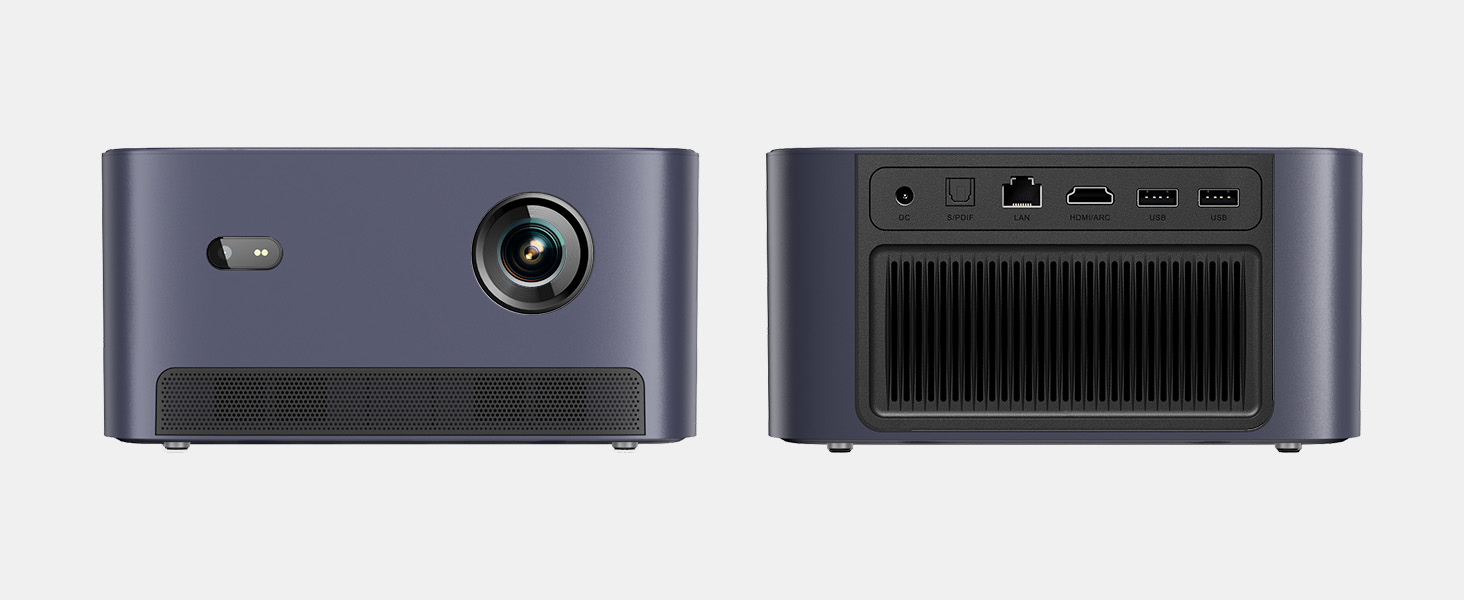
الشكل 4: خلفي view صورة لجهاز العرض توضح منافذ الإدخال/الإخراج المختلفة.
5. تعليمات التشغيل
5.1 التنقل عبر الواجهة
The projector runs on a Linux-based operating system with a user-friendly interface. Use the remote control's directional pad and 'OK' button to navigate through menus and select options.
5.2 التطبيقات المثبتة مسبقًا
Enjoy a variety of streaming content with pre-installed and officially licensed applications:
- نيتفليكس: Access your Netflix subscription directly.
- يوتيوب: Stream videos from YouTube.
- فيديو رئيسي: Watch content from Amazon Prime Video.
- Additional apps are available through the integrated app store.

Figure 5: Projector displaying the Netflix interface.
5.3 إعدادات الصورة والصوت
تحسين الخاص بك viewاستمتع بتجربة استخدام الميزات التالية:
- دقة: Native 1080P Full HD with support for HDR10/HLG for sharp, crisp images.
- حجم العرض: Up to 120 inches for an immersive cinematic experience.
- صوتي: Integrated 2x6W speakers with Dolby Audio support provide 360° surround sound.
- ضبط السطوع بالذكاء الاصطناعي: Automatically optimizes brightness based on ambient light.

Figure 6: Large projected image from the Dangbei Neo.

Figure 7: Illustration of 360° surround sound from the projector.
6. الصيانة
- تنظيف: Use the provided cleaning cloth to gently wipe the lens and exterior surfaces. Avoid abrasive materials or harsh chemicals.
- تهوية: Ensure the projector's ventilation ports are clear and unobstructed to prevent overheating.
- Lamp حياة: The laser light source has a lifespan of up to 30,000 hours, providing long-term use without frequent lamp بديل.
7. استكشاف الأخطاء وإصلاحها
| مشكلة | السبب المحتمل | حل |
|---|---|---|
| No image/blurry image | Power issue, focus/keystone incorrect, lens obstructed | Check power connection. Use auto-focus/keystone or adjust manually. Clean the lens. |
| لا يوجد صوت | Volume too low, audio output settings, external device issue | Increase volume. Check audio settings. Ensure external device audio is working. |
| مشاكل الاتصال بشبكة Wi-Fi/Bluetooth | Incorrect password, device out of range, interference | Verify password. Move closer to router/device. Reduce interference. |
| ارتفاع درجة حرارة جهاز العرض | Blocked ventilation, prolonged use | تأكد من خلو فتحات التهوية من أي عوائق. اترك جهاز العرض ليبرد. |
8. المواصفات
| ميزة | التفاصيل |
|---|---|
| ماركة | دانغبي |
| نموذج | نيو |
| دقة العرض | 1920 × 1080 (1080P FHD) |
| دعم HDR | HDR10/HLG |
| مصدر الضوء | Laser (ALPD) |
| Lamp حياة | تصل إلى 30,000 ساعة |
| سطوع | 2100 لومن ISO |
| نسبة التباين | 12,000،1،XNUMX: XNUMX (ديناميكي) |
| نظام التشغيل | لينكس نظام التشغيل |
| التطبيقات المثبتة مسبقًا | نتفليكس، يوتيوب، برايم فيديو |
| الاتصال | 5GHz Wi-Fi, Bluetooth 5.0, HDMI (ARC), USB, SPDIF, LAN |
| صوتي | 2x6W Dolby Audio Speakers, 360° Surround Sound |
| الميزات الذكية | Auto Focus, Auto Keystone Correction, Intelligent Screen Fit, Obstacle Avoidance, AI Brightness Adjustment |
| أبعاد | 7.87 × 6.18 × 3.94 بوصة |
| وزن | 0.141 أونصات |
9. الضمان والدعم
The Dangbei Neo Smart Projector comes with a standard manufacturer's warranty. For detailed warranty information, product support, or service inquiries, please refer to the warranty card included in your package or visit the official Dangbei webموقع.
الدعم عبر الإنترنت: www.dangbei.com
10. فيديو المنتج الرسمي
شاهد الفيديو الرسمي للمنتج للحصول على نظرة عامة مرئيةview of the Dangbei Neo Smart Projector's features and capabilities.
Video: Dangbei Neo Netflix Officially-Licensed Smart Projector. This video highlights key features and usage scenarios.