
ZOUKAI F3
ZOUKAI Bone Conduction Bluetooth 5.3 Open Ear Clip Headphones User Manual
الموديل: F3
1. المقدمة
Thank you for choosing the ZOUKAI Bone Conduction Bluetooth 5.3 Open Ear Clip Headphones. This manual provides essential information for the proper use, setup, and maintenance of your new headset. Please read it thoroughly before use to ensure optimal performance and longevity.
2. انتهى المنتجview
2.1 الميزات الرئيسية
- تصميم الأذن المفتوحة: Allows you to enjoy audio while remaining aware of your surroundings, enhancing safety during outdoor activities.
- تقنية التوصيل العظمي: Delivers sound through vibrations to your cheekbones, bypassing the eardrum.
- اتصال بلوتوث 5.3: يضمن اتصالاً لاسلكياً مستقراً وفعالاً مع الأجهزة المتوافقة.
- Comfortable Ear Clip Design: Lightweight (4.5g per earbud) and ergonomic for pain-free, secure wearing, even with glasses.
- الاقتران التلقائي: Simplifies connection after initial setup.
- ضوابط بديهية: Easy single-hand operation for music playback, calls, and voice assistant.
- تقليل الضوضاء ENC: تعزيز وضوح المكالمة.
- تصميم مقاوم للماء: Suitable for use during exercise and in wet conditions.
- عمر بطارية طويل: Up to 72 hours music time (with charging case), 30 days standby, 1 hour fast charging.
2.2 محتويات العبوة
The ZOUKAI Bone Conduction Bluetooth 5.3 Open Ear Clip Headphones package includes:
- ZOUKAI Bone Conduction Bluetooth 5.3 Open Ear Clip Headphones (Left and Right Earbuds)
- حافظة الشحن
- كابل الشحن
- دليل المستخدم (هذا المستند)
2.3 مخطط المنتج

Image: ZOUKAI Bone Conduction Bluetooth 5.3 Open Ear Clip Headphones with their charging case. The earbuds are white and have an open-ear clip design. The charging case is also white with a green indicator light.
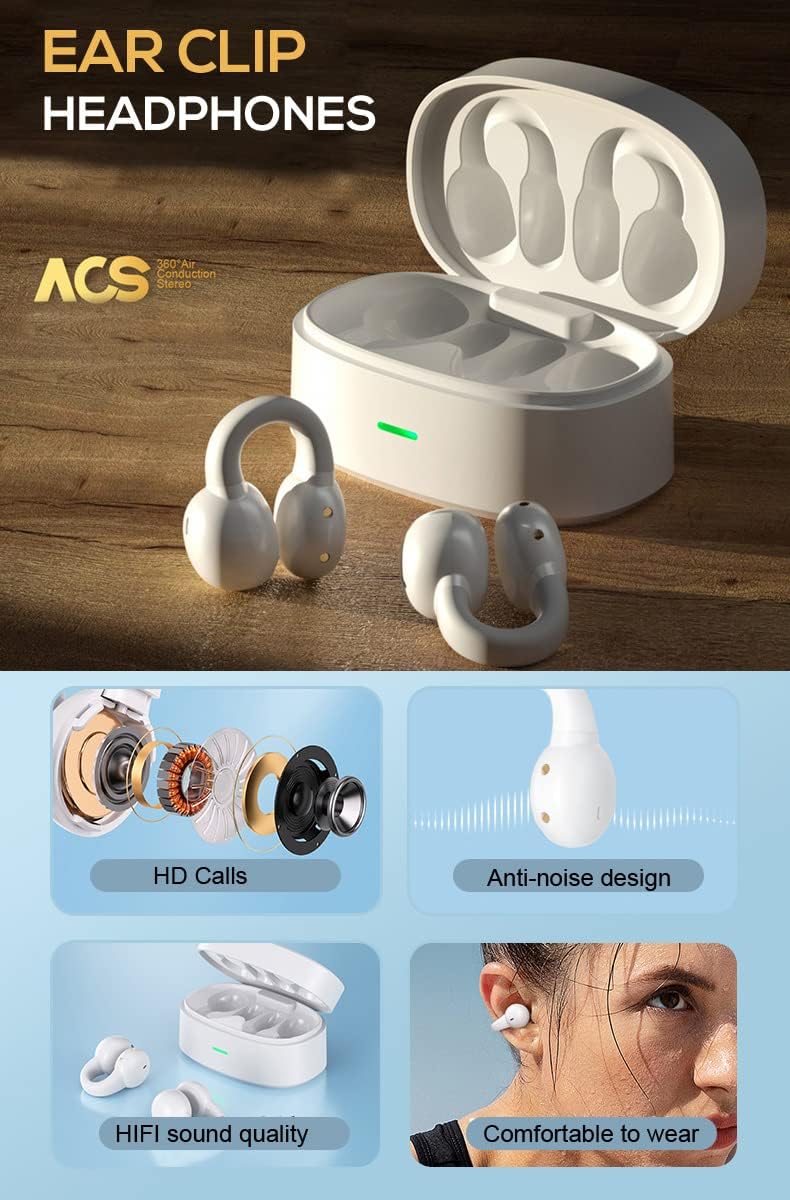
Image: A detailed diagram showing the internal components of the ZOUKAI ear clip headphones, including the bone conduction driver, coil, and other sound elements. Also shows the headphones in their charging case.
3. الإعداد
3.1 الشحن الأولي
Before first use, ensure the headphones and charging case are fully charged. Connect the provided charging cable to the charging case and a compatible USB power source. The indicator light on the case will show charging status.
- يستغرق الشحن الكامل حوالي ساعة واحدة.
- The charging case provides multiple charges for the earbuds.
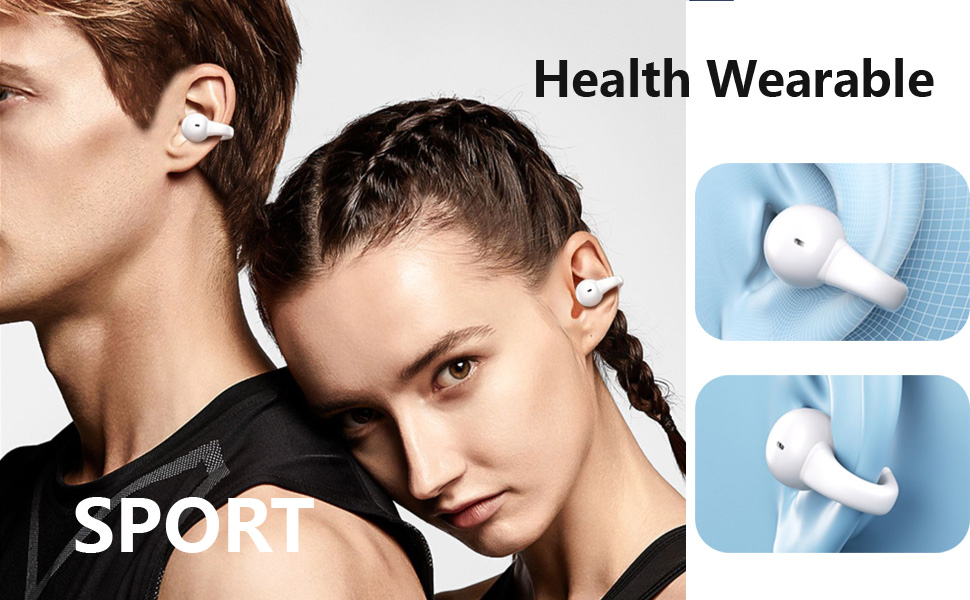
Image: An illustration highlighting the long battery life of the ZOUKAI headphones, showing 72 hours music time, 30 days standby time, and 1 hour fast charging, with the charging case and earbuds in the background.
3.2 الاقتران بجهاز بلوتوث
- تأكد من شحن سماعات الرأس ووضعها داخل علبة الشحن.
- Open the lid of the charging case. The headphones will automatically enter pairing mode.
- على جهازك (الهاتف الذكي، الجهاز اللوحي، الكمبيوتر المحمول)، انتقل إلى إعدادات البلوتوث وقم بتشغيل البلوتوث.
- بحث عن available devices. Select "ZOUKAI F3" (or similar name) from the list.
- Once connected, the headphones will indicate successful pairing (e.g., a voice prompt or indicator light change).
Note: After the first successful pairing, the headphones will automatically connect to the last paired device when the charging case lid is opened, provided Bluetooth is enabled on the device.

Image: An illustration demonstrating the broad compatibility of the ZOUKAI headphones with Bluetooth 5.3 enabled devices, including smartphones and tablets. It also shows the ear clip design being comfortable even for users wearing glasses.
4. تعليمات التشغيل
4.1 ارتداء سماعات الرأس
Gently clip the headphones onto your earlobe. The open-ear design ensures comfort and allows ambient sound awareness. Adjust for a secure and comfortable fit.

Image: A man wearing the white ZOUKAI ear clip headphones, demonstrating their comfortable and discreet fit.

Image: Close-up illustrations showing how the ZOUKAI ear clip headphones are worn, highlighting their secure and comfortable placement on the earlobe for sports and daily use.
4.2 عناصر التحكم الأساسية (حساسة للمس)
The headphones feature touch controls for easy operation:
| فعل | وظيفة |
|---|---|
| نقرة واحدة | تشغيل/إيقاف الموسيقى مؤقتًا، الرد على المكالمة/إنهائها |
| الضغط مرتين على سماعة الأذن اليسرى | خفض الصوت |
| الضغط مرتين على سماعة الأذن اليمنى | رفع الصوت |
| الضغط الثلاثي (سماعة الأذن اليسرى) | الأغنية السابقة |
| الضغط الثلاثي (سماعة الأذن اليمنى) | الأغنية التالية |
| الضغط لفترة طويلة (2 ثوان) | رفض المكالمة، تفعيل المساعد الصوتي |
5. الصيانة
5.1 التنظيف
يساعد التنظيف المنتظم في الحفاظ على أداء سماعات الرأس ونظافتها.
- امسح سماعات الأذن وعلبة الشحن بقطعة قماش ناعمة وجافة وخالية من الوبر.
- بالنسبة للأوساخ العنيدة، قم بإزالة الأوساخ برفق.ampاغسل قطعة القماش بالماء. تجنب استخدام المواد الكيميائية القاسية أو المواد الكاشطة.
- Do not submerge the headphones or charging case in water, despite their waterproof rating, to prevent damage to charging contacts or internal components.
5.2 التخزين
When not in use, store the headphones in their charging case to protect them from dust, dirt, and physical damage.
- قم بتخزينه في مكان بارد وجاف، بعيدًا عن درجات الحرارة العالية وأشعة الشمس المباشرة.
- تجنب التخزين في بيئات ذات رطوبة عالية.
5.3 العناية بالبطارية
- Charge the headphones regularly, even if not used frequently, to prolong battery life.
- تجنب تفريغ البطارية بالكامل قبل إعادة شحنها.
- استخدم فقط كابل الشحن المقدم أو ما يعادله المعتمد.
6. استكشاف الأخطاء وإصلاحها
If you encounter issues with your ZOUKAI headphones, refer to the following common solutions:
| مشكلة | السبب المحتمل / الحل |
|---|---|
| سماعات الرأس لا تعمل. | Battery is low. Place headphones in the charging case and charge fully. |
| لا يمكن الاقتران بالجهاز. |
|
| لا يوجد صوت أو مستوى الصوت منخفض. |
|
| Intermittent connection / audio drops. |
|
| الميكروفون لا يعمل أثناء المكالمات. |
|
7. المواصفات
| ميزة | التفاصيل |
|---|---|
| اسم الموديل | F3 |
| تكنولوجيا الاتصال | لاسلكي (بلوتوث) |
| نسخة البلوتوث | 5.3 |
| نوع برنامج تشغيل الصوت | محرك التوصيل العظمي |
| وضع الأذن | أذن مفتوحة |
| عامل الشكل | مشبك الأذن |
| نوع التحكم | Volume Control, Voice Control, Noise Control (Touch) |
| التحكم في الضوضاء | إلغاء الضوضاء النشط (ENC للمكالمات) |
| مستوى مقاومة الماء | ضد للماء |
| نطاق التردد | 20 هرتز إلى 20,000 هرتز |
| مادة | بلاستيك |
| وزن العنصر | 4.2 أونصة (الحزمة الإجمالية) |
| لون | أبيض |
| المكونات المضمنة | كابل |
| الشركة المصنعة | زوكاي |
| رمز المنتج الموحد | 768399192675 |
8. الضمان والدعم
For warranty information and customer support, please refer to the purchase platform or contact ZOUKAI customer service directly. Keep your proof of purchase for warranty claims.
الدعم عبر الإنترنت: Visit the official ZOUKAI webالموقع أو صفحة المنتج على موقع التاجر webموقع للأسئلة الشائعة وموارد الدعم الإضافية.
Ask a question about this manual
Ask about setup, troubleshooting, compatibility, parts, safety, or missing instructions. Manuals+ will review the question and use this page’s manual context to help answer it.