مقدمة
Thank you for choosing the B.C Zeb Fame 1 USB Powered 2.0 Speaker. This manual provides essential information for setting up, operating, and maintaining your new speakers. Please read these instructions carefully before use to ensure optimal performance and longevity of your product.
محتويات الحزمة
تأكد من وجود جميع العناصر في العبوة:
- 2 x B.C Zeb Fame 1 Speakers
- 1 x Integrated USB Power and 3.5mm Audio Cable
المنتج انتهىview
The B.C Zeb Fame 1 speakers are designed to deliver clear audio for your computer or laptop. They feature USB power, a 3.5mm audio input, and integrated RGB lighting with multiple modes.

أمام view of the B.C Zeb Fame 1 speakers showcasing the RGB lighting. Each speaker features a vibrant, illuminated front panel.
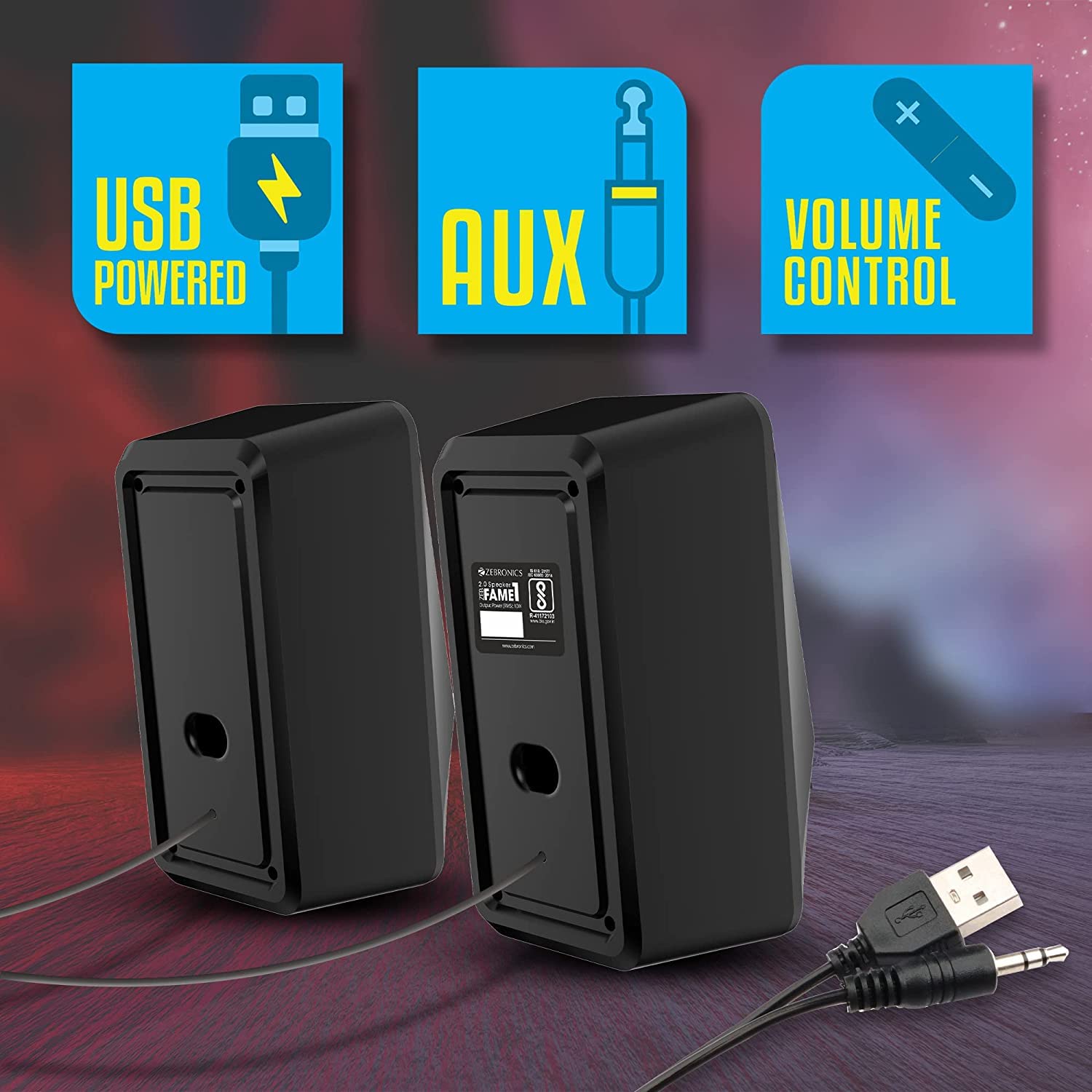
مؤخرة view of the B.C Zeb Fame 1 speakers, illustrating the integrated USB power cable and 3.5mm audio input cable for connectivity.
عناصر التحكم
The speakers feature an in-line control unit for easy access to volume and RGB lighting adjustments.

مفصل view of the in-line control unit. The top section shows the RGB control switch, and the middle section displays the volume control knob.
- التحكم في مستوى الصوت: A rotary knob to adjust the audio output level.
- RGB Control Switch: A button to cycle through the various RGB lighting modes.
يثبت
Follow these steps to connect your B.C Zeb Fame 1 speakers:
- توصيل الصوت: Plug the 3.5mm audio jack from the speaker cable into the audio output port (headphone jack) of your computer, laptop, or smartphone.
- توصيل الطاقة: Insert the USB-A connector from the speaker cable into an available USB port on your computer, laptop, or a 5VDC USB power adapter (not included). The speakers will power on automatically.
- Position Speakers: Place the two speakers on either side of your monitor or listening area for optimal stereo sound.
تعليمات التشغيل
تشغيل الصوت
- Ensure the speakers are properly connected for both audio and power as described in the Setup section.
- Play audio from your connected device (computer, laptop, or smartphone).
- Adjust the volume using the in-line volume control knob on the speaker cable. You may also need to adjust the volume on your connected device.
أوضاع RGB LED
The speakers feature 7 distinct RGB LED modes. To change the lighting mode:
- Press the RGB control switch on the in-line control unit to cycle through the available lighting effects.
- Continue pressing until you find your desired lighting mode.
صيانة
To ensure the longevity and proper functioning of your speakers, follow these maintenance guidelines:
- تنظيف: Use a soft, dry cloth to wipe the speaker surfaces. Do not use liquid cleaners or abrasive materials.
- بيئة: Keep the speakers in a dry environment, away from direct sunlight, extreme temperatures, and excessive dust.
- التعامل: Avoid dropping the speakers or subjecting them to strong impacts. Do not attempt to disassemble the speakers, as this will void the warranty.
استكشاف الأخطاء وإصلاحها
إذا واجهت مشكلات مع مكبرات الصوت لديك، فراجع المشكلات والحلول الشائعة التالية:
| مشكلة | السبب المحتمل | حل |
|---|---|---|
| لا يوجد صوت من مكبرات الصوت |
|
|
| RGB lights are not working |
|
|
| الصوت مشوش أو غير واضح |
|
|
تحديد
- نموذج: B.C ZEB FAME 2.0
- طاقة الإخراج: 10 واط RMS (5 واط × 2)
- حجم السائق: مزدوج 63.5 مم
- مدخلات الطاقة: تيار مستمر 5 فولت (عبر منفذ USB)
- الاتصال: 3.5mm Audio Jack, USB (for power)
- أوضاع RGB: 7
- أبعاد المنتج: 9.5 عمق × 19 عرض × 19 ارتفاع سنتيمتر
- وزن السلعة: 500 جرام
- الأجهزة المتوافقة: Laptops, Personal Computers, Smartphones
الضمان والدعم
يأتي هذا المنتج مع ضمان لمدة سنة واحدة من تاريخ الشراء. يرجى الاحتفاظ بإيصال الشراء كإثبات للشراء لتقديم مطالبات الضمان.
For technical support or warranty inquiries, please contact your retailer or refer to the warranty information provided with your product packaging.


