
مقدمة
The XTUGA PR6X is a professional 6-channel audio mixing console designed for various audio applications, including studio recording, live performances, and events. It features advanced functionalities such as a 99 DSP effects processor, a 7-band graphic equalizer, independent +48V phantom power for condenser microphones, Bluetooth connectivity, and USB recording capabilities. This manual provides comprehensive instructions for the proper setup, operation, and maintenance of your PR6X mixer.
مميزات المنتج
- 6-إدخال القناة: Includes 4 mono MIC inputs and 2 stereo inputs (5/6).
- +48 فولت الطاقة الوهمية: Independent phantom power available for each microphone channel, supporting condenser microphones.
- 99 DSP Effects Processor: Integrated high-quality digital signal processing with 99 selectable effects for enhanced audio.
- المعادل الرسومي ذو 7 نطاقات: Provides precise control over the overall sound output.
- وظيفة البلوتوث: Allows wireless audio streaming from compatible smart devices.
- واجهة USB: Supports U-DISK MP3 input for playback and recording directly to a USB flash drive.
- زر كتم الصوت: Individual mute control for each channel.
- AUX SEND Controls: للمؤثرات الخارجية أو مزيج المراقبة.
يثبت
Follow these steps to set up your XTUGA PR6X mixer:
- توصيل الطاقة: Connect the provided power adapter to the DC IN adapter connector (31) on the rear panel and plug it into a suitable power outlet. Press the POWER switch (30) to turn on the mixer.
- اتصال الميكروفون: Connect dynamic or condenser microphones to the XLR or 1/4" COMBI inputs (1) for channels 1-4. For condenser microphones, activate the +48V phantom power switch (2) for the respective channel.
- Stereo Input Connection: Connect stereo line-level devices (e.g., keyboards, media players) to the L/MONO 5/6 inputs (3).
- اتصال الإخراج: قم بتوصيل مكبرات الصوت الرئيسية أو amplifier to the L & R OUTPUT jacks (24). For monitoring, connect headphones to the PHONE jack (18) or monitor speakers to the AUX1 MON output (9).
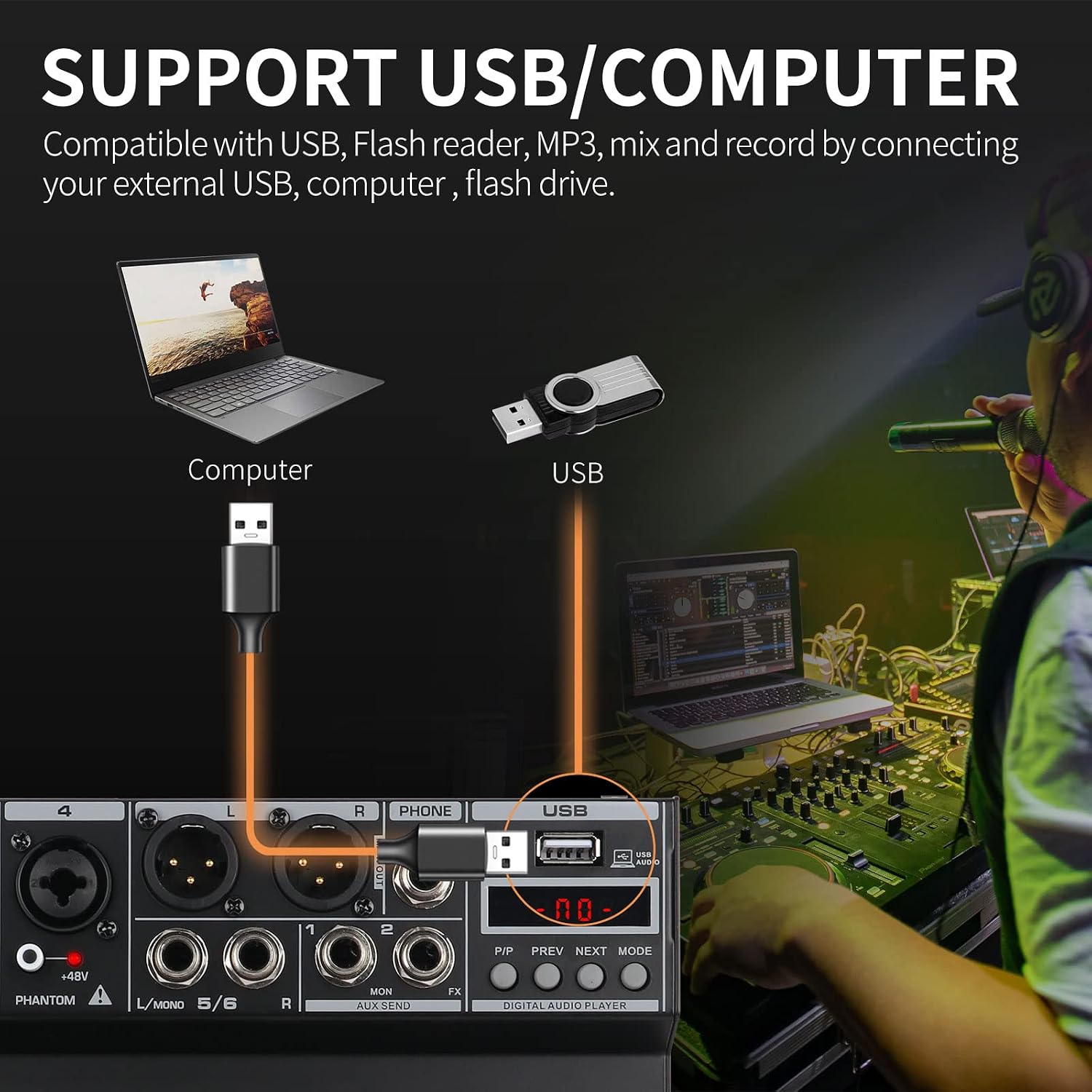
- توصيل USB/الكمبيوتر: For USB playback or recording, insert a USB flash drive into the USB port (14) or connect the mixer to a computer using a USB cable.

صورة: الجزء الخلفي والعلوي view of the XTUGA PR6X mixer with all controls and ports labeled for easy identification. This diagram shows the power input, various audio inputs (XLR, 1/4"), USB port, and output connections.
تعليمات التشغيل
عناصر التحكم في القناة
- GAIN (4): يضبط هذا الخيار حساسية الإدخال لكل قناة. اضبطه على مستوى مناسب لمنع التشويش.
- HIGH (6), MID (7), LOW (8): 3-band equalizer controls for adjusting the treble, midrange, and bass frequencies of each individual channel.
- EFF (10): يتحكم في كمية الإشارة المرسلة من القناة إلى معالج المؤثرات الرقمية الداخلية.
- VOL (11): Adjusts the output volume level for each channel.
- زر كتم الصوت: Press to mute or unmute the corresponding channel.
صورة: عن قرب view of the 3-band EQ knobs (HIGH, MID, LOW) for individual channels on the XTUGA PR6X mixer. This image highlights the range of adjustment for each frequency band, allowing for precise tonal shaping.
معالج المؤثرات الرقمية
The PR6X features 99 built-in DSP effects. To use them:
- تدوير PROGRAM/PARAMETER (26) knob to select the desired effect number (01-99). The selected effect number will be displayed on the digital screen.
- اضغط على PROGRAM/PARAMETER (26) knob to confirm the selection and activate the effect.
- ضبط EFF VOL (28) knob to control the overall level of the applied effect.
- استخدم FX TO AUX1 (23) knob to send the effect signal to the AUX1 output for monitoring or external processing.

صورة: Section of the XTUGA PR6X mixer showing the digital display for DSP effects and the PROGRAM/PARAMETER knob. The image illustrates how to rotate the knob to select an effect type and press it to apply the effect, with a visual representation of the 99 DSP reverb effects.
7-باند الرسوم البيانية المعادل
The 7-band stereo graphic equalizer (20) allows for fine-tuning of the main mix's frequency response. Adjust the sliders for each frequency band (63Hz, 160Hz, 400Hz, 1kHz, 2.5kHz, 6.3kHz, 16kHz) to boost or cut specific frequencies, shaping the overall sound to your preference.

صورة: مفصل view of the 7-band stereo graphic equalizer on the XTUGA PR6X mixer. This image shows the frequency bands and their respective sliders, along with example frequency response curves for high, mid, and low EQ adjustments.
وظيفة بلوتوث
لتوصيل جهاز بلوتوث:
- تأكد من تشغيل الخلاط.
- On your smart device (phone, tablet), enable Bluetooth and search for available devices.
- Select "AUDIO MP3" from the list of devices to pair.
- بمجرد الاتصال، يمكنك بث الصوت لاسلكيًا إلى جهاز المزج.

صورة: The XTUGA PR6X mixer displaying "BT" on its digital screen, indicating Bluetooth mode. A smartphone is shown connected, illustrating wireless music streaming capability. The image also shows the Bluetooth search name "AUDIO MP3".
تشغيل وتسجيل USB
The mixer supports USB flash drives for MP3 playback and recording.
- التشغيل: أدخل محرك أقراص فلاش USB يحتوي على MP3 files into the USB port (14). Use the P/P (Play/Pause), PREV (Previous), NEXT (Next), and MODE buttons to control playback.
- تسجيل: The mixer can record audio directly to a USB flash drive. Refer to the specific recording instructions in the full manual for detailed steps on initiating and managing recordings.

صورة: Illustration of the XTUGA PR6X mixer connected to a computer via USB and a USB flash drive inserted. This image demonstrates the mixer's compatibility with USB devices for mixing and recording audio, showing a user interacting with a computer setup.
Headset and Microphone Connection
The mixer includes a dedicated 3.5mm HEADSET input for connecting a headset with an integrated microphone, improving compatibility for recording devices.

صورة: A user wearing headphones and speaking into a microphone connected to the XTUGA PR6X mixer. The image highlights the 3.5mm HEADSET input, indicating improved compatibility for various recording devices.
صيانة
To ensure the longevity and optimal performance of your XTUGA PR6X mixer:
- تنظيف: Use a soft, dry cloth to clean the exterior of the mixer. Avoid using liquid cleaners or solvents, as they may damage the finish or internal components.
- تخزين: قم بتخزين الخلاط في مكان بارد وجاف بعيدًا عن أشعة الشمس المباشرة ودرجات الحرارة القصوى والغبار الزائد.
- التعامل: Avoid dropping or subjecting the mixer to strong impacts. Disconnect all cables before moving the unit.
- إيقاف التشغيل: Always power off the mixer and disconnect it from the power source when not in use for extended periods.
استكشاف الأخطاء وإصلاحها
If you encounter issues with your XTUGA PR6X mixer, refer to the following common problems and solutions:
- لا يوجد إخراج صوت:
- تحقق من جميع توصيلات الكابلات (الإدخال، الإخراج، الطاقة).
- Ensure channel volume (VOL) and main output volume (L MAIN R) knobs are turned up.
- تأكد من أن القنوات ليست مكتومة.
- Check the connected speakers/amplifier for power and proper function.
- الصوت المشوه:
- Reduce the GAIN knob for the input channel to prevent clipping.
- Lower the channel volume (VOL) or main output volume.
- Check input source for distortion.
- البلوتوث غير متصل:
- Ensure Bluetooth is enabled on your smart device and the mixer is in Bluetooth mode.
- Make sure no other device is currently paired with the mixer.
- Try restarting both the mixer and your smart device.
- القوة الوهمية لا تعمل:
- Ensure the +48V phantom power switch (2) is activated for the specific channel.
- Verify that the microphone cable is an XLR type, as phantom power is typically delivered via XLR connections.
تحديد
| ميزة | مواصفة |
|---|---|
| ماركة | XTUGA |
| نموذج | بي ار 6 اكس |
| عدد القنوات | 6 (4 Mono MIC + 2 Stereo) |
| تأثيرات DSP | 99 المؤثرات المدمجة |
| مُعادل الصوت | 7-Band Stereo Graphic EQ, 3-Band Channel EQ |
| السلطة الوهمية | Independent +48V per MIC channel |
| الاتصال | Bluetooth, USB (U-DISK MP3 input/recording) |
| اسم نوع المنتج | خلاط الصوت |
| أبعاد الحزمة | 30.5 × 26.5 × 10.5 سم |
| وزن | 1.97 كيلوغرام |
الضمان والدعم
XTUGA Audio products come with a 12-month manufacturer assurance. For technical support, warranty claims, or further assistance, please contact XTUGA customer service through their official channels. Keep your purchase receipt as proof of purchase for warranty services.