
أرنسيين X101
ARNSSIEN Kids Digital Camera X101 Instruction Manual
نموذج: X101
1. المقدمة
This manual provides essential information for the safe and effective use of your ARNSSIEN Kids Digital Camera X101. Please read it thoroughly before operating the device and retain it for future reference. This camera is designed to be user-friendly for children, encouraging creativity and exploration through photography.
2. محتويات العبوة
Upon opening your ARNSSIEN Kids Digital Camera X101 package, please verify that all the following items are included:
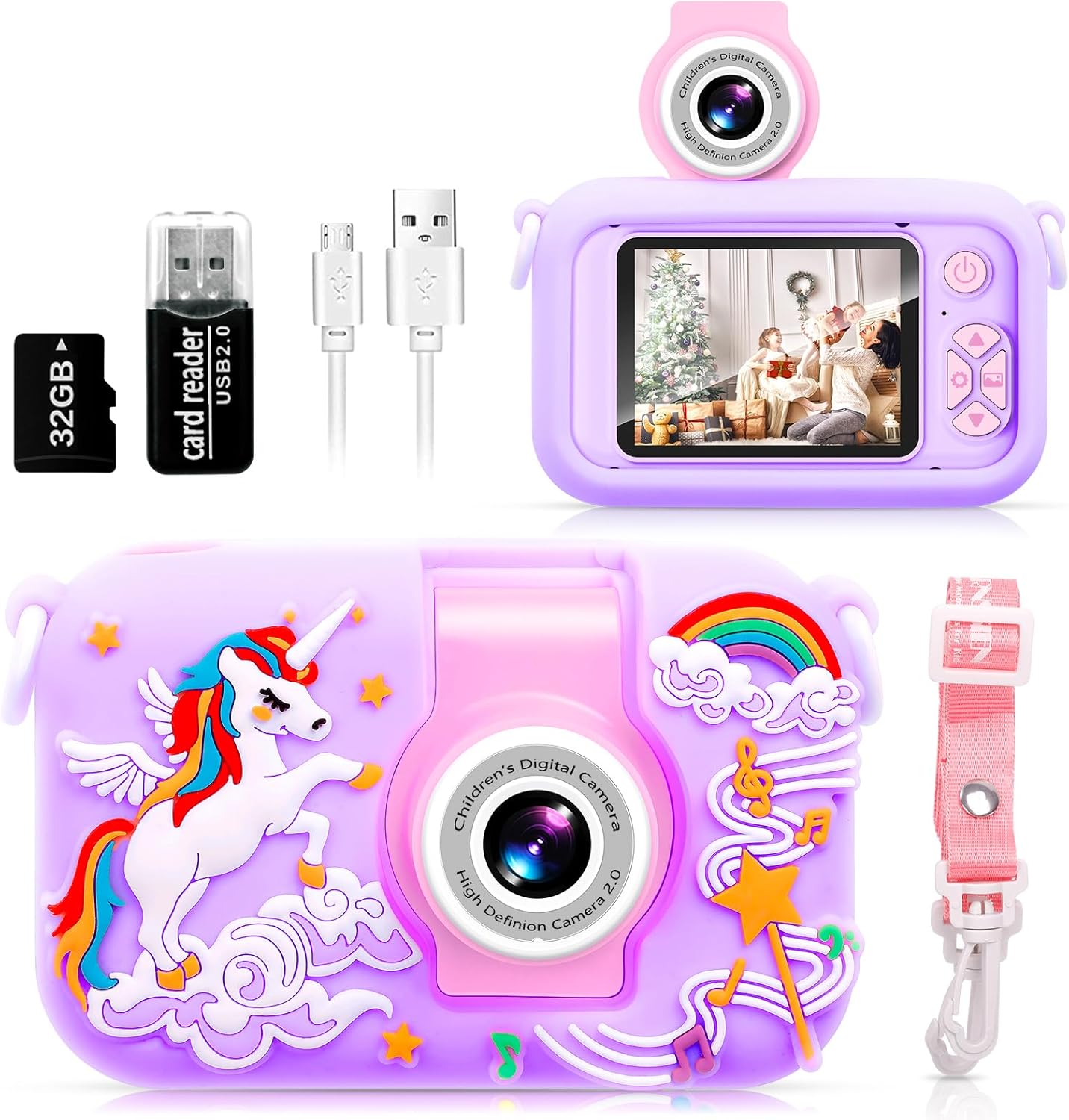
- ARNSSIEN Kids Digital Camera X101 (Purple Unicorn)
- حافظة واقية من السيليكون
- حبل العنق
- بطاقة ذاكرة TF سعة 32 جيجابايت (مثبتة مسبقًا)
- قارئ البطاقات
- Retrieve Card Pin
- كابل يو اس بي
- دليل التعليمات

3. انتهى المنتجview
The ARNSSIEN Kids Digital Camera X101 features a durable design and intuitive controls suitable for young users. Key components include:
- 180° Flip Lens: Allows for easy switching between front-facing and rear-facing photography without complex menu navigation.
- 2.4-inch IPS Eye Protection Screen: Provides a clear display for viewing photos and videos, designed with child vision safety in mind.
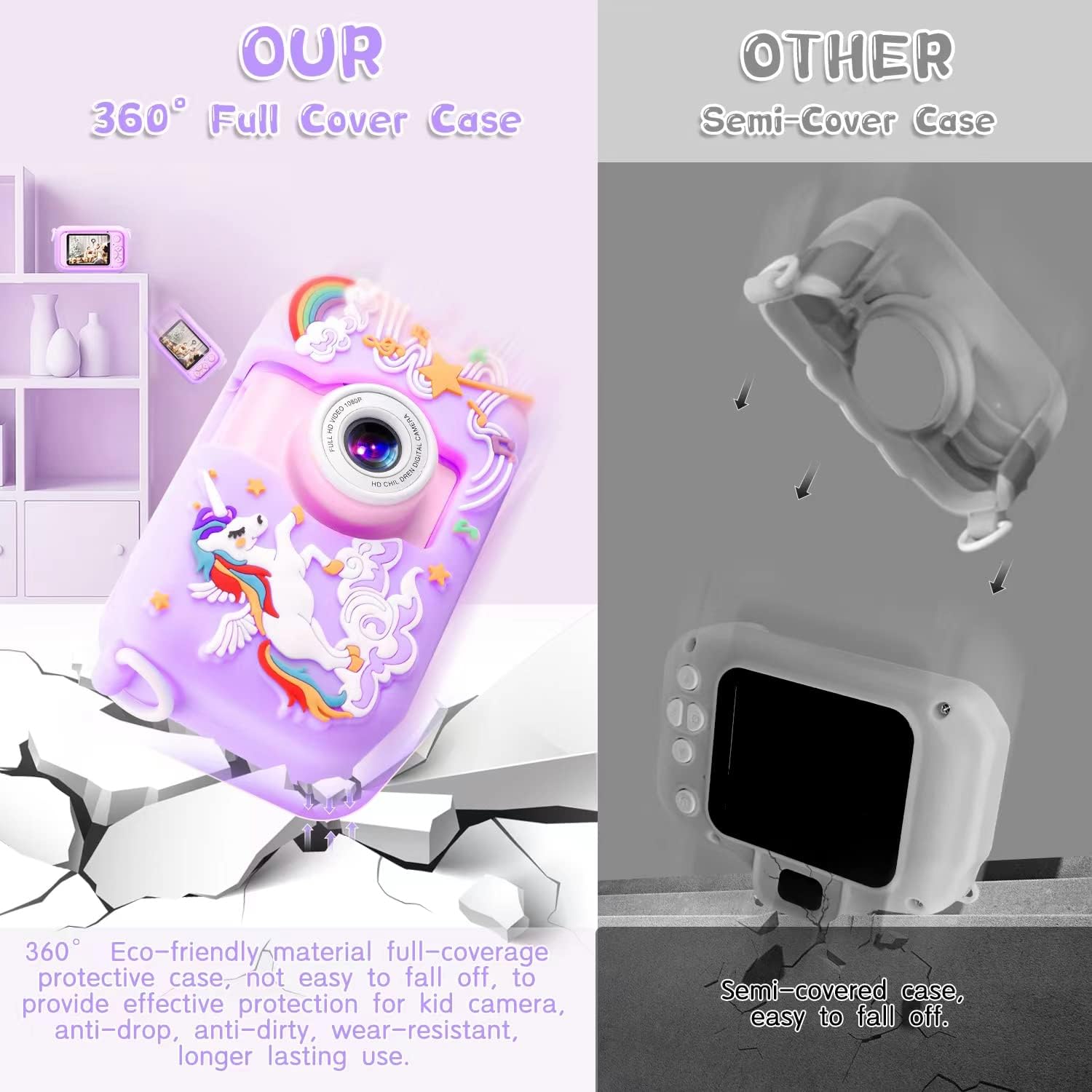
- 360° Environmental Silicone Protective Case: Offers comprehensive protection against drops, dirt, and wear, enhancing the camera's durability.
- أزرار التحكم: Power, navigation (up, down, left, right), OK/Shutter, and Menu buttons for easy operation.
- منفذ مايكرو يو اس بي: للشحن ونقل البيانات.
- فتحة بطاقة TF: لتوسيع الذاكرة (بطاقة سعة 32 جيجابايت مرفقة).


4. الإعداد
4.1. الرسوم الأولية
Before first use, fully charge the camera. Connect the provided USB cable to the camera's Micro USB port and the other end to a compatible USB power adapter (not included) or a computer USB port. The battery capacity is 1000mAh, and a full charge typically takes 1-2 hours.

4.2. تركيب بطاقة TF
The 32GB TF card is pre-inserted in the camera. If you need to remove or re-insert it, use the provided retrieve card pin to gently press the card until it clicks and ejects. Ensure the camera is powered off before inserting or removing the TF card.
4.3. ضبط التاريخ والوقت
It is recommended to set the correct date and time for accurate photo and video timestamps. Navigate to the 'Settings' menu using the control buttons, then select 'Date/Time' to adjust. You may also adjust other default parameters as needed.
5. تعليمات التشغيل
5.1. تشغيل/إيقاف التشغيل
اضغط مع الاستمرار على زر الطاقة (عادة ما يكون موجودًا في الأعلى أو الجانب) لبضع ثوانٍ لتشغيل الكاميرا أو إيقاف تشغيلها.
5.2. التقاط الصور
- قم بتشغيل الكاميرا.
- Ensure the camera is in photo mode (indicated by an icon on the screen). If not, use the Mode button (if available) or navigation buttons to switch.
- Frame your shot using the 2.4-inch IPS screen.
- Press the Shutter/OK button to capture the photo.
5.3. تسجيل مقاطع الفيديو
- قم بتشغيل الكاميرا.
- قم بالتبديل إلى وضع تسجيل الفيديو.
- Press the Shutter/OK button once to start recording. A red indicator or timer will appear on the screen.
- Press the Shutter/OK button again to stop recording.

5.4. Using the 180° Flip Lens
To take a selfie or record yourself, simply rotate the camera lens 180 degrees upwards. The camera will automatically adjust, making it easy to switch between front and rear views without changing modes in the menu.

5.5. التنقل في القائمة
Use the Up/Down/Left/Right navigation buttons to scroll through menu options. Press the OK/Shutter button to select an option or confirm a setting. The Menu button typically returns to the previous screen or exits the menu.
5.6. Auto-Off and LCD Off Settings
To conserve battery life, the camera has adjustable auto-off and LCD off settings. These can be configured in the camera's settings menu. Options typically include 1, 3, or 5 minutes for auto-off, and similar durations for LCD off.

5.7. النقل Files
To transfer photos and videos to a computer, connect the camera using the provided USB cable. The camera should appear as a removable disk. Alternatively, remove the TF card and use the included card reader to access files directly on your computer.

6. Camera Modes and Features
6.1. Photo Filters and Frames
The camera includes various fun photo filters and frames to enhance pictures. These options can typically be accessed through the photo mode menu. Experiment with different effects to add creativity to your images.

6.2. التصوير بتقنية الفاصل الزمني
The time-lapse feature allows the camera to capture a series of photos at set intervals, which can then be combined into a video. This is ideal for capturing slow-changing scenes. Settings for time-lapse (e.g., 2s, 5s, 10s intervals) can be found in the camera's menu.

6.3. تقريب رقمي
The camera supports up to 4x digital zoom. Use the appropriate navigation buttons (often Up/Down or Left/Right in photo/video mode) to zoom in or out on your subject.

6.4. Built-in Games
The camera includes several simple games for entertainment. These can be accessed through the main menu, providing an additional interactive feature for users.

7. الصيانة
7.1. تنظيف الكاميرا
Use a soft, dry cloth to clean the camera body. For the screen, use a microfiber cloth. Avoid using liquid cleaners or abrasive materials, as they may damage the camera's surface or screen.
7.2. Silicone Protective Case Care
The silicone case can be cleaned with mild soap and water if it becomes dirty. Ensure it is completely dry before reattaching it to the camera.
7.3. العناية بالبطارية
To prolong battery life, avoid fully discharging the camera frequently. Charge the camera regularly, even if not in use for extended periods. Store the camera in a cool, dry place.
8. استكشاف الأخطاء وإصلاحها
- الكاميرا لا تعمل: Ensure the battery is charged. Connect the camera to a power source using the USB cable and allow it to charge for at least 30 minutes before attempting to power on again.
- لا يمكن التقاط الصور/الفيديوهات: Check if the TF card is properly inserted and has sufficient free space. If the card is full, transfer fileقم بنقلها إلى جهاز الكمبيوتر واحذفها من البطاقة، أو استبدل البطاقة.
- تتجمد الكاميرا أو تصبح غير مستجيبة: Try resetting the camera. This can often be done by pressing the 'Reset' button (if available, usually a small pinhole) with the retrieve card pin, or by holding down the Power button for an extended period (10-15 seconds).
- جودة الصورة/الفيديو رديئة: تأكد من أن العدسة نظيفة وخالية من البقع. تحقق من ظروف الإضاءة.
- Camera not charging: Verify that the USB cable is securely connected to both the camera and the power source. Try a different USB port or power adapter.
9. المواصفات
| ميزة | مواصفة |
|---|---|
| ماركة | أرنسيين |
| اسم الموديل | إكس 101 |
| تقنية مستشعر الصور | سيموس |
| دقة ثابتة فعالة | 40 ميجا بكسل |
| دقة الفيديو | 1080 بكسل |
| حجم الشاشة | 2.4 بوصة |
| نوع العرض | شاشة الكريستال السائل |
| عدسة الكاميرا | 180° Flip Lens |
| تقريب رقمي | 4 × |
| سعة تخزين الذاكرة | 32 GB (TF Card) |
| تكنولوجيا الاتصال | USB |
| نوع البطارية | ليثيوم بوليمر (1000 مللي أمبير) |
| متوسط عمر البطارية | 4 ساعة |
| وزن العنصر | 0.2 كيلوغرام |
| مدعوم File شكل | JPEG (صور)، MP4 (فيديوهات) |
| الموقت الذاتي | 3 ثواني |
| تثبيت الصورة | رقمي |
| تقنية التركيز التلقائي | كشف المرحلة |
10. الضمان والدعم
10.1. معلومات الضمان
This ARNSSIEN Kids Digital Camera X101 comes with a ضمان لمدة 30 يومًا من تاريخ الشراء. يغطي هذا الضمان عيوب التصنيع في ظل الاستخدام العادي. يُرجى الاحتفاظ بإيصال الشراء للمطالبة بالضمان.
10.2. دعم العملاء
For any questions, concerns, or technical assistance regarding your camera, please contact ARNSSIEN customer support via email:
Our support team is available to provide assistance and ensure your satisfaction with the product.