
1. انتهى المنتجview
The WALI FTM-2 Full Motion TV Wall Mount is designed to securely hold most flat and curved screen televisions ranging from 32 to 70 inches. This mount offers extensive adjustability, including tilt, swivel, and extension, allowing for optimal viewing angles from various positions in a room. Constructed from reinforced cold-rolled steel, it ensures durability and stability for your television.
2. معلومات هامة حول السلامة
تحذير: Read all instructions carefully before installation. If you do not understand these instructions or have doubts about the safety of the installation, consult a qualified installer. Improper installation may cause serious injury or damage.
- قدرة الوزن: Do not exceed the maximum weight capacity of 88 lbs (40 kg). This mount is intended for use only with the maximum weights indicated. Use with products heavier than the maximum weights indicated may result in instability causing possible injury.
- نوع الجدار: This mount is designed for installation on vertical wood studs, solid concrete walls, or brick walls. لا تقم بالتثبيت على الحوائط الجافة وحدها. تأكد من أن سطح التثبيت يمكنه تحمل الوزن الإجمالي للمعدات وجميع الأجهزة المرفقة بشكل آمن.
- التوافق مع VESA: Ensure your TV's VESA mounting pattern is within the supported range (100x100mm to 400x400mm).
- أدوات: Use appropriate tools for installation. Always wear safety gear, including eye protection.
- أطفال: أبعد الأطفال عن منطقة التركيب. قد تشكل الأجزاء الصغيرة خطر الاختناق.
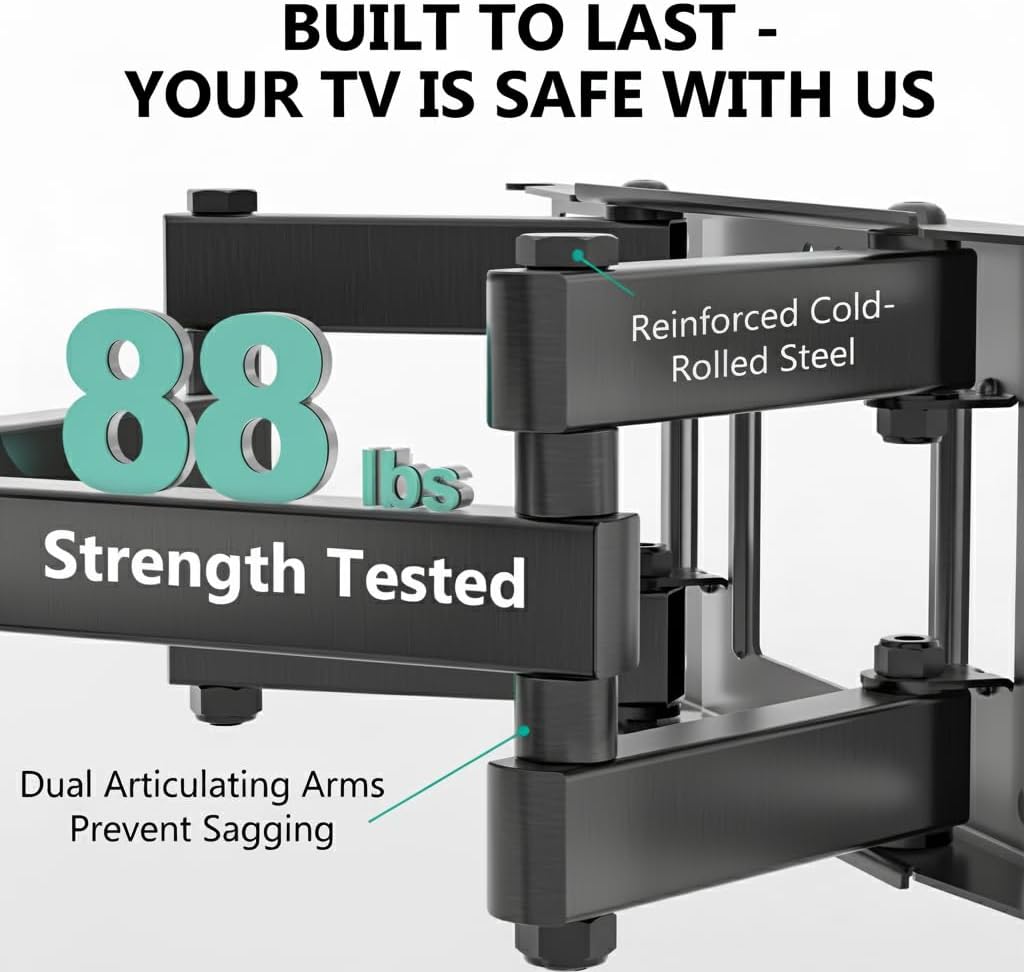
Image: The mount is constructed from reinforced cold-rolled steel, tested to support up to 88 lbs, ensuring structural integrity and safety for your television.
3. محتويات العبوة
Verify that all components are present and undamaged before beginning installation. If any parts are missing or defective, contact WALI customer support.
- WALI FTM-2 TV Wall Mount (1 unit)
- مجموعة أدوات التثبيت (مسامير متنوعة، وغسالات، وفواصل، ومثبتات)
- دليل المستخدم (هذا المستند)

Image: All necessary hardware for installation is included, such as various bolts, washers, spacers, and wall anchors. A spirit level is also provided to assist with accurate mounting.
4. التحقق من التوافق
Before installation, confirm your television and wall meet the following requirements:
- حجم التلفزيون: Compatible with most 32 to 70 inch flat or curved screen TVs.
- وزن التلفزيون: Your TV must weigh no more than 88 lbs (40 kg).
- نمط VESA: The mounting holes on the back of your TV must match VESA patterns from 100x100mm to 400x400mm.
- نوع الجدار: Suitable for 12" or 16" wood studs, concrete walls, and brick walls. Not for drywall-only installation.
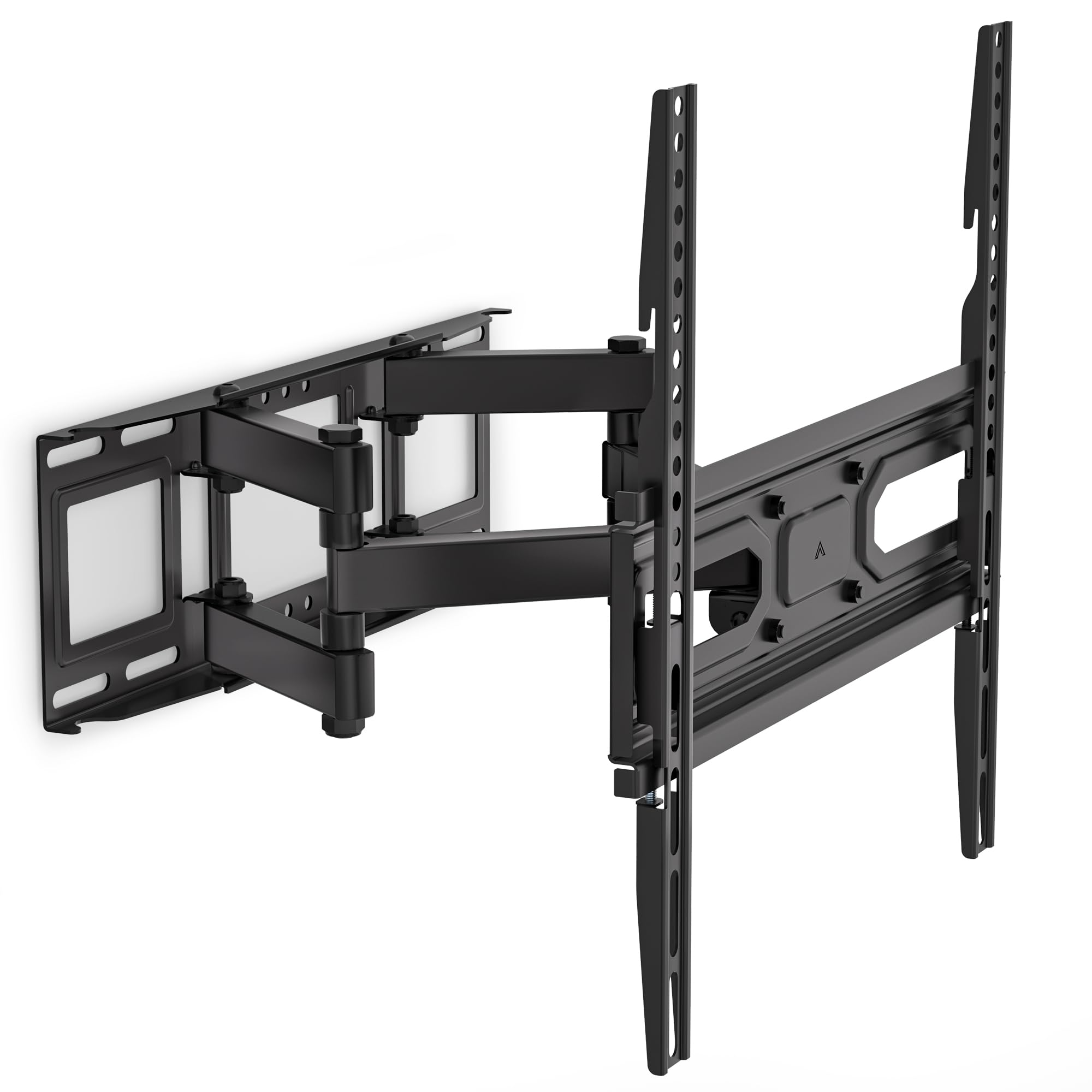
Image: This diagram outlines the four key compatibility checks: TV weight (up to 88 lbs), VESA pattern (100x100mm to 400x400mm), TV size (32-70 inches), and suitable wall types (wood studs, concrete, brick). Installation on drywall alone is not supported.
5. تعليمات التثبيت
اتبع هذه الخطوات بعناية لضمان تثبيت آمن. يُنصح بوجود شخصين لإتمام عملية التثبيت.
الخطوة 1: تثبيت القوس على الحائط
- Locate the desired mounting position on your wall. Use a stud finder to locate wood studs if applicable.
- Mark the drill holes for the wall plate. Ensure the marks are level using a spirit level.
- Drill pilot holes at the marked locations. For wood studs, use a 5/32 inch (4mm) drill bit. For concrete/brick walls, use a 3/8 inch (10mm) drill bit and insert wall anchors.
- Attach the wall plate to the wall using the appropriate lag bolts and washers. Tighten securely.
Step 2: Attach Plate to TV
- ضع جهاز التلفزيون الخاص بك ووجهه لأسفل على سطح ناعم ونظيف لمنع الخدوش.
- قم بتحديد فتحات التثبيت VESA الموجودة على الجزء الخلفي من التلفزيون الخاص بك.
- اختر البراغي والحلقات والفواصل المناسبة من مجموعة الأدوات التي تتناسب مع فتحات تثبيت جهاز التلفزيون الخاص بك.
- Attach the TV brackets to the back of your TV. Ensure they are securely fastened but do not overtighten.
Step 3: Hang TV on Bracket
- بمساعدة شخص آخر، ارفع التلفزيون بحرص وقم بتثبيت حوامل التلفزيون على لوحة الحائط.
- تأكد من أن التلفاز في المنتصف ومستوي.
- قم بتثبيت التلفزيون على لوحة الحائط باستخدام براغي الأمان أو آليات القفل المتوفرة.
6. Adjustments (Operating)
The WALI FTM-2 mount offers flexible adjustments to achieve your desired viewزاوية جي.
- الإمالة: The TV can be tilted +3° upwards and -15° downwards. Loosen the tilt adjustment knobs on the TV brackets, adjust to the desired angle, and then re-tighten the knobs.
- قطب: The mount allows for a ±60° swivel (left and right) depending on TV size and wall distance. Gently push or pull the TV to the desired swivel angle.
- التسوية: After installation, if the TV is slightly unlevel, you can adjust it by ±3°. Loosen the leveling screws, adjust the TV, and re-tighten.
- التمديد/الانكماش: The mount extends from 2.6 inches (6.6 cm) to 14 inches (35.6 cm) from the wall. Gently pull the TV forward or push it back to adjust the distance.

Image: This diagram shows the full range of motion: 15 degrees of tilt, 60 degrees of swivel, extension up to 14 inches from the wall, and 4 degrees of leveling adjustment for a perfect viewتجربة رائعة.
7. الصيانة
تضمن الصيانة المنتظمة طول عمر وتشغيل حامل التلفزيون الخاص بك بشكل آمن.
- الفحوصات الدورية: Periodically check that all screws and connections are tight and secure. Re-tighten if necessary.
- تنظيف: نظّف الحامل بقطعة قماش ناعمة وجافة. تجنّب استخدام المنظفات الكاشطة أو المذيبات التي قد تُتلف الطلاء.
- أجزاء متحركة: The articulating arms are designed for smooth movement. No lubrication is typically required. If movement becomes stiff, check for obstructions or loose components.
8. استكشاف الأخطاء وإصلاحها
إذا واجهت مشاكل أثناء التثبيت أو بعده، فراجع المشاكل والحلول الشائعة التالية:
- التلفزيون ليس مستويا: Use the leveling adjustment feature (refer to Section 6) to correct the angle. Ensure the wall plate was installed level initially.
- الجبل يشعر بعدم الاستقرار: Double-check all wall and TV attachment screws to ensure they are securely tightened. Verify that the wall type is appropriate and that the TV weight does not exceed the mount's capacity.
- التلفزيون لا يتناسب مع الحامل: Re-check your TV's VESA pattern against the mount's specifications (refer to Section 4). Ensure you are using the correct screws and spacers for your TV model.
- Difficulty moving the arms: Ensure no cables are snagged or obstructing movement. Check for any overtightened bolts that might restrict articulation.
If problems persist, contact WALI customer support for assistance.
9. المواصفات
| رقم الموديل | إف تي إم-2 |
| توافق حجم التلفزيون | 32 - 70 بوصة |
| سعة الوزن | 88 رطل (40 كجم) |
| التوافق مع VESA | 100x100mm إلى 400x400mm |
| زاوية الميل | +3° / -15° |
| زاوية الدوران | ±60 درجة |
| تعديل التسوية | ±3 درجة |
| امتداد من الجدار | 2.6 بوصة (6.6 سم) إلى 14 بوصة (35.6 سم) |
| مادة | الفولاذ المقوى المدلفن على البارد |
| لون | أسود |
10. الضمان ودعم العملاء
WALI products are designed for quality and reliability. For warranty information or technical assistance, please contact WALI customer support.
WALI is committed to providing dedicated product support and aims to respond to inquiries within 12 hours.
- اتصال: Refer to the WALI official webقم بزيارة الموقع أو عبوة المنتج للحصول على أحدث معلومات الاتصال.
- إثبات الشراء: يرجى الاحتفاظ بإثبات الشراء الخاص بك لمطالبات الضمان.