
IK Multimedia TONEX Pedal
IK Multimedia TONEX Pedal Instruction Manual
Model: TONEX Pedal
العلامة التجارية: آي كيه ملتيميديا
1. المقدمة
The IK Multimedia TONEX Pedal is a stereo multi-effects guitar and bass pedal designed to bring ultra-realistic amp and pedal tones to your live performance or studio setup. Utilizing breakthrough AI Machine Modeling technology, it offers a vast library of authentic tone models, along with a comprehensive suite of built-in effects. This manual provides essential information for setting up, operating, maintaining, and troubleshooting your TONEX Pedal.
2. معلومات السلامة
- مزود الطاقة: Use only the provided 9V DC power supply. Ensure the correct voltage and polarity to prevent damage.
- الماء والرطوبة: Do not expose the unit to water, rain, or excessive moisture. Avoid operating in damp البيئات.
- مصادر الحرارة: احتفظ بالوحدة بعيدًا عن مصادر الحرارة مثل المشعات أو فتحات التدفئة أو المواقد أو أي أجهزة أخرى تنتج الحرارة.
- تهوية: تأكد من التهوية الجيدة. لا تسد أي فتحات تهوية.
- تنظيف: تنظيف فقط بقطعة قماش جافة. لا تستخدم المنظفات أو منظفات يتم رشها السائل.
- الخدمة: يُرجى إحالة جميع أعمال الصيانة إلى فنيين مؤهلين. لا تحاول صيانة هذا المنتج بنفسك.
3. محتويات العبوة
- IK Multimedia TONEX Pedal
- 9V العاصمة امدادات الطاقة
- كابل يو اس بي
- Registration Card/Software Download Instructions
4. انتهى المنتجview
The TONEX Pedal features a robust anodized aluminum chassis designed for durability. Its intuitive layout provides quick access to essential controls and versatile connectivity options.
4.1. ضوابط اللوحة الأمامية
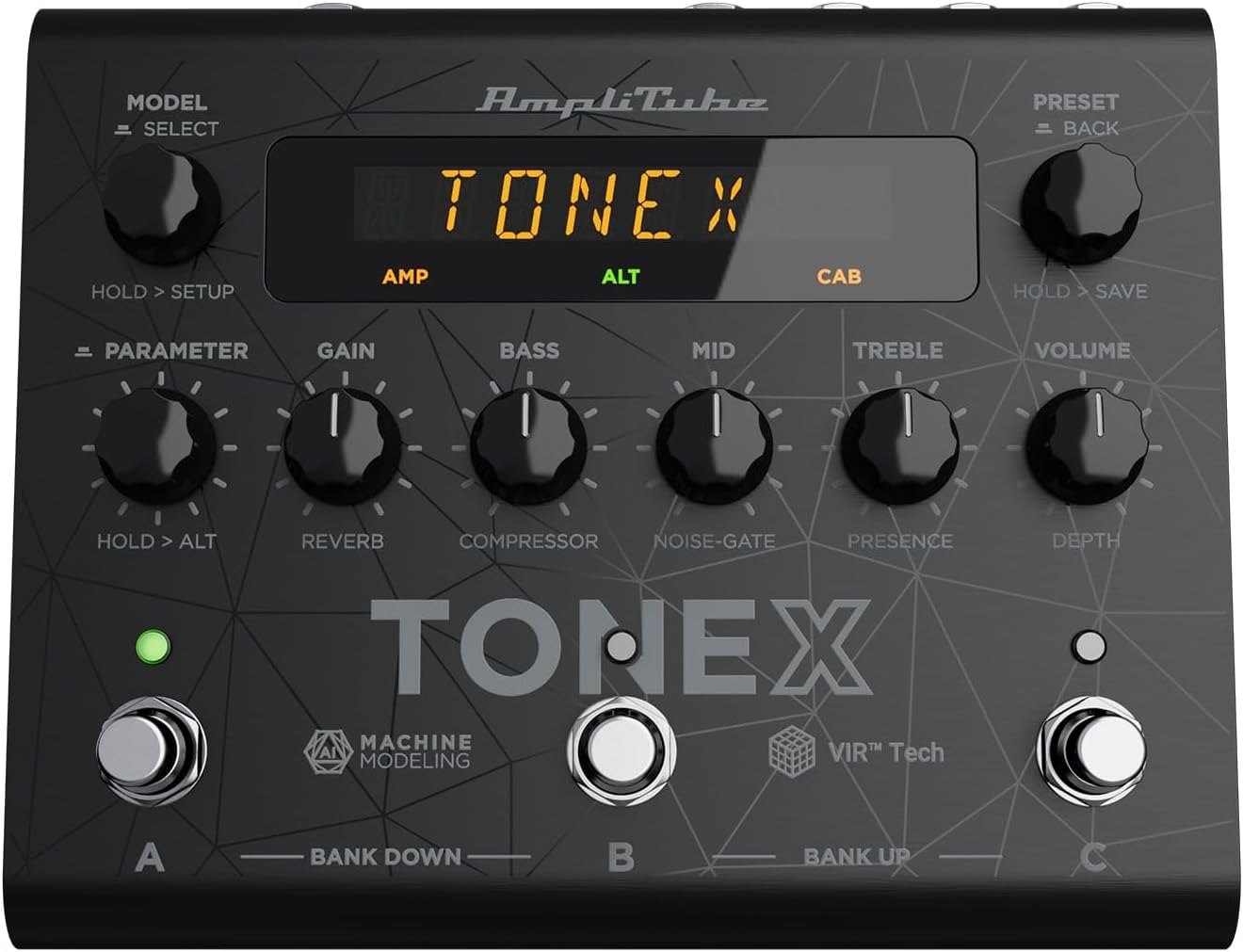
Figure 1: TONEX Pedal Front Panel
تعرض هذه الصورة الجزء العلوي view of the TONEX Pedal, highlighting its compact design and the arrangement of knobs, footswitches, and the digital display. Key controls such as 'Model/Select', 'Preset/Back', 'Parameter', 'Gain', 'Bass', 'Mid', 'Treble', and 'Volume' are visible, along with the three footswitches labeled A, B, and C.
- MODEL / SELECT Knob: Used to select tone models and navigate menus. Press and hold for Setup menu.
- PRESET / BACK Knob: Used to select presets and go back in menus. Press and hold to save presets.
- مقبض المعلمة: Adjusts various parameters. Press and hold for alternative parameters.
- مقبض الربح: Controls the input gain of the tone model.
- مقبض الجهير: ضبط استجابة التردد المنخفض.
- مقبض MID: يضبط استجابة التردد المتوسط.
- مقبض ثلاثي: ضبط استجابة التردد العالي.
- مقبض الصوت: يتحكم في حجم الإخراج الكلي.
- مفاتيح القدم A و B و C: Select presets within a bank. Also used for bank up/down (A+B, B+C) and bypass.
- عرض: Shows current preset, parameter values, and menu options.
4.2. اتصالات اللوحة الخلفية
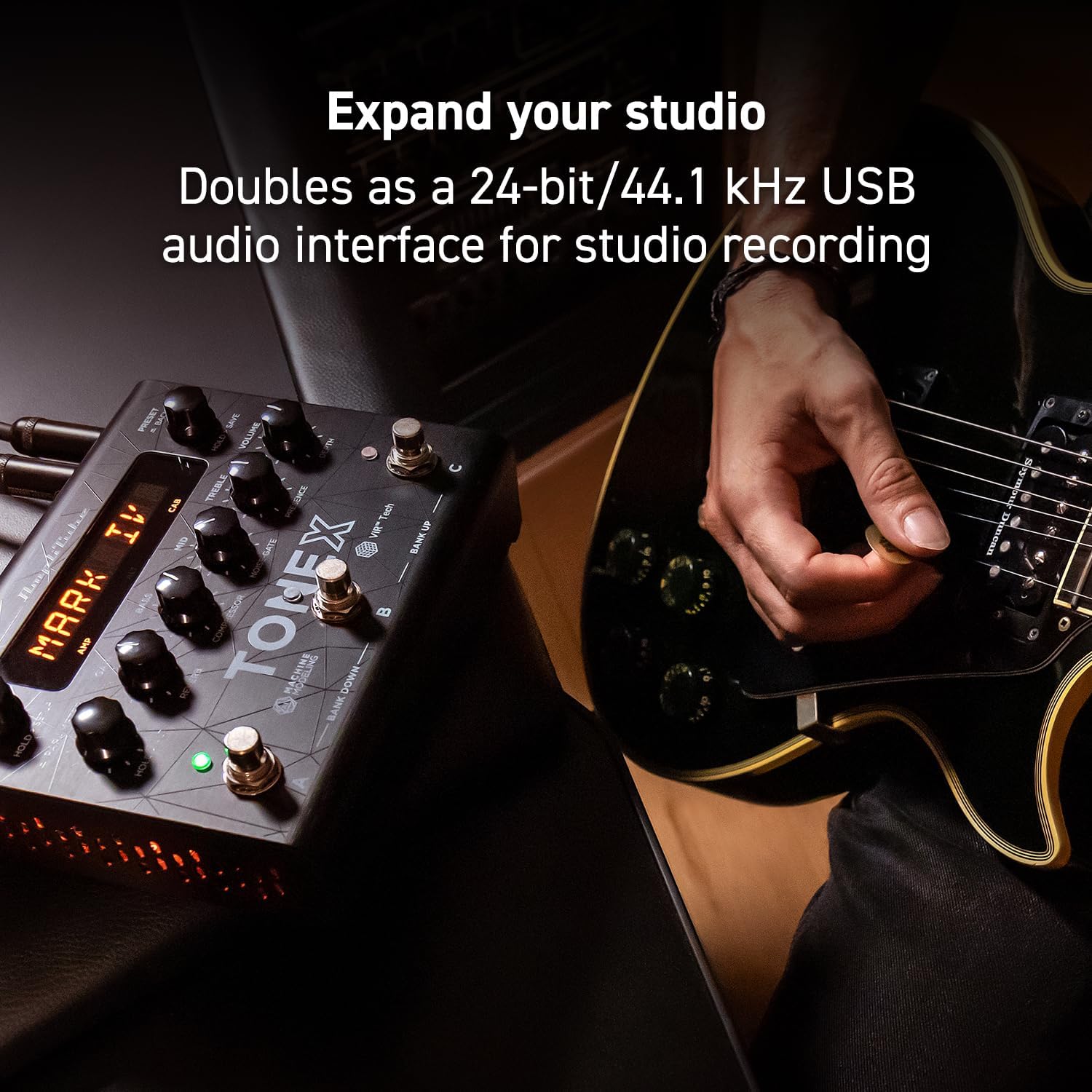
Figure 2: TONEX Pedal Rear Panel Connections
This image shows the rear panel of the TONEX Pedal, detailing its various input and output connections. Visible ports include the instrument input, left and right outputs (mono), headphone output, MIDI In/Out, external control input, USB port, and the 9V DC power input. This panel facilitates integration into various audio setups, from live rigs to studio environments.
- إدخال: 1/4" mono input for your guitar or bass.
- OUTPUT L/R (MONO): 1/4" stereo outputs for connecting to a PA system, power amp, or audio interface. Use the L output for mono operation.
- سماعات الرأس: 1/4" stereo output for silent practice.
- مدخل/مخرج MIDI: 5-pin DIN connectors for MIDI control and integration with other MIDI devices.
- EXT. CONTROL: 1/4" input for an external expression pedal or footswitch.
- USB: USB-B port for connecting to a computer (PC/Mac) for software control, preset management, and using the pedal as an audio interface.
- POWER 9V DC: Input for the included 9V DC power supply.
5. الإعداد
5.1. الاتصالات الأولية
- قم بتوصيل آلتك بـ مدخل مقبس على اللوحة الخلفية.
- قم بتوصيل الإخراج L (و R for stereo) to your amplifier, PA system, or audio interface.
- If desired, connect headphones to the سماعات الرأس جاك.
- قم بتوصيل مصدر الطاقة المرفق بجهد 9 فولت تيار مستمر بـ الطاقة 9 فولت تيار مستمر input and plug it into a power outlet. The pedal will power on automatically.
5.2. تثبيت البرنامج
To unlock the full potential of your TONEX Pedal, including access to ToneNET and advanced editing features, install the TONEX Editor software on your computer.
- قم بزيارة قسم الوسائط المتعددة في IK website and register your product using the provided registration card.
- Download and install the TONEX Editor software for your operating system (Windows 10 or later, macOS 10.15 or later).
- Connect the TONEX Pedal to your computer via the USB port. The pedal can function as a 24-bit/44.1 kHz USB audio interface for studio recording.
- Follow the on-screen instructions in the software to update firmware and manage your tone models and presets.
6. تعليمات التشغيل
6.1. التنقل بين الإعدادات المسبقة
The TONEX Pedal comes preloaded with 150 gig-ready presets, organized into 50 banks of three presets each.
- اختيار الإعدادات المسبقة: تدوير PRESET / BACK knob to quickly scroll through and audition available presets.
- Using Footswitches: Tap footswitches A, B، أو C to load different presets within the current bank.
- تغيير البنوك: Simultaneously press footswitches A و B to move down a bank, or B و C to move up a bank.
- Bypass Tone Model: Once a preset is loaded, tapping its corresponding footswitch a second time will bypass the tone model, allowing for a clean signal.
6.2. ضبط المعلمات
The TONEX Pedal offers five main and five alternative parameters on the front panel for tone shaping.
- معلمات رئيسية هي: Directly adjust يكسب, BASS, منتصف, الثلاثي، و مقدار using their respective knobs.
- المعلمات البديلة: اضغط باستمرار على المعلمة encoder to access alternative parameters: Reverb Level, Compressor Threshold, Noise Gate Threshold, Presence, and Depth. Rotate the corresponding knobs to adjust these.
- معلمات إضافية: اضغط على المعلمة encoder once to access further parameters for fine-tuning your sound.
6.3. حفظ الإعدادات المسبقة
- Saving with Renaming/Relocation: امسك PRESET / BACK encoder. You can then rotate the الإعداد المسبق knob to edit characters for renaming, and rotate the نموذج knob to move the cursor or change the bank location. Press the الإعداد المسبق knob again to confirm and save.
- Quick Save: To quickly save a preset with the same name in the same location, press the نموذج و الإعداد المسبق encoders simultaneously. The display will show "SAVED".
6.4. Cab Emulation
If connecting to a standard guitar or bass amp with its own speaker cabinet, you may wish to turn off the TONEX Pedal's internal cab emulation to avoid redundant processing. This can be done via the Setup menu (hold MODEL / SELECT مقبض الباب).
6.5. Official Product Video: TONEX Pedal Main Features
فيديو 1: أكثر منview of the IK Multimedia TONEX Pedal's main features, including its controls, connectivity, and basic operation. This video demonstrates how to navigate presets, adjust parameters, and utilize the pedal's various functions for live and studio use.
7. الصيانة
- تنظيف: Regularly wipe the pedal with a soft, dry cloth to remove dust and grime. Avoid abrasive cleaners.
- تخزين: Store the pedal in a cool, dry place when not in use. Protect it from extreme temperatures and humidity.
- إدارة الكابلات: Ensure cables are not kinked or strained to prevent damage to the connectors and ports.
8. استكشاف الأخطاء وإصلاحها
- لا يوجد طاقة: Ensure the 9V DC power supply is correctly connected to the pedal and a working power outlet.
- لا يوجد صوت: Check all audio cable connections (instrument input, outputs to amp/PA, headphones). Verify volume levels on the pedal and connected devices. Ensure the tone model is not bypassed.
- Unexpected Behavior/Glitches: Try performing a factory reset (refer to the full online manual for specific steps). Ensure your firmware is up to date via the TONEX Editor software.
- مشاكل الاتصال بالبرامج: Ensure the USB cable is securely connected. Try a different USB port or cable. Restart both the pedal and your computer.
9. المواصفات
| ميزة | مواصفة |
|---|---|
| رقم الموديل | دواسة TONEX |
| الأبعاد (الطول × العرض × الارتفاع) | 6.93 × 5.59 × 2.17 بوصة (حوالي 17.6 × 14.2 × 5.5 سم) |
| وزن العنصر | 2.86 رطل (حوالي 1.3 كجم) |
| لون | أسود |
| مصدر الطاقة | 9 فولت تيار مستمر (كهرباء سلكية) |
| واجهة الأجهزة | USB |
| تنسيق الإشارة | رقمي |
| توافق نظام التشغيل | Windows® 10 or later, macOS® 10.15 or later (macOS® 11 Big Sur required for Modeler) |
| استجابة التردد | 5 هرتز - 24 كيلو هرتز |
| النطاق الديناميكي | 123 ديسيبل |
10. الضمان والدعم
IK Multimedia products are covered by a limited warranty. For detailed warranty information, product registration, and technical support, please visit the official IK Multimedia webالموقع أو تواصل مع خدمة العملاء. احتفظ بإثبات الشراء لطلبات الضمان.
Webموقع: www.ikmultimedia.com
Ask a question about this manual
Ask about setup, troubleshooting, compatibility, parts, safety, or missing instructions. Manuals+ will review the question and use this page’s manual context to help answer it.