
iGear iG-1012
دليل مستخدم كابل شحن iGear Duo
Model: iG-1012 | Brand: iGear
المنتج انتهىview
The iGear Duo Charging Cable is a versatile 2-in-1 solution designed for efficient charging and data synchronization across a wide range of devices. It features both a Type-C to Type-C connection and a Type-C to iPhone-pin connection, making it compatible with various smartphones, laptops, power banks, and other USB-C and Lightning-enabled devices.
تتضمن الميزات الرئيسية ما يلي:
- الاتصال المزدوج: Offers both Type-C to Type-C and Type-C to iPhone-pin connections in a single cable.
- الشحن السريع: Supports 65W Power Delivery (PD) for Type-C to Type-C connections and 20W fast charging for Type-C to iPhone-pin connections.
- متانة عالية: Constructed with a durable nylon braided exterior designed to resist breakage and withstand over 50,000 bends.
- التوافق الواسع: Compatible with a broad range of devices including Android phones, iPhones, laptops, power banks, and speakers.
- Data Sync Capability: Enables high-speed data transfer up to 480Mbps.

Image: The iGear Duo Charging Cable showcasing its Type-C and detachable Lightning connectors, highlighting its dual functionality.
دليل الإعداد
The iGear Duo Charging Cable is designed for plug-and-play simplicity. No complex setup or software installation is required.
- تحديد منفذ الجهاز: Determine whether your device requires a Type-C connection or an iPhone-pin (Lightning) connection.
- حدد الموصل:
- For Type-C devices: Use the integrated Type-C connector.
- For iPhone-pin (Lightning) devices: Attach the Lightning adapter to the Type-C connector. The Lightning adapter is designed to securely fit onto the Type-C end of the cable.
- Connect to Power Source/Device: Plug the appropriate connector into your device (phone, laptop, etc.) and the other Type-C end into a compatible power adapter (wall charger, power bank) or another device for data transfer.
تعليمات التشغيل
أجهزة الشحن
The iGear Duo Charging Cable supports fast charging for both Type-C and iPhone-pin devices. Ensure your power adapter supports Power Delivery (PD) for optimal charging speeds.
- For Type-C Devices: Connect the Type-C end of the cable to your device and the other Type-C end to a 65W PD compatible power adapter.
- For iPhone-pin Devices: Attach the Lightning adapter to the cable's Type-C end, then connect it to your iPhone-pin device. Plug the other Type-C end into a 20W PD compatible power adapter.
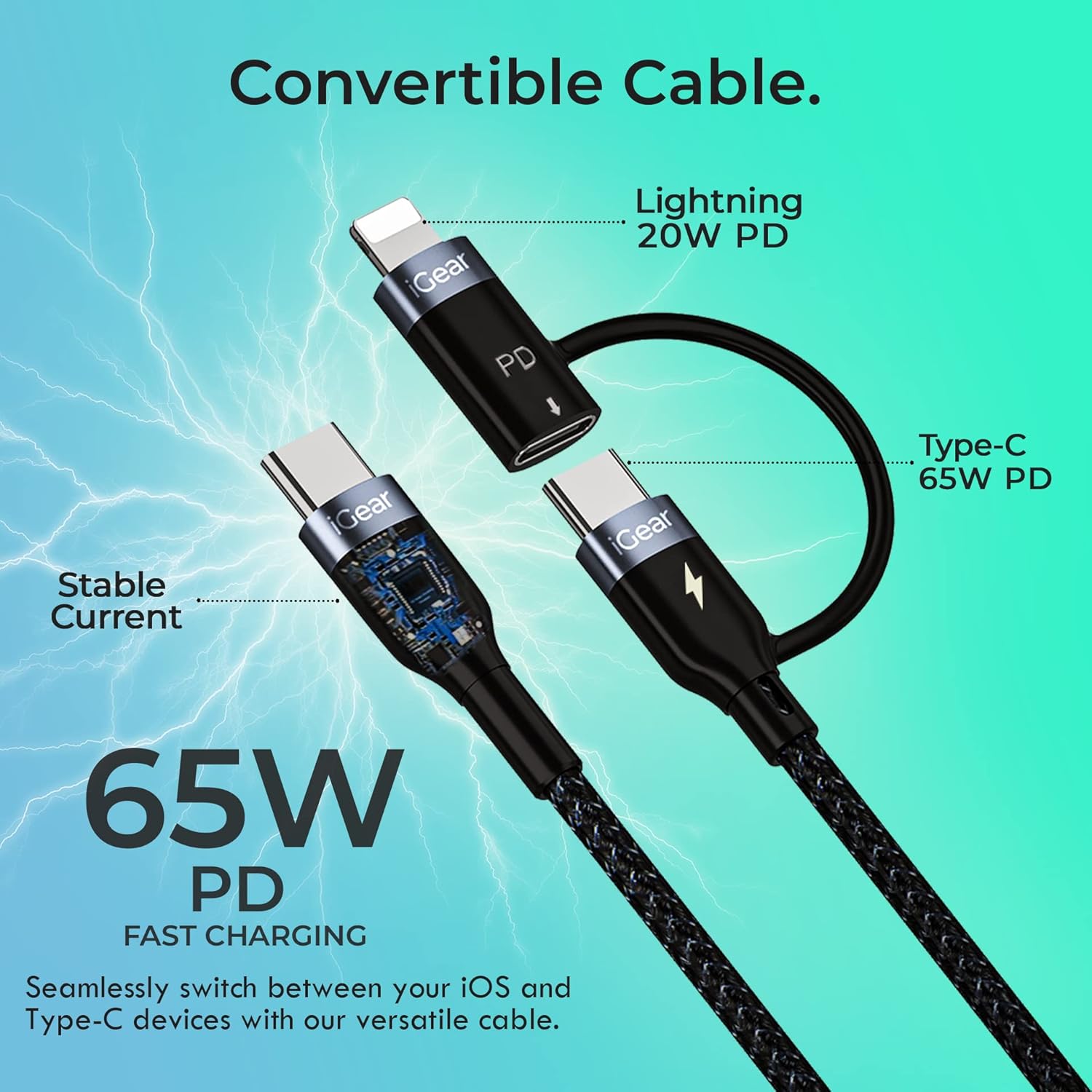
Image: A visual representation of the cable's convertible design, illustrating how the Lightning adapter connects to the Type-C end, and specifying 20W PD for Lightning and 65W PD for Type-C.
نقل البيانات
The cable facilitates high-speed data transfer between compatible devices, such as a smartphone and a laptop.
- ربط الأجهزة: Plug one end of the cable into your device (e.g., smartphone) and the other end into the data port of another device (e.g., laptop).
- بدء النقل: Follow the prompts on your devices to allow data access and begin transferring files. The cable supports data transfer speeds of up to 480Mbps.

Image: A hand holding a smartphone connected via the iGear Duo Cable, with text overlays indicating "65W Fast Charging" and "Upto 480Mbps Data Transfer," demonstrating its dual capabilities.
العناية والصيانة
Proper care will extend the life of your iGear Duo Charging Cable and ensure optimal performance.
- تجنب الانحناء الشديد: While the cable is designed to be durable and withstand many bends, avoid sharp or excessive bending, especially near the connectors, to prevent internal wire damage.
- تخزين بشكل صحيح: When not in use, coil the cable loosely. Avoid tightly wrapping or knotting the cable, which can stress the internal wires and outer braiding.
- حافظ على نظافة: Use a soft, dry cloth to wipe down the cable and connectors. Avoid using harsh chemicals or abrasive materials.
- الحماية من العناصر: احتفظ بالكابل بعيدًا عن درجات الحرارة العالية وأشعة الشمس المباشرة والرطوبة.
- التعامل مع الموصلات بعناية: عند فصل الجهاز أو مصدر الطاقة، اسحبه دائمًا من رأس الموصل، وليس من الكابل نفسه.

صورة: مقطع عرضي مفصل view of the cable's construction, highlighting its protective layers: rubber coating for insulation, copper wire for power, aluminum shield for protection, and a nylon braided jacket for durability.
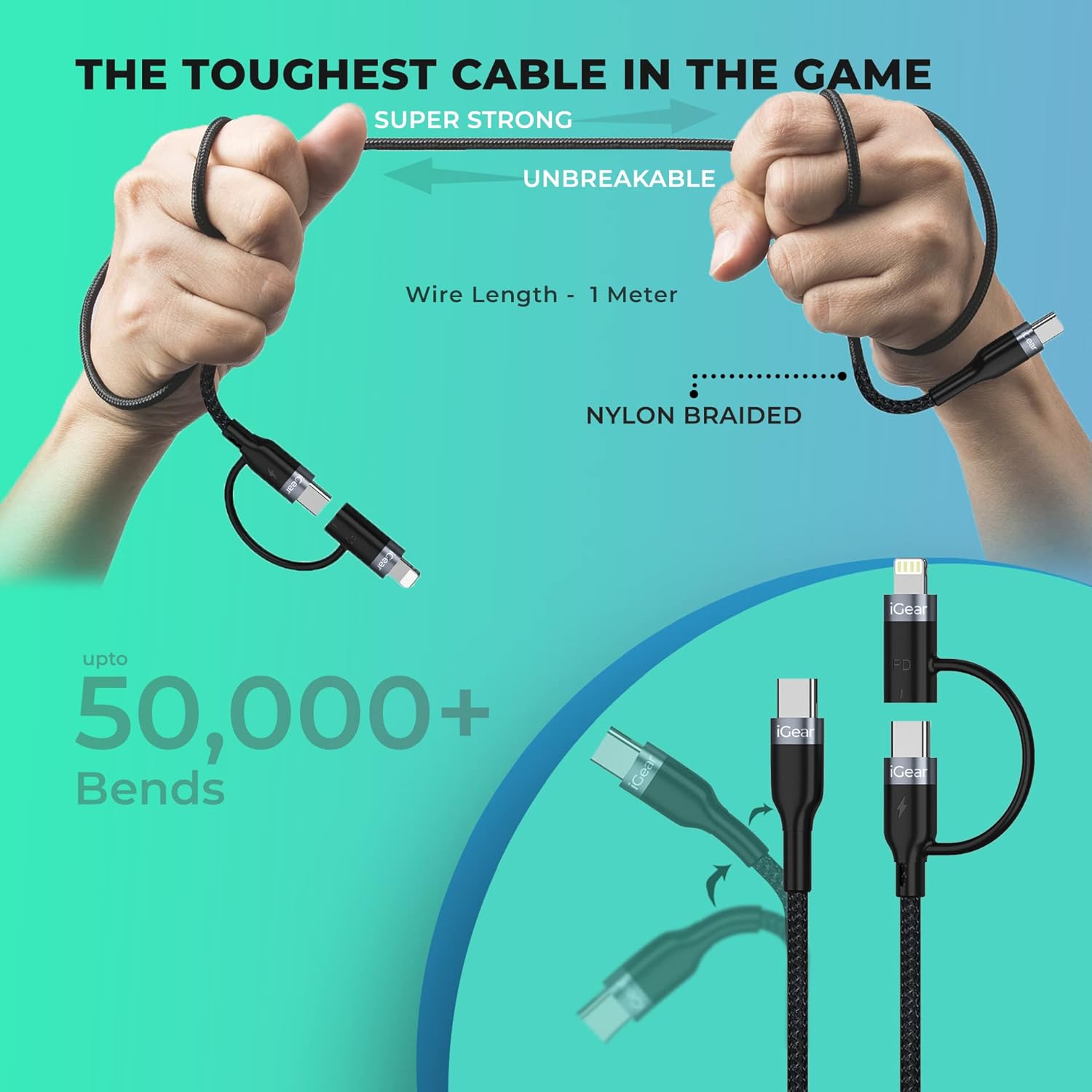
Image: A visual representation of the cable's robust design, showing it being bent and twisted, emphasizing its "Super Strong" and "Unbreakable" nylon braided construction, capable of withstanding over 50,000 bends.
استكشاف الأخطاء وإصلاحها
If you encounter issues with your iGear Duo Charging Cable, refer to the following common problems and solutions:
| مشكلة | السبب المحتمل | حل |
|---|---|---|
| الجهاز لا يشحن. | Loose connection, incompatible power adapter, dirty port, or damaged cable. |
|
| سرعة شحن بطيئة. | Power adapter not supporting PD, device drawing less power, or background apps consuming power. |
|
| نقل البيانات لا يعمل. | Incorrect connection, device settings, or driver issues. |
|
المواصفات الفنية
| ميزة | مواصفة |
|---|---|
| ماركة | iGear |
| رقم الموديل | آي جي -1012 |
| نوع الموصل | USB Type C, Lightning (via adapter) |
| نوع الكابل | USB |
| Power Delivery (Type-C to Type-C) | تصل قدرة الشحن إلى 65 واط |
| Power Delivery (Type-C to iPhone-pin) | تصل قدرة الشحن إلى 20 واط |
| سرعة نقل البيانات | تصل إلى 480 ميجابايت في الثانية |
| الأجهزة المتوافقة | Headphone, Laptop, Power Bank, Smartphone, Speaker (Android & iPhone) |
| المميزات الخاصة | Braided, Data Transfer, Durable |
| لون | أسود |
| المواد الخارجية | نايلون |
| وزن العنصر | 40 جرام |
| أبعاد الحزمة | 16.2 × 8.3 × 2.3 سم |
| المكونات المضمنة | 1 شحن كابل |
الضمان والدعم
معلومات الضمان
The iGear Duo Charging Cable comes with a ضمان لمدة سنة واحدة يسري هذا الضمان من تاريخ الشراء. ويغطي عيوب التصنيع والمشاكل الناجمة عن الاستخدام العادي. ولا يغطي الأضرار الناتجة عن سوء الاستخدام أو الحوادث أو التعديلات غير المصرح بها أو الكوارث الطبيعية.
يرجى الاحتفاظ بإيصال الشراء الخاص بك كدليل على الشراء للمطالبات بالضمان.
دعم العملاء
For any product-related inquiries, technical assistance, or warranty claims, please contact iGear customer support:
- الشركة المصنعة: IGEAR TECH PRIVATE LIMITED
- عنوان: Goregaon East, Mumbai 400063
- رقم التواصل: 9327667193
You may also visit the official iGear store on Amazon for more information and product updates: iGear Amazon Store
Ask a question about this manual
Ask about setup, troubleshooting, compatibility, parts, safety, or missing instructions. Manuals+ will review the question and use this page’s manual context to help answer it.