
1. المقدمة
This manual provides comprehensive instructions for the installation, operation, and maintenance of your XIAOVV 10000mAh Wireless Outdoor Solar Security Camera. Please read this manual thoroughly before using the product to ensure proper functionality and safety.
2. معلومات السلامة
- Ensure the solar panel receives adequate direct sunlight for optimal charging.
- لا تعرض الكاميرا لدرجات حرارة قصوى خارج نطاق تشغيلها (-10 درجة مئوية إلى 50 درجة مئوية / 14 درجة فهرنهايت إلى 122 درجة فهرنهايت).
- Avoid placing the camera in areas prone to strong electromagnetic interference.
- احتفظ بالجهاز بعيدًا عن متناول الأطفال والحيوانات الأليفة.
- Only use approved accessories and power adapters.
- لا تحاول تفكيك الكاميرا أو إصلاحها بنفسك. تواصل مع خدمة دعم العملاء للحصول على المساعدة.
3. محتويات العبوة
تأكد من وجود جميع العناصر في العبوة:
- XIAOVV Wireless Outdoor Solar Security Camera
- لوحة شمسية (مدمجة)
- تصاعد قوس ومسامير
- كابل شحن USB
- دليل المستخدم (هذا المستند)
4. انتهى المنتجview
4.1 الميزات الرئيسية
- 10000mAh Built-in Battery: Ensures extended operation, supplemented by solar charging.
- تعمل بالطاقة الشمسية: Designed for continuous operation with sufficient sunlight.
- PIR Smart Detection: Reduces false alarms by detecting human body temperature.
- Spotlight and Voice Siren: Deters intruders with visual and auditory alarms.
- IP65 مقاوم للطقس: Withstands rain, snow, and high temperatures for outdoor use.
- وظيفة التحريك والإمالة: 355° horizontal and 100° vertical rotation for wide coverage.
- رؤية ليلية عالية الدقة: Clear visibility in low-light conditions.
- حركة تابعة: Automatically follows detected movement within the monitoring range.
- Military-Grade Data Encryption: Ensures user privacy and data security.
4.2 مكونات الكاميرا
Refer to the image below for a visual representation of the camera's main components.

الشكل 4.2.1: أمام view of the XIAOVV Solar Security Camera, showing the main camera unit, solar panel, and mounting bracket. The camera features a dome shape with integrated spotlights and lenses.
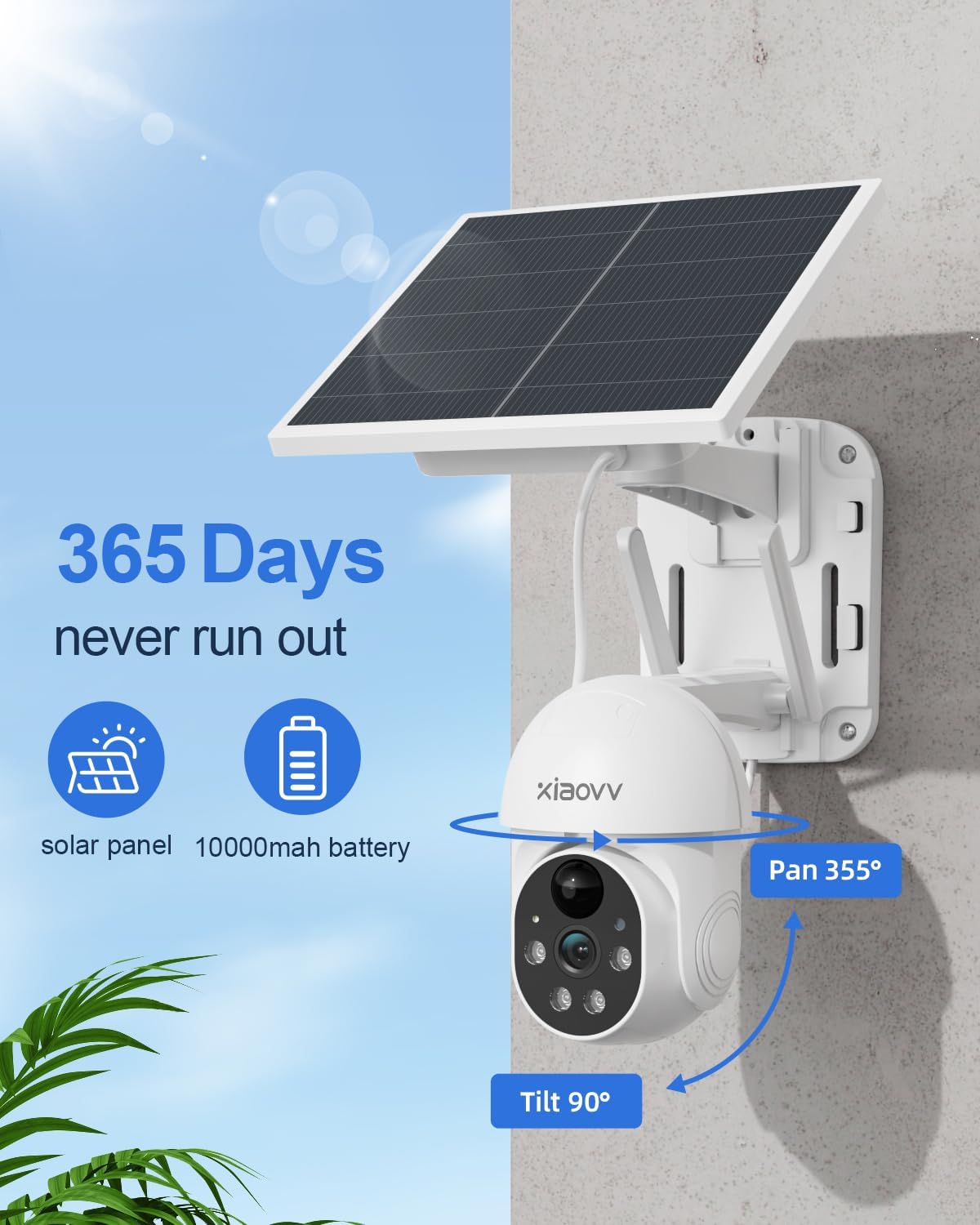
الشكل 4.2.2: Diagram illustrating the 355-degree pan and 90-degree tilt capabilities of the XIAOVV Solar Security Camera, highlighting its wide coverage area.
5. الإعداد
5.1 الشحن الأولي
Before first use, fully charge the camera's built-in 10000mAh battery using the provided USB cable. Connect the cable to the camera's charging port and a standard 5V USB power adapter (not included). The charging indicator will show the status.
5.2 تثبيت التطبيق
The XIAOVV camera operates via a dedicated mobile application. Download the "XIAOVV APP" from your device's app store:


الشكل 5.2.1: Icons representing the availability of the XIAOVV APP on both Apple App Store and Google Play Store.
5.3 إقران الكاميرا
- Open the XIAOVV APP and create an account or log in.
- Follow the in-app instructions to add a new device. Ensure your smartphone is connected to a 2.4GHz Wi-Fi network.
- Power on the camera. The camera will enter pairing mode (indicated by a specific light pattern or voice prompt).
- Scan the QR code on the camera or follow alternative pairing methods provided in the app.
- بمجرد الاتصال، يمكنك تسمية الكاميرا وبدء البث المباشر viewعمل.
5.4 تركيب الكاميرا
The camera offers flexible installation options. Choose a location that provides optimal sunlight for the solar panel and a clear view من منطقة المراقبة المطلوبة.
- جدار جبل: Use the provided screws and mounting bracket to secure the camera to a sturdy wall. Ensure the solar panel is positioned to receive maximum direct sunlight throughout the day.
- جبل الشجرة: The design allows for mounting on trees, ensuring the camera and solar panel are stable and have an unobstructed view.

الشكل 5.4.1: The XIAOVV Solar Security Camera mounted on an outdoor wall, demonstrating a typical installation scenario.

الشكل 5.4.2: The XIAOVV Solar Security Camera mounted on a tree, showcasing an alternative outdoor installation method.
6. تعليمات التشغيل
6.1 مباشر View والتحكم في الدوران/الإمالة
Access the live feed of your camera through the XIAOVV APP. Use the on-screen controls to pan the camera 355° horizontally and tilt it 100° vertically to adjust the viewزاوية جي.

الشكل 6.1.1: Illustration of the PIR detection zone, showing how the camera identifies human presence to minimize false alarms.
6.2 اكتشاف الحركة والتنبيهات
The camera features PIR (Passive Infrared) smart detection, which senses changes in body temperature to trigger recording and alerts. You can customize sensitivity settings within the app.
- التتبع التلقائي: When motion is detected, the camera can automatically track the moving object.
- Spotlight and Siren: Configure the camera to activate its spotlight and/or voice siren upon detection to deter intruders.
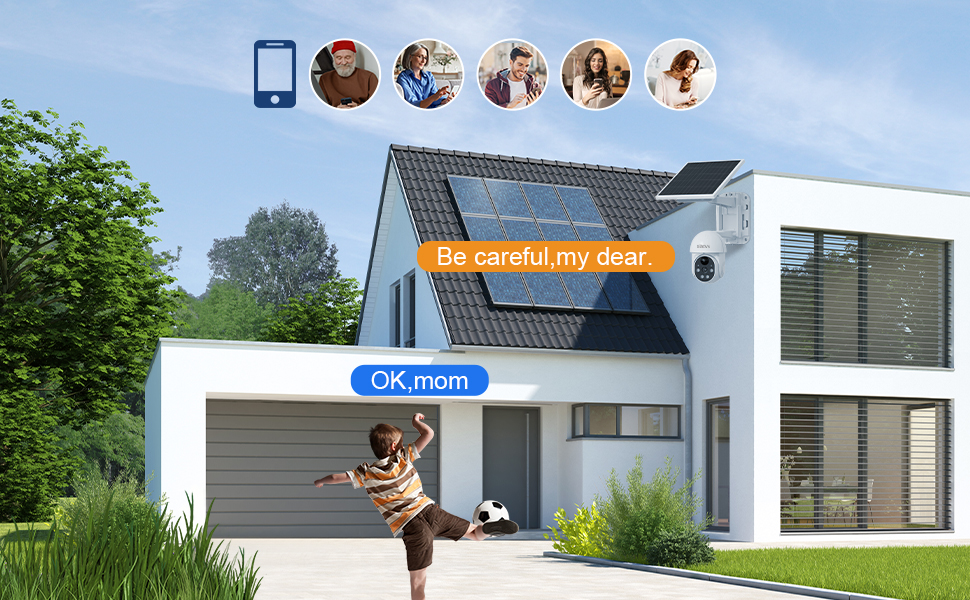
- إشعارات: احصل على إشعارات فورية على هاتفك الذكي عند اكتشاف الحركة.

الشكل 6.2.1: The XIAOVV Solar Security Camera with its spotlight activated, demonstrating its ability to illuminate and deter in low-light conditions.
6.3 الرؤية الليلية
The camera is equipped with HD night vision, allowing clear monitoring even in complete darkness. It utilizes infrared and LED vision for optimal performance.

الشكل 6.3.1: A split image showing the difference between daytime and night vision views from the camera, highlighting its clarity in darkness.
6.4 التسجيل والتخزين
The camera supports local storage via an SD card (up to 128GB, not included) or cloud storage subscription. Recordings are triggered by motion detection.
- التخزين المحلي: قم بإدخال بطاقة microSD في الفتحة المخصصة لها في الكاميرا.
- التخزين السحابي: Subscribe to the cloud storage service through the XIAOVV APP for remote access to recordings.
6.5 كاميرات متعددة View
The XIAOVV APP allows you to view live feeds from up to four cameras simultaneously, providing comprehensive coverage of your property.
الشكل 6.5.1: A smartphone screen displaying live feeds from four different XIAOVV cameras simultaneously, illustrating the multi-view ميزة.
7. الصيانة
- تنظيف: امسح عدسة الكاميرا واللوحة الشمسية بشكل دوري بقطعة قماش ناعمة.amp استخدم قطعة قماش لضمان رؤية واضحة وشحن فعال. لا تستخدم مواد كيميائية قاسية.
- العناية بالبطارية: While the solar panel provides continuous power, ensure the camera receives sufficient sunlight. In prolonged cloudy periods, you may need to manually charge the battery via USB.
- تحديثات البرامج الثابتة: Check the XIAOVV APP regularly for firmware updates to ensure optimal performance and security.
8. استكشاف الأخطاء وإصلاحها
| مشكلة | السبب المحتمل | حل |
|---|---|---|
| Camera frequently goes offline. | Weak Wi-Fi signal; low battery; app issue. | Ensure camera is within Wi-Fi range. Recharge battery if needed. Restart the app or camera. Consider a Wi-Fi extender. |
| البطارية لا تشحن عبر الطاقة الشمسية. | Insufficient direct sunlight; dirty solar panel. | Relocate the camera to an area with more direct sunlight. Clean the solar panel surface. |
| False motion alerts. | PIR sensitivity too high; environmental factors (e.g., swaying branches). | Adjust PIR sensitivity settings in the app. Reposition the camera to avoid non-human triggers. |
| Night vision unclear. | Dirty lens; obstructions. | Clean the camera lens. Ensure no obstructions are blocking the infrared LEDs. |
9. المواصفات
| ميزة | التفاصيل |
|---|---|
| رقم الموديل | B0BTYBSDJQ |
| ماركة | XIAOVV |
| مصدر الطاقة | تعمل بالطاقة الشمسية |
| سعة البطارية | 10000 مللي أمبير |
| الاتصال | 2.4 غيغاهرتز واي فاي |
| زاوية عموم | 355° |
| زاوية الميل | 100° |
| تصنيف مقاومة الماء | IP65 |
| خيارات التخزين | بطاقة ذاكرة مايكرو إس دي (حتى 128 جيجابايت)، تخزين سحابي |
| درجة حرارة التشغيل | -10 درجة مئوية إلى 50 درجة مئوية (14 درجة فهرنهايت إلى 122 درجة فهرنهايت) |
| وزن العنصر | 3.32 رطل |
| أبعاد الحزمة | 9.65 × 8.82 × 7.95 بوصة |
10. الضمان والدعم
XIAOVV provides a one-year after-sales guarantee for this product. If you encounter any issues or require assistance, please contact our customer support team.
For technical support, troubleshooting, or warranty claims, please visit the official XIAOVV website or contact us via the information provided in the XIAOVV APP.
ملاحظة: يرجى الاحتفاظ بإثبات الشراء لأغراض الضمان.