
Unitech TS100
Unitech TS100 2D Hands-Free Presentation Barcode Scanner
دليل المستخدم
مقدمة
This manual provides essential information for the proper setup, operation, and maintenance of your Unitech TS100 2D Hands-Free Presentation Barcode Scanner. Please read this manual thoroughly before using the device to ensure optimal performance and to prevent damage.
The Unitech TS100 is an omnidirectional USB wired desktop barcode reader designed for efficient and intuitive scanning of 1D and 2D barcodes, including PDF417 and Data Matrix, in retail and other point-of-sale environments.
معلومات السلامة
- لا تعرض الماسح الضوئي لدرجات حرارة شديدة أو رطوبة عالية أو لأشعة الشمس المباشرة.
- تجنب إسقاط الماسح الضوئي أو تعريضه لصدمات قوية.
- لا تحاول تفكيك الماسح الضوئي أو تعديله. سيؤدي ذلك إلى إلغاء الضمان.
- استخدم كابل USB المرفق فقط للتوصيل.
- حافظ على نظافة نافذة المسح الضوئي لضمان قراءة دقيقة للباركود.
محتويات الحزمة
يرجى التحقق من محتويات الحزمة للتأكد من وجود جميع العناصر:
- Unitech TS100 2D Presentation Barcode Scanner
- كابل يو اس بي
- دليل البدء السريع (إن وجد)
المنتج انتهىview
The Unitech TS100 features a compact design with a large scan window for easy barcode presentation. Its omnidirectional scanning capability allows for quick and efficient data capture.
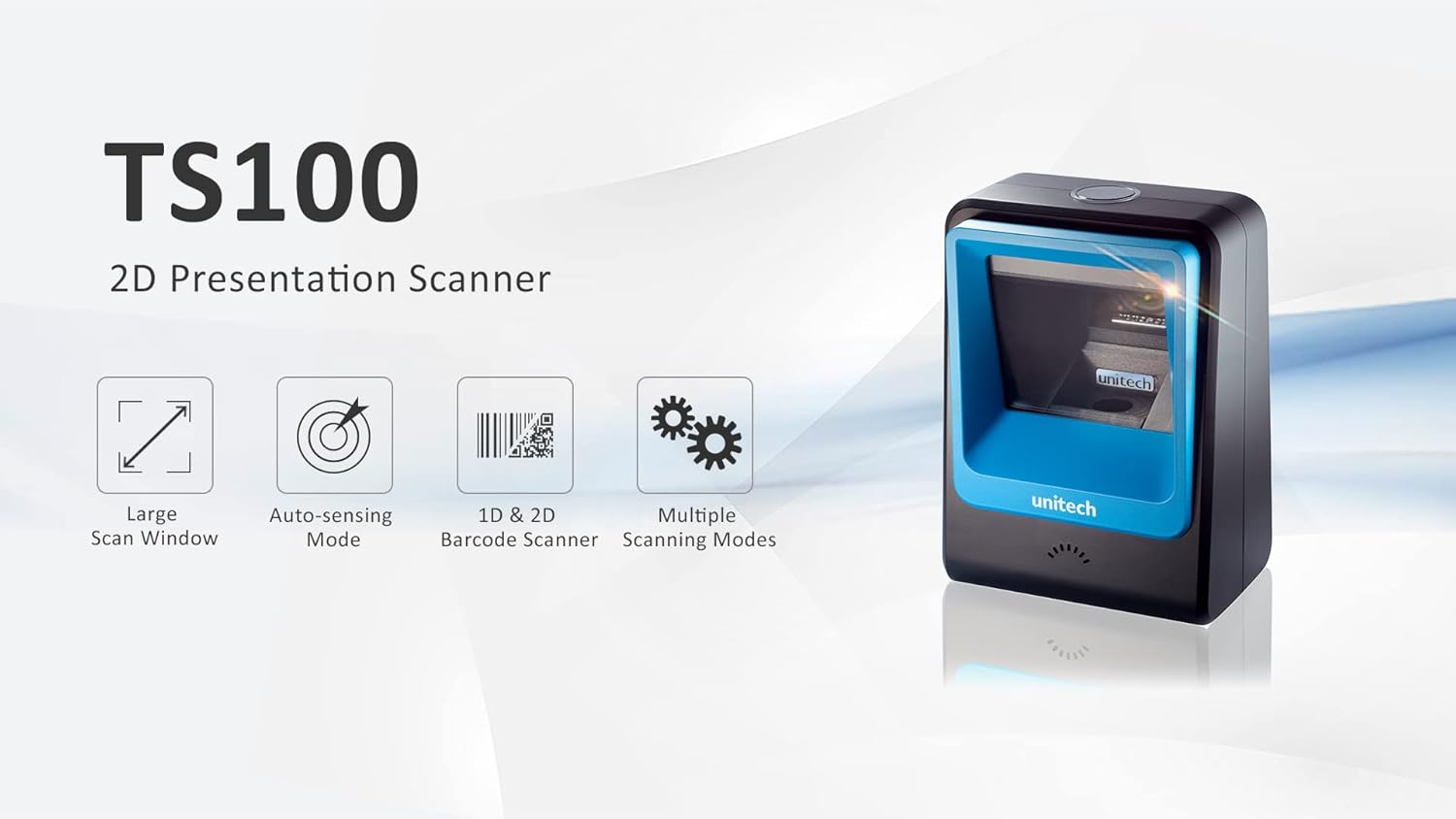
Figure 1: Unitech TS100 2D Presentation Scanner highlighting its large scan window, auto-sensing mode, 1D & 2D barcode scanning, and multiple scanning modes.

الشكل 2: الجبهة view of the Unitech TS100 scanner, showing the blue scanning window and the Unitech logo.

الشكل 3: العودة view of the Unitech TS100 scanner, displaying the product label with model number TS100-SUCB00-SG and power specifications.
يثبت
Follow these steps to set up your Unitech TS100 barcode scanner:
- فك حزمة الماسح الضوئي: Carefully remove the TS100 scanner and its accessories from the packaging.
- قم بتوصيل كبل USB: Insert the USB cable into the port at the back of the scanner.
- الاتصال بجهاز المضيف: Plug the other end of the USB cable into an available USB port on your computer, laptop, or POS system.
- تثبيت برنامج التشغيل: عادةً ما يكون الماسح الضوئي سهل الاستخدام بمجرد توصيله. سيقوم نظام التشغيل الخاص بك تلقائيًا باكتشاف برامج التشغيل اللازمة وتثبيتها. انتظر حتى يكتمل التثبيت.
- تشغيل الطاقة: The scanner will power on automatically once connected to a powered USB port. A beep and/or LED indicator will confirm it is ready for use.
تعليمات التشغيل
The Unitech TS100 is designed for hands-free operation, offering multiple scanning modes for various applications.
المسح الأساسي
- Place the barcode within the scanner's field of view, facing the scanning window.
- The scanner will automatically detect the barcode and emit a successful scan indication (e.g., a beep and/or green LED).
- The scanned data will be transmitted to your connected host device as keyboard input.
أوضاع المسح
The TS100 supports multiple scanning modes to optimize performance for different barcode types and environments:
- الوضع العادي: Standard scanning for most 1D and 2D barcodes.
- Smartphone Mode: Optimized for reading barcodes displayed on smartphone screens, which can sometimes be reflective.
- الوضع السريع: Designed for faster scanning of multiple barcodes in quick succession.
Refer to the full programming manual (available on the Unitech website) for instructions on how to switch between these modes using configuration barcodes.
صيانة
تضمن الصيانة المناسبة طول عمر جهاز المسح الضوئي وأدائه الأمثل:
- تنظيف نافذة المسح الضوئي: استخدم قطعة قماش ناعمة وخالية من الوبر برفق دampيُنظف بالماء أو بمنظف خفيف غير كاشط. لا تستخدم مواد كيميائية قاسية أو مواد كاشطة.
- تنظيف الجزء الخارجي: امسح الجزء الخارجي من الماسح الضوئي بقطعة قماش ناعمة وجافة.
- تخزين: عند عدم الاستخدام، قم بتخزين الماسح الضوئي في بيئة نظيفة وجافة بعيدًا عن أشعة الشمس المباشرة ودرجات الحرارة القصوى.
استكشاف الأخطاء وإصلاحها
If you encounter issues with your TS100 scanner, refer to the table below for common problems and solutions:
| مشكلة | السبب المحتمل | حل |
|---|---|---|
| الماسح الضوئي لا يعمل. | USB cable not properly connected or host device USB port is not powered. | تأكد من توصيل كابل USB بإحكام بكل من الماسح الضوئي والجهاز المضيف. جرب منفذ USB أو جهازًا مضيفًا آخر. |
| الماسح الضوئي لا يقرأ الباركود. | Barcode is damaged, poorly printed, or not supported. Scanning window is dirty. Incorrect scanning mode. | Ensure the barcode is clear and undamaged. Clean the scanning window. Verify the barcode symbology is supported. Try switching scanning modes (e.g., Smartphone Mode for screen barcodes). |
| البيانات الممسوحة ضوئيا غير صحيحة أو غير كاملة. | Poor barcode quality. Scanner configuration issues. | Ensure the barcode is clear. Refer to the programming manual for advanced configuration settings. |
| يصدر الماسح الضوئي صوت تنبيه ولكن لا يتم إرسال أي بيانات. | Host device not recognizing the scanner as a keyboard input. | Ensure the cursor is in a text field on your host device. Reconnect the USB cable. Restart the host device. |
تحديد
Detailed technical specifications for the Unitech TS100 scanner:
| ميزة | مواصفة |
|---|---|
| المستشعر | Image Sensor with 1280x800 pixels |
| إضاءة | 650nm RED LED |
| معدل المسح | 60 إطارًا في الثانية |
| زاوية الانحراف | Horizontal Angle: 50°; Vertical Angle: 35° |
| زاوية الملعب | ±65 درجة |
| زاوية لفة | 360° |
| بصري القرار | 1D: 4 mil; 2D: 6.7 mil |
| Printing Contrast Scale | 25% |
| واجهة المضيف | USB |
| الأبعاد (الطول × العرض × الارتفاع) | 4.1 بوصة × 5.7 بوصة × 2.7 بوصة (105 مم × 146 مم × 70 مم) |
| وزن | 12.1 oz / 345g (without cable) |
| 1D Symbologies Supported | UPC-A/E, EAN-8/13, UPC/EAN Supplementals, EAN-8 Extend, Code 128, Code 39, Code 93, Code 11, Interleaved 2 of 5, Matrix 2 of 5, Codabar, MSI Plessey, GS1 DataBar, China Postal, Korean Postal, etc. |
| 2D Symbologies Supported | PDF417, MicroPDF417, DataMatrix, DataMatrix-Inverse, Maxicode, QRcode, MicroQR, Aztec, Aztec Inverse, Han Xin, Han Xin Inverse |
| مؤشر | الصمام، الجرس |
| درجة حرارة التشغيل | 32 درجة فهرنهايت إلى 122 درجة فهرنهايت (0 درجة مئوية إلى 50 درجة مئوية) |
| درجة حرارة التخزين | -40 درجة فهرنهايت إلى 158 درجة فهرنهايت (-40 درجة مئوية إلى 70 درجة مئوية) |
| الرطوبة النسبية | 0% إلى 95% بدون تكاثف |
الضمان والدعم
The Unitech TS100 barcode scanner main unit comes with a ضمان لمدة 1 سنوات من تاريخ الشراء. يغطي هذا الضمان عيوب المواد والصناعة في ظل الاستخدام العادي.
For technical support, warranty claims, or further assistance, please contact Unitech customer service or visit the official Unitech webاحتفظ بإيصال الشراء كإثبات للشراء لخدمات الضمان.
Unitech America Webموقع: www.unitechamerica.com
Ask a question about this manual
Ask about setup, troubleshooting, compatibility, parts, safety, or missing instructions. Manuals+ will review the question and use this page’s manual context to help answer it.