
REKDOM BU820
REKDOM BU820 Bluetooth Wireless Thermal Label Printer User Manual
الموديل: BU820
1. المقدمة
This manual provides detailed instructions for the setup, operation, maintenance, and troubleshooting of your REKDOM BU820 Bluetooth Wireless Thermal Label Printer. Please read this manual thoroughly before using the printer to ensure proper function and longevity of the device.

Image: The REKDOM BU820 Bluetooth Wireless Thermal Label Printer, a compact device designed for efficient label printing.
2. الإعداد
2.1 فك العبوة والفحص الأولي
Carefully remove all components from the packaging. Verify that all items listed in the package contents are present and undamaged. The package typically includes the BU820 printer and a Type C to USB port transfer adapter.
2.2 تحميل الملصقات
The printer supports label sizes from 1.5 inches to 4.1 inches (38mm-104mm) width. To load labels:
- افتح غطاء الطابعة.
- Place the roll of thermal labels into the label compartment, ensuring the labels feed smoothly into the printer mechanism.
- Adjust the paper guides to fit the width of your labels.
- Close the printer cover. The printer will automatically detect the label size and position the first label correctly.
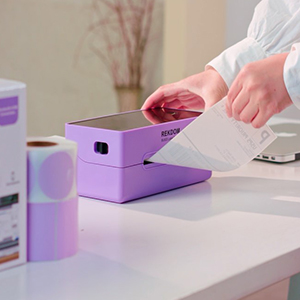
الصورة: لقطة مقربة view of labels being loaded into the REKDOM BU820 thermal label printer.
2.3 خيارات الاتصال
The REKDOM BU820 offers both wireless Bluetooth and wired USB connectivity.

Image: The REKDOM BU820 printer showcasing compatibility with Windows, iOS, Android via Bluetooth, and Windows, Mac OS, Linux, Chrome OS via wired USB.
2.3.1 اتصال USB سلكي
For Windows, Mac, Linux, and Chrome OS, connect the printer using the provided USB cable. Install the necessary drivers from the included USB disk or the official REKDOM webموقع.
Video: Instructions on how to install the driver and set up Bluetooth on Windows for the REKDOM BU820 printer.
Video: Instructions on how to install the driver on Mac for the REKDOM BU820 printer.
2.3.2 اتصال بلوتوث لاسلكي
Bluetooth connectivity is supported for Windows, Android, and iOS smartphones and tablets. For Windows, a Bluetooth setup process is required after driver installation. For smartphones and tablets, simply pair via Bluetooth.
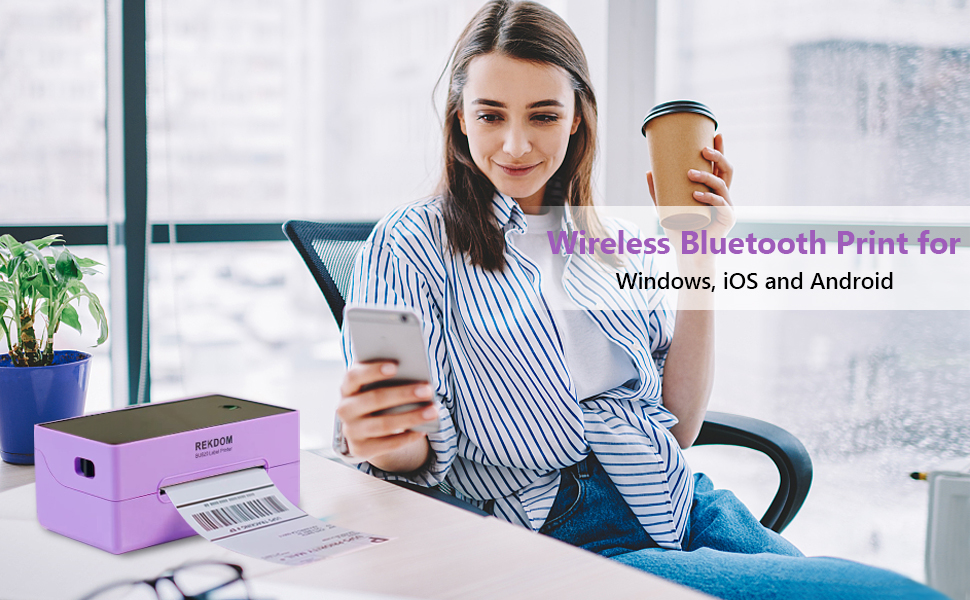
Image: A person using a smartphone to print wirelessly via Bluetooth to the REKDOM BU820 printer, compatible with Windows, iOS, and Android devices.
3. تعليمات التشغيل
3.1 Using the "Rekdom Printer" App (Android/iOS)
The free "Rekdom Printer" app allows Bluetooth printing from your smartphone or tablet. It includes functions like "Crop Image" and "Scan Barcode".
- Download the "Rekdom Printer" app from your device's app store. تنزيل لنظام iOS
- Pair your printer with your device via Bluetooth within the app.
- Open PDF label files within the app. You can crop PDF files to match your label sizes.
- Utilize the "Scan Barcode" function to directly scan and print 1D/2D barcode labels.
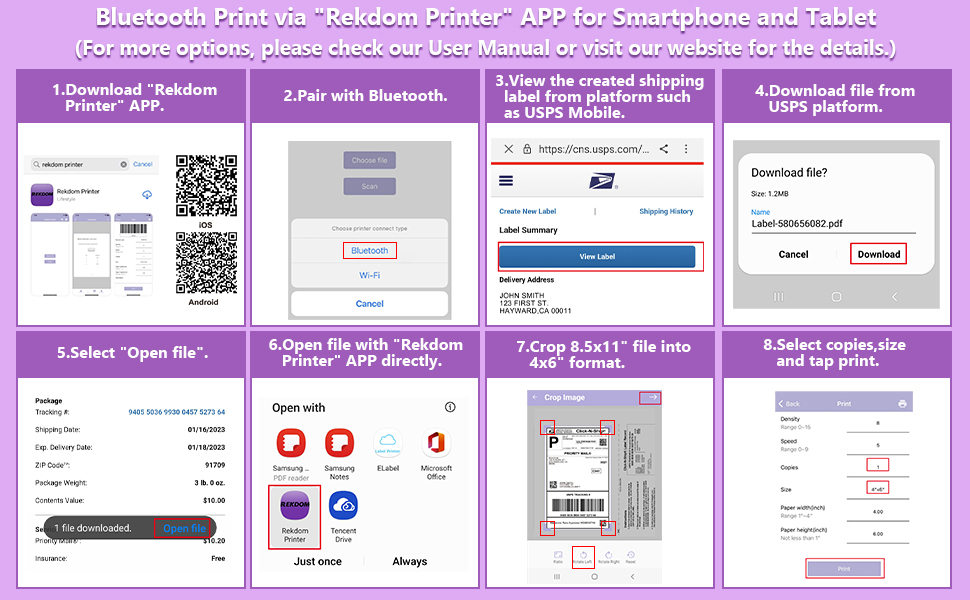
Image: A step-by-step guide illustrating how to use the "Rekdom Printer" app for Bluetooth printing from a smartphone or tablet, including pairing, opening files, cropping, and printing.
Video: A demonstration of how to use the "Rekdom Printer" app on iOS for printing labels.
3.2 Printing from Computer (Windows, Mac, Linux, Chrome OS)
After installing the drivers and connecting the printer via USB or Bluetooth (for Windows), you can print labels directly from your computer. The printer is compatible with most platforms including Amazon, eBay, Etsy, Shopify, Shippo, Poshmark, PayPal, Shipstation, USPS, UPS, and Pirateship.

Image: The REKDOM BU820 printer highlighting its compatibility with various e-commerce and shipping platforms such as Pirateship, Etsy, Poshmark, USPS, ShipStation, Shopify, eBay, UPS, PayPal, and more.
3.3 Label Types and Uses
The printer is suitable for various label types, including shipping labels, address labels, barcode labels, price labels, warehouse labels, and logo labels.

Image: The REKDOM BU820 printer illustrating its versatility for various labeling needs, including shipping labels, thank you labels, fragile tags, barcode labels, product labels, and category labels.
4. الصيانة
4.1 تقنية الطباعة الحرارية
The REKDOM BU820 utilizes advanced direct thermal technology, which means it does not require ink or ribbons. This significantly reduces maintenance costs and the need for consumables.
4.2 تنظيف الطابعة
To ensure optimal print quality and extend the life of your printer, periodically clean the print head and platen roller. Use a soft, lint-free cloth lightly dampened with isopropyl alcohol. Ensure the printer is powered off and disconnected from the power source before cleaning. Allow all components to dry completely before resuming operation.
5. استكشاف الأخطاء وإصلاحها
If you encounter issues with your REKDOM BU820 printer, please refer to the following common solutions. For more complex problems, contact customer support.
- الطابعة لا تستجيب: Ensure the printer is powered on and properly connected via USB or Bluetooth. Check power cables and USB connections.
- جودة الطباعة رديئة: Verify that you are using high-quality thermal labels. Clean the print head as described in the maintenance section. Adjust print density settings in your printer preferences or app.
- لا يتم تغذية الملصقات بشكل صحيح: Ensure labels are loaded properly and the paper guides are adjusted to the correct width. Check for any obstructions in the label path.
- Bluetooth Connection Issues (Windows): Ensure the printer driver is installed. In Windows Bluetooth settings, ensure "advanced" discovery options are enabled if the printer is not found.
- مشكلات اتصال التطبيق: Ensure Bluetooth is enabled on your mobile device and the printer is within range. Restart the app and the printer.

Image: An icon representing Frequently Asked Questions (FAQ).
6. المواصفات
| ماركة | ريكدوم |
| اسم الموديل | BU820 |
| تكنولوجيا الاتصال | بلوتوث، يو اس بي |
| تكنولوجيا الطباعة | حراري |
| مخرجات الطابعة | أحادي اللون |
| أقصى سرعة طباعة أحادية اللون | 150 صفحة / دقيقة |
| دقة | 203 نقطة في البوصة |
| وزن العنصر | 2.6 رطل |
| أبعاد المنتج (العمق × العرض × الارتفاع) | 4.1 بوصة × 8.7 بوصة × 3.6 بوصة |
| الأجهزة المتوافقة | Smartphones (Android, iOS), Computers (Windows, Mac, Linux, Chrome OS) |
| وسائل الإعلام المطبوعة | العلامات |
| الحد الأقصى لحجم الوسائط | 4.1 بوصة |
| أقصى سعة للورق | 100 |
| المميزات الخاصة | Auto label identification, Bluetooth connection, easy setup via "Rekdom Printer" app, High speed printing, Inkless |
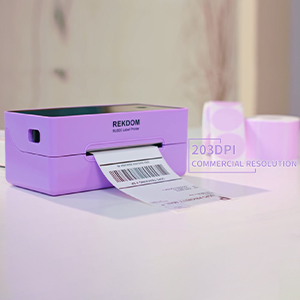
Image: The REKDOM BU820 printer with text indicating "203DPI Commercial Resolution", emphasizing its print quality.
7. الضمان والدعم
7.1 ضمان المنتج
The REKDOM BU820 Bluetooth Wireless Thermal Label Printer comes with a ضمان محدود لمدة سنة واحدة يسري هذا الضمان من تاريخ الشراء. ويغطي عيوب التصنيع والأعطال الناتجة عن الاستخدام العادي. يرجى الاحتفاظ بإثبات الشراء لتقديم مطالبات الضمان.
7.2 الدعم الفني
REKDOM is committed to providing professional technical solutions. If you require assistance or have any questions regarding your printer, please contact our support team:
- بريد إلكتروني: Refer to your product packaging or the official REKDOM webموقع مخصص لعنوان البريد الإلكتروني للدعم.
- هاتف: Refer to your product packaging or the official REKDOM webموقع إلكتروني لرقم هاتف الدعم.
Most issues can be resolved quickly with technical support.
Ask a question about this manual
Ask about setup, troubleshooting, compatibility, parts, safety, or missing instructions. Manuals+ will review the question and use this page’s manual context to help answer it.