
مقدمة
This manual provides detailed instructions for the installation, operation, and maintenance of your CP PLUS CP-V41A 4MP Wi-Fi Camera. Please read this manual thoroughly before using the product to ensure correct usage and optimal performance. Keep this manual for future reference.
المنتج انتهىview
The CP PLUS CP-V41A is a 4MP Wi-Fi camera designed for home security and surveillance. It features high-resolution imaging, night vision capabilities, and smart integration options.
المميزات الرئيسية:
- 4MP CMOS Image Sensor: يوفر مقاطع فيديو واضحة ومفصلةtage.
- عدسة 3.6 ملم: يقدم مجالا واسعا من view للحصول على تغطية شاملة.
- ضغط الفيديو H.265: يقوم بضغط الفيديو بكفاءة لتوفير مساحة التخزين دون المساس بالجودة.
- دعم الواي فاي: Enables wireless connectivity for flexible placement.
- IR Distance of 15 Mtr.: Ensures clear night vision up to 15 meters.
- تصنيف IP65: Suitable for both indoor and outdoor use, offering protection against dust and water jets.
- تكامل المنزل الذكي: Works with Google Assistant and Amazon Alexa for voice control and smart automation.
ماذا يوجد في الصندوق:
- CP PLUS CP-V41A 4MP Wi-Fi Camera
- محول الطاقة
- براغي التثبيت والمقابس
- دليل البدء السريع (راجع هذا الدليل للحصول على التفاصيل الكاملة)

Image: The CP PLUS CP-V41A 4MP Wi-Fi Camera, highlighting its model and key features.
يثبت
1. التثبيت المادي
- اختر الموقع: اختر موقعًا مناسبًا للكاميرا، مع مراعاة ما ترغب فيه viewing area, Wi-Fi signal strength, and power source accessibility. The camera is rated IP65, making it suitable for both indoor and outdoor environments.
- تركيب الكاميرا:
- حدد نقاط الحفر على الحائط أو السقف باستخدام قاعدة تثبيت الكاميرا كقالب.
- قم بثقب الثقوب وأدخل سدادات الحائط المرفقة.
- Secure the camera's mounting base with the screws.
- اضبط زاوية الكاميرا حسب الحاجة.
- توصيل الطاقة: Plug the power adapter into the camera's power input and then into a power outlet. The camera will power on and initiate its startup sequence.
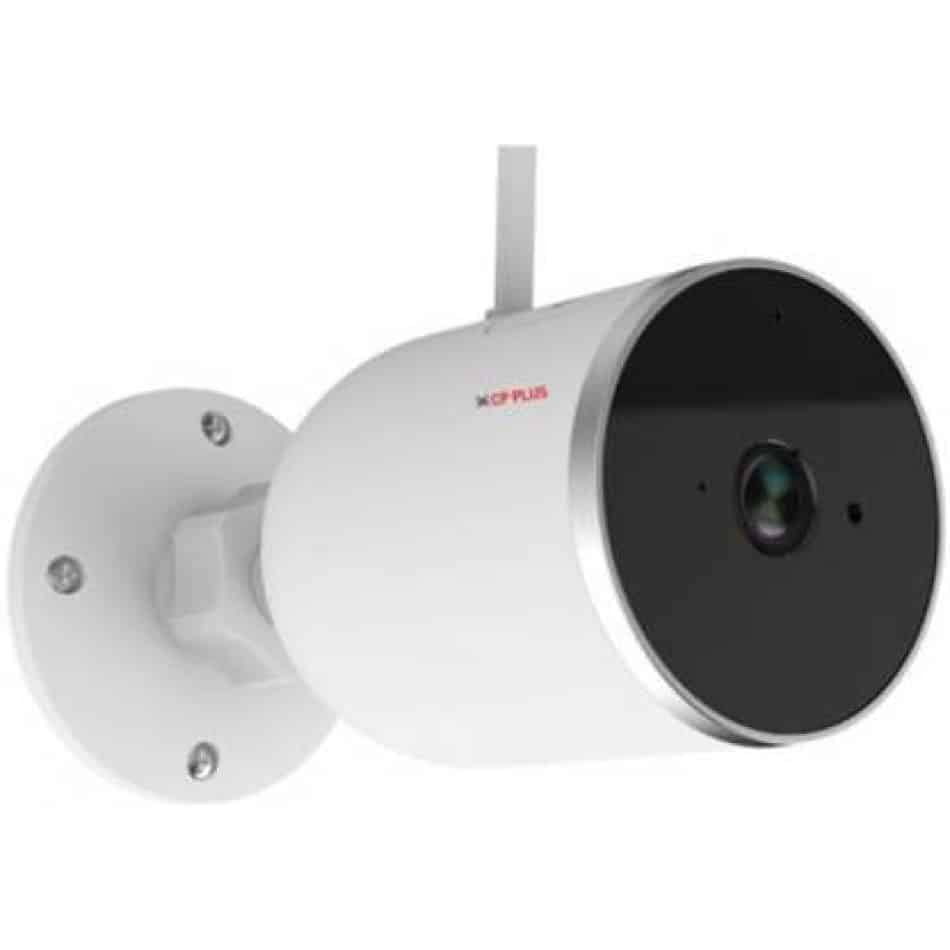
الصورة: الجانب view of the CP PLUS CP-V41A camera showing its mounting base and antenna, illustrating physical installation.
2. اتصال الشبكة (واي فاي)
- تنزيل التطبيق: بحث عن the official CP PLUS mobile application on your smartphone's app store (iOS or Android) and install it.
- إنشاء حساب: افتح التطبيق وقم بالتسجيل للحصول على حساب جديد أو قم بتسجيل الدخول إذا كان لديك حساب بالفعل.
- إضافة جهاز: اتبع التعليمات الموجودة داخل التطبيق لإضافة الكاميرا الجديدة. يتضمن ذلك عادةً ما يلي:
- Scanning a QR code on the camera.
- Connecting your phone to the camera's temporary Wi-Fi hotspot.
- Selecting your home Wi-Fi network and entering its password.
- انتهاء: Once connected, the camera's status indicator will change, and you will see the camera online in your app.
تعليمات التشغيل
1. حي View والتسجيل
- الوصول لايف View: Open the CP PLUS app and select your camera from the device list to view العلف المباشر.
- التسجيل اليدوي: Tap the record button in the app to start or stop manual video recording.
- لقطة: Use the snapshot button to capture still images from the live feed.
2. كشف الحركة والتنبيهات
- تمكين اكتشاف الحركة: Navigate to the camera settings in the app and enable motion detection.
- ضبط الحساسية: Set the motion detection sensitivity to minimize false alarms.
- Set Alert Schedule: Configure specific times or days for receiving motion alerts.
- تلقي الإخطارات: The app will send push notifications to your smartphone when motion is detected.
3. الرؤية الليلية
The camera automatically switches to night vision mode in low-light conditions, utilizing its infrared (IR) LEDs to provide clear black-and-white video up to 15 meters. Ensure no obstructions block the IR lights for optimal performance.
4. Smart Home Integration (Google Assistant / Amazon Alexa)

Image: The CP PLUS CP-V41A camera integrated into a smart home environment, indicating compatibility with Google Assistant.
- ربط الحساب: In your Google Home or Amazon Alexa app, search for the CP PLUS skill/service and link your CP PLUS account.
- اكتشاف الأجهزة: Once linked, ask your smart assistant to discover new devices.
- الأوامر الصوتية: You can now use voice commands to view your camera feed on compatible smart displays (e.g., "Hey Google, show me the front door camera" or "Alexa, show me the living room camera").
صيانة
- تنظيف:
- امسح عدسة الكاميرا وجسمها برفق بقطعة قماش ناعمة وجافة.
- لا تستخدم كيماويات مركزة أو منظفات كاشطة.
- تأكد من إيقاف تشغيل الكاميرا قبل التنظيف.
- تحديثات البرامج الثابتة: Regularly check the CP PLUS app for available firmware updates. Updates often include performance improvements, new features, and security enhancements. Follow the in-app instructions to perform updates.
- ادارة التخزين: If using a local storage (e.g., microSD card, not included), periodically review وإدارة foo المسجلةtage to ensure sufficient space.
استكشاف الأخطاء وإصلاحها
| مشكلة | السبب المحتمل | حل |
|---|---|---|
| الكاميرا لا تعمل. | محول الطاقة غير متصل أو معيب. | Ensure the power adapter is securely connected to the camera and a working power outlet. Try a different outlet. |
| لا يمكن الاتصال بشبكة Wi-Fi. | كلمة مرور Wi-Fi غير صحيحة، أو إشارة ضعيفة، أو الكاميرا بعيدة جدًا عن جهاز التوجيه. | Verify Wi-Fi password. Move the camera closer to the router. Ensure your router is broadcasting a 2.4GHz network (5GHz is not supported by many smart devices). Reset the camera and try pairing again. |
| Poor image quality or blurry video. | Protective film on lens, dirty lens, or insufficient lighting. | Remove any protective film. Clean the lens with a soft cloth. Ensure adequate lighting or check night vision functionality. |
| كشف الحركة لا يعمل. | Motion detection disabled, sensitivity too low, or incorrect schedule. | Check app settings to ensure motion detection is enabled, sensitivity is appropriate, and the schedule is correctly configured. |
| No sound or poor audio. | Microphone/speaker blocked, app volume low, or network issues. | Ensure nothing is obstructing the microphone or speaker. Check volume settings in the app and on your phone. Verify stable network connection. |
تحديد
| ميزة | التفاصيل |
|---|---|
| رقم الموديل | CP-V41A |
| مستشعر الصورة | 1/2.8” 4MP CMOS (0.9071cm) |
| عدسة | 3.6 ملم |
| ضغط الفيديو | ح.265 |
| الاتصال | واي فاي، إيثرنت |
| مسافة الأشعة تحت الحمراء | 15 متر |
| حماية الدخول | IP65 |
| Smart Assistant Compatibility | مساعد جوجل ، أمازون اليكسا |
| مصدر الطاقة | كهرباء سلكية |
| الاستخدام الداخلي والخارجي | داخلي، خارجي |
| وزن العنصر | 460 جرام |
| الأبعاد (الطول × العرض × الارتفاع) | 20 × 10 × 5 سنتيمتر |
| المكونات المضمنة | محول |

Image: An office setting with the CP PLUS CP-V41A camera mounted, illustrating its 4MP CMOS image sensor capability.
الضمان والدعم
صُممت منتجات CP PLUS لضمان الموثوقية والأداء العالي. للاطلاع على معلومات الضمان، يُرجى الرجوع إلى بطاقة الضمان المرفقة مع المنتج أو زيارة الموقع الرسمي لشركة CP PLUS. website. For technical support, troubleshooting assistance, or service inquiries, please contact CP PLUS customer support through their official channels.
ملاحظة: تخضع مواصفات المنتج وميزاته للتغيير دون إشعار مسبق.