
مقدمة
The Datalogic QuickScan QD2590 is a high-performance, handheld 2D barcode imager designed for various point-of-sale (POS) and general-purpose applications. This device offers fast and reliable scanning of 1D and 2D barcodes, ensuring efficient data capture. Its durable design and flexible connectivity options (USB, RS-232) make it suitable for diverse environments. This manual provides essential information for setting up, operating, maintaining, and troubleshooting your QD2590 scanner.
يثبت
1. إخراج الماسح الضوئي من العلبة
أزل جميع المكونات من العبوة بعناية. تأكد من وجود جميع العناصر المدرجة في قسم "محتويات العلبة".
- QuickScan QD2590 Portable 1D/2D Barcode Reader (Black)
2. توصيل الماسح الضوئي
The QD2590 scanner supports USB and RS-232 connectivity. Connect the appropriate cable to the scanner's interface port and then to your host device (computer, POS system).
لتوصيل USB: Plug the USB cable into an available USB port on your computer. The scanner will typically be recognized automatically, and necessary drivers will be installed by the operating system.
For RS-232 Connection: Connect the RS-232 cable to a serial port on your host device. Ensure proper configuration of the serial port settings on your host system to match the scanner's default settings (e.g., baud rate, data bits, parity, stop bits).
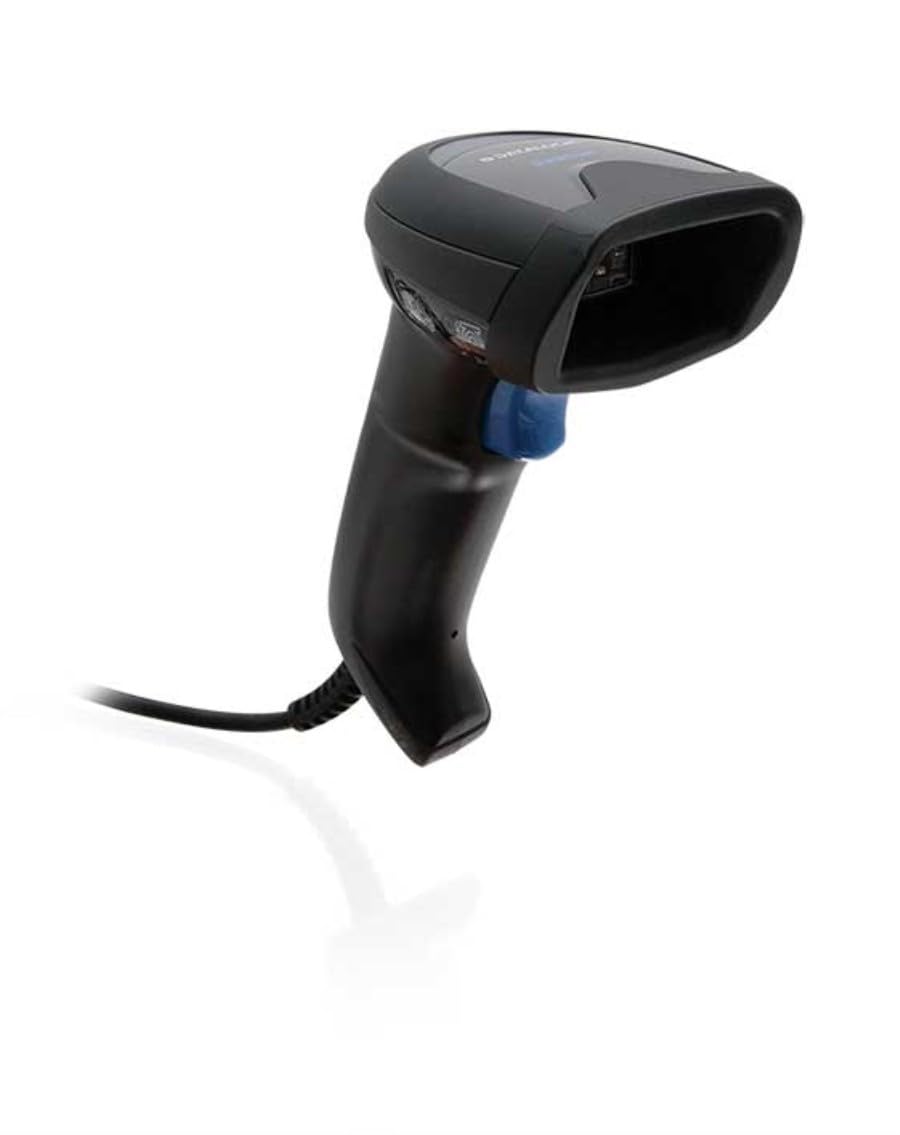
Image: The Datalogic QuickScan QD2590 scanner showing its wired connection.
تشغيل الماسح
1. إجراءات المسح الأساسية
- Ensure the scanner is properly connected and powered on.
- قم بتوجيه نافذة الماسح الضوئي إلى الرمز الشريطي الذي ترغب في مسحه ضوئيًا.
- اضغط باستمرار على زر الزناد. سيظهر شعاع تصويب أحمر.
- Center the aiming beam over the entire barcode.
- Once the barcode is successfully read, the scanner will emit an audible beep and/or the LED indicator will change color (typically green).
- Release the trigger button. The scanned data will be transmitted to your host device.
2. Scanning Feedback
- Good Read Indicator: A successful scan is typically indicated by a green LED and a configurable beep sound.
- شعاع الهدف: The red aiming beam helps position the scanner correctly over the barcode.

الصورة: الجبهة view of the Datalogic QuickScan QD2590, highlighting the scanning area.
صيانة
1. تنظيف الماسح الضوئي
To ensure optimal performance, keep the scanner's window clean. Use a soft, lint-free cloth dampened with water or a mild, non-abrasive cleaner. Do not use harsh chemicals, solvents, or abrasive materials, as these can damage the scanning window or casing.
2. التخزين
When not in use, store the scanner in a clean, dry environment, away from extreme temperatures, direct sunlight, and corrosive materials. Avoid dropping or subjecting the scanner to excessive impact.
استكشاف الأخطاء وإصلاحها
| مشكلة | السبب المحتمل | حل |
|---|---|---|
| الماسح الضوئي لا يعمل. | Cable not connected properly; host device not powered on. | Check cable connections. Ensure host device is powered on. |
| الماسح الضوئي لا يقرأ الباركود. | Barcode damaged or poorly printed; incorrect symbology enabled; scanning window dirty; scanner not configured correctly. | Try scanning a different barcode. Clean the scanning window. Refer to the full product manual for symbology enablement and advanced configuration. |
| البيانات الممسوحة ضوئيا غير صحيحة أو غير كاملة. | Incorrect data formatting; partial scan. | Ensure the aiming beam covers the entire barcode. Check host application settings for data formatting. |
| No audible beep on good read. | Beeper disabled in configuration. | Refer to the full product manual to enable the beeper. |
For more detailed troubleshooting and advanced configuration, please refer to the complete Datalogic QuickScan QD2590 product manual available on the Datalogic webموقع.
المواصفات الفنية
| ميزة | التفاصيل |
|---|---|
| رقم الموديل | و126053080 |
| نوع الماسح الضوئي | Handheld 2D Imager |
| نوع عنصر المسح الضوئي | 2D Imager - Red LED Sensor |
| الاستشعار القرار | 1280 × 800 بكسل |
| سرعة المسح | 60 إطارًا في الثانية (fps) |
| Minimum Bar Symbol Width | 3 مليون |
| تكنولوجيا الاتصال | Wired (USB, RS-232) |
| مصدر الطاقة | DC 5V (via cable) |
| الأبعاد (العرض × العمق × الارتفاع) | 6.8 سم × 12.6 سم × 14.8 سم |
| وزن | 145 جرام |
| لون | أسود |
| الأجهزة المتوافقة | Smartphone, laptop, desktop, tablet |
| حقيقي View زاوية | 40 درجة |
الضمان والدعم
معلومات الضمان
The Datalogic QuickScan QD2590 barcode scanner comes with a ضمان الشركة المصنعة لمدة عامينيغطي هذا الضمان عيوب المواد والتصنيع في ظل الاستخدام العادي. يُرجى الاحتفاظ بإيصال الشراء للمطالبة بالضمان.
دعم العملاء
For technical assistance, product inquiries, or warranty service, please contact Datalogic customer support. Visit the official Datalogic webالموقع للحصول على تفاصيل الاتصال والأسئلة الشائعة والموارد الإضافية.
Datalogic Official Webموقع: www.datalogic.com