
مقدمة
Welcome to the world of space exploration with Charlie The Astronaut! This manual provides essential information for setting up, operating, and maintaining your Xtrem Bots Charlie robot. Please read these instructions carefully before use to ensure proper function and safety.
معلومات السلامة
- تحذير: غير مناسب للأطفال دون سن 3 سنوات بسبب الأجزاء الصغيرة.
- الموصى بها للأعمار 6 وما فوق.
- اراقب دائمًا الأطفال أثناء اللعب.
- لا تخلط البطاريات القديمة بالجديدة. لا تخلط البطاريات القلوية أو القياسية (الكربون والزنك) أو القابلة لإعادة الشحن (النيكل والكادميوم).
- قم بإزالة البطاريات إذا لم يتم استخدام الروبوت لفترة طويلة.
- تخلص من البطاريات بشكل مسؤول.
محتويات الحزمة
تأكد من وجود جميع العناصر في العبوة:
- 1 x Charlie The Astronaut Robot
- 1 × دليل التعليمات (هذه الوثيقة)
- Additional accessories (if applicable, check packaging)
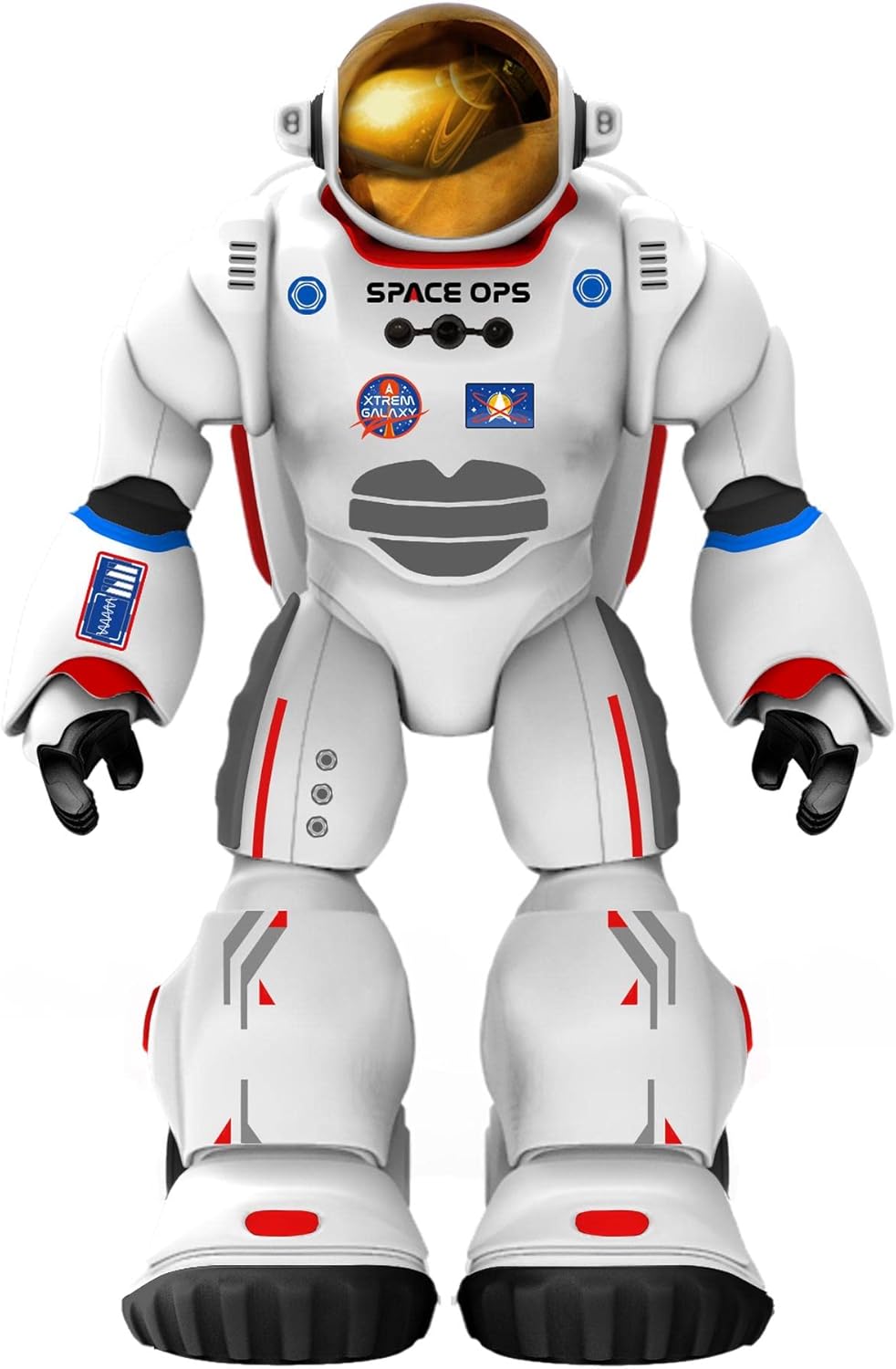
الصورة 1: الجبهة view of Charlie The Astronaut robot, showcasing its white astronaut suit with red and blue accents, a gold visor, and "SPACE OPS" branding.
يثبت
1. تركيب البطارية
Charlie The Astronaut requires 3 x AA 1.5V batteries (not included).
- حدد مكان حجرة البطارية في الجزء الخلفي من الروبوت.
- باستخدام مفك البراغي ، افتح غطاء حجرة البطارية.
- أدخل 3 بطاريات AA 1.5V، مع التأكد من القطبية الصحيحة (+/-).
- استبدل غطاء حجرة البطارية وثبته بالمسمار.

الصورة 2: الجانب view of Charlie The Astronaut robot, showing its profile and the details of its suit.
2. تثبيت التطبيق والاتصال به
To unlock Charlie's full potential, download the official Xtrem Bots app on your mobile device.
- بحث عن "Xtrem Bots" in your device's app store (Google Play Store for Android or Apple App Store for iOS).
- تنزيل التطبيق وتثبيته.
- Turn on Charlie The Astronaut by pressing the power button (location may vary, refer to robot for specific button).
- قم بتمكين البلوتوث على جهازك المحمول.
- Open the Xtrem Bots app and follow the on-screen instructions to connect to Charlie via Bluetooth.
تعليمات التشغيل
Charlie The Astronaut offers over 200 actions and 20 functions, controllable through the dedicated app.
1. وحدة البرمجة
Use the programming module within the app to create custom sequences of actions for Charlie.
- Open the app and navigate to the "Programming" section.
- Drag and drop action blocks to build your desired program.
- Execute the program to watch Charlie perform the programmed actions.
2. نظام التحكم عن بعد
Control Charlie's movements and actions in real-time using the app's remote control interface.
- Access the "Remote Control" section in the app.
- Use the on-screen joysticks and buttons to guide Charlie.
3. Smart Control (Hand Movements)
Charlie features advanced technology allowing control via hand gestures.
- Activate "Smart Control" mode in the app.
- Follow the app's instructions for specific hand gestures to control Charlie's movements.
4. Gyroscope Control
Control Charlie by tilting your mobile device.
- Enable "Gyroscope Control" in the app.
- Tilt your device forward, backward, left, or right to direct Charlie.
Spacepedia and Space Quiz
Discover the universe with Charlie's integrated "Spacepedia" and test your knowledge with the space quiz.
- Spacepedia: Access the "Spacepedia" section in the app to learn about the universe, solar system, space vehicles, and more.
- Space Quiz: Challenge yourself with over 300 questions in the space quiz module to test your astronomical knowledge.
صيانة
- تنظيف: Wipe the robot with a soft, dry cloth. Do not use harsh chemicals or immerse in water.
- تخزين: Store Charlie in a cool, dry place away from direct sunlight when not in use.
- العناية بالبطارية: Remove batteries if the robot will be stored for an extended period to prevent leakage.
استكشاف الأخطاء وإصلاحها
| مشكلة | السبب المحتمل | حل |
|---|---|---|
| الروبوت لا يعمل. | البطاريات فارغة أو تم إدخالها بشكل غير صحيح. | استبدل البطاريات ببطاريات AA جديدة بجهد 1.5 فولت، مع التأكد من صحة القطبية. |
| Cannot connect to the app via Bluetooth. | Bluetooth is off on the device; robot is off; app is not updated. | Ensure Bluetooth is enabled on your mobile device. Turn the robot off and on again. Update the Xtrem Bots app to the latest version. |
| Robot is unresponsive or moves erratically. | Low battery power; interference; app glitch. | Replace batteries. Move away from other electronic devices that may cause interference. Restart the app and the robot. |
تحديد
- نموذج: 3803085
- ماركة: إكستريم بوتس
- أبعاد: 4.72 × 10.83 × 13.78 بوصة (12 × 27.5 × 35 سم)
- ارتفاع: 29 سم (11.4 بوصة تقريبًا)
- وزن: 1.3 رطل (0.59 كجم)
- مصدر الطاقة: 3 × بطاريات AA 1.5 فولت (غير متضمنة)
- الاتصال: بلوتوث
- العمر الموصى به: 6 سنوات وما فوق
- مادة: بلاستيك
الضمان والدعم
For warranty information and technical support, please refer to the official Xtrem Bots webالموقع أو تواصل مع خدمة العملاء. قد تختلف شروط الضمان باختلاف المنطقة والتاجر.
الشركة المصنعة: BR Toys Limited
لمزيد من المساعدة، قم بزيارة: www.xtrembots.com