
1. المقدمة
شكرا لك على الشراءasing the AZATOM Zenith Z4. This portable audio system combines DAB/DAB+ and FM radio, a CD player, Bluetooth connectivity, USB playback, and an alarm clock function. This manual provides essential information for setting up, operating, and maintaining your device. Please read it thoroughly before use and retain it for future reference.
2. محتويات الصندوق
Carefully unpack your Zenith Z4 and ensure all items listed below are present:
- AZATOM Zenith Z4 Unit
- محول التيار الكهربائي
- دليل المستخدم (هذا المستند)
- بطاقة التسجيل

Image showing the AZATOM Zenith Z4 unit, its power adapter, user manual, and registration card as included in the box.
3. انتهى المنتجview: عناصر التحكم والميزات
3.1 ضوابط اللوحة الأمامية

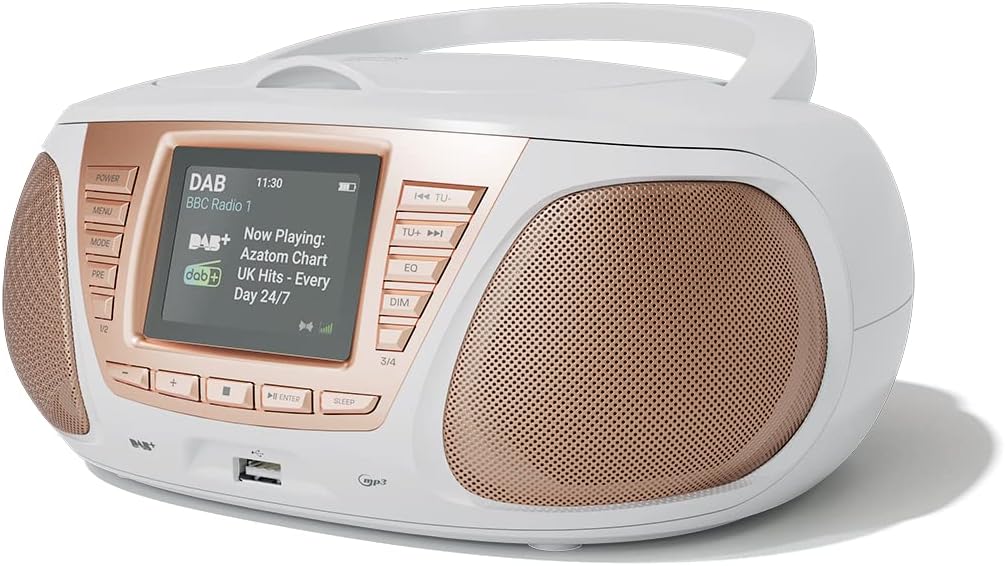
مفصل view of the AZATOM Zenith Z4's front panel, highlighting the color LCD display and various control buttons.
- زر الطاقة: يقوم بتشغيل الوحدة أو إيقاف تشغيلها.
- زر القائمة: الوصول إلى قائمة النظام.
- زر الوضع: Switches between DAB, FM, CD, Bluetooth, USB, and AUX modes.
- PRE Button (Presets): يتيح الوصول إلى إعدادات محطات الراديو المخزنة مسبقاً.
- 1/2, 3/4 Buttons: Direct access to specific presets or navigation.
- +, - Buttons: Adjusts volume, navigates menus, or tunes radio frequencies.
- زر الإدخال: يؤكد التحديدات.
- زر النوم: يضبط مؤقت النوم.
- TU- / TU+ Buttons: Tunes radio frequencies down/up or skips tracks.
- زر EQ: Adjusts equalizer settings.
- زر خافت: يضبط سطوع الشاشة.
- منفذ USB: لتوصيل أجهزة تخزين USB لتشغيل ملفات MP3.
- مقبس سماعة الرأس: مخرج 3.5 ملم للاستماع الخاص.
3.2 اتصالات اللوحة الخلفية
The rear panel typically includes the power input and auxiliary input.
- التيار المباشر الداخل: اتصال محول الطاقة.
- مدخل AUX: 3.5mm input for connecting external audio sources.
4. الإعداد
4.1 التشغيل
The Zenith Z4 can be powered by the included AC adapter or by batteries for portability.
- طاقة التيار المتردد: Connect the mains power adapter to the DC IN socket on the rear of the unit and plug it into a wall outlet.
- طاقة البطارية: Open the battery compartment (usually on the bottom or rear) and insert the required batteries (type and quantity specified in the compartment).

The AZATOM Zenith Z4 is designed for portability, allowing use with batteries or the supplied mains power adapter.
4.2 Initial Setup (First Use)
Upon first power-on, the unit may automatically perform an initial setup:
- The display will typically show a welcome message.
- The unit may automatically scan for available DAB/DAB+ and FM radio stations. This process can take a few minutes.
- The clock will usually set itself automatically via DAB signal. If not, refer to the menu settings to manually set the time and date.
5. تعليمات التشغيل
5.1 راديو داب/داب+
To access digital radio stations:
- اضغط على وضع اضغط على الزر حتى تظهر كلمة "DAB".
- The unit will automatically scan for stations if it hasn't already. To perform a full scan manually, navigate to the 'Full Scan' option in the DAB menu.
- استخدم تو- or تو + buttons to browse the list of available stations.
- يضعط يدخل لتحديد محطة.

The Zenith Z4 features leading British DAB and FM technology for optimal digital radio performance.
5.2 راديو FM
للاستماع إلى محطات راديو FM:
- اضغط على وضع اضغط على الزر حتى تظهر كلمة "FM".
- اضغط مع الاستمرار تو- or تو + to auto-scan for the next available station. Briefly press to fine-tune the frequency.
- يضعط يدخل to confirm a station.
5.3 Storing and Recalling Presets (DAB/FM)
The Zenith Z4 allows you to store up to 60 preset stations (30 DAB, 30 FM).
- Tune to your desired DAB or FM station.
- اضغط مع الاستمرار على قبل اضغط على الزر حتى تظهر عبارة "متجر الإعدادات المسبقة" على الشاشة.
- استخدم +/- buttons to select a preset number (1-30 for DAB, 1-30 for FM).
- يضعط يدخل to save the station.
- لاستدعاء إعداد مسبق، اضغط لفترة وجيزة على قبل زر ، ثم استخدم +/- or the numbered buttons (1/2, 3/4) to select and press يدخل.

The Zenith Z4 allows storing up to 60 presets (30 DAB and 30 FM) for quick access to your favorite stations.
5.4 مشغل الأقراص المضغوطة
لتشغيل أقراص الصوت المضغوطة:
- اضغط على وضع button until 'CD' is displayed.
- افتح غطاء حجرة الأقراص المدمجة الموجودة أعلى الجهاز.
- Place a CD (CD, CD-R, CD-RW compatible) with the label side facing up.
- Close the CD compartment lid. The unit will begin reading the disc and playback will start automatically.
- استخدم تو- و تو + استخدم الأزرار لتخطي المقاطع الصوتية. يدخل للتشغيل/الإيقاف المؤقت.

The Zenith Z4 features a top-loading CD player, compatible with various CD formats, to enjoy your music collection.
5.5 اتصال البلوتوث
Stream audio wirelessly from your compatible devices:
- اضغط على وضع button until 'Bluetooth' is displayed. The unit will enter pairing mode, indicated by a flashing Bluetooth icon or message.
- على جهازك المحمول (الهاتف الذكي، الجهاز اللوحي، الكمبيوتر المحمول)، قم بتمكين البلوتوث وابحث عن الأجهزة المتاحة.
- Select 'AZATOM Zenith Z4' from the list. Once paired, the unit will confirm the connection.
- You can now play audio from your device, and it will stream through the Zenith Z4.

Connect your Bluetooth device to the Zenith Z4 to enjoy streaming services like Spotify and Apple Music.
5.6 تشغيل USB
لتشغيل MP3 fileمن محرك أقراص USB:
- أدخل محرك أقراص فلاش USB (مهيأ بنظام FAT32) يحتوي على ملفات صوتية MP3 fileقم بتوصيلها بمنفذ USB الموجود على اللوحة الأمامية.
- اضغط على وضع button until 'USB' is displayed.
- ستقوم الوحدة بقراءة files, and playback should begin automatically. Use the تو- و تو + أزرار للتنقل بين المسارات.
5.7 المدخلات الإضافية
Connect external audio devices using the AUX IN port:
- Connect one end of a 3.5mm audio cable (not included) to the AUX IN port on the rear of the Zenith Z4.
- Connect the other end to the headphone jack or audio output of your external device (e.g., MP3 player, older smartphone).
- اضغط على وضع اضغط على الزر حتى تظهر كلمة "AUX".
- التحكم في التشغيل من جهازك الخارجي.
5.8 استخدام سماعات الرأس
For private listening:
- Plug your 3.5mm headphones into the headphone jack on the front panel.
- The sound from the speakers will automatically mute.
- اضبط مستوى الصوت باستخدام ملف +/- أزرار.
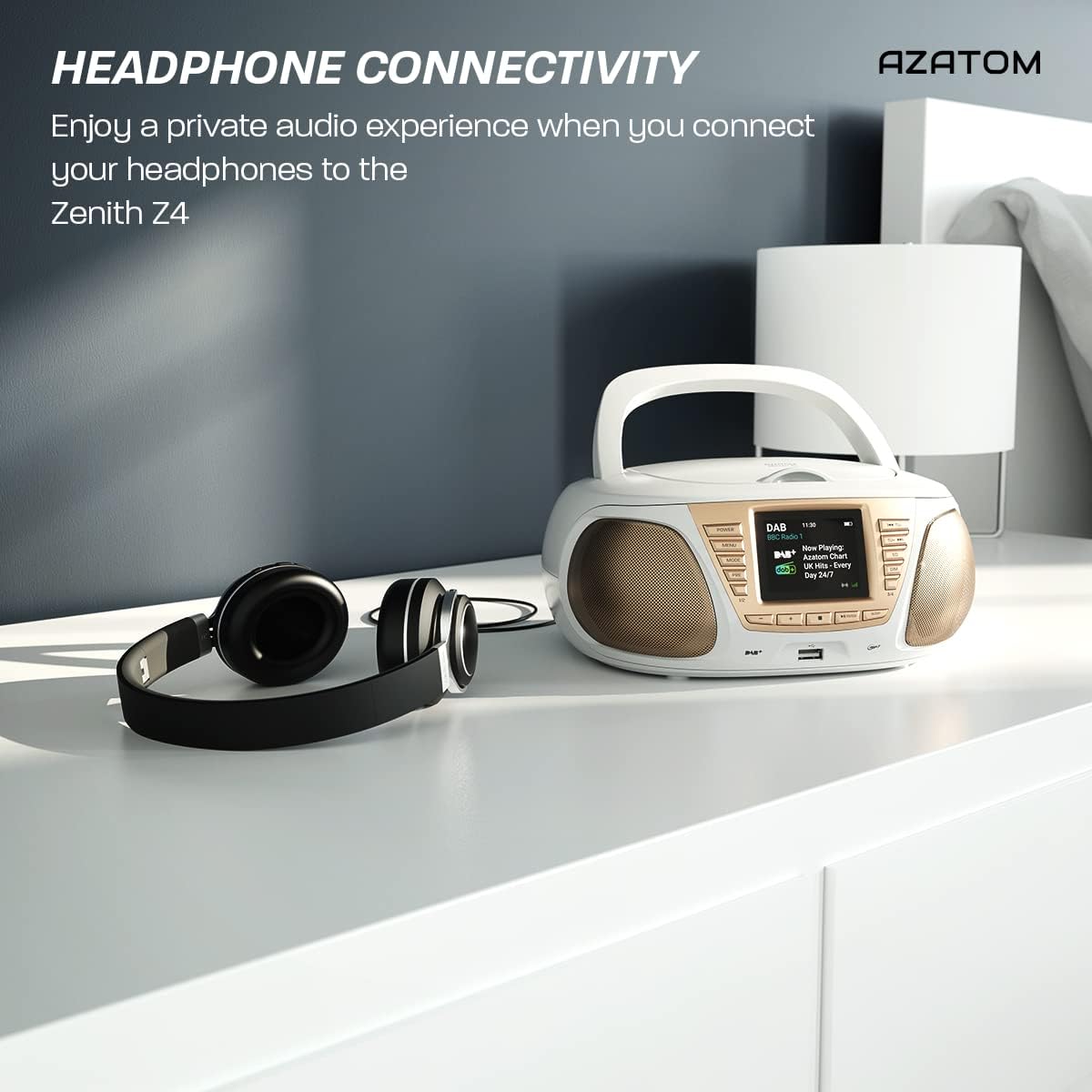
Enjoy a private audio experience by connecting your headphones to the Zenith Z4.
5.9 وظيفة المنبه
The Zenith Z4 includes an alarm clock feature:
- يمكنك الوصول إلى إعدادات الإنذار من خلال قائمة طعام زر.
- Follow the on-screen prompts to set the alarm time, source (e.g., buzzer, DAB, FM), and volume.
- Ensure the unit is powered on or in standby mode for the alarm to activate.
6. الصيانة
To ensure the longevity and optimal performance of your Zenith Z4:
- تنظيف: استخدم قطعة قماش ناعمة وجافة لتنظيف الجزء الخارجي من الجهاز. لا تستخدم المنظفات الكاشطة أو الشمع أو المذيبات.
- مشغل أقراص ليزرية: If the CD player experiences issues, use a specialized CD lens cleaner disc.
- تهوية: Ensure the unit has adequate ventilation and is not covered during operation.
- تخزين: When not in use for extended periods, disconnect from power and remove batteries. Store in a cool, dry place.
7. استكشاف الأخطاء وإصلاحها
If you encounter issues with your Zenith Z4, please refer to the table below for common problems and solutions:
| مشكلة | السبب المحتمل | حل |
|---|---|---|
| الوحدة لا تعمل | No power supply; flat batteries | Check AC adapter connection; replace batteries. |
| لا يوجد صوت | Volume too low; headphones connected; incorrect mode | Increase volume; disconnect headphones; select correct mode (DAB, FM, CD, BT, USB, AUX). |
| استقبال الراديو ضعيف | Antenna not extended; weak signal | Fully extend the telescopic antenna; reposition the unit for better signal. |
| القرص المضغوط لا يعمل | CD dirty/scratched; incorrect disc type; CD not inserted correctly | Clean CD; ensure CD is compatible (CD, CD-R, CD-RW); reinsert CD label-side up. |
| البلوتوث غير متصل | Unit not in pairing mode; device too far; already connected to another device | Ensure unit is in Bluetooth mode and pairing; move device closer; disconnect from other devices. |
8. المواصفات
Key technical specifications for the AZATOM Zenith Z4:
- ماركة: عزاتوم
- رقم الموديل: Z4SLV
- لون: أبيض
- تقنية الاتصال: Auxiliary, DAB+, DAB, Bluetooth, USB
- إجمالي منافذ USB: 1
- الأجهزة المتوافقة: Smartphone, Tablet, MP3 Player, Personal Computer
- أبعاد المنتج (الطول × العرض × الارتفاع): 23 × 20 × 10 سم
- مصدر الطاقة: Wired Electric, Battery
- نوع السماعة: صندوق مكبر الصوت
- وزن السلعة: 1.3 كيلوغرام
- انتاج الطاقة: 20 واط
9. الضمان والدعم
AZATOM products are engineered in the UK and come with comprehensive support:
- ضمان: The Zenith Z4 includes a 3-year premium warranty. Online registration is required to activate this warranty.
- دعم العملاء: AZATOM offers lifetime customer service based in the UK for setup and installation advice. Please refer to the registration card or AZATOM's official webموقع للحصول على تفاصيل الاتصال.
AZATOM provides a 3-year warranty (registration required) and dedicated UK customer support for their products.