
مقدمة
This manual provides instructions for the installation, operation, and maintenance of your ANNKE 32-Channel Home Security Camera System. This system includes a 12MP 32-channel Network Video Recorder (NVR) with a pre-installed 6TB Hard Disk Drive (HDD) and 20 wired 5MP Power over Ethernet (PoE) IP cameras. The system is designed for comprehensive surveillance with features such as color night vision, AI motion detection, and facial detection capabilities.
For optimal performance and safety, please read this manual thoroughly before using the product and retain it for future reference.
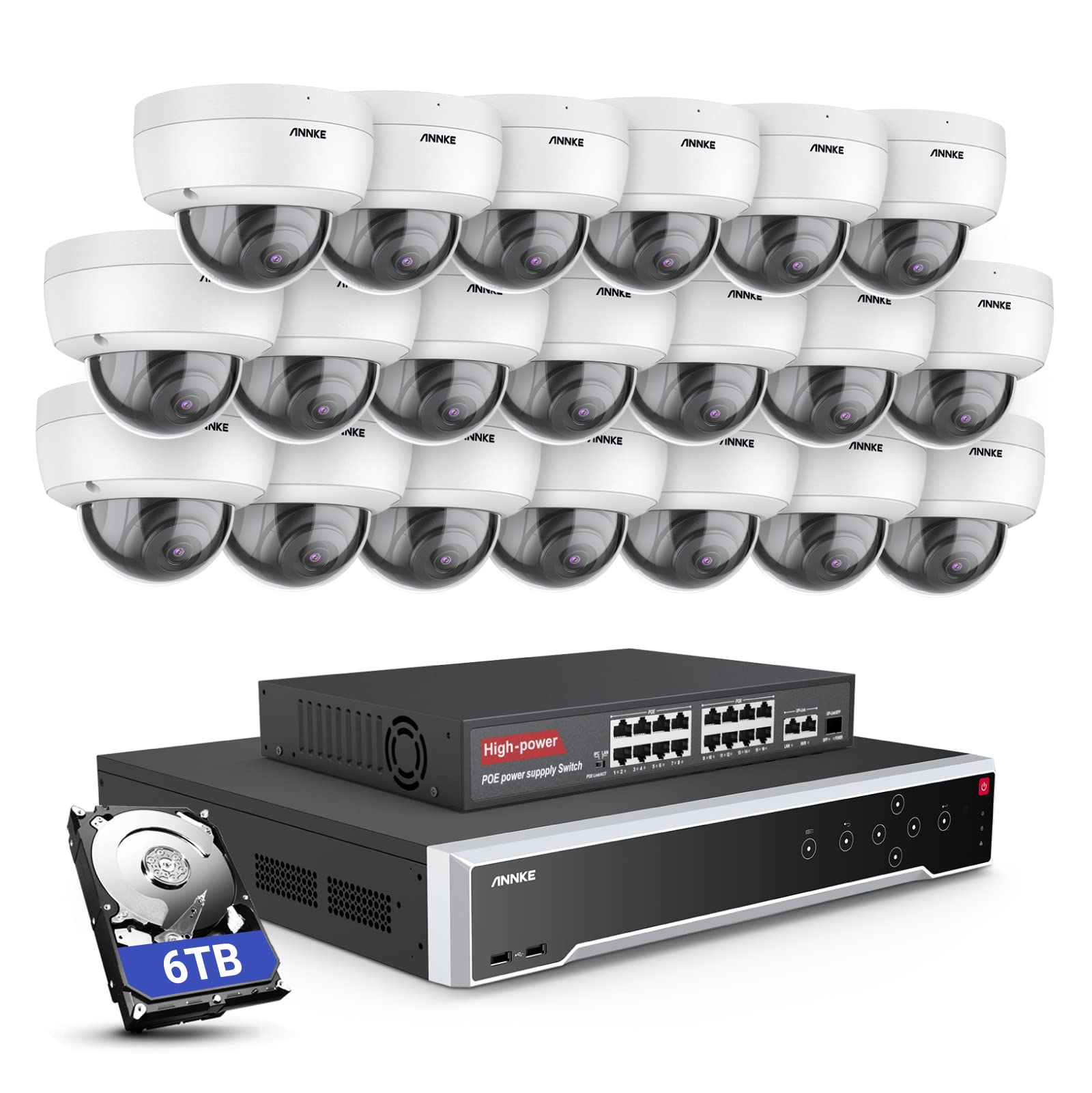
الصورة: أكثر منview of the ANNKE 32-Channel Home Security Camera System components, including the NVR and multiple cameras.
ماذا يوجد في الصندوق
تأكد من تضمين جميع العناصر المدرجة أدناه في الحزمة الخاصة بك:
- 1x 32CH 12MP PoE NVR with 6TB Hard Drive
- 1x 16-Port PoE Switch
- 20x 5MP IP PoE Cameras
- 10 كابلات شبكة بطول 30 مترًا/100 قدم
- 10 كابلات شبكة بطول 18 مترًا/60 قدم
- 1x Power Adapter & USB Mouse & Quick Instruction Guide
- كابل HDMI واحد بطول 1.8 متر (5.9 قدم)
- كابل إيثرنت واحد بطول 1 متر/3.2 قدم
يثبت
Follow these steps to set up your ANNKE security camera system.
1. NVR and Camera Connection
- قم بتوصيل مسجل الفيديو الرقمي (NVR) بمصدر الطاقة باستخدام محول الطاقة المرفق.
- Connect the NVR to a monitor using the HDMI cable.
- قم بتوصيل فأرة USB بجهاز NVR للتنقل.
- Connect up to 16 PoE IP cameras directly to the PoE ports on the NVR using the provided Ethernet cables.
- To expand the system beyond 16 cameras (up to 32 channels), connect the additional cameras to the 16-port PoE switch. Then, connect the PoE switch to the NVR's network port using an Ethernet cable.

Image: Diagram illustrating how to connect PoE cameras to the NVR and how to use a PoE switch to expand the system to 32 channels.
2. اتصال الشبكة
Connect the NVR to your router using an Ethernet cable to enable remote access and network features.
3. Remote Access Setup (ANNKE VISION App)
Download the ANNKE VISION app on your smartphone or tablet for remote viewجي والتحكم.
- Download the ANNKE VISION app from the Google Play Store or Apple App Store.
- تسجيل حساب وتسجيل الدخول.
- أضف جهاز NVR الخاص بك عن طريق مسح رمز الاستجابة السريعة الموجود على جهاز NVR أو إدخال تفاصيله يدويًا.
- بمجرد الإضافة، يمكنك view البث المباشر، وتشغيل التسجيلات، وإدارة الإعدادات عن بُعد.

Image: Screenshot of the ANNKE VISION mobile application showing live camera feeds, demonstrating remote access capabilities.
تعليمات التشغيل
Understand the key operational features of your security system.
1. جودة الفيديو والرؤية الليلية
The 5MP IP cameras provide clear video resolution. The system supports color night vision in low-light conditions and detailed black and white night vision in complete darkness, with a range of up to 100 feet.

Image: A split image demonstrating the clarity of 5MP video during the day and the effectiveness of night vision at night.
2. AI Motion and Face Detection
The PoE IP cameras are equipped with AI features for advanced detection:
- Line Intrusion Detection: Triggers an alert when an object crosses a predefined virtual line.
- Region Detection: Triggers an alert when an object enters or exits a specified area.
- الكشف عن الإنسان/المركبة: Differentiates between human and vehicle movement to reduce false alarms.
- Facial Detection: The NVR supports 1-channel facial recognition for video streams or 4-channel facial recognition for face pictures.

Image: An illustration showing the system detecting a person and a vehicle, with a highlight indicating 1-channel facial detection.
3. تسجيل الصوت
Each PoE camera includes a built-in microphone capable of recording audio up to 20 feet away, providing additional surveillance detail.
4. Recording Modes and Playback
The NVR supports continuous 24/7 recording and motion detection recording. Recordings can be easily searched and played back through the NVR interface or the ANNKE VISION app.
5. الوصول متعدد المستخدمين
The system supports up to 20 users simultaneously, allowing multiple individuals to view live video feeds and access recordings from various devices such as PCs, laptops, tablets, and smartphones.
6. تكامل أليكسا
النظام متوافق مع أمازون أليكسا. يمكنك استخدام الأوامر الصوتية لـ view live streams from your security cameras on compatible Alexa-enabled devices.
صيانة
Proper maintenance ensures the longevity and optimal performance of your security system.
1. حماية البيئة
The IP cameras are rated IP67 weatherproof, ensuring reliable operation in various outdoor conditions, including heavy snow, rain, and wind. Regularly clean camera lenses to prevent obstruction from dirt or debris.
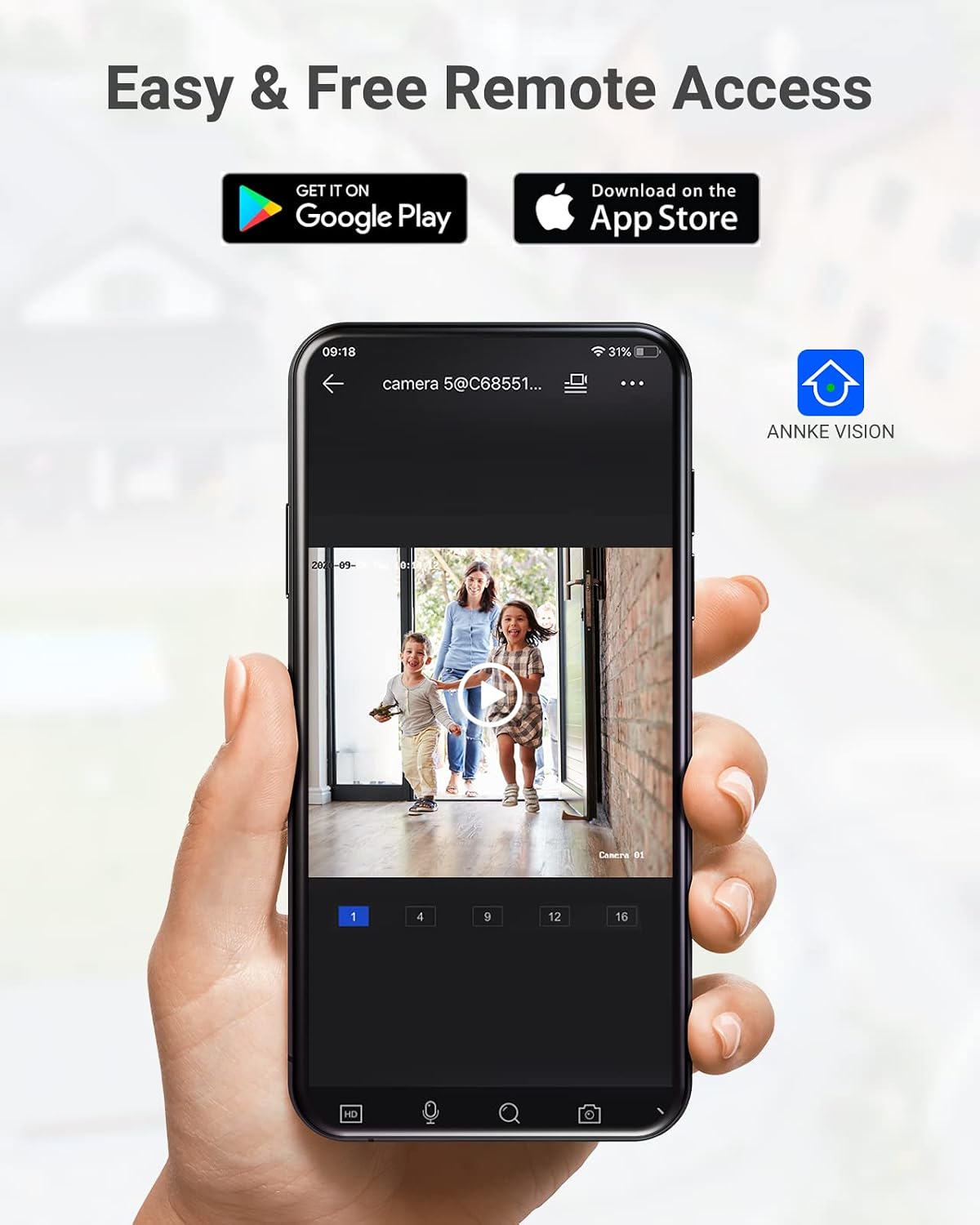
Image: A camera partially submerged in water, illustrating its IP67 weatherproof rating.
2. إدارة التخزين
The NVR utilizes H.265+ video compression for efficient storage and longer recording times. The system comes with a 6TB HDD and supports up to 4 SATA HDD interfaces, allowing for a total storage capacity of up to 40TB (10TB per HDD). The NVR features automatic overwrite functionality, ensuring continuous recording by overwriting the oldest footage عندما يكون القرص ممتلئًا.

Image: An NVR unit with its top cover removed, showing four internal bays for hard disk drives, indicating expandable storage up to 40TB.
3. تحديثات البرامج الثابتة
تحقق بشكل دوري من موقع ANNKE الرسمي website or the ANNKE VISION app for firmware updates to ensure your system has the latest features and security enhancements.
استكشاف الأخطاء وإصلاحها
If you encounter issues with your system, refer to the following general troubleshooting tips:
- لا يوجد عرض فيديو: Check all cable connections (power, HDMI, Ethernet). Ensure the monitor is on and set to the correct input.
- الكاميرا غير متصل: Verify the Ethernet cable connection to the camera and NVR/PoE switch. Ensure the camera is receiving power.
- مشكلات الوصول عن بعد: Confirm the NVR is connected to the internet. Check your network settings and ensure the ANNKE VISION app is updated.
- مشاكل التسجيل: Check the HDD status in the NVR settings. Ensure there is sufficient storage space or that automatic overwrite is enabled.
- تنبيهات الحركة الكاذبة: Adjust the sensitivity settings for motion detection in the NVR or app. Utilize AI human/vehicle detection to filter out irrelevant movements.
For more detailed troubleshooting or persistent issues, please contact ANNKE customer support.
تحديد
| ميزة | مواصفة |
|---|---|
| ماركة | آنكي |
| رقم الموديل | AU-N931BB6-V2-5KDN-V5+JHJ014-U |
| تكنولوجيا الاتصال | سلكي (PoE) |
| دقة التقاط الفيديو | 5 ميجا بكسل (1920 بكسل) |
| عدد القنوات | 32 |
| NVR Hard Drive | 6 تيرابايت (مثبتة مسبقاً) |
| أقصى سعة للقرص الصلب | 40 TB (4 x 10 TB SATA HDDs) |
| ضغط الفيديو | H.265 + |
| نطاق الرؤية الليلية | 100 أقدام |
| تصنيف مقاومة الكاميرا للعوامل الجوية | IP67 |
| نوع العدسة | 2.8MM Wide Angle |
| المميزات الخاصة | App Control, Audio Recording, Automatic Overwrite, Motion Sensor, Privacy Masking, AI Motion Detection, Face Detection |
| الأجهزة المتوافقة | الكاميرات، أجهزة الكمبيوتر المحمولة، أجهزة الكمبيوتر الشخصية، الأجهزة اللوحية |
| نظام التشغيل (التطبيق) | أندرويد، آي أو إس |
الضمان والدعم
ANNKE products typically come with a limited warranty. Please refer to the warranty card included in your package or visit the official ANNKE webالموقع لمعرفة شروط وأحكام الضمان المحددة.
For technical support, product inquiries, or warranty claims, please contact ANNKE customer service through their official webالموقع أو معلومات الاتصال المقدمة في وثائق المنتج الخاص بك.
آنكي الرسمية Webموقع: www.annke.com