
Rii K18S IT
Rii Mini i18S Wireless + Bluetooth Keyboard
دليل المستخدم
1. المقدمة
The Rii Mini i18S is a compact, versatile keyboard featuring both 2.4G wireless and Bluetooth connectivity. It integrates a large touchpad and LED backlighting, making it suitable for a wide range of devices including Smart TVs, TV Boxes, Tablets, Smartphones, Consoles, and PCs. This manual provides detailed instructions for setup, operation, maintenance, and troubleshooting to ensure optimal use of your device.

Figure 1: Rii Mini i18S keyboard demonstrating its dual wireless and Bluetooth connectivity.
2. محتويات العبوة
يرجى التحقق من الحزمة للعناصر التالية:
- Rii Mini i18S Wireless + Bluetooth Keyboard
- USB RF 2.4 GHz Receiver
- كابل شحن USB
- تمديد كابل USB
- دليل المستخدم (هذا المستند)
3. انتهى المنتجview
The Rii Mini i18S features a QWERTY layout keyboard. It has a large multi-touch touchpad, and dedicated multimedia keys. It is designed for comfortable and efficient input across various platforms.
3.1 الميزات الرئيسية
- الاتصال المزدوج: 2.4 جيجا هرتز لاسلكي وبلوتوث 4.0.
- Large Touchpad: High sensitivity with multi-touch gestures.
- الإضاءة الخلفية LED: Two selectable colors (blue, green) for use in low-light conditions.
- بطارية قابلة لإعادة الشحن: Built-in lithium polymer battery.
- ضوابط الوسائط المتعددة: Dedicated keys for media playback.
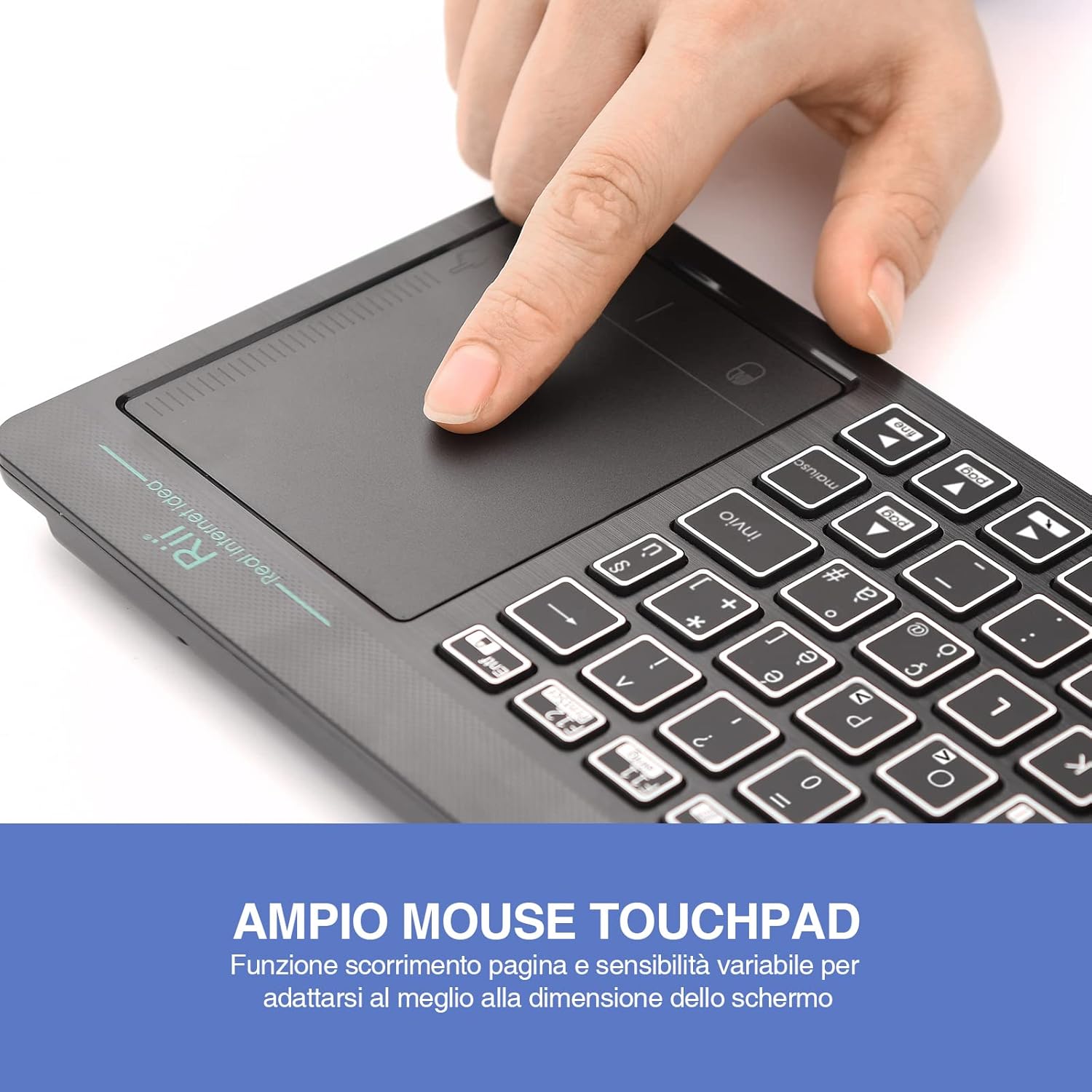
Figure 2: The large, sensitive touchpad of the Rii Mini i18S, supporting multi-touch gestures.

Figure 3: The Rii Mini i18S keyboard showcasing its two-color LED backlighting (blue and green).
4. الإعداد
4.1 شحن لوحة المفاتيح
Before initial use, fully charge the keyboard. Connect the provided USB charging cable to the keyboard's microUSB port and the other end to a USB power source (e.g., computer USB port, USB wall adapter).
- The charging indicator LED will illuminate during charging.
- The LED will turn off or change color when fully charged.
- سعة البطارية: 400 مللي أمبير.
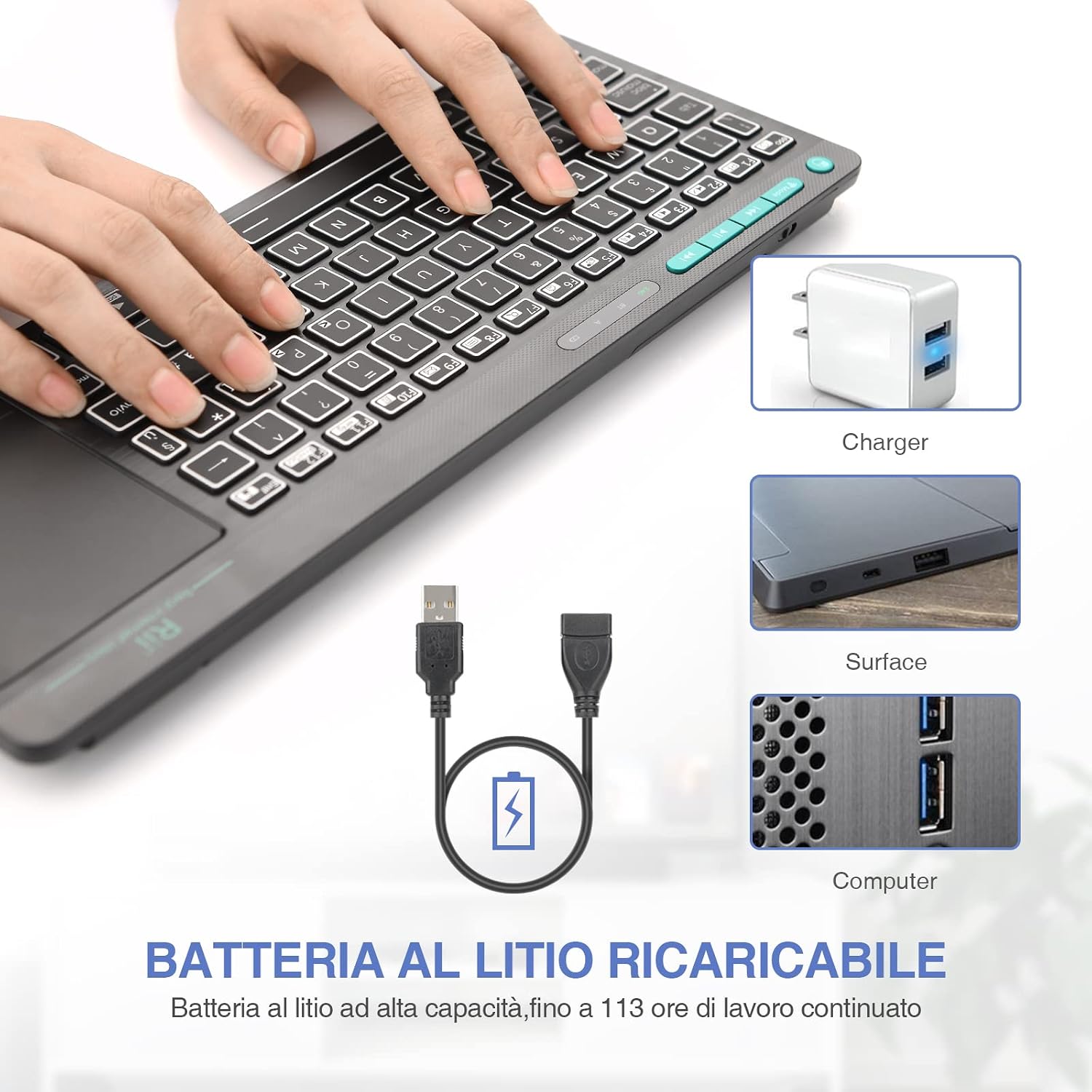
Figure 4: The Rii Mini i18S keyboard being charged using the included USB cable, connected to a power source.
4.2 اتصال لاسلكي 2.4G
For 2.4G wireless connection, use the included USB receiver.
- Locate the USB receiver in the back compartment of the keyboard.
- Insert the USB receiver into an available USB port on your device (Smart TV, PC, TV Box, etc.).
- اضغط على وضع button on the keyboard until the 2.4G indicator LED is active.
- The keyboard should automatically connect to your device. If not, try pressing Fn + RF لإعادة الاقتران.

Figure 5: The USB wireless receiver stored securely in the back compartment of the Rii Mini i18S keyboard.
4.3 اتصال البلوتوث
For Bluetooth connection, ensure your device has Bluetooth enabled.
- اضغط على وضع button on the keyboard until the BT indicator LED is active.
- على جهازك، انتقل إلى إعدادات البلوتوث وابحث عن أجهزة جديدة.
- Select "Rii Mini i18S" from the list of available devices to pair.
- اتبع أي مطالبات تظهر على الشاشة لإكمال عملية الاقتران.
The dual connection technology allows you to manage up to two devices simultaneously: one via Bluetooth and one via 2.4G wireless.

Figure 6: The Rii Mini i18S keyboard demonstrating its dual mode connectivity, shown here connected to a tablet.
5. تعليمات التشغيل
5.1 وظائف لوحة المفاتيح الأساسية
The keyboard features a standard QWERTY layout. All keys function as labeled. Use the Fn key in combination with other keys for special functions (e.g., multimedia controls).
- CAPS LOCK: Press to toggle uppercase/lowercase. An indicator LED will show its status.
5.2 وظائف لوحة اللمس
The integrated touchpad supports various gestures:
- النقر بإصبع واحد: الزر الأيسر.
- النقر بإصبعين: انقر على اليمين.
- التمرير بإصبعين: Drag two fingers up or down to scroll pages.
- Single Finger Drag: حرك المؤشر.
- زر الفأرة الأيسر: A physical left mouse button is also available on the top-left side of the keyboard for convenience.
5.3 التحكم في الإضاءة الخلفية
The keyboard features LED backlighting with two selectable colors.
- اضغط على مفتاح أيقونة المصباح الكهربائي to cycle through backlight colors (blue, green) or turn it off.
5.4 مفاتيح الوسائط المتعددة
استخدم Fn key in conjunction with the F1-F12 keys (or other labeled keys) to access multimedia functions such as volume control, play/pause, and track skipping.
6. الصيانة
6.1 التنظيف
To clean the keyboard, use a soft, dry cloth. For stubborn dirt, slightly dampامسح بقطعة قماش مبللة بالماء أو بمحلول تنظيف خفيف. تجنب استخدام المواد الكيميائية القاسية أو المواد الكاشطة.
6.2 العناية بالبطارية
- تجنب تعريض لوحة المفاتيح لدرجات حرارة شديدة.
- قم بشحن لوحة المفاتيح بانتظام، حتى لو لم تكن تستخدمها بشكل متكرر، للحفاظ على صحة البطارية.
- The keyboard features a programmable standby mode (3 minutes or 2 hours) to conserve battery life.
7. استكشاف الأخطاء وإصلاحها
7.1 لوحة المفاتيح لا تستجيب
- التحقق من البطارية: Ensure the keyboard is charged. Connect it to a power source.
- تحقق من اتصال:
- For 2.4G Wireless: Ensure the USB receiver is properly inserted and the keyboard is in 2.4G mode. Try a different USB port.
- For Bluetooth: Ensure Bluetooth is enabled on your device and the keyboard is in Bluetooth mode. Re-pair the device if necessary.
- إعادة تشغيل: Turn the keyboard off and on again. Restart your connected device.
7.2 Touchpad Not Working Correctly
- تنظيف لوحة اللمس: Ensure the touchpad surface is clean and free of debris.
- حساسية: Adjust touchpad sensitivity if available in your device's settings.
7.3 الإضاءة الخلفية لا تعمل
- التحقق من البطارية: Low battery might disable backlighting. Charge the keyboard.
- تبديل: Press the light bulb icon key to ensure it's not turned off.
8. المواصفات
| نموذج | K18S IT |
| الاتصال | 2.4 GHz RF Wireless, Bluetooth 4.0 |
| نطاق التشغيل | Up to 10 meters (2.4 GHz RF), Up to 8 meters (Bluetooth) |
| تخطيط لوحة المفاتيح | QWERTY (Italian layout) |
| Touchpad Resolution | تصل إلى 1000 نقطة في البوصة |
| ألوان الإضاءة الخلفية | Blue, Green (selectable) |
| نوع البطارية | قابلة للشحن ليثيوم بوليمر |
| سعة البطارية | 400 مللي أمبير |
| منفذ الشحن | MicroUSB (5V 350mA) |
| الأبعاد (الطول × العرض × الارتفاع) | 31.7 × 12.3 × 1.8 سم |
| وزن | 340 جرام |
| نظام التشغيل المتوافق | Windows (XP/Vista/7/8/10/11), Mac OS, Linux (Ubuntu 11.04+), Android (2.3+), iOS, Raspbian, PlayStation (PS3/PS4/PS5), Xbox (360/One/S/X), Fire TV |
| الشهادات | CE، RoHS، FCC |
9. الضمان والدعم
Rii products are designed for reliability and performance. For warranty information and technical support, please refer to the official Rii webالموقع أو تواصل مع موزعك المحلي. احتفظ بإيصال الشراء لطلبات الضمان.
رسمي webموقع: www.riitek.com
Ask a question about this manual
Ask about setup, troubleshooting, compatibility, parts, safety, or missing instructions. Manuals+ will review the question and use this page’s manual context to help answer it.