
1. المقدمة وما فوقview
This manual provides instructions for the safe and efficient use of your CJP-Geek AC-DC Adapter, model CJP-Geek-PSA-20221025-CA227. This adapter is specifically designed to power and charge the RP-PB054 RAVPower 20100mAh Portable Powerstation.
Key features of this adapter include a wide input voltage range of 100-240V AC, ensuring compatibility with various power outlets worldwide. It is designed for portability and includes multiple safety protections to ensure reliable operation.

Image 1: The CJP-Geek AC-DC Adapter, showing the main power brick, detachable AC input cable, and DC output cable with connector.
2. محتويات العبوة
تأكد من أن الحزمة الخاصة بك تحتوي على العناصر التالية:
- 1 x AC / DC Power Supply Charger (CJP-Geek AC-DC Adapter)
3. تعليمات الإعداد
- التحقق من التوافق: Ensure that the output specifications of this CJP-Geek AC-DC Adapter match the power input requirements of your RP-PB054 RAVPower 20100mAh Portable Powerstation. Refer to your power station's manual for specific input voltagو المتطلبات الحالية.
- الاتصال بالجهاز: Insert the DC output plug of the adapter firmly into the charging port of your RP-PB054 RAVPower 20100mAh Portable Powerstation.
- الاتصال بمنفذ الطاقة: قم بتوصيل كابل إدخال التيار المتردد بمأخذ حائط قياسي يعمل بجهد 100-240 فولت تيار متردد.
- تأكيد الشحن: Observe your power station's charging indicator to confirm that it has begun charging.
4. تعليمات التشغيل
- The adapter is designed for continuous use when charging compatible devices.
- Always operate the adapter in a well-ventilated area to prevent excessive heat buildup.
- Do not cover the adapter with cloths or other materials during operation, as this can impede heat dissipation.
- Disconnect the adapter from the power outlet and your device when it is not in use for extended periods.
5. الصيانة
- تنظيف: Keep the adapter clean and free from dust. Use a dry, soft cloth for cleaning. Do not use liquid cleaners or solvents.
- تخزين: قم بتخزين المحول في مكان بارد وجاف بعيدًا عن أشعة الشمس المباشرة والرطوبة عند عدم استخدامه.
- فحص الكابلات: Regularly inspect the power cables for any signs of damage, such as fraying, cuts, or exposed wires. If any damage is observed, discontinue use immediately and replace the adapter.
- الظروف البيئية: تجنب تعريض المحول لدرجات حرارة قصوى أو رطوبة عالية أو بيئات أكالة.
6. معلومات السلامة
إشعار هام للسلامة: Before connecting, always double-check that the adapter's output specifications (voltage and current) are compatible with your device's input requirements. Using an incompatible adapter can damage your device or the adapter itself.
This CJP-Geek AC-DC Adapter is CE certified and incorporates multiple protection features to ensure safe operation:
- حماية من الدوائر القصيرة: يمنع حدوث أضرار ناتجة عن قصر الدائرة الكهربائية.
- الحماية من التيار الزائد: وسائل الحماية من التدفق الزائد للتيار الكهربائي.
- زيادة الحجمtagهـ- الحماية: يحمي من الفولtagه العواصف.
- حماية من التحميل الزائد: يمنع حدوث أضرار ناتجة عن سحب طاقة زائدة.
- الحماية من الشحن الزائد: Helps prevent overcharging of connected devices.
- حماية درجة الحرارة: يراقب وينظم درجة الحرارة الداخلية.
احتياطات السلامة العامة:
- لا تقم بتفكيك المحول أو تعديله.
- احتفظ بالمحول بعيدًا عن متناول الأطفال.
- للاستخدام الداخلي فقط. لا تعرضه للمطر أو الرطوبة.
- Do not use the adapter if it has been dropped or damaged.
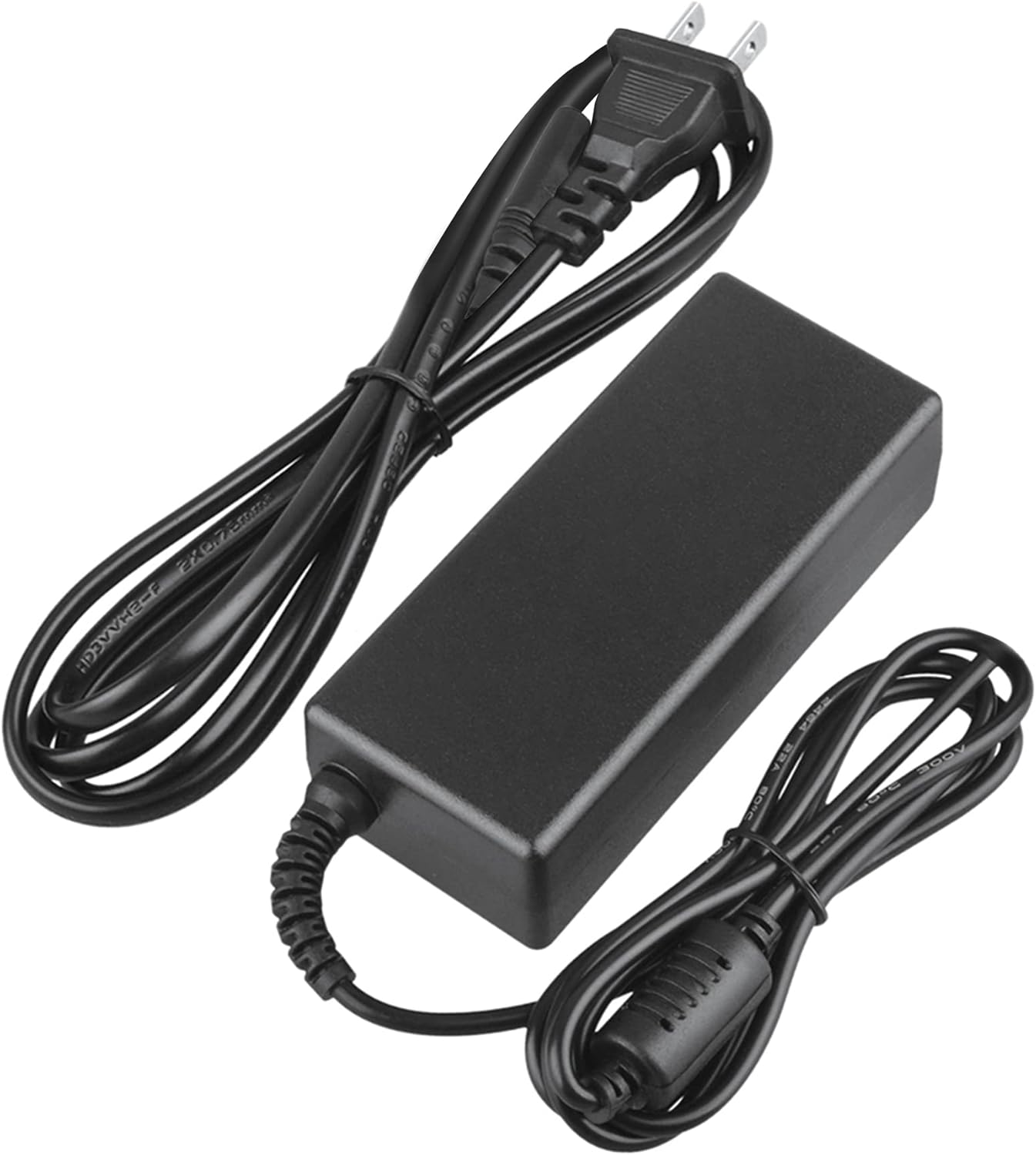
Image 2: Visual representation of the safety features, including overload, over voltage, over charge, over current, short circuit, and temperature protection.
7. استكشاف الأخطاء وإصلاحها
- الجهاز لا يشحن:
- Ensure the adapter is securely plugged into both the wall outlet and your device.
- تحقق من عمل مقبس الحائط عن طريق توصيل جهاز آخر.
- Verify that the adapter's output specifications are correct for your device.
- Inspect the adapter and cables for any visible damage.
- ارتفاع درجة حرارة المحول:
- تأكد من وضع المحول في منطقة جيدة التهوية وغير مغطاة.
- Disconnect the adapter and allow it to cool down before resuming use.
- إذا استمرت مشكلة ارتفاع درجة الحرارة، فتوقف عن الاستخدام واتصل بدعم العملاء.
- لا يوجد مؤشر طاقة على الجهاز:
- Confirm all connections are secure.
- Test with a different wall outlet.
- If possible, test the device with another compatible power source to rule out a device issue.
8. المواصفات
| يصف | مواصفة |
|---|---|
| رقم الموديل | CJP-Geek-PSA-20221025-CA227 |
| حجم الإدخالtage | 100-240 فولت تيار متردد، 50/60 هرتز |
| الناتج | Refer to device requirements for RP-PB054 RAVPower 20100mAh Portable Powerstation |
| أبعاد المنتج (الطول × العرض × الارتفاع) | 5 × 3 × 8 بوصة |
| وزن العنصر | 9 أونصات |
| طول كابل التيار المتردد | حوالي 47 بوصة (1.2 متر) |
| طول كابل التيار المستمر | حوالي 47 بوصة (1.2 متر) |
| Total Cable Length (approx.) | 7.87 feet (2.4 meters) including adapter body |

الصورة 3: تفصيلية view of the adapter's dimensions and features, including cable lengths and a 'Copper interface' for stable output.
9. الضمان والدعم
معلومات الضمان:
- ضمان استرداد الأموال خلال 30 يومًا
- 60 Days Free Exchange with Paid Return Label
- 2 Years Worry-Free Warranty
دعم العملاء:
For any product-related issues or inquiries, please contact CJP-Geek customer service. We are committed to assisting you in resolving any problems you may encounter. If the item is found to be defective within the 2-year warranty period, a replacement will be provided without the need to return the defective unit.