
المنتج انتهىview
The Tbest Winch Remote Control Kit is designed to provide convenient wireless operation for 12V and 24V winches on various vehicles, including trucks, ATVs, and SUVs. This kit enhances safety by allowing operators to control the winch from a distance, avoiding potentially hazardous rigging situations. It features a robust ABS shell for durability and water resistance, along with strong anti-interference capabilities for reliable performance.
The kit includes a receiver unit and two remote controls, offering a control range of approximately 75 feet (22.86 meters) thanks to its built-in antenna design.
تحديد
| ميزة | التفاصيل |
|---|---|
| ماركة | أفضل |
| ميزة خاصة | عالمي |
| لون | شائع |
| أقصى عدد من الأجهزة المدعومة | 1 |
| تكنولوجيا الاتصال | الأشعة تحت الحمراء |
| كمية الأزرار | 1 |
| الحد الأقصى للمدى | 22.86 متر (75 قدم) |
| نوع البطارية | أ27 |
| اسم الموديل | Winch Remote Control Kit |
| رقم الموديل | Tbest18b9ox45a01223 |
محتويات الحزمة
- 1 x Winch Remote Control Receiver Unit
- 2 x Wireless Remote Controls
- Necessary wiring and connectors
معلومات السلامة
Always prioritize safety when operating a winch. Read and understand all instructions before installation and use. Keep hands and clothing clear of the winch cable and fairlead. Ensure the winch is properly maintained and inspected before each use. Do not exceed the winch's rated capacity. Keep remote controls away from children.
الإعداد والتثبيت
This section outlines the general steps for installing your Tbest Winch Remote Control Kit. Professional installation is recommended if you are unfamiliar with vehicle electrical systems.
1. تحديد المكونات
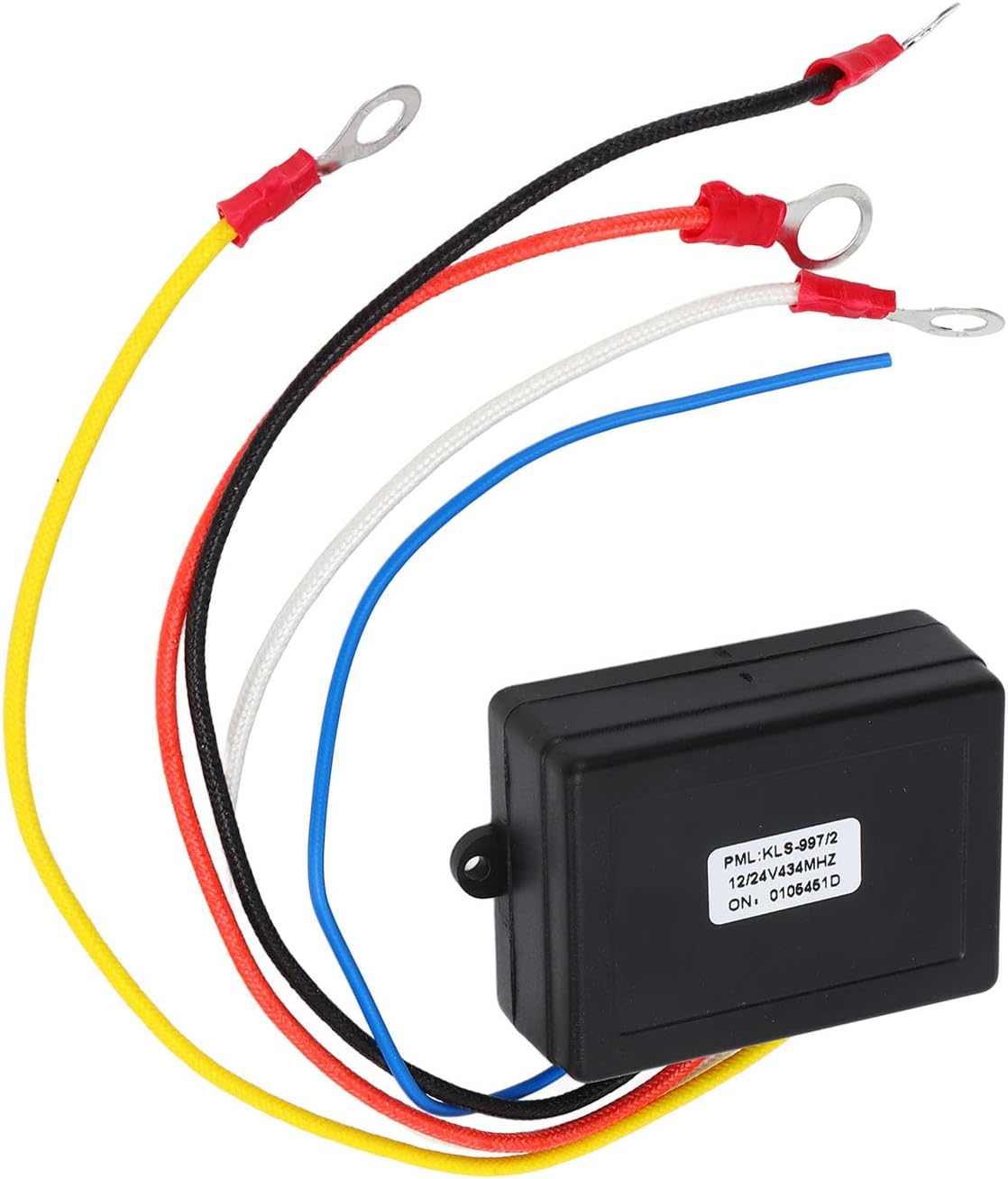
Familiarize yourself with the receiver unit, remote controls, and wiring. The receiver unit is typically a small black box with multiple colored wires.


2. Wiring Preparation
Prepare the wiring by crimping appropriate terminals onto the ends of the wires from the receiver unit. Ensure secure connections for optimal performance and safety.

3. التوصيلات الكهربائية
Connect the receiver unit to your winch's solenoid and vehicle's power source. Typically, the red wire connects to positive (+), black to negative (-), and the remaining wires to the winch solenoid's control terminals (e.g., for "In" and "Out" functions). Refer to your winch's specific wiring diagram for precise connections.
Video 1: This video demonstrates the process of preparing the wires and connecting the Tbest Winch Remote Control Kit to a winch solenoid on an ATV. It shows crimping terminals and securing connections.

تعليمات التشغيل
Once installed, the Tbest Winch Remote Control Kit allows for wireless operation of your winch.
1. وظائف التحكم عن بعد
The remote controls typically feature "IN" and "OUT" buttons to control the winch cable. Press and hold the "IN" button to retract the cable, and the "OUT" button to extend it.


2 نطاق التشغيل
The remote control has an operating range of approximately 75 feet (22.86 meters). Ensure you are within this range for reliable operation. Obstructions and electromagnetic interference may reduce the effective range.
3. احتياطات السلامة أثناء التشغيل
- Always maintain a safe distance from the winch and cable during operation.
- Ensure no one is in the path of the cable or the load being moved.
- Avoid operating the winch in extreme weather conditions that may affect visibility or traction.
- Do not use the remote control if it appears damaged or is not functioning correctly.
صيانة
- وحدة الاستقبال: The receiver unit is housed in an ABS shell designed for water resistance. However, avoid submerging it in water. Regularly inspect the unit and its connections for any signs of damage or corrosion.
- أجهزة التحكم عن بعد: Keep the remote controls dry and clean. Replace the A27 battery as needed. If a remote stops functioning correctly after a battery change, ensure the battery is inserted with correct polarity and the contacts are clean.
- التوصيلات الكهربائية: Periodically check all wiring connections for tightness and signs of wear or damage. Loose connections can lead to intermittent operation or electrical issues.
- تخزين: When not in use for extended periods, store the kit in a dry, cool place.
استكشاف الأخطاء وإصلاحها
| مشكلة | السبب المحتمل | حل |
|---|---|---|
| Winch does not respond to remote. |
|
|
| عملية متقطعة. |
|
|
| Remote buttons not working properly after battery change. |
|
|
الضمان والدعم
For warranty information or technical support, please contact Tbest customer service through the retailer where the product was purchased. Keep your purchase receipt as proof of purchase.