مقدمة
Thank you for choosing Boean B10 Wireless Earbuds. This manual provides essential instructions for setting up, operating, and maintaining your earbuds to ensure optimal performance and longevity. Please read this manual thoroughly before use and retain it for future reference.
المنتج انتهىview
The Boean B10 earbuds are designed for a superior audio experience with advanced features and a comfortable fit.
المميزات الرئيسية:
- Stereo Spatial Sound: Equipped with 6mm speaker drivers for deep bass and immersive 3D sound.
- بلوتوث شنومكس: Ensures a fast, stable, and efficient wireless connection.
- Physical Button Control: Provides accurate control for various functions, avoiding accidental touches.
- IPX8 مقاوم للماء: Resistant to sweat, rain, and submersion up to 1.2 meters for 30 minutes.
- وقت اللعب الممتد: Up to 10 hours on a single charge, and up to 46 hours total with the charging case.
- تصميم خفيف الوزن: Mini compact and concealed for comfortable, burden-free listening.
محتويات الحزمة:
- Boean B10 Wireless Earbuds (Left and Right)
- حافظة الشحن
- كابل شحن USB-C
- أحجام متعددة من أطراف الأذن المصنوعة من السيليكون
- دليل المستخدم
يثبت
1. شحن سماعات الأذن والعلبة
قبل الاستخدام الأول، قم بشحن سماعات الأذن وعلبة الشحن بالكامل.

The charging case supports both wired USB-C and wireless charging methods. Earbuds provide up to 10 hours of playtime, with the case extending total playtime to 46 hours.
- الشحن السلكي: Connect the provided USB-C cable to the charging port on the case and to a USB power adapter (not included). The indicator lights on the case will show charging status.
- الشحن اللاسلكي: Place the charging case on a compatible wireless charging pad. Ensure the case is centered on the pad for efficient charging.
- شحن سماعة الأذن: Place the earbuds into the charging case. They will automatically begin charging. The charging time for the case is approximately 2 hours.

The charging case can be recharged using the included USB-C cable or a compatible wireless charging pad.
2. الاقتران بجهازك
تتميز سماعات الأذن بخاصية الاقتران بخطوة واحدة لتوفير الراحة.
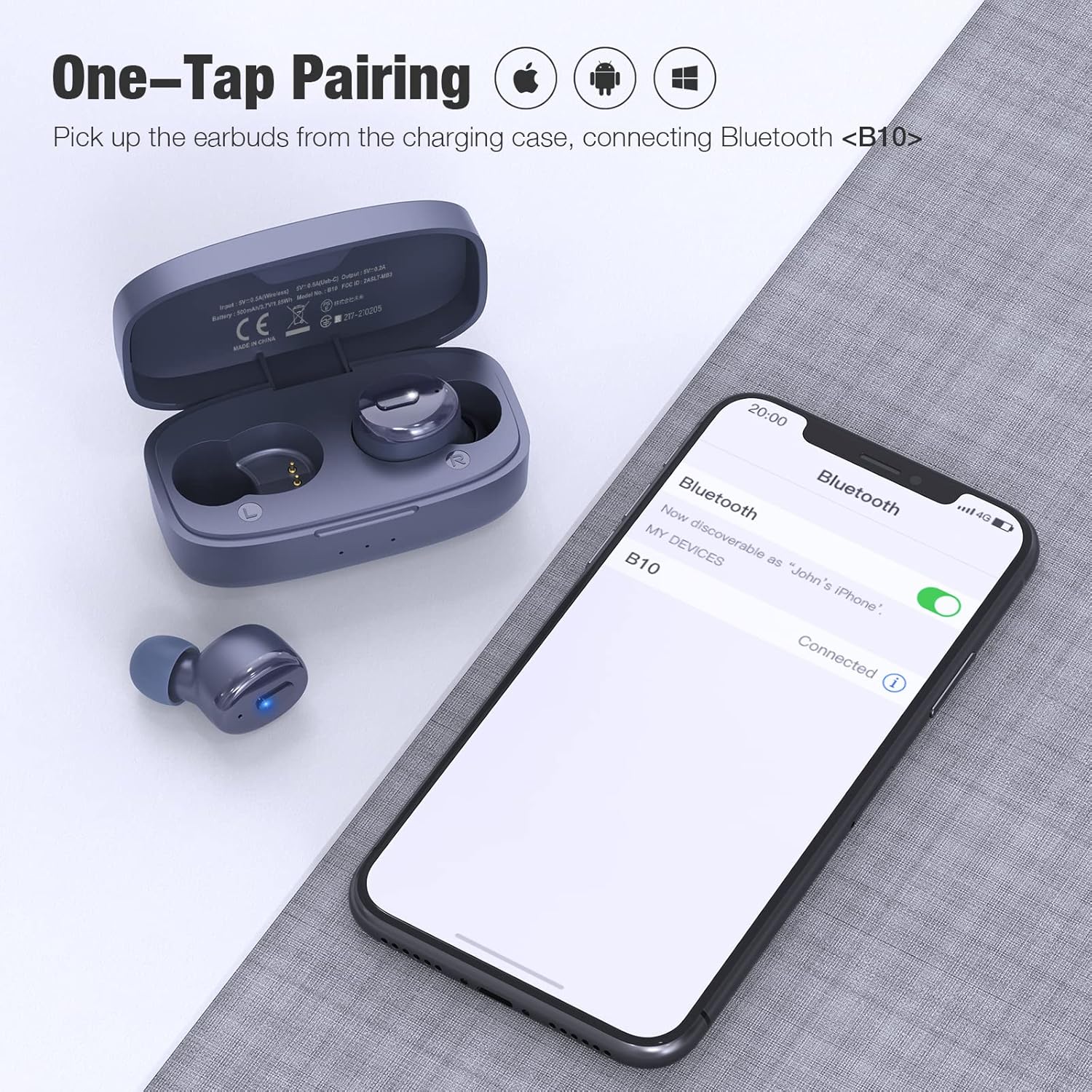
One-step pairing allows for quick connection. Simply remove the earbuds from the charging case, and they will enter pairing mode, appearing as 'B10' on your device's Bluetooth list.
- تأكد من تشغيل البلوتوث على جهازك.
- افتح علبة الشحن وأخرج سماعتي الأذن. سيتم تشغيلهما تلقائيًا ودخول وضع الاقتران.
- On your device, search for Bluetooth devices and select "B10" from the list.
- بمجرد الاتصال، سوف تسمع نغمة تأكيد، وستكون سماعات الأذن جاهزة للاستخدام.

Equipped with Bluetooth 5.3 technology for a stable and efficient wireless connection.
3. ارتداء سماعات الأذن
يُعدّ المقاس المناسب أمراً بالغ الأهمية للراحة وجودة الصوت.

The ergonomic design ensures a secure and comfortable fit for extended wear.
- Choose the ear tips that best fit your ear canal from the included selection. A good seal enhances bass and noise isolation.
- Insert the earbud gently into your ear.
- Rotate the earbud slightly until it feels secure and comfortable. The indicator light should face downwards.

Select the ear tips that provide the most comfortable and secure fit for optimal sound and noise isolation.
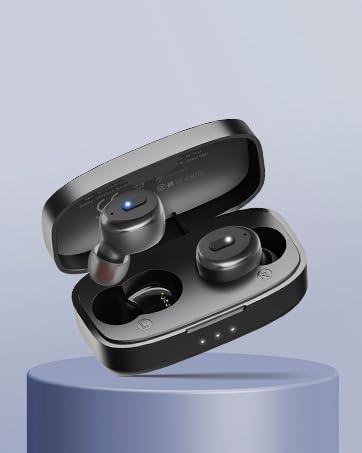
Insert the earbud gently into your ear and rotate slightly to ensure a snug and stable fit.
تعليمات التشغيل
ضوابط الزر:
The Boean B10 earbuds feature physical buttons for precise control. Refer to the diagram below for specific functions:

The physical button on each earbud allows for precise control over music playback, call management, and activating your device's voice assistant.
| فعل | سماعة الأذن اليسرى | سماعة الأذن اليمنى |
|---|---|---|
| تشغيل/إيقاف مؤقت | اضغط 1x | اضغط 1x |
| الأغنية السابقة | اضغط 2x | غير متاح |
| الأغنية التالية | غير متاح | اضغط 2x |
| خفض الصوت | يمسك | غير متاح |
| رفع الصوت | غير متاح | يمسك |
| الرد على المكالمة/إنهائها | اضغط 1x | اضغط 1x |
| Reject/Cancel Call | يمسك | يمسك |
| تفعيل المساعد الصوتي (Siri/Google Assistant) | اضغط 3x | اضغط 3x |

The Boean B10 earbuds utilize physical buttons for reliable and precise control, avoiding accidental touches.
تشغيل/إيقاف التشغيل:
- تشغيل الطاقة: أخرج سماعات الأذن من علبة الشحن. سيتم تشغيلها تلقائياً.
- إيقاف التشغيل: أعد وضع سماعات الأذن في علبة الشحن. سيتم إيقاف تشغيلها تلقائيًا وستبدأ عملية الشحن.
وضع ياربود واحد:
Either earbud can be used independently. Simply remove one earbud from the case, and it will connect to your device. The other earbud can remain in the case or be used later for stereo mode.
صيانة
تنظيف:
- قم بتنظيف سماعات الأذن وعلبة الشحن بانتظام باستخدام قطعة قماش ناعمة وجافة وخالية من الوبر.
- قم بإزالة أطراف الأذن ونظفها بالصابون المعتدل والماء، ثم جففها جيدًا قبل إعادة تركيبها.
- استخدم قطعة قطن أو فرشاة صغيرة وناعمة لتنظيف نقاط التلامس الخاصة بالشحن على كل من سماعات الأذن والعلبة برفق.
- تجنب استخدام المواد الكاشطة أو الكحول أو المنظفات الكيميائية.
مقاومة الماء (IPX8):

With an IPX8 waterproof rating, these earbuds are resistant to sweat, rain, and can withstand submersion up to 1.2 meters for 30 minutes.
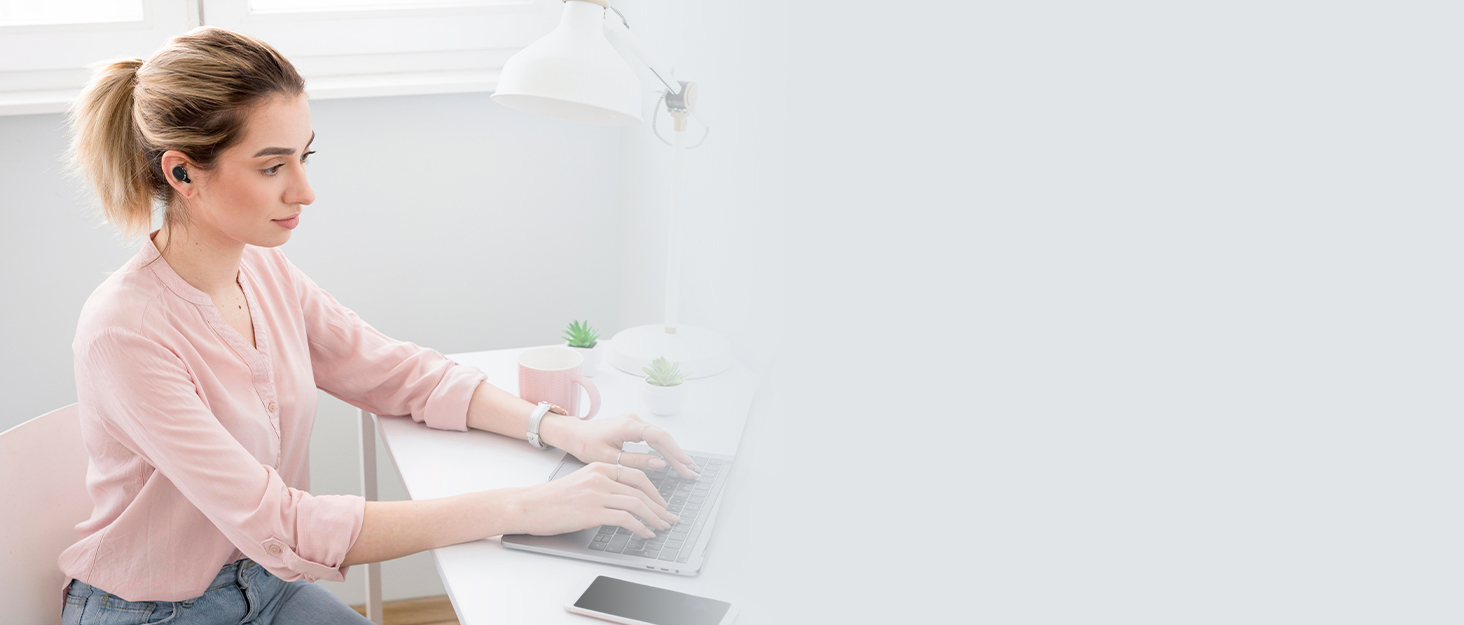
The IPX8 rating ensures the earbuds are protected against water ingress during workouts or in rainy conditions.
The earbuds are IPX8 waterproof, making them suitable for workouts and use in light rain. However, they are not designed for swimming or prolonged submersion. Ensure the earbuds are dry before placing them back in the charging case to prevent damage.
تخزين:
When not in use, store the earbuds in their charging case to protect them from dust, damage, and to keep them charged. Store the case in a cool, dry place away from extreme temperatures.
استكشاف الأخطاء وإصلاحها
If you encounter any issues with your Boean B10 earbuds, please refer to the following common solutions:
- لا يوجد صوت/مستوى صوت منخفض:
- تأكد من إقران سماعات الأذن وتوصيلها بجهازك بشكل صحيح.
- تحقق من مستويات الصوت على كل من جهازك وسماعات الأذن.
- Clean any debris from the earbud speakers and ensure ear tips are correctly seated.
- سماعات الأذن لا تقترن:
- تأكد من إخراج كلتا السماعتين من علبة الشحن.
- قم بإيقاف تشغيل البلوتوث على جهازك، ثم قم بتشغيله مرة أخرى.
- Forget "B10" from your device's Bluetooth list and attempt to pair again.
- Ensure earbuds and charging case have sufficient battery.
- مشاكل الشحن:
- تأكد من توصيل كابل الشحن بشكل آمن بكل من العلبة ومصدر الطاقة.
- تأكد من أن مصدر الطاقة نشط.
- قم بتنظيف نقاط اتصال الشحن الموجودة على سماعات الأذن وداخل العلبة.
- في حالة استخدام الشحن اللاسلكي، تأكد من وضع الغطاء بشكل صحيح على لوحة الشحن.
- اتصال متقطع:
- Ensure you are within the Bluetooth range (up to 10 meters) of your device.
- تجنب وجود عوائق بين سماعات الأذن وجهازك قد تتداخل مع الإشارة.
- تقليل التداخل من الأجهزة اللاسلكية الأخرى.
إذا لم تنجح هذه الخطوات في حل المشكلة، فيرجى الاتصال بدعم العملاء.
تحديد
| ميزة | التفاصيل |
|---|---|
| اسم الموديل | ب10 |
| تكنولوجيا الاتصال | بلوتوث 5.3 |
| تكنولوجيا الاتصالات اللاسلكية | بلوتوث |
| المكونات المضمنة | حافظة الشحن |
| مستوى مقاومة الماء | مقاومة للماء بدرجة IPX8 |
| طريقة التحكم | زر |
| عمر البطارية (سماعات الأذن) | تصل إلى 10 ساعات (بحجم 50٪) |
| عمر البطارية (الإجمالي مع العلبة) | حتى ساعتين |
| وقت الاتصال | حتى ساعتين |
| وقت الشحن | ساعتان (قضية) |
| نوع برنامج تشغيل الصوت | سائق ديناميكي |
| حجم برنامج تشغيل الصوت | 6 مليمتر |
| مدى البلوتوث | 10 مترا |
| شكل سماعة الأذن | داخل الأذن |
| ميزات التحكم في الضوضاء | Passive Noise Control, Sound Isolation |
| المميزات الخاصة | Fast Charging, Microphone Included, Waterproof |
| أبعاد المنتج | 1.04 × 0.99 × 0.64 بوصة |
| وزن العنصر | 3.52 أونصات |

Features a 6mm dynamic speaker driver for powerful deep bass and clear audio.
معلومات السلامة
- حماية السمع: تجنب الاستماع إلى مستويات صوت عالية لفترات طويلة لمنع تلف السمع.
- سلامة القيادة: Do not use earbuds while driving or cycling in situations where it could distract you or pose a hazard.
- خطر الاختناق: Keep earbuds and small parts away from children and pets.
- العناية بالبطارية: Do not attempt to replace the battery yourself. Do not expose the product to extreme temperatures, direct sunlight, or fire.
- تصرف: Dispose of the product and its battery according to local regulations. Do not dispose of with household waste.
الضمان والدعم
Boean B10 Wireless Earbuds come with a standard manufacturer's warranty. Please refer to the warranty card included in your product packaging or visit the official Boean webالموقع للحصول على شروط وأحكام الضمان التفصيلية.
For technical support, troubleshooting assistance, or any other inquiries, please contact Boean customer service through the contact information provided with your purchase or on the official Boean webموقع.