
مقدمة
Thank you for choosing the LAMA Kids Smartwatch. This manual provides essential information for the safe and efficient use of your device. Please read it carefully before use and retain it for future reference.
يثبت
1. شحن الساعة الذكية
Before first use, fully charge the smartwatch. Use the provided magnetic charging cable. Connect the magnetic end to the charging points on the back of the watch and the USB end to a standard USB power adapter (not included).
- تستغرق الشحنة الكاملة حوالي 2 ساعات.
- A fully charged watch provides 5-7 days of battery life, depending on usage.
- Avoid prolonged use or high brightness settings, as this may reduce battery life.
2. تثبيت التطبيق وإقرانه
The LAMA Kids Smartwatch requires the فيت كلاود برو application for full functionality. The app is compatible with smartphones running Android 4.4 or higher, or iOS 8.0 or higher. It is not compatible with PCs, iPads, or other tablets.
- تنزيل فيت كلاود برو التطبيق من متجر تطبيقات هاتفك الذكي (متجر جوجل بلاي لنظام أندرويد، ومتجر تطبيقات أبل لنظام iOS).
- تأكد من تمكين Bluetooth على هاتفك الذكي.
- افتح فيت كلاود برو app and follow the on-screen instructions to create an account or log in.
- Within the app, navigate to the device pairing section and search for your LAMA Kids Smartwatch.
- Select your smartwatch from the list of available devices to complete the pairing process.
تعليمات التشغيل
1. التنقل الأساسي
The smartwatch features a 1.4-inch touchscreen display. Swipe left, right, up, or down to navigate through menus and functions. Tap to select an option.
2. Activity Tracking and Sport Modes
The watch tracks daily activity including steps, distance, and calories burned. It also offers 20 dedicated sport modes for more precise tracking.

Image: The LAMA Kids Smartwatch showing its activity tracking capabilities, including steps, time, and heart rate, designed to keep children motivated.
To access sport modes:
- Swipe on the watch face to find the "Sport Modes" icon.
- اضغط على الرمز لـ view the list of 20 available activities (e.g., running, walking, cycling, swimming, yoga, basketball, volleyball, football, rowing).
- Select your desired sport mode to start tracking. The watch will display real-time data such as duration, heart rate, distance, calories, and steps.

Image: The smartwatch interface displaying various sport mode icons, illustrating its capability to track 20 different physical activities for children.
3. رصد معدل ضربات القلب
The smartwatch continuously monitors your child's heart rate throughout the day.
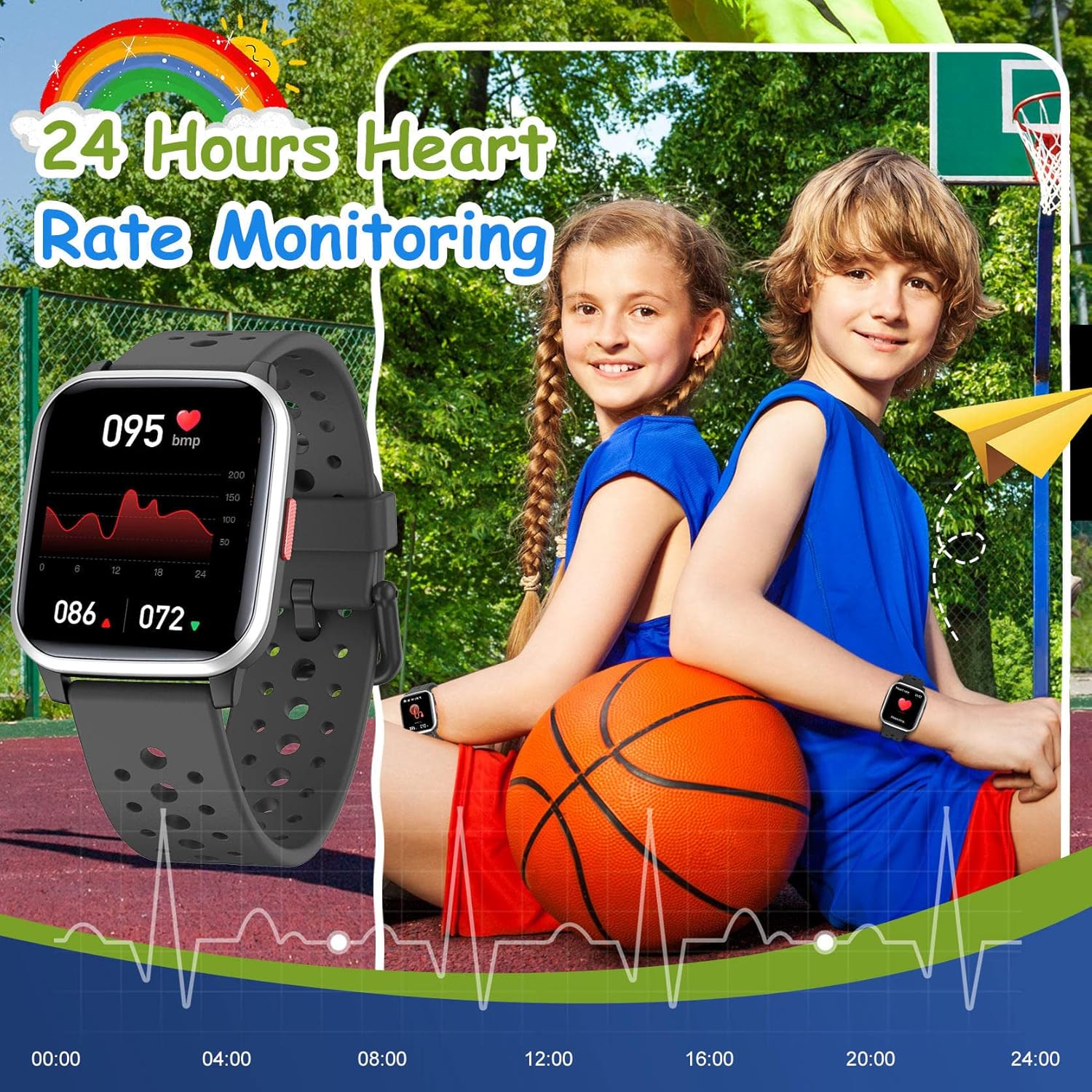
Image: The smartwatch screen showing a detailed 24-hour heart rate monitoring graph, indicating the device's health tracking feature.
ل view heart rate data:
- Swipe to the heart rate monitoring screen on the watch.
- For detailed historical data and trends, open the فيت كلاود برو تطبيق على هاتفك الذكي.
4. تتبع النوم
The smartwatch automatically tracks your child's sleep quality at night. This includes sleep duration and patterns.
- Sleep data can be viewed in detail within the فيت كلاود برو برنامج.
5. الإشعارات الذكية
Receive notifications for SMS, calls, and messages from various applications directly on your smartwatch when paired with your smartphone.
- Supported apps include Facebook, Twitter, WhatsApp, Messenger, Instagram, Snapchat, Skype, and Gmail.
- The watch will vibrate to alert you to new messages or missed calls, even if your phone is on silent.
- Enable notification permissions for the فيت كلاود برو app on your smartphone to ensure proper functionality.
6. المنبه
Set vibrating alarms through the فيت كلاود برو برنامج.
- In the app, navigate to the alarm settings, set the time, and select a reminder icon.
- The vibrating alarm can wake your child without disturbing others.
7. الألعاب
The smartwatch includes 5 classic puzzle games designed to help develop logical thinking skills.

Image: The smartwatch showing one of its five classic puzzle games, designed to engage children and develop their logical thinking abilities.
To play games:
- Swipe on the watch face to find the "Games" icon.
- Tap to select and choose from the available puzzle games.
8. تخصيص واجهات الساعة
Personalize the smartwatch with various dynamic watch faces.
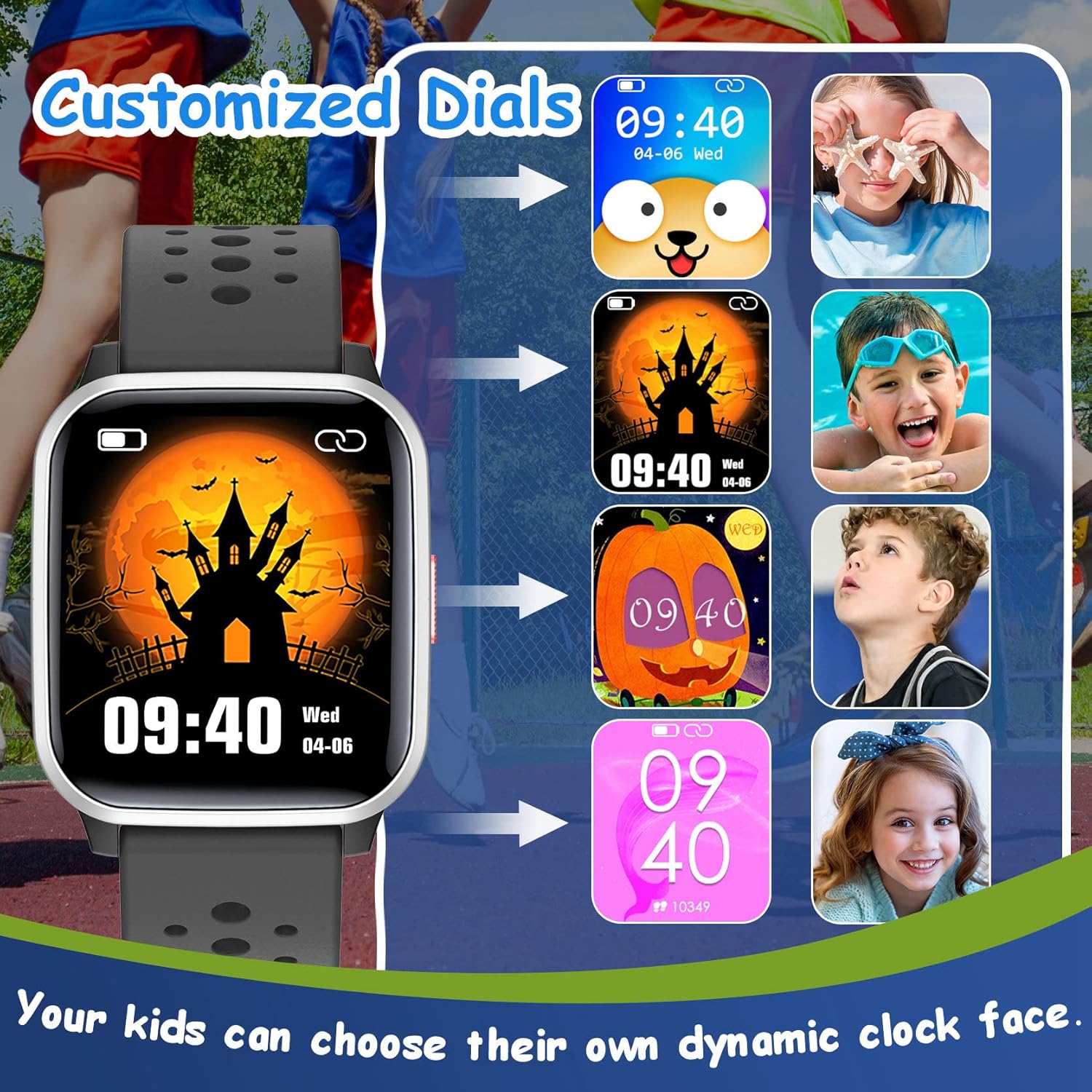
Image: A selection of customizable watch faces for the LAMA Kids Smartwatch, allowing children to choose their preferred display style.
لتغيير وجه الساعة:
- Long-press on the current watch face on the smartwatch.
- Swipe left or right to browse through available watch faces and tap to select.
- More options may be available through the فيت كلاود برو برنامج.
9. وظائف أخرى
- تذكير بالخمول: Set reminders in the app to encourage movement after periods of inactivity.
- التحكم بالكاميرا: Use the smartwatch as a remote shutter for your smartphone camera via the app.
- ساعة التوقيف: Access the stopwatch function directly on the watch for timing activities.
- الوظيفة الأنثوية: The watch includes a feature to record menstruation cycles, accessible through the app.
صيانة
1. التنظيف
- امسح شاشة الساعة وحزامها بانتظام بقطعة قماش ناعمة.amp قطعة قماش.
- تجنب استخدام المواد الكيميائية القاسية أو المواد الكاشطة، لأنها قد تتلف الجهاز.
- تأكد من أن جهات اتصال الشحن نظيفة وجافة قبل الشحن.
2. مقاومة الماء (IP68)
The LAMA Kids Smartwatch is IP68 waterproof, meaning it is resistant to dust and can withstand immersion in water up to 1.5 meters for up to 30 minutes. This makes it suitable for activities like swimming, hand washing, and use in rain.

Image: The smartwatch highlighting its IP68 waterproof rating, suitable for various water activities such as swimming and hand washing.
- Do not use the watch in hot water, saunas, or steam rooms, as high temperatures can compromise the seal.
- تجنب الضغط على الأزرار تحت الماء.
- Rinse the watch with fresh water after exposure to salt water or chlorinated water and dry thoroughly.
3. العناية بالبطارية
- لإطالة عمر البطارية، تجنب تفريغ البطارية بالكامل بشكل متكرر.
- قم بتخزين الساعة في مكان بارد وجاف عندما لا تكون قيد الاستخدام لفترات طويلة.
- استخدم فقط كابل الشحن المرفق.
استكشاف الأخطاء وإصلاحها
الساعة لا تعمل:
- تأكد من شحن الساعة بالكامل. وصلها بالشاحن لمدة 30 دقيقة على الأقل.
- اضغط مع الاستمرار على زر الطاقة لمدة 10-15 ثانية لمحاولة إعادة التشغيل القسري.
لا يمكن الاقتران بالهاتف الذكي:
- تأكد من تمكين البلوتوث على هاتفك الذكي.
- Ensure the smartwatch is sufficiently charged.
- Confirm that you are using the correct app: فيت كلاود برو.
- أعد تشغيل كل من هاتفك الذكي وساعتك الذكية.
- حاول إلغاء إقران أي أجهزة متصلة مسبقًا من إعدادات البلوتوث في هاتفك.
- Ensure your smartphone meets the minimum OS requirements (Android 4.4+ or iOS 8.0+).
عدم ظهور الإشعارات:
- Check that the watch is successfully paired with your smartphone.
- Verify that notification permissions are granted for the فيت كلاود برو app in your smartphone's settings.
- Ensure notifications are enabled for specific apps within the فيت كلاود برو إعدادات التطبيق.
- Confirm that your phone's "Do Not Disturb" mode is not active.
بيانات النشاط غير الدقيقة:
- Ensure the watch is worn snugly on the wrist, not too loose or too tight.
- Calibrate the watch's step tracking if an option is available in the app.
- Movement patterns can sometimes affect accuracy; ensure natural arm swings for step counting.
تحديد
| ماركة | لاما |
| نموذج | ساعة ذكية للأطفال |
| لون | أسود |
| حجم الشاشة | 1.4 بوصة |
| نظام التشغيل | أندرويد، آي أو إس |
| الاتصال | بلوتوث |
| مقاومة الماء | IP68 |
| نوع البطارية | ليثيوم بوليمر |
| عمر البطارية | 5-7 يومًا (الاستخدام النموذجي) |
| وقت الشحن | حوالي 2 ساعات |
| تطبيق متوافق | فيت كلاود برو |
| المميزات الخاصة | Heart rate monitor, activity tracking, 20 sport modes, sleep tracking, smart notifications, alarm clock, games, camera control, stopwatch, sedentary reminder, female function. |
الضمان والدعم
For warranty information and customer support, please refer to the documentation included with your purchase or contact the retailer where the product was acquired. You may also visit the official LAMA webالموقع للحصول على مزيد من المساعدة.