
1. المقدمة
شكرا لك على الشراءasing the BYINTEK R17 Pro Portable Smart 3D DLP Projector. This manual provides essential information for safe and effective use of your device. Please read it thoroughly before operation and retain it for future reference.
The BYINTEK R17 Pro is a versatile portable projector featuring Android 9.0 OS, 4K decoding support, 3D capabilities, and a built-in battery, making it ideal for various entertainment and presentation needs. It also supports multiple languages including English, Russian, Arabic, Korean, Japanese, French, German, Italian, Spanish, Chinese, Vietnamese, Polish, and Traditional Chinese.
2. معلومات السلامة
- لا تنظر مباشرة إلى عدسة جهاز العرض عندما يكون الضوءamp هو على.
- Keep the projector away from water or other liquids to prevent electric shock.
- لا تسد فتحات التهوية لتجنب ارتفاع درجة الحرارة.
- استخدم فقط محول الطاقة الذي توفره الشركة المصنعة.
- تجنب وضع جهاز العرض على الأسطح غير المستقرة.
- لا تحاول تفكيك جهاز العرض أو إصلاحه بنفسك. اتصل بفنيي الصيانة المؤهلين.
- قم بتخزين جهاز العرض في مكان بارد وجاف عندما لا يكون قيد الاستخدام.
3. محتويات العبوة
يرجى التحقق من محتويات العبوة عند فتحها للتأكد من وجود جميع العناصر:
- BYINTEK R17 Pro Projector
- محول الطاقة
- جهاز التحكم عن بعد
- دليل المستخدم (هذا المستند)
- كابل HDMI (قد يختلف حسب المنطقة)

الصورة: جانب مفصل view of the BYINTEK R17 Pro projector, highlighting its compact and portable design.
4. دليل الإعداد
4.1 تشغيل/إيقاف التشغيل
- توصيل الطاقة: Plug the power adapter into the projector's DC input port and then into a power outlet.
- تشغيل الطاقة: اضغط على زر التشغيل في جهاز العرض أو جهاز التحكم عن بعد. سيضيء مؤشر الضوء.
- إيقاف التشغيل: اضغط على زر التشغيل مرة أخرى. أكد إيقاف التشغيل إذا طُلب منك ذلك.
4.2 الوضع والإسقاط
Position the projector on a stable, flat surface. Ensure there are no obstructions in front of the lens. The ideal projection distance ranges from 1 to 8 meters, producing a screen size of 30 to 300 inches.
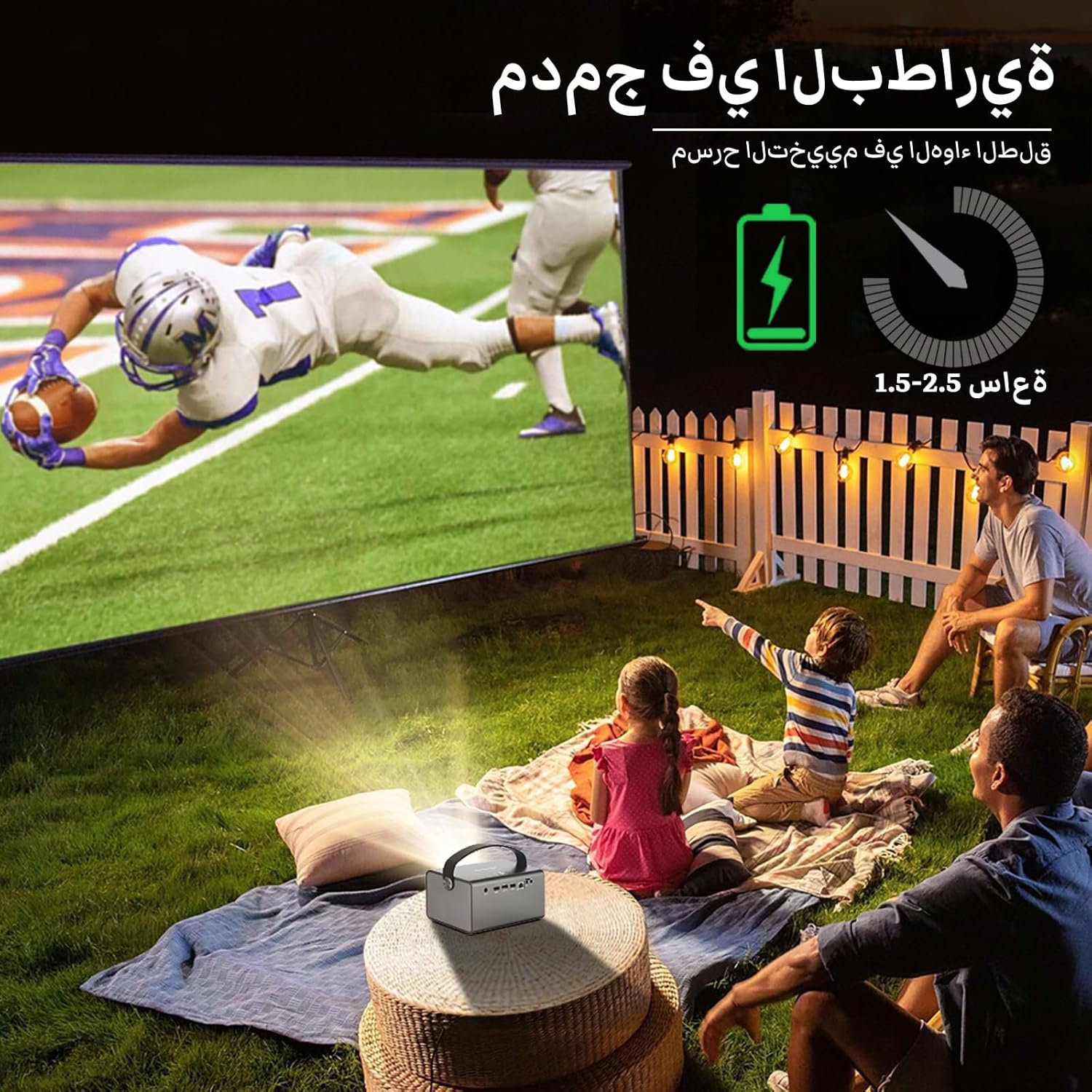
Image: The BYINTEK R17 Pro projector in an outdoor setting, demonstrating its portable use for entertainment. The image shows a football game projected onto a large screen, with people watching comfortably. This highlights the projector's battery life and suitability for outdoor events.
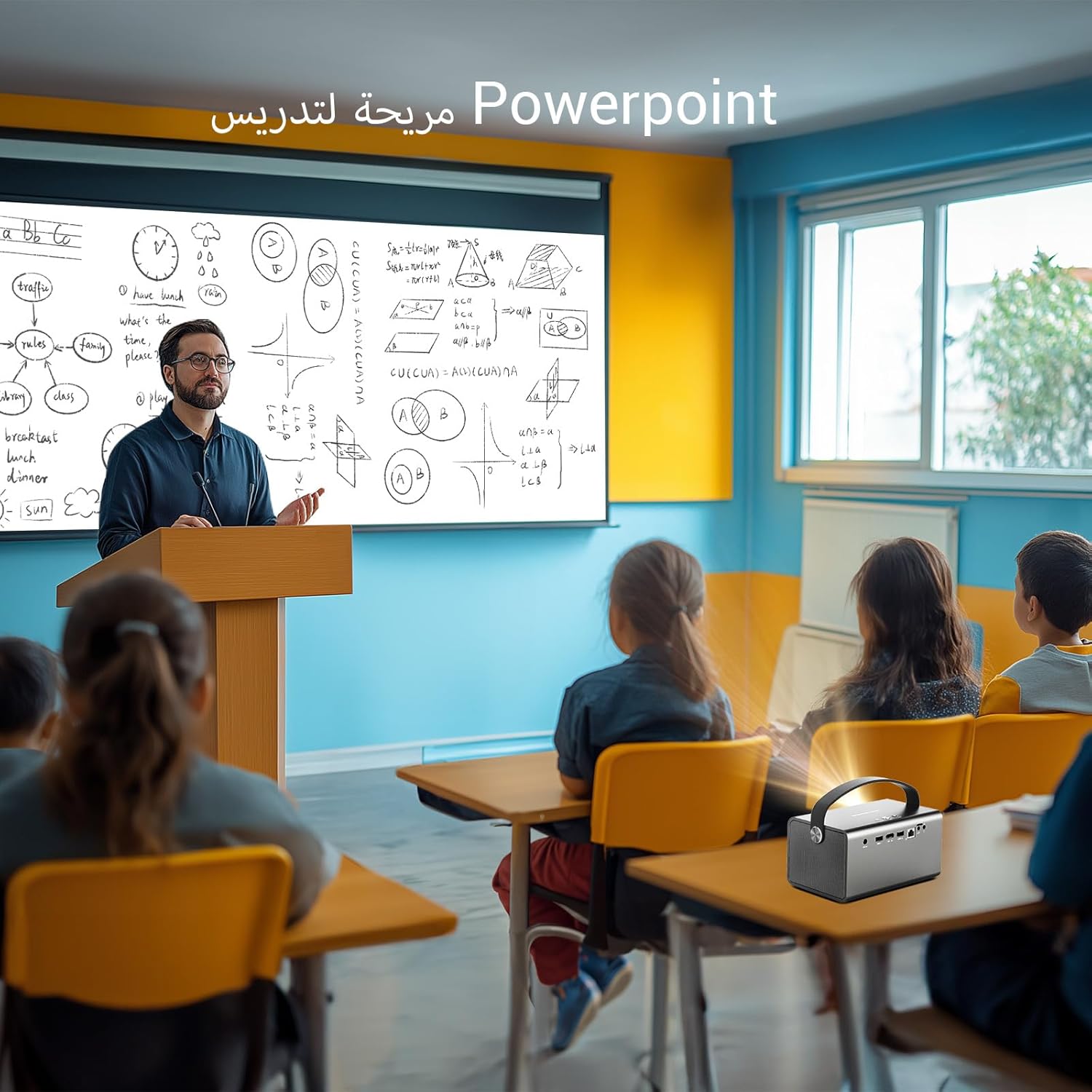
Image: The BYINTEK R17 Pro projector being used in a classroom to display a PowerPoint presentation. This illustrates its utility for educational purposes and presentations in various environments.
4.3 التركيز وتصحيح الانحراف
- التركيز الكهربائي: Use the remote control to adjust the focus until the image is clear.
- تصحيح الانحراف التلقائي: The projector supports automatic vertical keystone correction.
- تصحيح الانحراف اليدوي: For side projections or specific adjustments, use the manual keystone correction feature via the settings menu. This includes corner keystone correction.
5. التشغيل
5.1 التنقل في نظام أندرويد 9.0
The BYINTEK R17 Pro runs on Android 9.0, providing a smart interface. Use the remote control or a connected air mouse to navigate through menus, launch applications, and adjust settings.
- الشاشة الرئيسية: Access pre-installed apps and system settings.
- متجر التطبيقات: Download additional applications for streaming, productivity, or gaming.
- إعدادات: Configure Wi-Fi, Bluetooth, display, sound, and other system preferences.
5.2 تشغيل الوسائط
The projector supports various media formats and sources:
- تخزين يو اس بي: Connect a USB drive or SSD (up to 32GB) to play videos, music, or view الصور.
- الجري عبر الإنترنت: Use pre-installed or downloaded streaming apps via Wi-Fi.
- محتوى ثلاثي الأبعاد: The projector supports Blu-ray 3D. Ensure your 3D content and glasses are compatible.

Image: A couple enjoying a Blu-ray 3D movie projected by the BYINTEK R17 Pro. The image showcases the projector's ability to display immersive 3D content with vivid colors.
5.3 Screen Mirroring (Wi-Fi Display)
Mirror your smartphone, tablet, or computer screen wirelessly to the projector using Airplay, Miracast, or DLNA (Eshare app is pre-installed).
- Ensure both your device and the projector are connected to the same Wi-Fi network.
- Open the Eshare app on the projector.
- On your mobile device, activate screen mirroring (e.g., Airplay for iOS, Smart View/Screen Cast for Android).
- حدد جهاز العرض من قائمة الأجهزة المتوفرة.

Image: The BYINTEK R17 Pro projector wirelessly displaying a racing game from a smartphone. This demonstrates the screen mirroring feature for gaming and mobile content.
6. الاتصال
The BYINTEK R17 Pro offers multiple connectivity options:
- HDMI 2.0: Connect external devices like game consoles (e.g., PS4), computers, Blu-ray players, or TV boxes. Supports up to 4K input.
- USB 2.0 / USB 3.0: For connecting USB storage devices, external mice, game controllers, or 2.4GHz air mice.
- الصوت خارج: قم بتوصيل مكبرات الصوت الخارجية أو سماعات الرأس للحصول على صوت محسّن.
- واي فاي (2.4 جيجاهرتز/5 جيجاهرتز): For internet access and wireless screen mirroring.
- بلوتوث شنومكس: For connecting Bluetooth speakers, headphones, or other compatible accessories.
7. الصيانة
7.1 تنظيف العدسة
استخدم قطعة قماش ناعمة وخالية من الوبر مصممة خصيصًا للعدسات البصرية. تجنب استخدام المنظفات الكاشطة أو الضغط المفرط، فقد يؤدي ذلك إلى خدش العدسة.
7.2 تنظيف جسم جهاز العرض
Wipe the exterior of the projector with a soft, dry cloth. Avoid using chemical cleaners that may damage the finish.
7.3 التخزين
When not in use for extended periods, store the projector in its original packaging or a protective case in a cool, dry, dust-free environment.
8. استكشاف الأخطاء وإصلاحها
| مشكلة | السبب المحتمل | حل |
|---|---|---|
| لا توجد صورة معروضة | Power not connected; input source incorrect; lens cap on. | Check power connection; select correct input source (HDMI, USB, etc.); remove lens cap. |
| الصورة ضبابية | Focus not adjusted; projector too far/close. | Adjust electric focus using the remote; reposition the projector within optimal distance. |
| الصورة مشوهة (شكل شبه منحرف) | يلزم إجراء تصحيح لخط الأساس. | Use auto or manual keystone correction in settings. |
| لا يوجد صوت | Volume too low; external speakers not connected/configured; audio output muted. | Increase volume; check external speaker connection; unmute audio. |
| مشاكل اتصال Wi-Fi | كلمة مرور غير صحيحة؛ خارج النطاق؛ مشاكل في جهاز التوجيه. | Verify password; move closer to router; restart router and projector. |
| توقف جهاز العرض عن العمل بشكل غير متوقع | ارتفاع درجة الحرارة؛ انخفاض مستوى البطارية. | Ensure ventilation is clear; charge the battery or connect to power. |
9. المواصفات
| ميزة | التفاصيل |
|---|---|
| ماركة | بايينتك |
| نموذج | ار17 برو |
| محرك خفيف | TI 0.47 inch DMD WVGA |
| مصدر الضوء | OSRAM RGB 3LED |
| ضوء الحياة | 50,000 ساعات |
| سطوع | شموم شمعة أنسي |
| نسبة التباين | 10,000:1 |
| الدقة الأصلية | 1280 x 800 (supports up to 4K input) |
| نسبة العرض إلى الارتفاع | 16: 10 / 16: 9 / 4: 3 |
| خارج المحور | 100% |
| نسبة الرمي | 1.2:1 |
| حجم العرض | 30 - 300 بوصة |
| مسافة الإسقاط | 1 - 8 مترًا |
| وضع التركيز | Electric Motor Focus |
| تكبير | Remote Electric Zoom |
| تصحيح الانحراف | Auto/Manual Vertical, Manual Corner |
| نظام التشغيل | أندرويد 9.0 |
| وحدة المعالجة المركزية | MTK Contex A53 Quad-core |
| وحدة معالجة الرسوميات | مالي-G52 |
| كبش | 2 جيجا بايت DDR3 |
| ذاكرة للقراءة فقط | 32 جيجابايت إي إم إم سي |
| واي فاي | نطاق مزدوج 2.4 جيجاهرتز / 5 جيجاهرتز |
| بلوتوث | بلوتوث 5.0 |
| شاشة واي فاي | Airplay, Miracast, DLNA (Eshare pre-installed) |
| بطارية | Built-in 11.1V 5200mAh (15600mAh equivalent) Lithium-ion, 1.5-2.5 hours life |
| المتحدثون | 2 × 5 واط مكبرات صوت ستيريو |
| منافذ الإدخال | HDMI 2.0 (supports 4K input), USB 2.0, USB 3.0 |
| منافذ الإخراج | مخرج الصوت |
| أبعاد المنتج | 19.3 × 12.3 × 10 سم |
| وزن العنصر | 2.34 كجم |
| المميزات الخاصة | Auto Focus, Built-in Wi-Fi Receiver, Built-in 3D Display, Portable, Built-in Speaker |
10. الضمان والدعم
BYINTEK products come with a standard manufacturer's warranty. Please refer to the warranty card included in your package for specific terms and conditions. For technical support, service, or warranty claims, please contact BYINTEK customer service or visit the official BYINTEK webموقع.
BYINTEK has a service center in Saudi Arabia to provide professional after-sales service. For more information, please visit the BYINTEK Store on Amazon.