
1. المقدمة
Thank you for choosing the Speaka Professional SP-TMS-200 Monitor Stand. This manual provides essential information for the safe and efficient installation, operation, and maintenance of your monitor stand. Please read these instructions carefully before assembly and retain them for future reference.
معلومات السلامة
- تأكد من وجود جميع المكونات وعدم تعرضها للتلف قبل التجميع.
- لا تتجاوز الحد الأقصى للوزن المسموح به أو حجم الشاشة المحدد لهذا الحامل.
- Always use appropriate tools and follow assembly steps precisely.
- أبقِ الأطفال والحيوانات الأليفة بعيدًا أثناء التجميع.
- إذا واجهت أي صعوبات، فاستشر متخصصًا مؤهلًا.
2. مواصفات المنتج
The Speaka Professional SP-TMS-200 Monitor Stand offers enhanced ergonomics and organization for your workspace. Key features include:
- 10 Height Adjustments: Achieve optimal viewing height for improved comfort.
- 360° Rotatable VESA Plate: Allows for flexible screen orientation (landscape or portrait).
- Tool-Free Adjustment: Easily modify settings without additional tools.
- Anti-Slip Silicone Pads: Provides enhanced stability and protects your desk surface.
- مشبك الكابل: Organizes cables for a tidy and professional appearance.
3. محتويات العبوة
Please verify that all parts are included in your package. Refer to the product packaging for a detailed list of components and hardware.

الصورة 1: الجبهة view of the Speaka Professional SP-TMS-200 Monitor Stand, showing the base, adjustable pole, and VESA mounting plate.
4. تعليمات الإعداد
Follow these general steps to assemble your monitor stand. Specific hardware and detailed steps may vary; always refer to the included assembly guide for precise instructions.
- فك مكونات الحزمة: قم بإزالة جميع الأجزاء من العبوة بعناية وضعها على سطح نظيف ومستوٍ.
- ربط القاعدة: Secure the vertical pole to the base using the provided screws and tools. Ensure it is firmly tightened.
- Mount VESA Plate: Attach the VESA mounting plate to the back of your monitor using the appropriate screws for your display. Ensure the screws are not overtightened.
- تثبيت الشاشة: Carefully slide the monitor (with the attached VESA plate) onto the top of the vertical pole. Secure it in place according to the stand's design, typically with a locking screw or mechanism.
- إدارة الكابلات: Route your monitor cables through the integrated cable clip on the stand's pole for a neat setup.

الصورة 2: بزاوية view of the monitor stand, highlighting the height adjustment markings on the vertical pole.
5. تعليمات التشغيل
Once assembled, the monitor stand allows for various adjustments to optimize your viewتجربة رائعة.
ضبط الارتفاع
The stand features 10 height settings. To adjust the height, loosen the locking mechanism on the vertical pole, slide the monitor to your desired height, and then securely tighten the locking mechanism. Ensure the monitor is stable after adjustment.
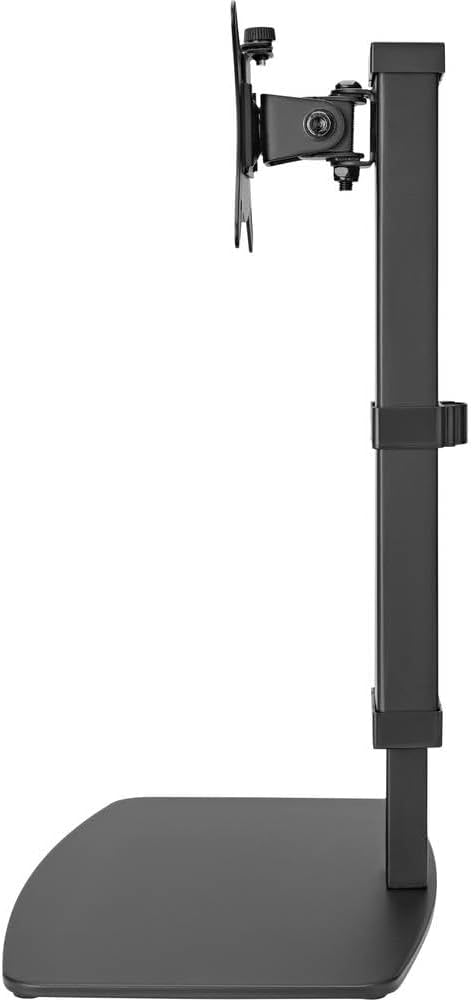
الصورة 3: الجانب view of the monitor stand, illustrating the range of height adjustment possible with the vertical pole.
Tilt and Swivel Adjustment
The VESA plate allows for tilting and swiveling your monitor. Gently adjust the monitor to your preferred angle. The 360° rotation feature enables easy switching between landscape and portrait orientations.
إدارة الكابلات
Utilize the integrated cable clip on the rear of the stand's pole to route and secure your monitor and power cables. This helps maintain a clean and organized workspace.
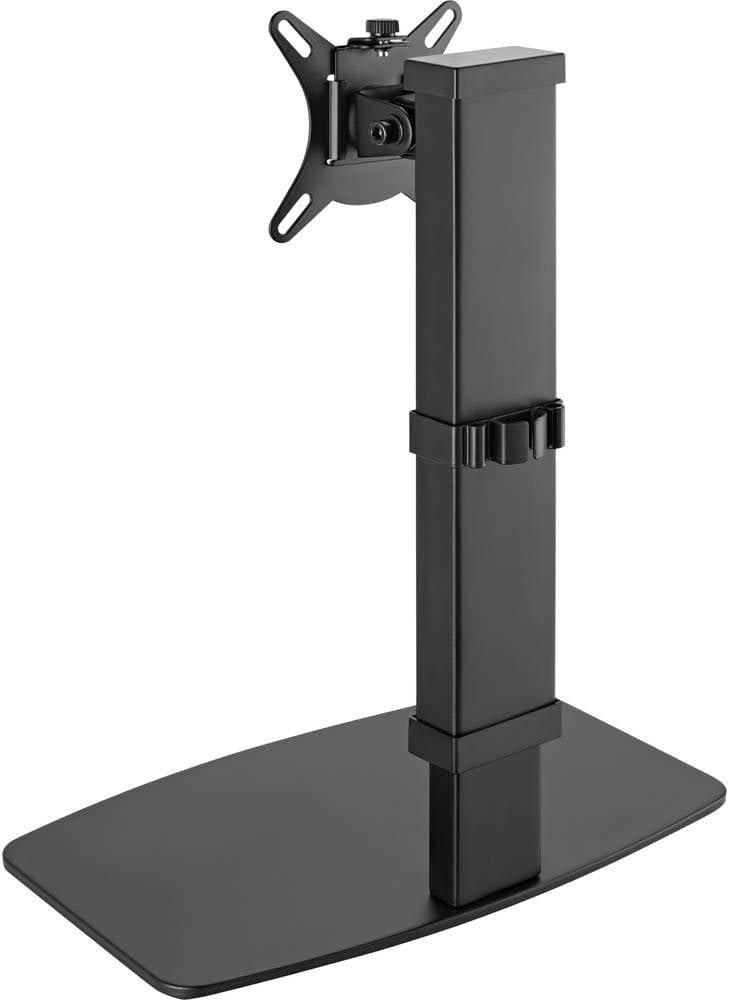
الصورة 4: خلفي view of the monitor stand, showing the cable management clip on the vertical pole.
6. الصيانة
Regular maintenance ensures the longevity and optimal performance of your monitor stand.
- تنظيف: امسح الحامل بقطعة قماش ناعمة وجافة. لإزالة البقع الصعبة، امسحه برفق بقطعة قماش جافة.amp يمكن استخدام قطعة قماش مبللة بصابون لطيف، ثم تجفيفها. تجنب استخدام المنظفات أو المذيبات الكاشطة.
- التفتيشات: افحص جميع البراغي والوصلات دوريًا للتأكد من إحكامها. أعد ربطها إذا لزم الأمر.
- حركة: Ensure the height adjustment mechanism moves smoothly. Do not force any adjustments.
7. استكشاف الأخطاء وإصلاحها
If you encounter issues with your monitor stand, consider the following common solutions:
- الحامل غير مستقر: Ensure all assembly screws are securely tightened. Verify the monitor's weight and size are within the stand's specifications. Check that the anti-slip pads on the base are intact and making full contact with the surface.
- صعوبة تعديل الارتفاع: Ensure the height locking mechanism is fully disengaged before attempting to adjust. Do not apply excessive force. Check for any obstructions.
- Monitor not level: Check that the VESA plate is securely attached to both the monitor and the stand. Adjust the tilt mechanism if necessary.
إذا استمرت المشاكل، يرجى الاتصال بدعم العملاء.
8. المواصفات
| ماركة | Speaka Professional |
| رقم الموديل | إس بي-10092880 |
| الأجهزة المتوافقة | Monitors (17" to 32") |
| ضبط الارتفاع | 10 إعدادات |
| VESA Plate Rotation | 360° |
| لون | Various (typically black) |
9. الضمان والدعم
This Speaka Professional product comes with a ضمان لمدة 1 سنوات for spare parts, as per the manufacturer's terms.
For technical support, warranty claims, or further assistance, please refer to the contact information provided with your purchase or visit the official Speaka Professional webموقع.