
1. انتهى المنتجview
The EIGHTREE Smart WiFi LED Light Bulb offers advanced lighting control through a smartphone application and voice commands. This bulb provides a wide range of colors and adjustable brightness, designed for various home lighting needs. It is energy-efficient and compatible with popular smart home ecosystems.
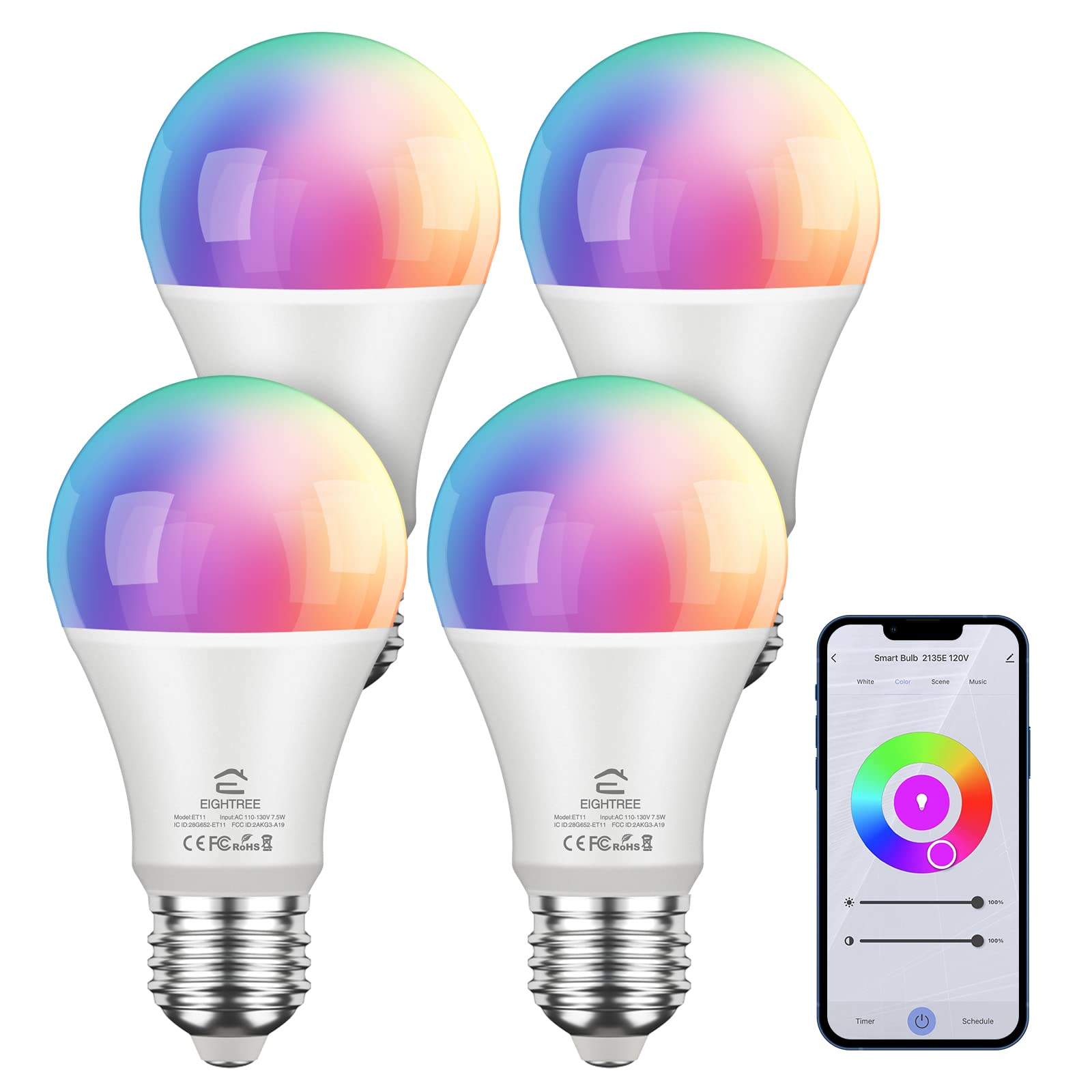
Image: EIGHTREE Smart WiFi LED Light Bulb highlighting its core functionalities.
المميزات الرئيسية:
- جهاز التحكم عن بعد: Manage lighting settings from anywhere using the Smart Life APP. (Note: Supports 2.4GHz Wi-Fi only).
- التحكم الصوتي: Compatible with Alexa, Google Home, and SmartThings for hands-free operation.
- Timing and Grouping: Schedule lighting operations and control multiple bulbs simultaneously.
- Dimmable & Multicolor: Offers 16 million RGB colors and adjustable color temperatures (2800K-6200K).
- كفاءة الطاقة: 7.5W LED bulb provides 800LM brightness, equivalent to a 60W incandescent bulb, with over 80% less energy consumption.
2. معلومات السلامة
Please read and follow all safety instructions to prevent injury or damage. This device is for indoor use only. Do not disassemble or modify the bulb. Ensure the power is off before installation or removal. Avoid exposure to water or high humidity. Use only in suitable fixtures and environments.
3. البدء
ماذا يوجد في الصندوق:
- EIGHTREE Smart WiFi LED Light Bulb(s)
- دليل المستخدم
قائمة التحقق قبل التثبيت:
- A stable 2.4GHz Wi-Fi network. (5GHz Wi-Fi is not supported).
- هاتف ذكي أو جهاز لوحي يعمل بنظام iOS أو Android.
- The "Smart Life" application installed on your device.
4. دليل الاتصال
اتصال بلوتوث (مستحسن)
This method utilizes Bluetooth for initial device discovery, simplifying the connection process.
- تأكد من تمكين Bluetooth على هاتفك الذكي.
- Install the smart bulb and turn it on. Turn the device off-on-off-on-off-on until the bulb blinks rapidly. This indicates pairing mode.
- Open the Smart Life App, tap '+' to Add Device, then select 'Lighting' and 'Light Source (BLE+Wi-Fi)'. The app should automatically discover the bulb.
- Confirm the blinking status in the app.
- حدد شبكة Wi-Fi 2.4GHz الخاصة بك وأدخل كلمة المرور.
- Wait for the connection to complete. Once connected, you can rename the bulb.
Video: Detailed steps for Bluetooth-assisted connection of the smart bulb.
EZ Mode Connection (Without Bluetooth)
If Bluetooth is unavailable or preferred not to be used, follow these steps for EZ Mode connection.
- Install the smart bulb and turn it on. Turn the device off-on-off-on-off-on until the bulb blinks rapidly.
- Open the Smart Life App, tap '+' to Add Device, then select 'Lighting' and 'Light Source (Wi-Fi)'.
- Confirm the blinking status in the app.
- حدد شبكة Wi-Fi 2.4GHz الخاصة بك وأدخل كلمة المرور.
- Wait for the connection to complete. Once connected, you can rename the bulb.

Image: Visual guide for the quick and easy setup process via the Smart Life app.
Video: Instructions for EZ Mode connection when Bluetooth is off.
Voice Assistant Integration (Alexa & Google Home)
After successfully connecting your smart bulb to the Smart Life App, you can link it with Amazon Alexa or Google Home for voice control.
- In the Smart Life App, navigate to the device page for your bulb.
- Look for "Third-party Control" options.
- For Alexa: Choose "Alexa", then "Sign In With Amazon", and follow the prompts to "Link" your account.
- For Google Home: Choose "Google Assistant", then "Link with Google Assistant". Select "Get started", then "Works with Google", find "Smart Life", and "Agree and Link" your account.
- بمجرد الارتباط، يمكنك استخدام الأوامر الصوتية مثل:
- "Alexa, turn on the bedroom light."
- "Hey Google, turn on bedroom light."
- "Alexa, set the light to purple."
Video: Guide on how to connect your smart bulb with Alexa or Google Home for voice control.
5. تعليمات التشغيل
التحكم في التطبيق:
The Smart Life App provides comprehensive control over your EIGHTREE Smart WiFi LED Light Bulb.
- Brightness & Color Adjustment: Adjust the light intensity from 0-100% and choose from 16 million colors, including warm (2800K) and cool (6200K) white tones.

Image: Demonstrates warm, cool, and colored light options with app control interfaces.
- أوضاع المشهد: Select from various pre-set scene modes or create custom ones to match your mood or activity.
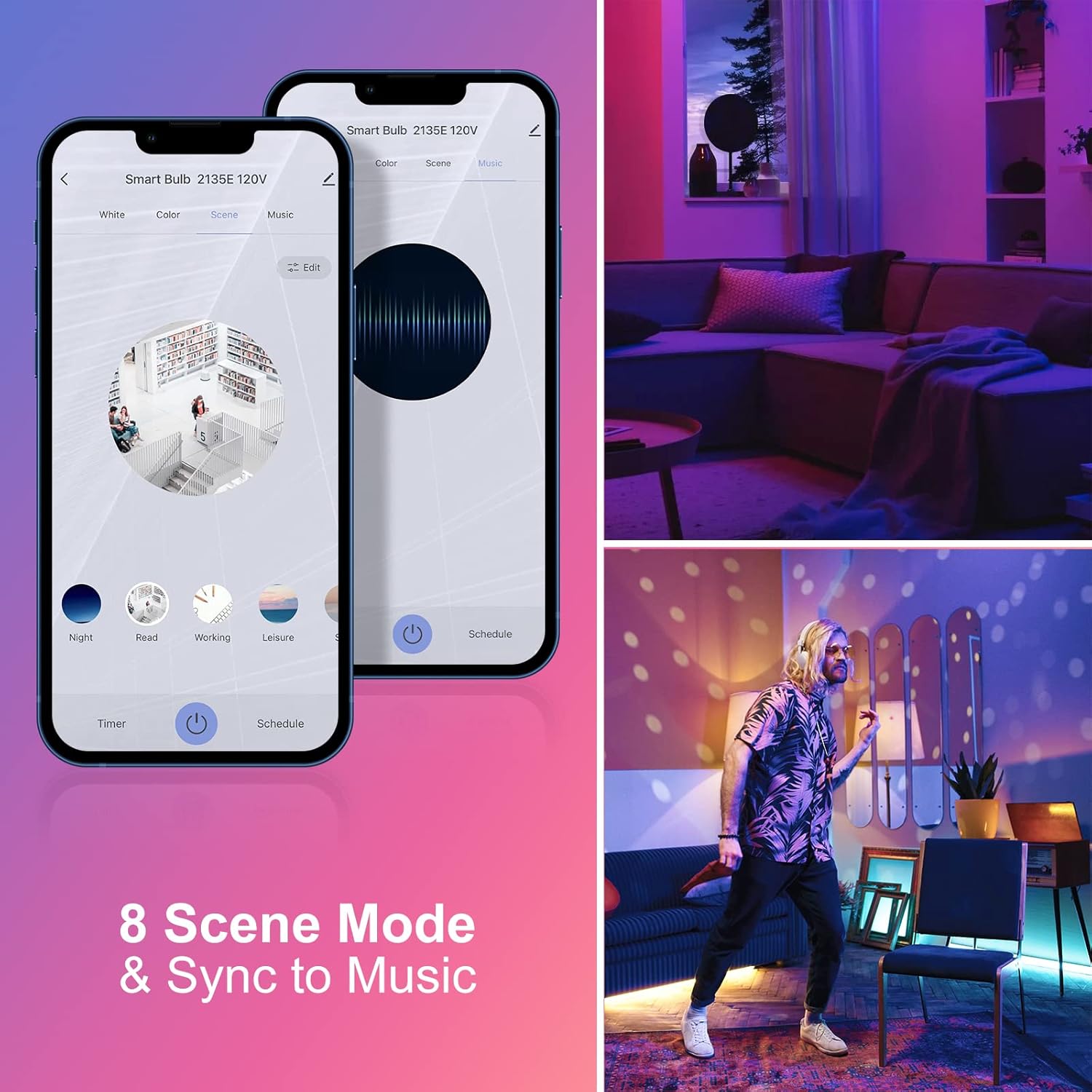
Image: Illustrates 8 scene modes and music synchronization capabilities.
- Timing & Scheduling: Set schedules for the bulb to turn on/off at specific times, or to change settings automatically.

الصورة: السابقamples of setting schedules for bedtime and wake-up routines.
- التحكم في المجموعة: Group multiple EIGHTREE smart bulbs together to control them simultaneously with a single command.

Image: Depicts group control functionality across different rooms in a house.
التحكم الصوتي:
Once integrated with Alexa or Google Home, use simple voice commands to manage your lighting:
- "أليكسا، شغّلي [اسم الضوء]."
- "Hey Google, dim [Light Name] to 50%."
- "أليكسا، غيّري لون [اسم الضوء] إلى الأزرق."
- "Hey Google, set [Light Name] to warm white."
6. الصيانة
To ensure optimal performance and longevity of your EIGHTREE Smart WiFi LED Light Bulb, keep it clean and free from dust. Use a soft, dry cloth for cleaning. Do not use liquid cleaners or abrasive materials. Ensure the bulb is completely cool before handling. No user-serviceable parts are inside.
7. استكشاف الأخطاء وإصلاحها
If you encounter issues with your smart bulb, please refer to the following common solutions:
- Bulb not connecting: Ensure your Wi-Fi network is 2.4GHz. Confirm Bluetooth is enabled on your phone for recommended connection. Try resetting the bulb by cycling power off-on-off-on-off-on until it blinks rapidly.
- التحكم الصوتي لا يعمل: Verify that your Smart Life account is correctly linked to Alexa or Google Home. Check your internet connection and ensure your voice assistant device is online.
- Bulb offline: Check your Wi-Fi router and internet connection. Ensure the bulb is within range of your Wi-Fi signal. Power cycle the bulb and your router if necessary.
- التطبيق لا يستجيب: Close and reopen the Smart Life App. Ensure the app is updated to the latest version.
For further assistance, please contact EIGHTREE customer support.
8. المواصفات
| ميزة | التفاصيل |
|---|---|
| ماركة | ثمانية |
| رقم الموديل | إي تي 11 |
| نوع الضوء | قاد |
| واتtage | 7.5 واط (ما يعادل 60 واط من المصابيح المتوهجة) |
| سطوع | 800 لومن |
| حجم شكل المصباح | أ19 |
| قاعدة المصباح | إي26 |
| درجة حرارة اللون | 2800K-6200K (Warm, Amber, Cool, Blue Tones) |
| مؤشر تجسيد اللون (CRI) | 80 |
| تكنولوجيا الاتصال | واي فاي (2.4 جيجاهرتز فقط) |
| نوع وحدة التحكم | أمازون أليكسا، مساعد جوجل |
| المجلدtage | 100-120 Volts |
| تكرار | 60 هرتز |
| عمر تشغيل مصدر الضوء | أكثر من ساعة |
| الاستخدام الداخلي والخارجي | داخلي |
9. الضمان والدعم
EIGHTREE products are designed for quality and reliability. This product comes with a ضمان لمدة 24 شهرًا بدون قلق من تاريخ الشراء، بما في ذلك تغطية عيوب التصنيع.
دعم العملاء:
If you have any questions, require technical assistance, or experience any problems with your EIGHTREE Smart WiFi LED Light Bulb, please contact our customer support team. We are dedicated to providing prompt and helpful service.
For contact information, please refer to the product packaging or the official EIGHTREE webموقع.