
مقدمة
The Technaxx OBD II Code Reader TX-184 is a compact and user-friendly diagnostic tool designed to help vehicle owners quickly identify and resolve issues related to their vehicle's engine system. This device is compatible with all OBDII-compliant vehicles manufactured from 1996 onwards. It allows for reading and clearing diagnostic trouble codes (DTCs), viewing live data, checking I/M readiness status, and retrieving vehicle information.
المنتج انتهىview
Familiarize yourself with the components of your Technaxx OBD II Code Reader TX-184.

This image displays the Technaxx OBD II Code Reader TX-184 with its key components labeled. These include the LC-Display for information display, the OBD II Cable for connecting to the vehicle, the SCROLL button for navigation, the ENTER button for selection, and the EXIT button for returning to previous menus.

This image shows the main unit of the Technaxx OBD II Code Reader TX-184, highlighting its compact design and the integrated OBD II connector cable. A close-up inset shows the standard 16-pin OBD II connector.
يثبت
- حدد موقع منفذ OBD II: The OBD II port is typically located under the dashboard on the driver's side of the vehicle. Refer to your vehicle's owner's manual if you cannot find it.
- قم بتوصيل الجهاز: With the vehicle's ignition off, firmly plug the OBD II connector of the TX-184 into the vehicle's OBD II port.
- تشغيل الإشعال: Turn the vehicle's ignition to the "ON" position (do not start the engine). The TX-184 will power on automatically.
تعليمات التشغيل
The TX-184 features a simple three-button interface for navigation and operation.
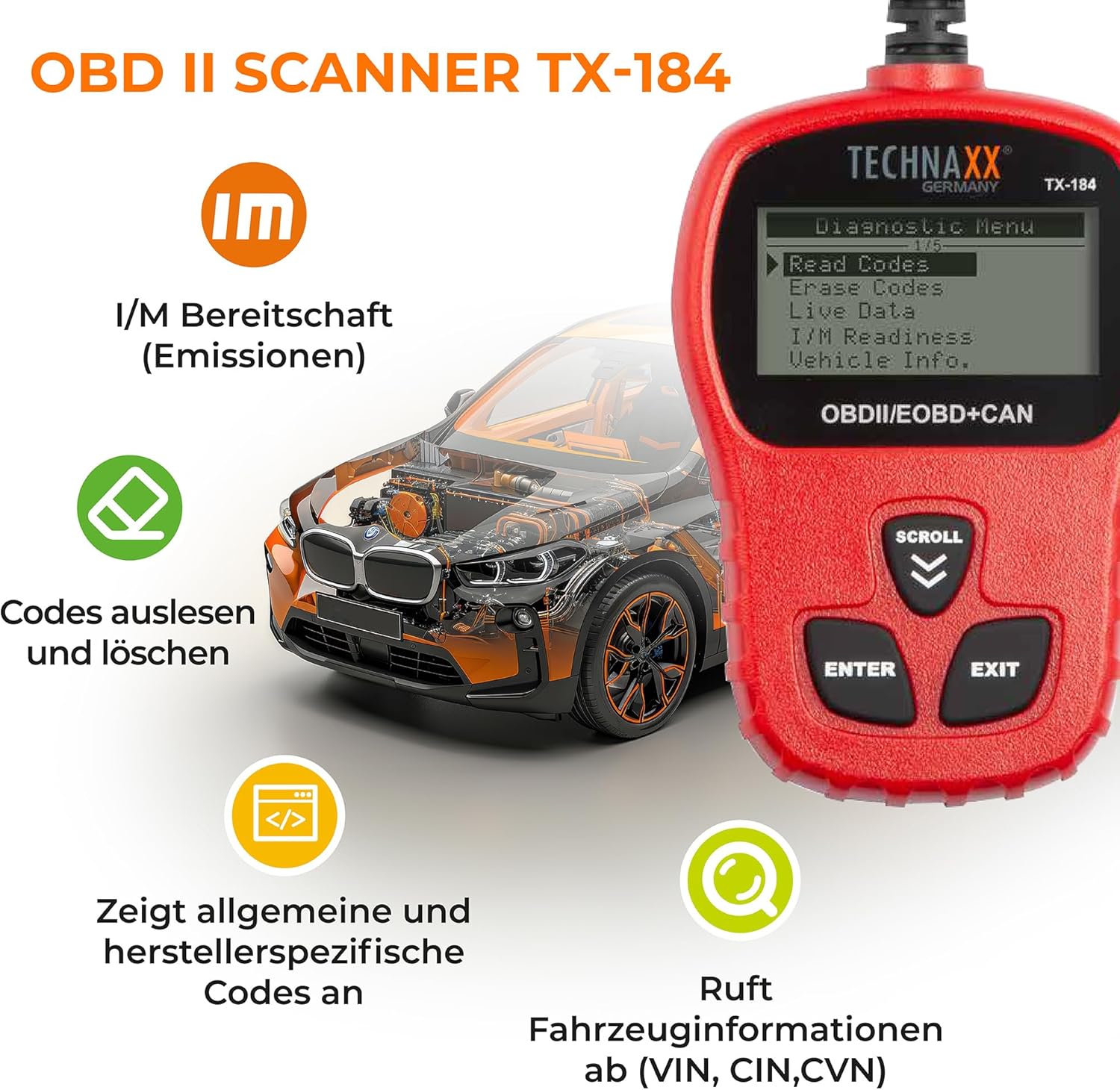
This image illustrates the main diagnostic menu of the Technaxx OBD II Code Reader TX-184, showing options such as "Read Codes," "Erase Codes," "Live Data," "I/M Readiness," and "Vehicle Info." This menu is accessed after connecting the device to a vehicle.
التنقل في القائمة الرئيسية:
- استخدم التمرير buttons (up/down arrows) to navigate through menu options.
- اضغط على يدخل button to select a highlighted option.
- اضغط على EXIT button to return to the previous menu or exit a function.
الوظائف الرئيسية:
- قراءة الرموز:
Select "Read Codes" from the main menu. The device will scan the vehicle's engine control unit (ECU) for stored Diagnostic Trouble Codes (DTCs). It displays both generic (P0, P2, P3, B0, C0, U0) and manufacturer-specific (P1, P3, B1, C1, U1) codes along with their definitions.
This image shows the diagnostic menu of the TX-184, with "Read Codes" highlighted, indicating the function to retrieve stored fault codes from the vehicle's system.
- رموز محو:
After diagnosing and resolving a fault, select "Erase Codes" to clear the DTCs from the vehicle's ECU and turn off the Malfunction Indicator Lamp (MIL), also known as the Check Engine Light. Ensure the ignition is on but the engine is off before performing this function. Clearing codes will also clear all monitor readiness data.
- أنا / م الاستعداد:
This function checks the readiness of the emission-related monitoring systems. It indicates whether the various emission systems on the vehicle are operating correctly and have completed their diagnostic tests. This is useful for emissions testing preparation.
- Vehicle Information (VIN, CIN, CVN):
Retrieve important vehicle information such as the Vehicle Identification Number (VIN), Calibration Identification (CIN), and Calibration Verification Number (CVN).
- اللغات:
The device supports multiple languages. Navigate to the "Languages" option in the main menu to select your preferred language.

This image shows the Technaxx OBD II Code Reader TX-184 displaying its main menu, with the "Languages" option visible, indicating the device's multilingual capability.
صيانة
- حافظ على نظافة الجهاز بمسحه بقطعة قماش ناعمة وجافة.
- تجنب تعريض الجهاز لدرجات الحرارة العالية أو الرطوبة أو أشعة الشمس المباشرة.
- Store the device in a safe place when not in use to prevent damage to the cable or screen.
- Do not attempt to disassemble the device; this will void the warranty.
استكشاف الأخطاء وإصلاحها
| مشكلة | السبب المحتمل | حل |
|---|---|---|
| الجهاز لا يعمل. | Loose connection; vehicle ignition not on; vehicle not OBDII compliant. | Ensure the OBD II connector is firmly plugged in. Turn vehicle ignition to "ON" position. Verify vehicle is OBDII compliant (most vehicles from 1996 onwards). |
| "LINK ERROR" message. | Communication failure with vehicle ECU. | Check the connection. Ensure vehicle ignition is on. Try connecting to another OBDII compliant vehicle to rule out device fault. |
| لا يمكن مسح الرموز. | Engine running; underlying fault still present. | Ensure engine is off and ignition is on. The fault must be repaired before codes can be permanently cleared. If the fault persists, the code will reappear. |
تحديد
- نموذج: تي اكس-184
- ماركة: تكناكس
- مصدر الطاقة: Wired (via OBD II port)
- عرض: Backlit LCD, 128 x 64 pixels with contrast adjustment
- التوافق: OBDII/EOBD+CAN compliant vehicles (most vehicles from 1996 onwards)
- الوظائف: Read/Clear DTCs, I/M Readiness, Live Data, Vehicle Info (VIN, CIN, CVN)
- طول الكابل: حوالي 80 سم
الضمان والدعم
Technaxx products are designed for reliability and performance. For warranty information and technical support, please refer to the warranty card included with your product or visit the official Technaxx webالموقع. احتفظ بإيصال الشراء كإثبات للشراء.
For further assistance, you may contact Technaxx customer service through their official channels.