
1. المقدمة
شكرا لك على الشراءasing the TEMOLA Cordless Vacuum Cleaner TS10. This manual provides important information regarding the safe operation, maintenance, and troubleshooting of your new vacuum cleaner. Please read this manual thoroughly before using the product and retain it for future reference.
2. تعليمات السلامة
لتقليل خطر الحريق أو الصدمة الكهربائية أو الإصابة، يرجى مراعاة احتياطات السلامة التالية:
- هذا الجهاز مخصص للاستخدام المنزلي فقط. لا تستخدمه لأغراض تجارية أو صناعية.
- Do not use the vacuum cleaner to pick up water or any other liquids.
- لا تلتقط المواد المشتعلة أو المدخنة، مثل السجائر أو أعواد الثقاب أو الرماد الساخن.
- Do not pick up hard or sharp objects such as glass, nails, screws, or coins, as this may damage the vacuum cleaner.
- احتفظ بالشعر والملابس الفضفاضة والأصابع وجميع أجزاء الجسم بعيدًا عن الفتحات والأجزاء المتحركة.
- Do not operate the vacuum cleaner without the dust cup and filter in place.
- استخدم فقط كابل الشحن المقدم من الشركة المصنعة.
- Do not modify or attempt to repair the appliance yourself. Contact customer support for assistance.
- Store the vacuum cleaner in a dry, indoor area when not in use.
- لا يُقصد استخدام هذا الجهاز من قبل الأشخاص (بما في ذلك الأطفال) ذوي القدرات البدنية أو الحسية أو العقلية المحدودة، أو الذين يفتقرون إلى الخبرة والمعرفة، ما لم يتم الإشراف عليهم أو توجيههم فيما يتعلق باستخدام الجهاز من قبل شخص مسؤول عن سلامتهم.
3. محتويات العبوة
تأكد من وجود جميع العناصر في العبوة:
- TEMOLA Cordless Vacuum Cleaner TS10
- أداة الشقوق
- فرشاة الغبار
- فلتر HEPA (مثبت مسبقًا)
- كابل شحن USB
- حقيبة تخزين برباط
- دليل المستخدم

Image: TEMOLA Cordless Vacuum Cleaner TS10 with its accessories, including the crevice tool, dusting brush, USB charging cable, and storage bag.
4. انتهى المنتجview
Familiarize yourself with the components of your TEMOLA TS10 vacuum cleaner:

الصورة: انفجرت view showing the main components of the TEMOLA TS10, including the dust brush tool, crevice nozzle, dust container, HEPA filter, high-speed motor, release button, and ON/OFF switch.
- Dust Brush Tool: For cleaning delicate surfaces and removing stubborn dirt.
- فوهة شق: For reaching tight spaces and corners.
- حاوية الغبار: يجمع الغبار والحطام.
- فلتر HEPA: Traps fine dust particles and allergens.
- محرك عالي السرعة: Provides powerful suction.
- زر الاطلاق: For detaching the dust container.
- مفتاح تشغيل / إيقاف: يقوم بتشغيل أو إيقاف تشغيل المكنسة الكهربائية.
5. الإعداد
5.1. التجميع
The TEMOLA TS10 is designed for simple assembly. Ensure the HEPA filter is correctly seated inside the dust container, and the dust container is securely attached to the main body of the vacuum cleaner. Attach the desired nozzle (crevice tool or dusting brush) to the front of the dust container by pushing it firmly into place.
5.2. شحن البطارية
Before first use, fully charge the vacuum cleaner. Connect the provided USB charging cable to the charging port on the vacuum and plug the other end into a compatible USB power adapter (not included) or a USB port. The charging indicator light will illuminate during charging and typically turn off or change color when fully charged. A full charge takes approximately 3-4 hours and provides up to 20 minutes of continuous use.

Image: The TEMOLA TS10 vacuum cleaner with its USB charging cable, illustrating the charging process.
6. تعليمات التشغيل
6.1. تشغيل / إيقاف التشغيل
Press the ON/OFF switch located on the handle to turn the vacuum cleaner on. Press it again to turn the vacuum cleaner off.
6.2. استخدام المرفقات
- أداة الشقوق: Ideal for cleaning narrow gaps, corners, and hard-to-reach areas in your car, sofa, or between furniture cushions.
- مكنسة غبار: Suitable for cleaning delicate surfaces, keyboards, air vents, and upholstery.

Image: The TEMOLA TS10 vacuum cleaner demonstrating the use of the crevice nozzle for tight spaces and the brush nozzle for keyboards.

Image: The TEMOLA TS10 vacuum cleaner in action, demonstrating its powerful suction capability on a countertop with scattered debris.
6.3. نصائح عامة للاستخدام
- For optimal performance, ensure the battery is sufficiently charged.
- Empty the dust container regularly to maintain strong suction.
- Clean the HEPA filter as recommended in the maintenance section.
6.4. فيديو توضيحي للمنتج
Watch this video for a visual guide on using the TEMOLA TS10 Cordless Vacuum Cleaner:
Video: A demonstration of the TEMOLA TS10 Hand Held Car Mini Vacuum in use, showcasing its portability and effectiveness in cleaning vehicle interiors.
7. الصيانة
تضمن الصيانة المنتظمة طول عمر المكنسة الكهربائية والأداء الأمثل لها.
7.1. إفراغ حاوية الغبار
- اضغط على زر التحرير لفصل حاوية الغبار عن الجسم الرئيسي.
- قم بإزالة فلتر HEPA بعناية من حاوية الغبار.
- Empty the contents of the dust container into a trash bin.

Image: A hand demonstrating how to empty the dust and debris from the TEMOLA TS10 vacuum cleaner's dust container into a waste bin.
7.2. تنظيف فلتر HEPA
The HEPA filter is washable and reusable. Regular cleaning helps maintain suction power and extends the filter's lifespan.
- After emptying the dust container, gently tap the HEPA filter to remove any loose dust.
- Rinse the HEPA filter under running water until it is clean. Do not use detergents or hot water.
- Allow the filter to air dry completely for at least 24 hours before reinserting it into the vacuum cleaner. Do not expose it to direct sunlight or use a dryer.
- تأكد من جفاف الفلتر تمامًا قبل إعادة التجميع لمنع تلف المحرك.
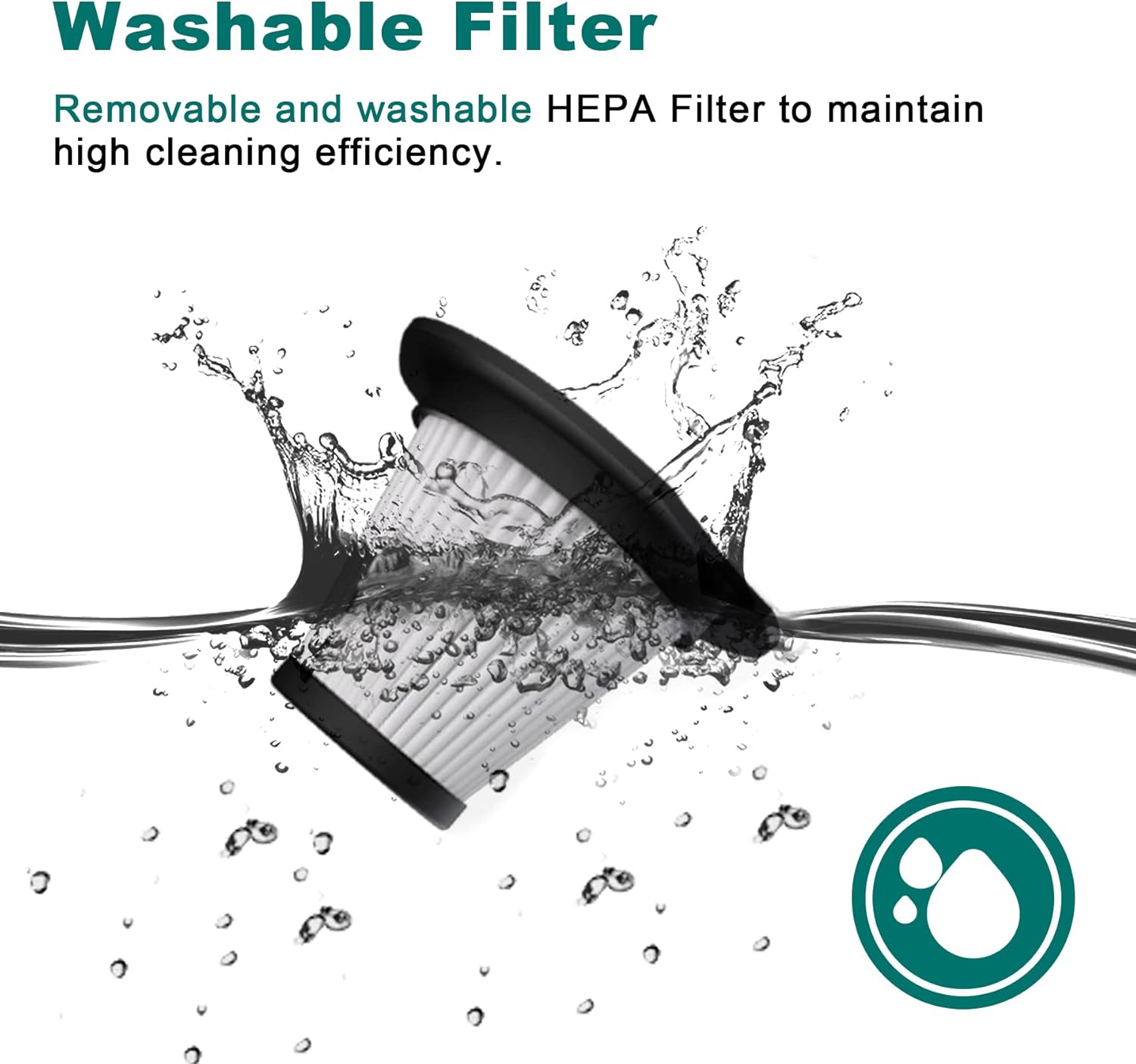
Image: The washable HEPA filter for the TEMOLA TS10 vacuum cleaner being rinsed under running water, highlighting its reusability.

Image: A hand holding and rinsing the HEPA filter under water, demonstrating the cleaning process for the TEMOLA TS10 vacuum cleaner.
8. استكشاف الأخطاء وإصلاحها
If you encounter issues with your TEMOLA TS10 vacuum cleaner, refer to the following table for common problems and solutions:
| مشكلة | السبب المحتمل | حل |
|---|---|---|
| لا يتم تشغيل الفراغ | نفدت طاقة البطارية | Charge the vacuum cleaner fully (3-4 hours). |
| قوة شفط منخفضة | حاوية الغبار ممتلئة | تفريغ حاوية الغبار. |
| قوة شفط منخفضة | HEPA filter is clogged | نظّف فلتر HEPA أو استبدله. تأكد من جفافه تماماً قبل إعادة تركيبه. |
| قوة شفط منخفضة | الفوهة أو الخرطوم مسدود | Check and clear any blockages in the nozzle or suction inlet. |
| وقت تشغيل قصير | Battery not fully charged or aging battery | Ensure the vacuum is fully charged. Battery life naturally decreases over time. |
| مؤشر الشحن لا يعمل | مشكلة في كابل الشحن أو المحول | Try a different USB charging cable or power adapter. Ensure connections are secure. |
If the problem persists after trying these solutions, please contact TEMOLA customer support.
9. المواصفات
| ميزة | التفاصيل |
|---|---|
| ماركة | TEMOLA |
| اسم الموديل | تي أس 10 |
| ميزة خاصة | فلتر HEPA |
| نوع الفلتر | فلتر HEPA |
| مصدر الطاقة | تعمل بالبطارية |
| نوع البطارية | ليثيوم أيون |
| وقت شحن البطارية | 3-4 ساعة |
| وقت التشغيل | حتى 20 دقيقة |
| قوة الشفط | 9 كيلو باسكال |
| سرعة المحرك | 36000 دورة في الدقيقة |
| واتtage | 120 واط |
| المجلدtage | 7.4 فولت |
| سعة وعاء الغبار | 0.5 لتر |
| وزن العنصر | 0.88 رطل (12.8 أونصة) |
| الأبعاد (الطول × العرض × الارتفاع) | 11 بوصة طول × 4 بوصة عرض × 4 بوصة ارتفاع |
| مستوى الضوضاء | 70 ديسيبل |
| تكنولوجيا الاتصال | USB |
| الاستخدامات الموصى بها | Handheld, Car, Office, Home |
10. الضمان والدعم
10.1. معلومات الضمان
TEMOLA products are manufactured to high-quality standards. This product is covered by a limited warranty from the date of purchase against defects in materials and workmanship. Please retain your proof of purchase for warranty claims. The warranty does not cover damage caused by misuse, neglect, accident, alteration, or unauthorized repair.
10.2. دعم العملاء
For technical assistance, warranty claims, or general inquiries, please contact TEMOLA customer support through the retailer where the product was purchased or visit the official TEMOLA webموقع لمعلومات الاتصال.
TEMOLA Official Store: Visit the TEMOLA Store on Amazon