
Zunate KX-T2035CID
Zunate KX-T2035CID Corded Desk Phone User Manual
Model: KX-T2035CID
مقدمة
شكرا لك على الشراءasing the Zunate KX-T2035CID Corded Desk Phone. This manual provides essential information for setting up, operating, and maintaining your new telephone. Please read these instructions carefully before use and retain them for future reference.
تعليمات السلامة الهامة
لتقليل خطر الحريق أو الصدمة الكهربائية أو الإصابة، اتبع دائمًا احتياطات السلامة الأساسية عند استخدام هذا المنتج.
- Do not use this product near water, such as a bathtub, washbowl, kitchen sink, or laundry tub, in a wet basement, or near a swimming pool.
- Avoid using the telephone during an electrical storm. There may be a remote risk of electric shock from lightning.
- لا تستخدم الهاتف للإبلاغ عن تسرب الغاز في المناطق المجاورة للتسرب.
- Use only the power cord and telephone line cord provided with the unit.
- لا تقم بتفكيك الوحدة. قم بإحالة جميع أعمال الصيانة إلى فنيين مؤهلين.
- احتفظ بالوحدة بعيدًا عن مصادر الحرارة وأشعة الشمس المباشرة.
محتويات الحزمة
تأكد من تضمين جميع العناصر المدرجة أدناه في الحزمة الخاصة بك:
- Zunate KX-T2035CID Telephone Base Unit
- سماعة الهاتف
- سلك سماعة الهاتف ملفوف
- سلك خط الهاتف
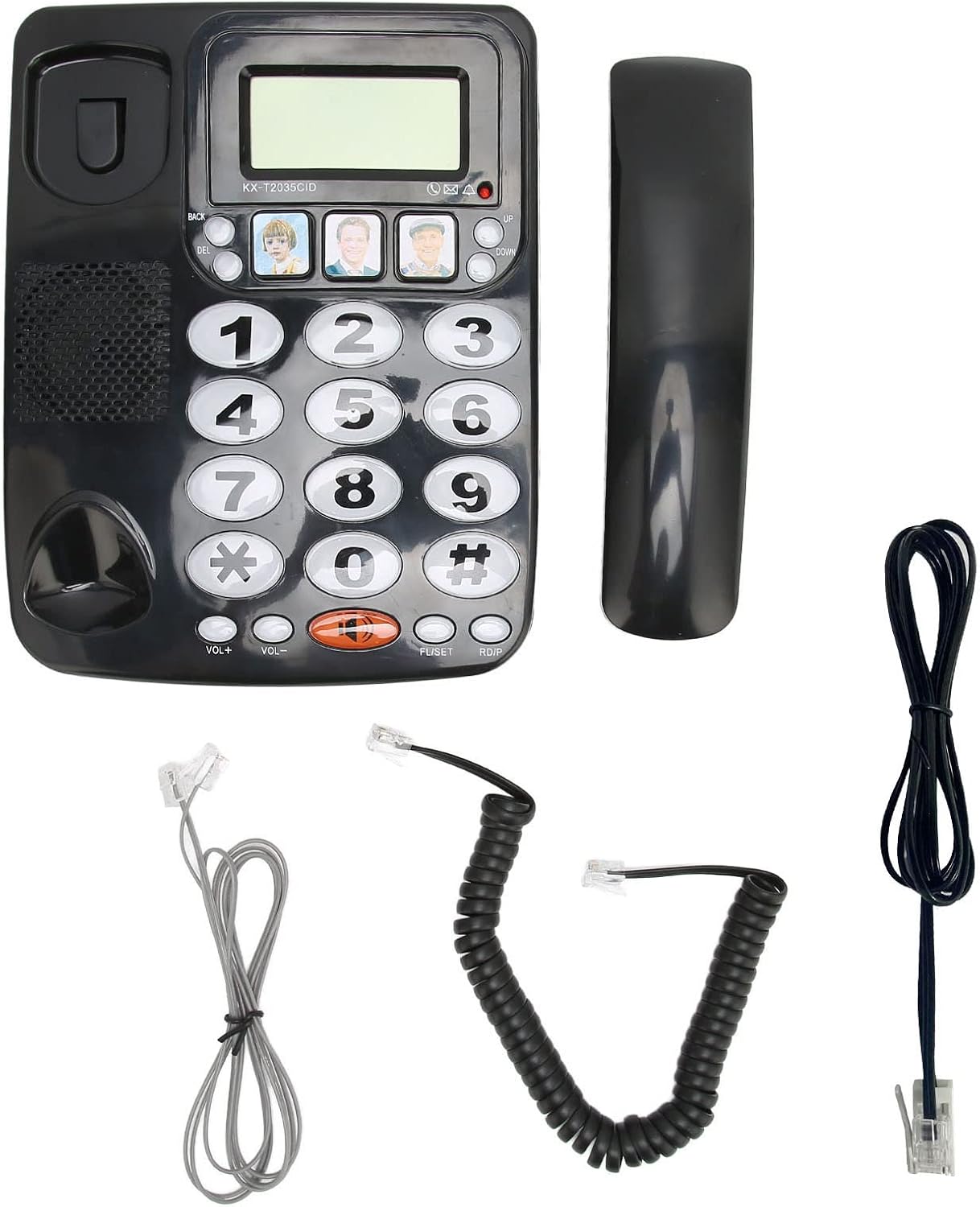
صورة: جميع المكونات المضمنة في العبوة.
المنتج انتهىview
Familiarize yourself with the main parts of your Zunate KX-T2035CID telephone.
الصورة: الجبهة view of the telephone unit.
- شاشة العرض: Shows caller ID information, time, and other call details.
- المفاتيح العددية: Large, easy-to-read buttons for dialing numbers.
- أزرار الذاكرة (M1، M2، M3): Three dedicated buttons for speed dialing frequently called numbers.
- أزرار VOL+ / VOL-: Adjust handset and speaker volume.
- زر كتم الصوت: يكتم صوت الميكروفون أثناء المكالمة.
- REDIAL Button: يقوم بالاتصال بآخر رقم تم الاتصال به.
- زر الفلاش: تُستخدم لانتظار المكالمات أو تحويل المكالمات (إذا كانت مدعومة من قبل خدمة الهاتف الخاصة بك).
- Speakerphone Button (Speaker icon): Activates or deactivates the speakerphone.

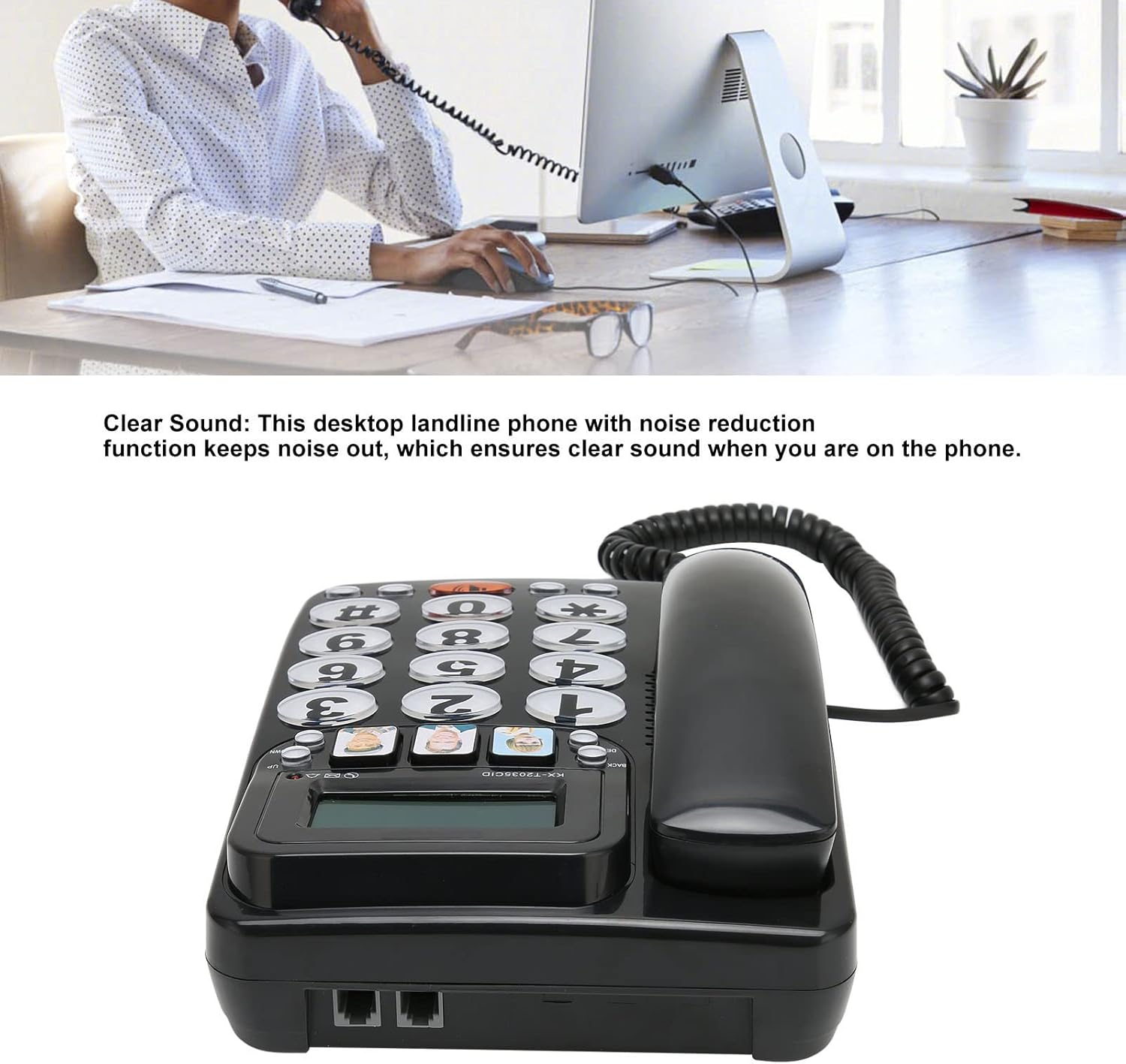
الصورة: الخلفية view عرض منافذ الاتصال.
- منفذ الهاتف: Connects the coiled cord from the handset to the base unit.
- Line Port: Connects the telephone line cord from the base unit to the wall jack.
يثبت
Follow these steps to set up your Zunate KX-T2035CID telephone:
- توصيل سماعة الهاتف:
Plug one end of the coiled handset cord into the handset and the other end into the handset port on the left side of the telephone base unit.
- توصيل خط الهاتف:
Plug one end of the telephone line cord into the "LINE" port on the back of the telephone base unit. Plug the other end into your telephone wall jack.
- الموقع:
Place the telephone on a flat, stable surface, such as a desk or table. Ensure it is not near any heat sources or in direct sunlight.
Your telephone is now ready for use.
تعليمات التشغيل
إجراء مكالمة
- ارفع سماعة الهاتف أو اضغط على مكبر الصوت زر.
- استمع إلى نغمة الاتصال.
- اطلب رقم الهاتف المطلوب باستخدام لوحة المفاتيح الرقمية.
- لإنهاء المكالمة، أعد سماعة الهاتف إلى مكانها أو اضغط على زر مكبر الصوت الزر مرة أخرى.
الرد على المكالمة
- عندما يرن الهاتف، ارفع سماعة الهاتف أو اضغط على مكبر الصوت زر.
- لإنهاء المكالمة، أعد سماعة الهاتف إلى مكانها أو اضغط على زر مكبر الصوت الزر مرة أخرى.
إعادة طلب الرقم الأخير
- ارفع سماعة الهاتف أو اضغط على مكبر الصوت زر.
- اضغط على إعادة button. The phone will automatically dial the last number called.
استخدام وظيفة كتم الصوت
- أثناء المكالمة ، اضغط على كتم الصوت button to temporarily disable your microphone. The other party will not hear you.
- اضغط على كتم الصوت button again to resume the conversation.
ضبط مستوى الصوت
- أثناء المكالمة، اضغط على المجلد+ to increase the listening volume.
- يضعط المجلد- لخفض مستوى الاستماع.
Programming Memory Buttons (M1, M2, M3)
The phone features three direct memory buttons for quick dialing.
- ارفع سماعة الهاتف.
- اضغط على تعيين button (usually located near the memory buttons).
- اتصل برقم الهاتف الذي ترغب في تخزينه (حتى 16 رقمًا).
- Press the desired memory button (M1, M2، أو M3) لحفظ الرقم.
- استبدل السماعة.
To use a Memory Button: Lift the handset and press the desired memory button (M1, M2، أو M3). The phone will automatically dial the stored number.

Image: Detail of the large buttons and memory keys.
الميزات الرئيسية
- أزرار كبيرة: Easy to see and press, ideal for users with visual impairments or dexterity challenges.
- صوت واضح: Designed for clear audio quality during calls.
- وظيفة إعادة الاتصال: Quickly redial the last outgoing number.
- وظيفة كتم الصوت: قم بكتم صوت الميكروفون مؤقتًا أثناء المكالمة.
- حجم قابل للتعديل: Control handset and speakerphone volume for comfortable listening.
- معرف المتصل: Displays incoming caller information (requires subscription to Caller ID service from your telephone provider).
- Three One-Touch Memory Buttons: Store and dial frequently used numbers with a single press.
صيانة
To ensure the longevity and proper functioning of your telephone:
- تنظيف: Wipe the telephone surface with a soft, damp القماش. لا تستخدم المنظفات أو المذيبات الكاشطة.
- تجنب السوائل: Keep the telephone away from liquids. If liquid spills on the unit, disconnect it immediately and contact qualified service personnel.
- تخزين: If storing the phone for an extended period, keep it in a cool, dry place away from direct sunlight.
استكشاف الأخطاء وإصلاحها
If you experience issues with your telephone, try the following solutions:
| مشكلة | حل |
|---|---|
| لا طنين. |
|
| Cannot hear the other party. |
|
| Other party cannot hear me. |
|
| لا يتم عرض رقم المتصل. |
|
تحديد
| ميزة | التفاصيل |
|---|---|
| ماركة | زونات |
| نموذج | KX-T2035CID |
| نوع الهاتف | حبالي |
| مادة | أكريلونيتريل بوتادين ستايرين (ABS) |
| مصدر الطاقة | كهرباء سلكية |
| نوع المسجل | لوحة مفاتيح واحدة |
| نوع نظام الرد | Digital (Note: This refers to Caller ID functionality, not an integrated answering machine) |
| معرف المتصل | نعم |
الضمان والدعم
Zunate products are designed for reliability and performance. For information regarding warranty coverage, technical support, or service inquiries, please refer to the warranty card included with your purchase or contact your retailer. Please have your model number (KX-T2035CID) and purchase date available when contacting support.
Ask a question about this manual
Ask about setup, troubleshooting, compatibility, parts, safety, or missing instructions. Manuals+ will review the question and use this page’s manual context to help answer it.