
technaxx TX-177
دليل مستخدم جهاز العرض Technaxx Full HD 1080p TX-177
Model: TX-177 (Item Model Number: 4971)
1. المقدمة
The Technaxx Full HD 1080p Projector TX-177 is a versatile multimedia device designed for high-quality visual and audio experiences. This portable projector offers native 1080P resolution, an integrated 3W speaker, and a long LED lifetime, making it suitable for various applications including home cinema, gaming, and presentations. This manual provides essential information for setting up, operating, and maintaining your projector.

الصورة 1.1: الجبهة view of the Technaxx Full HD 1080p Projector TX-177.
2. محتويات العبوة
يرجى تحديد المربع للعناصر التالية:
- Technaxx FullHD 1080p Projector TX-177
- كابل إشارة AV
- Remote control (2x AAA batteries included)
- كابل HDMI
- كابل الطاقة
- دليل المستخدم (هذه الوثيقة)

Image 2.1: All items included in the projector package.
3. مواصفات المنتج
The TX-177 projector is equipped with several features designed to enhance your viewالخبرة:
- دقة العرض الأصلية 1080 بكسل: Delivers clear and sharp images for movies, games, and presentations.
- حجم الإسقاط الكبير: Capable of projecting images from 50 inches up to 200 inches.
- مكبر صوت مدمج بقوة 3 واط: Provides basic audio output without the need for external speakers.
- ضبط التركيز اليدوي: Allows for precise image clarity.
- عمر طويل لمصباح LED: The LED light source has an estimated lifespan of 40,000 hours.
- خيارات اتصال متعددة: Includes HDMI, VGA, USB, SD card, and AV inputs for broad device compatibility.
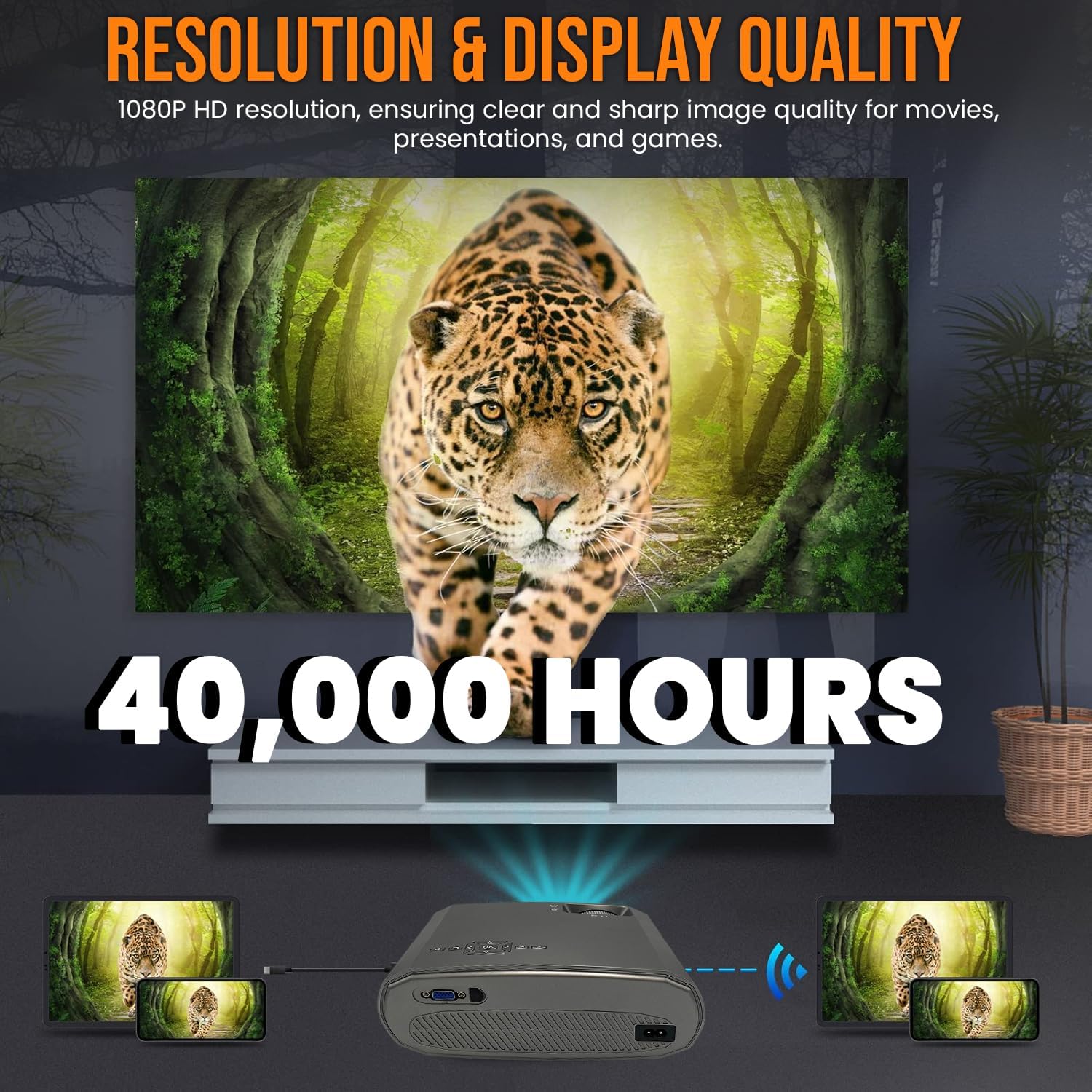
Image 3.1: Highlighting the 1080P resolution and 40,000-hour LED lifespan.

Image 3.2: The integrated 3-watt speaker provides convenient audio.

الصورة 3.3: انتهىview of the projector's compatibility with various devices via multiple input ports.
4. الإعداد
4.1 التنسيب
Place the projector on a stable, flat surface. Ensure there is adequate ventilation around the unit to prevent overheating. Position the projector directly in front of the screen or wall for the best image quality. The projection distance will determine the image size.
4.2 توصيل الطاقة
- قم بتوصيل كابل الطاقة بمنفذ إدخال الطاقة الخاص بجهاز العرض.
- قم بتوصيل الطرف الآخر من كابل الطاقة بمأخذ كهربائي قياسي.
4.3 توصيل الأجهزة
The TX-177 supports various input sources:
- HDMI: Connect Blu-ray players, game consoles, laptops, or streaming devices using an HDMI cable.
- VGA: قم بتوصيل أجهزة الكمبيوتر أو أجهزة الكمبيوتر المحمولة القديمة باستخدام كابل VGA.
- USB: Insert USB drives for playing media fileس مباشرة.
- بطاقة SD: Insert an SD card for playing media fileس مباشرة.
- من: Use the included AV signal cable to connect devices with composite video and stereo audio outputs.

الصورة 4.1: تفصيلية view of the projector's various input ports.
4.4 ضبط التركيز والانحراف
بعد تشغيل الجهاز، اضبط الصورة من حيث الوضوح والشكل:
- ركز: Rotate the focus wheel near the lens until the image appears sharp and clear.
- تصحيح الانحراف: If the image appears trapezoidal (wider at the top or bottom), use the keystone correction wheel to square the image.

Image 4.2: Focus and keystone adjustment wheels for image optimization.

Image 4.3: Labeled diagram of the projector's key adjustable components and ports.
5. تعليمات التشغيل
5.1 تشغيل/إيقاف التشغيل
- لتشغيل: اضغط على زر التشغيل في جهاز العرض أو جهاز التحكم عن بعد. سيضيء مؤشر الضوء.
- لإيقاف التشغيل: Press the power button again. The projector will enter standby mode. Always allow the projector to cool down before unplugging it.
5.2 تحديد مصدر الإدخال
Use the 'Source' button on the remote control or the projector's control panel to cycle through available input sources (HDMI1, HDMI2, VGA, USB, SD, AV). Select the input corresponding to your connected device.
5.3 تصفح القائمة
Use the arrow keys and 'OK' button on the remote control to navigate the on-screen display (OSD) menu. Here you can adjust settings such as picture mode, aspect ratio, sound settings, and more.
5.4 إخراج الصوت
The projector has a built-in 3W speaker. For enhanced audio, you can connect external speakers or headphones to the projector's audio output port (3.5mm jack).
6. الصيانة
تضمن الصيانة المناسبة طول عمر جهاز العرض الخاص بك وأداءه الأمثل:
- تنظيف العدسة: استخدم قطعة قماش ناعمة وخالية من الوبر، مُخصصة للعدسات البصرية. لا تستخدم منظفات أو مذيبات كاشطة.
- تنظيف Casing: امسح الجزء الخارجي من جهاز العرض بقطعة قماش ناعمة وجافة. بالنسبة للبقع العنيدة، استخدم قطعة قماش ناعمة قليلاً.amp القماش ثم تجفيفه جيدا.
- تهوية: Ensure the ventilation vents are clear of dust and obstructions. Periodically clean them with a soft brush or compressed air.
- الصمام Lamp حياة: الصمام لamp is designed for 40,000 hours of use and does not require replacement under normal operating conditions.
7. استكشاف الأخطاء وإصلاحها
إذا واجهت مشكلات مع جهاز العرض الخاص بك، فراجع المشكلات والحلول الشائعة التالية:
| مشكلة | السبب المحتمل | حل |
|---|---|---|
| لا توجد صورة على الشاشة | تم تحديد مصدر إدخال غير صحيح اتصال كابل فضفاض الجهاز غير قيد التشغيل | حدد مصدر الإدخال الصحيح التحقق من جميع توصيلات الكابلات وتأمينها Ensure the connected device is powered on |
| الصورة ضبابية | لم يتم ضبط التركيز Projection distance too far/close | Adjust the focus wheel Move the projector closer or further from the screen |
| الصورة شبه منحرفة | No keystone correction جهاز العرض غير عمودي على الشاشة | Adjust the keystone correction wheel Reposition the projector to be directly in front of the screen |
| لا يوجد صوت | مستوى الصوت منخفض جدًا وظيفة كتم الصوت نشطة Audio cable not connected (for AV) مكبرات الصوت الخارجية غير متصلة/غير مزودة بالطاقة | زيادة الحجم Deactivate mute Ensure audio cables are properly connected Check external speaker connection and power |
| جهاز التحكم عن بعد لا يعمل | البطاريات فارغة أو تم إدخالها بشكل غير صحيح عائق بين جهاز التحكم عن بعد وجهاز العرض | Replace batteries (2x AAA) Ensure clear line of sight to the projector's IR receiver |
8. المواصفات
| ميزة | مواصفة |
|---|---|
| رقم الموديل | TX-177 (4971) |
| الدقة الأصلية | 1920 × 1080 بكسل (Full HD 1080p) |
| سطوع | 15,000 لومن (لومن) |
| حجم العرض | من 50 بوصة إلى 200 بوصة (من 127 سم إلى 508 سم) |
| عمر الصمام | 40,000 ساعات |
| رئيس المتكاملة | 3W |
| منافذ الإدخال | 2x HDMI, VGA, USB, SD, AV |
| أبعاد المنتج | 9.21 × 7.36 × 3.78 بوصة (23.4 × 18.7 × 9.6 سم) |
| وزن العنصر | 4.07 رطل (1.85 كجم) |
| مزود الطاقة | تيار متردد 100-240 فولت، 50/60 هرتز |
| البطاريات (عن بعد) | بطاريتان AAA (متضمنتان) |
| الشركة المصنعة | TECHNAXX DEUTSCHLAND GMBH |
9. الضمان والدعم
For warranty information and technical support, please refer to the warranty card included with your product or visit the official Technaxx webيمكنك أيضًا التواصل مع بائع التجزئة الخاص بك للحصول على المساعدة.
Ask a question about this manual
Ask about setup, troubleshooting, compatibility, parts, safety, or missing instructions. Manuals+ will review the question and use this page’s manual context to help answer it.