
1. المقدمة
Thank you for choosing the WONSDAR 4K PTZ WiFi Outdoor Security Camera. This manual provides detailed instructions for the installation, operation, and maintenance of your security camera. Please read this manual thoroughly before use to ensure proper functionality and safety.
2. مواصفات المنتج
- دقة 4K الترا اتش دي: Equipped with a Sony CMOS image sensor, the camera delivers ultra-high-definition 4K video.
- التحكم في الدوران/الإمالة: Offers 355° horizontal pan and 90° vertical tilt for comprehensive area coverage, controllable via mobile app.
- Automatic Tracking & Human Detection: Advanced motion detection with human recognition and automatic tracking capabilities, sending real-time alerts.
- رؤية ليلية محسنة: Features 10 infrared and white LEDs for up to 60 meters of clear night vision, including color night vision.
- صوت ثنائي الاتجاه: Built-in microphone and speaker allow for clear two-way communication.
- IP66 مقاوم للطقس: معدن متين جasing and antenna design ensure reliable operation in various weather conditions (rain, snow, heat, cold).
- Preset Points & Cruise Function: Supports setting multiple preset monitoring points and automatic cruising paths.
- اتصال واي فاي مستقر: High-gain antennas provide stable network connectivity, and H.265X technology ensures smooth video streaming.
- التخزين المحلي: Supports Micro-SD card storage (8-128GB) for recorded videos.
- Multi-User & Multi-Platform Access: Allows multiple users to access the camera feed across various devices (smartphones, tablets, PCs).
3. محتويات العبوة
Before installation, please verify that all components are present and in good condition.

Image: The camera package includes the 4K PTZ camera, power adapter, mounting screws, and user manual.
- WONSDAR 4K PTZ WiFi Outdoor Security Camera
- محول الطاقة
- مسامير التثبيت ومقابس الحائط
- دليل المستخدم
4. دليل الإعداد
4.1 التثبيت المادي
Choose a suitable outdoor location for mounting the camera. Ensure the location provides a clear view of the area you wish to monitor and is within range of your Wi-Fi network and a power source.
- حدد نقاط الحفر على الحائط باستخدام حامل الكاميرا كقالب.
- قم بحفر الثقوب وإدخال المقابس الحائطية.
- قم بتأمين دعامة التثبيت على الحائط باستخدام البراغي المرفقة.
- قم بتثبيت الكاميرا على حامل التثبيت.

Image: The WONSDAR 4K PTZ camera securely mounted on an exterior wall, ready for operation.
4.2 توصيل الطاقة
Connect the power adapter to the camera's power input port and then plug it into a power outlet. Ensure the connection is secure and protected from moisture.
4.3 تثبيت التطبيق وإقرانه
- Download the official WONSDAR app from your smartphone's app store (iOS or Android).
- تسجيل حساب وتسجيل الدخول.
- Follow the in-app instructions to add your camera. This typically involves scanning a QR code on the camera or manually entering its ID, and then connecting it to your 2.4GHz Wi-Fi network.
5. تعليمات التشغيل
5.1 مباشر View والتحكم في الدوران/الإمالة
بمجرد الاتصال، افتح التطبيق لـ view the live feed. Use the on-screen controls to pan the camera 355° horizontally and tilt it 90° vertically to adjust your viewزاوية جي.

Image: The mobile application displaying the camera's live feed with intuitive pan and tilt controls.
5.2 4K Resolution and Image Quality
The camera captures video in stunning 4K resolution, providing clear and detailed images for effective surveillance.

Image: A visual comparison demonstrating the superior detail captured by the 4K HD camera compared to lower resolutions.
5.3 Motion Detection and Automatic Tracking
Enable motion detection and human detection in the app settings. The camera will automatically track detected human movement and send alerts to your phone.

Image: The camera actively detecting a person, initiating automatic tracking, and activating light and sound alarms.
5.4 أوضاع الرؤية الليلية
The camera offers both infrared (IR) night vision and color night vision. When motion is detected in dark environments, the camera can activate its white LEDs for full-color night vision and an audible alarm.

Image: The camera's powerful night vision capabilities, providing clear visibility up to 60 meters in low-light conditions.

Image: Demonstrating the difference between color night vision (spotlight on) and infrared night vision (spotlight off).
5.5 الصوت ثنائي الاتجاه
Use the microphone and speaker functions in the app to communicate with people near the camera, such as delivery personnel or visitors, or to deter intruders.
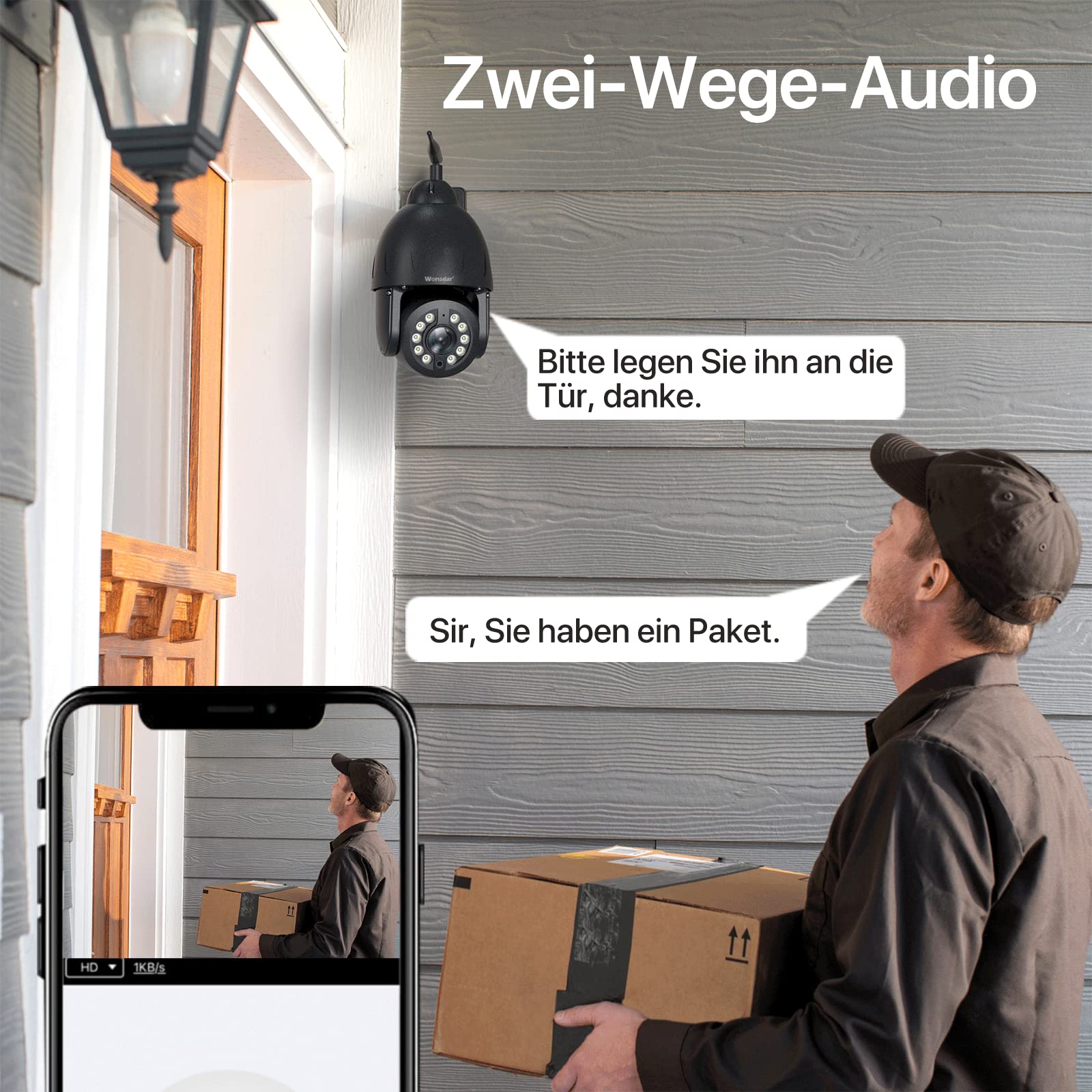
Image: A user engaging in two-way audio communication with a delivery person at their doorstep via the camera.
5.6 Preset Points and Cruise Function
Set up specific monitoring points within the app. The camera can automatically cycle through these preset points, ensuring continuous surveillance of critical areas.

Image: The camera's ability to secure property by monitoring multiple preset points around a building and pool area.

Image: The mobile app interface illustrating how to set custom preset points and activate cruise functions for automated surveillance.
5.7 التخزين المحلي
Insert a Micro-SD card (8-128GB, not included) into the designated slot on the camera for local video recording. You can view recorded videos directly through the app.

Image: The camera highlighting its local storage capability via a Micro-SD card, allowing users to view مقاطع الفيديو المخزنة.
5.8 Multi-User and Multi-Platform Access
Share camera access with family members or colleagues. The camera supports multiple users and can be accessed from various devices, including smartphones, tablets, and computers.

Image: Illustration of multiple users simultaneously accessing the camera's live feed from different devices.

Image: The camera feed accessible across various platforms including mobile phones, tablets, and desktop computers.
6. الصيانة
6.1 التنظيف
نظّف عدسة الكاميرا بانتظام بقطعة قماش ناعمة وجافة لضمان جودة صورة نقية. تجنّب استخدام مواد كيميائية قاسية أو مواد كاشطة.
6.2 حماية البيئة
The camera features an IP66 weatherproof rating and a full metal casing for durability. While designed to withstand harsh conditions, ensure proper installation to prevent water ingress to power connections.
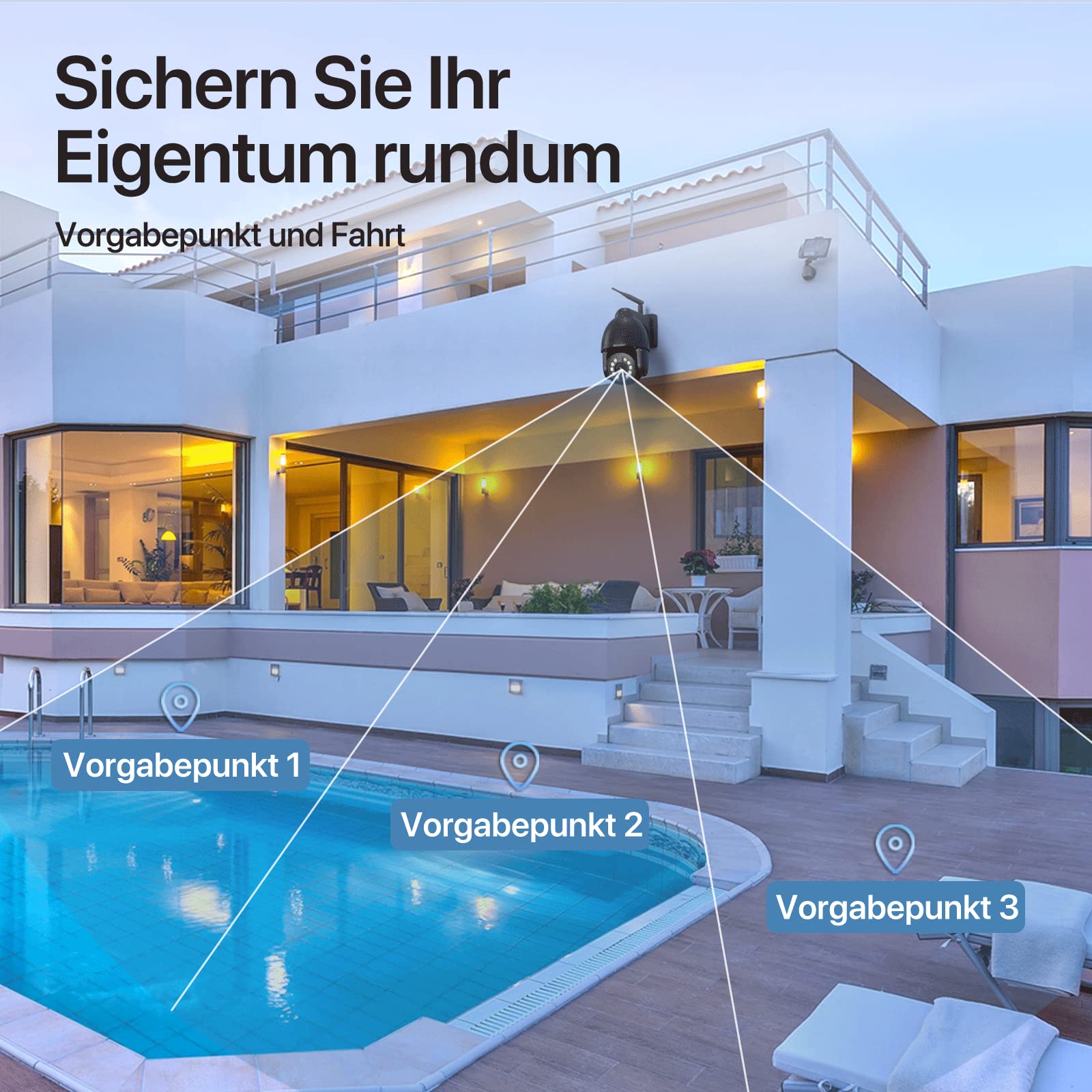
Image: The camera's robust aluminum housing and IP66 water resistance, demonstrating its ability to withstand rain, heat, and cold.
6.3 تحديثات البرامج الثابتة
Check the app periodically for available firmware updates. Keeping your camera's firmware up-to-date ensures optimal performance and security.
7. استكشاف الأخطاء وإصلاحها
- الكاميرا غير متصل:
- تحقق من قوة إشارة Wi-Fi في موقع الكاميرا.
- تأكد من تشغيل الكاميرا وتوصيل محول الطاقة بشكل آمن.
- أعد تشغيل الكاميرا عن طريق فصل الطاقة وإعادة توصيلها.
- If issues persist, try resetting the camera to factory settings (locate the reset button, usually a small pinhole, and press for 5-10 seconds).
- ضعف جودة الصورة:
- تنظيف عدسة الكاميرا.
- تأكد من وجود إضاءة كافية، وخاصة للرؤية الليلية.
- تحقق من سرعة اتصالك بالإنترنت.
- كشف الحركة لا يعمل:
- Verify motion detection settings are enabled in the app.
- Adjust sensitivity levels.
- تأكد من عدم وجود أي عوائق في مجال الكاميرا view.
- لا يوجد صوت ثنائي الاتجاه:
- تحقق من أذونات الميكروفون ومكبر الصوت للتطبيق على هاتفك.
- Ensure volume settings are appropriate.
8. المواصفات
| ميزة | مواصفة |
|---|---|
| نموذج | 4K PTZ WiFi Outdoor Security Camera |
| دقة | 8 MP (4K Video Recording) |
| زاوية عموم | 355 درجة |
| زاوية الميل | 90 درجة |
| الاتصال | لاسلكي (واي فاي) |
| مقاومة الطقس | IP66 |
| مادة | معدن |
| نطاق الرؤية الليلية | حتى 60 أمتار |
| تخزين | Micro-SD Card (8-128GB) |
| مصدر الطاقة | الكابلات الكهربائية |
| الاستخدام الموصى به | Outdoor Surveillance, Motion Detection, Night Vision |
| لون | أسود |
9. الضمان والدعم
WONSDAR products come with a standard manufacturer's warranty. For specific warranty details, please refer to the documentation included with your purchase or visit the official WONSDAR website. For technical support, troubleshooting assistance, or any inquiries, please contact WONSDAR customer service through the contact information provided on their official webالموقع أو داخل تطبيق الهاتف المحمول.