
1. المقدمة
This manual provides detailed instructions for the setup, operation, and maintenance of your FoMaKo KN30A Pro NDI PTZ Camera. This camera is designed for professional video production and live streaming, featuring 30X optical zoom, advanced AI auto-tracking, and versatile connectivity options including NDI 6 & NDI HX3, HDMI, 3G-SDI, IP, and USB3.0.
Please read this manual thoroughly before using the product to ensure optimal performance and to prevent damage.
2. ماذا يوجد في الصندوق
عند فتح الصندوق، تأكد من تضمين جميع العناصر التالية:
- FoMaKo AI Tracking NDI PTZ Camera (30x optical zoom)
- تحكم عن بعد بالأشعة تحت الحمراء
- حامل التثبيت على الحائط
- قوس السقف
- كابل يو اس بي
- محول الطاقة (12 فولت 2 أمبير)
- دليل المستخدم (هذا المستند)
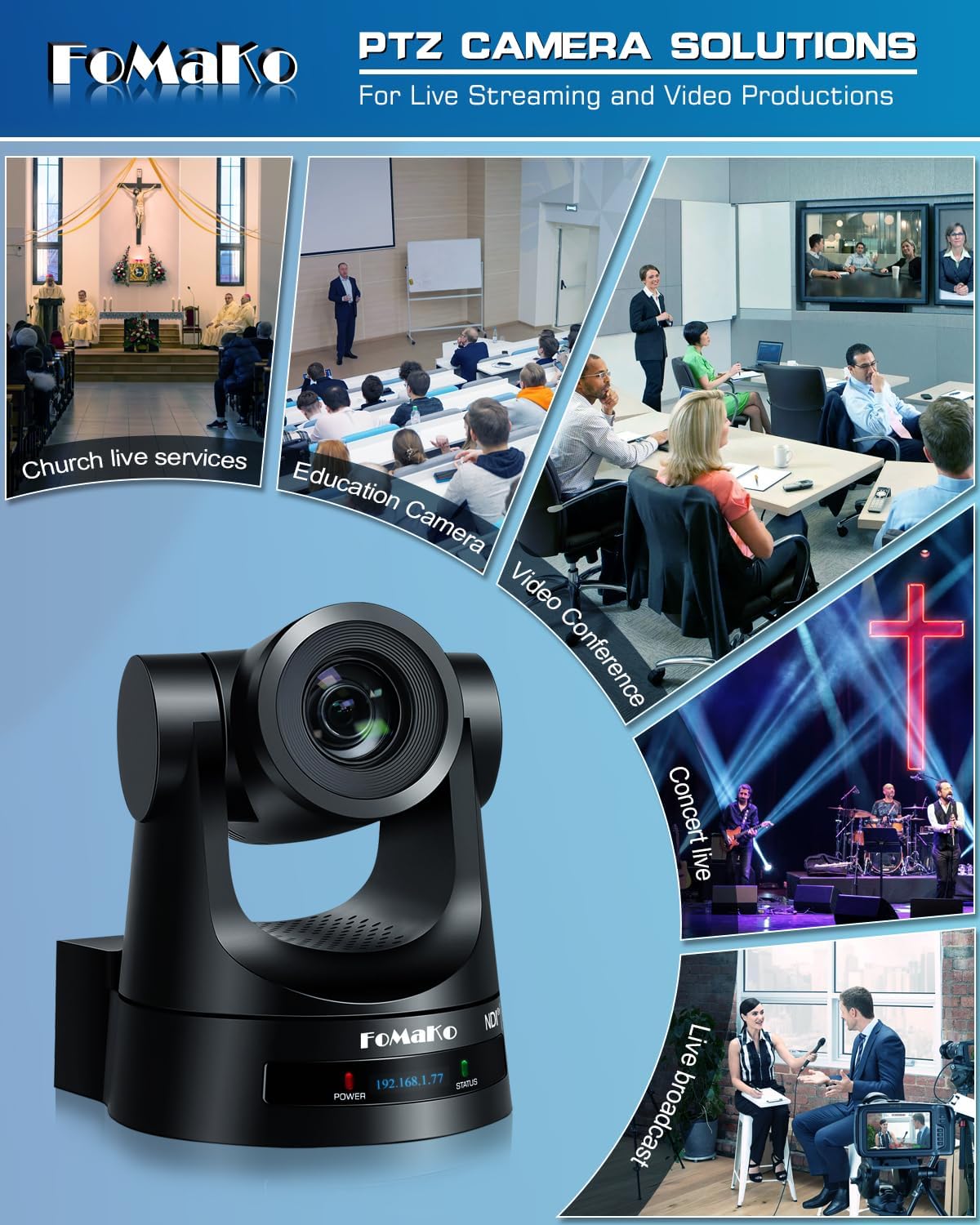
Image: Contents of the FoMaKo KN30A Pro NDI PTZ Camera box, including the camera, remote, cables, and mounting hardware.
3. الميزات الرئيسية
- تقريب بصري 30x: High-quality optical zoom for detailed capture from various distances.
- AI Auto-Tracking Gen 3: Advanced artificial intelligence for precise and customizable subject tracking.
- Official NDI 6 & NDI HX3 Certified: Ensures stable, high-quality video transmission over IP networks with low bandwidth support.
- منافذ إخراج فيديو متعددة: Simultaneous 3G-SDI, HDMI, LAN/Ethernet, and USB3.0 outputs.
- دعم PoE: Power over Ethernet for simplified installation and reduced cabling.
- H.264/H.265 Encoding: Efficient video compression for fluent and clear motion video.
- High SNR CMOS: Combined with 2D & 3D noise reduction for excellent low-light performance.
- Gear Transmission Structure: Provides accurate preset positioning and enhanced durability compared to belt-driven systems.
- Multiple Video Resolutions: Supports HD 1080p with formats like 1080P60/50, 1080P30/25, 720P60/50, 720P30/25.
- واسع Viewزاوية جي: مجال 58.1 درجة view.
- Extensive Control Options: IR Remote control, FoMaKo PTZ controller, webpage control, OBS/vMix PTZ plugin, StreamDeck control, and support for RS232/RS485, TCP/IP, RTSP, RTMP, VISCA OVER IP, VISCA, SRT protocols.

الصورة: الجبهة view of the FoMaKo KN30A Pro NDI PTZ Camera, highlighting its sleek design and lens.

Image: The FoMaKo PTZ Camera demonstrating its 30X optical zoom capability, showing a wide shot and a zoomed-in detail of a speaker in a church setting.
4. الإعداد والتثبيت
4.1 خيارات التركيب
The FoMaKo KN30A Pro NDI PTZ Camera supports multiple installation methods to suit various environments:
- جدار جبل: Use the provided wall mount bracket for secure attachment to a vertical surface.
- سقف جبل: Utilize the ceiling bracket for inverted installation, often preferred for discreet placement.
- ترايبود جبل: The camera can be mounted on a standard tripod for portable or temporary setups.

Image: A visual representation of the three primary installation methods: wall mount, tripod mount, and ceiling mount, with the camera shown in a church setting.
4.2 الطاقة والاتصال
The camera can be powered via the included 12V 2A power adapter or through Power over Ethernet (PoE) if connected to a PoE-enabled network switch. PoE simplifies installation by delivering both power and data over a single Ethernet cable.
Connect the camera to your network using an Ethernet cable for IP control and NDI streaming. For direct video output, use HDMI or 3G-SDI cables.

Image: The rear panel of the FoMaKo KN30A Pro NDI PTZ Camera, displaying various connectivity ports including RS232, 3G-SDI, HDMI, USB3.0, LAN (PoE), and DC12V power input.
Video: This video demonstrates the installation process for the FoMaKo PTZ Camera, covering physical mounting and initial connections.
5. تعليمات التشغيل
5.1 التحكم عن بعد
The included IR remote controller allows for basic camera functions such as Pan, Tilt, Zoom, Focus, and preset recall. Up to 10 presets can be stored and recalled directly from the remote.
- Use the directional buttons for Pan and Tilt movements.
- استخدم تكبير + و ZOOM - buttons to adjust the optical zoom.
- استخدم التركيز + و FOCUS - buttons for manual focus adjustment.
- To save a preset: Position the camera, then press الإعداد المسبق followed by a number (0-9).
- To recall a preset: Press the corresponding number (0-9).
- يضعط F2 to activate AI auto-tracking. Press F4 to switch tracking targets.

Image: The infrared remote control for the FoMaKo PTZ Camera, showing buttons for pan, tilt, zoom, focus, and preset functions.
Video: This video demonstrates the functions and usage of the FoMaKo PTZ Camera remote controller.
Video: This video explains how to adjust PTZ speed and preset speed settings on the FoMaKo PTZ Camera for smoother camera movements.
5.2 Web التحكم في الواجهة
تتميز الكاميرا بـ web-based graphical user interface (GUI) for comprehensive control and configuration. Access the web interface by entering the camera's IP address into a web المتصفح على جهاز كمبيوتر متصل بنفس الشبكة.
ال web interface allows for:
- الفيديو في الوقت الحقيقي قبلview.
- Advanced PTZ control (Pan, Tilt, Zoom, Focus).
- Preset management (up to 255 presets).
- Image and video settings adjustment (exposure, white balance, etc.).
- تكوين الشبكة.
- AI tracking mode customization.

Image: Screenshots of the FoMaKo PTZ Control App, showing both web and mobile versions of the interface for camera control.
6. AI Auto-Tracking (Gen 3)
The FoMaKo KN30A Pro features third-generation AI auto-tracking, providing enhanced accuracy and customization for following subjects. This function is ideal for presentations, lectures, and live events where a speaker or performer needs to remain in frame.
6.1 Activating AI Tracking
To activate AI tracking, press the F2 button on the IR remote control. The camera will automatically detect and track a human figure. To switch the tracking target, press F4.
6.2 Customizing Tracking Settings
Advanced AI tracking settings can be configured via the web interface. These include:
- أوضاع التتبع: Adjust how the camera tracks (e.g., full body, upper body, head).
- حساسية التتبع: Fine-tune the responsiveness of the tracking.
- حجم الشكل: Define the target size for tracking.
- AI-Track Speed: Control the speed of camera movements during tracking.
- Horizontal Tracking Only: Restrict tracking to horizontal movement.
- Lost Target Action: Define camera behavior if the tracked subject leaves the frame.

Image: The FoMaKo PTZ Camera actively tracking a person in a church, with a green box indicating the tracked subject.
Video: This video demonstrates the fast auto-focus and AI auto-tracking capabilities of the FoMaKo PTZ Camera with 30X optical zoom.
7. Connectivity & NDI
The FoMaKo KN30A Pro is an Official NDI 6 & NDI HX3 Certified camera, offering robust and flexible connectivity for professional live streaming and video production workflows.
7.1 NDI Technology
NDI (Network Device Interface) allows for high-quality, low-latency video transmission over standard IP networks. NDI 6 and NDI HX3 certification ensures compatibility and optimal performance, even in environments with limited bandwidth.
The camera is compatible with popular live streaming software and platforms including vMix, OBS, Propresenter, StreamYards, Streamlabs, Wirecast, and Zoom. It also supports Mac and Windows operating systems.
فيديو: أكثر منview of the FoMaKo NDI PTZ Camera and its NDI capabilities.
Video: This video explains the advantages of NDI technology, NDI tools, and usage guidelines for the FoMaKo PTZ Camera.
7.2 Video Output Interfaces
The camera provides simultaneous video output through:
- 3G-SDI: For professional broadcast applications, compatible with Blackmagicdesign ATEM switchers.
- HDMI: High-definition video output for monitors and capture devices.
- LAN/Ethernet: For NDI streaming, IP control, and PoE power.
- USB3.0: For direct connection to computers for use as a webcam or for capture.
Video: This video illustrates the live streaming system connection setup for the FoMaKo PTZ Camera.
8. المواصفات
| ميزة | التفاصيل |
|---|---|
| ماركة | فوماكو |
| رقم الموديل | كيه إن 30 أ |
| التكبير البصري | 30x |
| تقريب رقمي | 10x |
| تتبع الذكاء الاصطناعي | Gen 3 AI Auto-Tracking |
| تكنولوجيا الاتصال | NDI, LAN, HDMI, 3G-SDI, USB3.0 |
| دقة التقاط الفيديو | 1080p (1080P60/50, 1080P30/25, 720P60/50, 720P30/25) |
| تقنية مستشعر الصور | CMOS (1/2.8 بوصة) |
| Viewزاوية جي | 58.1 درجة |
| البروتوكولات المدعومة | TCP/IP, RTSP, RTMP, VISCA OVER IP, VISCA, SRT, NDI 6, NDI HX3 |
| واجهة التحكم | RS232/RS485, IR Remote, Web الواجهة |
| مزود الطاقة | DC 12V 2A or PoE |
| وزن العنصر | 1.29 كجم |
| الأبعاد (D x W x H) | 6.93 بوصة عمق × 5.63 بوصة عرض × 6.3 بوصة ارتفاع |
9. استكشاف الأخطاء وإصلاحها
If you encounter issues with your FoMaKo KN30A Pro NDI PTZ Camera, please refer to the following common troubleshooting steps:
- لا يوجد طاقة: Ensure the power adapter is securely connected and plugged into a working outlet, or that the PoE connection is active and functional.
- لا يوجد مخرج فيديو:
- Check all video cables (HDMI, SDI, Ethernet) for secure connections.
- Verify the input selection on your display or capture device.
- Confirm network settings for NDI/IP streaming via the web واجهة.
- الكاميرا لا تستجيب للتحكم:
- For IR remote, ensure line of sight and fresh batteries.
- For IP control, verify the camera's IP address and network connectivity.
- Check RS232/RS485 cable connections and protocol settings.
- Auto-Tracking Issues:
- تأكد من وجود إضاءة كافية في البيئة.
- Adjust tracking sensitivity and mode settings in the web واجهة.
- Avoid cluttered backgrounds that may confuse the AI.
For further assistance, please contact FoMaKo customer support with your order ID.
10. الضمان والدعم
FoMaKo is committed to providing high-quality products and excellent customer service.
- ضمان محدود لمدة عامين: Shop with confidence.
- 30-Day No-Questions-Asked Money-Back Guarantee: Risk-free purchase.
- Free Online Training: Get started easily.
- 24/7 Expert Assistance: Responses within 24 hours (please include your Order ID).
- Enjoy our lifetime customer technical support. Your satisfaction is our priority.
For support, please reach out to FoMaKo directly. Providing your order ID will help expedite the support process.

Image: FoMaKo customer support representative ready to assist, symbolizing the available technical support and warranty services.