
مقدمة
Welcome to the Tesvor Robot Vacuum user manual. This guide provides detailed instructions on how to set up, operate, maintain, and troubleshoot your new Tesvor Robot Vacuum with Lidar Navigation. Designed for efficient cleaning of hard floors and suitable for homes with pets, this robotic vacuum cleaner offers powerful suction and smart features to keep your living space tidy.

Image: The Tesvor Robot Vacuum S6 Black, a sleek, round robotic vacuum cleaner with a lidar sensor on top, shown next to a smartphone displaying its mapping capabilities.
المميزات الرئيسية:
- شفط قوي: Equipped with 2700 Pa suction and dual spinning edge brushes for effective debris and pet hair removal.
- رسم الخرائط بتقنية الليدار: Advanced laser sensors map your home for precise navigation and efficient cleaning paths.
- Long-Lasting & Self-Charging: Up to 100 minutes runtime, automatically recharges and resumes cleaning.
- Z-shape Route: Optimizes cleaning efficiency and speed.
- التحكم في التطبيق الذكي: Manage cleaning modes, schedules, zone cleaning, and no-go zones via the Tesvor App (2.4Ghz Wi-Fi compatible).
يثبت
ما هو المتضمن:

Image: All components included with the Tesvor Robot Vacuum: the robot vacuum itself, charging base, power adapter, remote control, cleaning tool, extra high-performance filters, and four side brushes.
عند إخراج المنتج من الصندوق، تأكد من وجود جميع المكونات:
- روبوت المكنسة الكهربائية
- جهاز تحكم عن بعد (يتطلب بطاريتين AAA، غير مرفقتين)
- قاعدة الشحن
- محول الطاقة
- أداة التنظيف
- مجموعة إضافية من المرشحات عالية الأداء
- 4 فرش جانبية
- دليل المستخدم
خطوات الإعداد الأولية:
- موضع قاعدة الشحن: Place the charging base against a wall in an open area, ensuring there are no obstacles within 1 meter (3 feet) to the sides and 2 meters (6 feet) in front of the base. Connect the power adapter to the charging base and plug it into a power outlet.
- تركيب الفرش الجانبية: قم بتثبيت الفرش الجانبية على الأعمدة المقابلة في الجزء السفلي من المكنسة الروبوتية حتى تستقر في مكانها.
- التهمة الاولية: Place the robot vacuum onto the charging base. Ensure the charging contacts on the robot align with those on the base. The indicator light on the robot will show charging status. Fully charge the robot before first use (approximately 4-5 hours).
- Download Tesvor App: بحث عن "Tesvor" in your mobile app store (iOS or Android) and download the official application.
- الاتصال بشبكة Wi-Fi: Open the Tesvor App and follow the on-screen instructions to connect your robot vacuum to your home Wi-Fi network. ملحوظة: The robot is only compatible with 2.4Ghz Wi-Fi networks.
تعليمات التشغيل
بدء عملية التنظيف:
Once fully charged and connected to the app, you can initiate cleaning in several ways:
- البدء اليدوي: Press the power button on the robot or the "Clean" button on the remote control.
- التحكم في التطبيق: Use the Tesvor App to start, pause, or stop cleaning.
- التنظيف المقرر: Set up cleaning schedules through the Tesvor App for automated cleaning.
Lidar Navigation and Mapping:
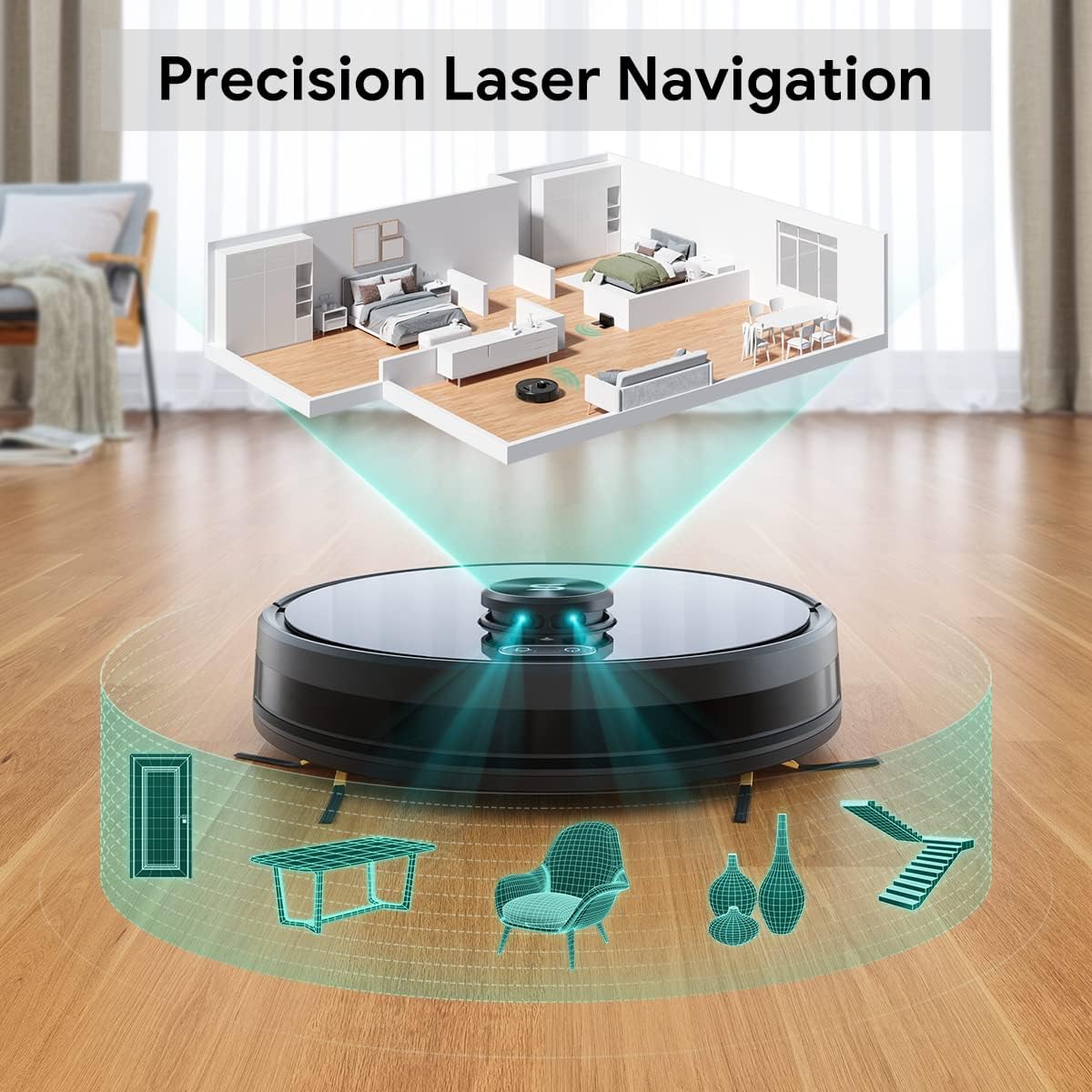
Image: A diagram illustrating the Tesvor Robot Vacuum's lidar navigation system, showing laser beams mapping out a room with furniture and walls.
The Tesvor Robot Vacuum utilizes advanced LiDAR sensors to create a precise map of your home. This allows it to navigate efficiently, avoid obstacles, and clean systematically. The more it cleans, the more accurately it learns your home's layout.
أوضاع وميزات التنظيف:
- Z-shape Route: The robot follows an optimized Z-shaped cleaning pattern to ensure thorough coverage and efficiency.

Image: The Tesvor Robot Vacuum cleaning a tiled floor, with a green path indicating its efficient Z-shaped cleaning route.
- مناطق محظورة وجدران غير مرئية: Through the Tesvor App, you can define specific areas the robot should avoid, such as pet bowls or delicate furniture.

Image: The Tesvor Robot Vacuum operating near a bed, with a blue grid indicating an "invisible wall" or "no-go zone" preventing it from entering a specific area.
- شفط قوي: The 2700Pa suction power effectively picks up dirt, dust, and pet hair from various floor types.
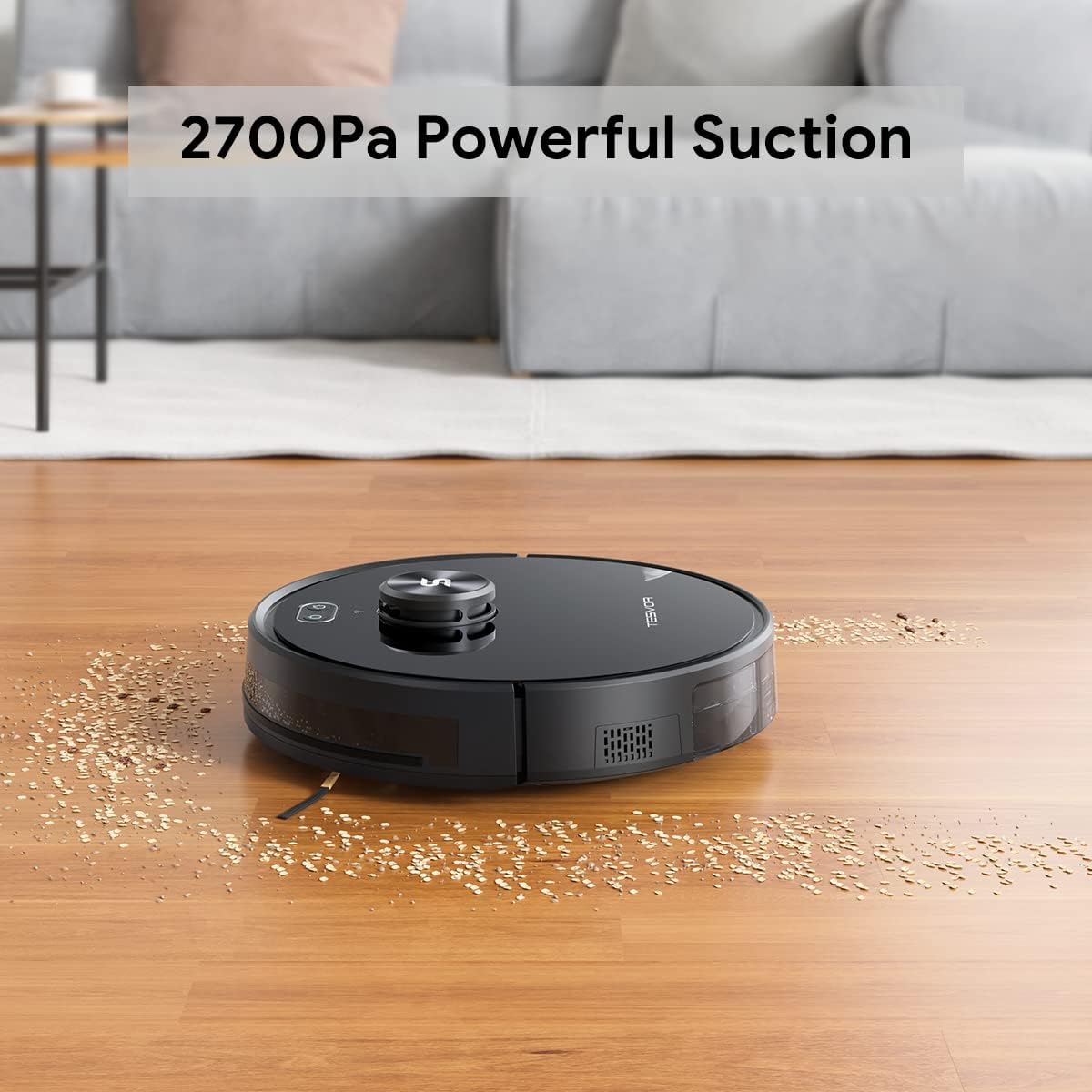
Image: The Tesvor Robot Vacuum cleaning a wooden floor, effectively picking up scattered debris, demonstrating its powerful suction.
- الشحن الذاتي: When the battery runs low, the robot will automatically return to its charging base. Once recharged, it will resume cleaning from where it left off.
- Tesvor App Control: The app provides comprehensive control over your robot vacuum.

Image: A hand holding a smartphone displaying the Tesvor App interface, showing options for schedules, real-time map, no-go zones, custom cleaning zones, and spot cleaning.
- Schedules: Set specific times for cleaning.
- خريطة في الوقت الفعلي: View مسار تنظيف الروبوت والمناطق التي تم رسم خرائطها.
- No-go Zones: Define areas to avoid.
- Custom Cleaning Zone: Direct the robot to clean specific areas.
- Spot Cleaning: Focus cleaning on a particular dirty spot.
صيانة
Regular maintenance ensures optimal performance and extends the lifespan of your Tesvor Robot Vacuum.
- تفريغ سلة الغبار:
The dust bin should be emptied after each cleaning cycle, especially in homes with pets or high traffic. Press the release button to remove the dust bin, open it, and discard collected debris. Close the bin securely and reinsert it into the robot.
- تنظيف الفلتر:
The high-performance filter inside the dust bin should be cleaned regularly. Tap the filter gently to remove dust, or use the provided cleaning tool. For best results, replace the filter every 1-3 months depending on usage.
- تنظيف الفرش الجانبية:
Inspect the side brushes for tangled hair or debris. Carefully pull off any tangled material. If brushes are worn or damaged, replace them with new ones from the extra set provided.
- Cleaning Main Brush (if applicable):
Remove the main brush cover and lift out the main brush. Use the cleaning tool to cut and remove any tangled hair or fibers. Reinstall the main brush and cover.
- تنظيف أجهزة الاستشعار واتصالات الشحن:
Wipe the anti-drop sensors, wall sensors, and charging contacts on both the robot and the charging base with a clean, dry cloth. This ensures proper navigation and charging.
- وظيفة التنظيف:
The Tesvor Robot Vacuum supports a mopping function, however, water tank accessories are sold separately. Please contact service@tesvor.com for more information on obtaining mopping accessories.
استكشاف الأخطاء وإصلاحها
If you encounter issues with your Tesvor Robot Vacuum, refer to the following common problems and solutions:
| مشكلة | السبب المحتمل | حل |
|---|---|---|
| الروبوت لا يعمل ولا يشحن. | Battery low or charging contacts are dirty/misaligned. | Ensure the robot is properly placed on the charging base. Clean charging contacts on both the robot and base. Check power adapter connection. |
| الروبوت يتعطل بشكل متكرر. | Obstacles, tangled brushes, or uneven surfaces. | Clear cables, small objects, and thick rugs from the cleaning path. Clean main and side brushes. Use no-go zones in the app for problematic areas. |
| مشاكل اتصال التطبيق. | Incorrect Wi-Fi band (not 2.4Ghz), weak signal, or incorrect password. | Ensure your router is broadcasting a 2.4Ghz Wi-Fi signal. Move the robot closer to the router. Re-enter Wi-Fi password carefully. Restart the robot and your router. |
| أداء التنظيف ضعيف. | Full dust bin, dirty filter, or worn brushes. | Empty the dust bin. Clean or replace the filter. Clean or replace side and main brushes. |
| الروبوت يسقط على الدرج. | أجهزة استشعار منع السقوط متسخة أو مسدودة. | Clean the anti-drop sensors located on the bottom of the robot with a dry cloth. Ensure there are no reflective surfaces near stairs that might interfere with sensors. |
For further assistance, please contact Tesvor customer support.
تحديد
| ميزة | التفاصيل |
|---|---|
| ماركة | تيسفور |
| نموذج | S6 أسود |
| ميزة خاصة | LiDAR Navigation, No Go Zone |
| قوة الشفط | 2700 باسكال |
| نوع الفلتر | القرص |
| عمر البطارية | 100 دقائق |
| مصدر الطاقة | تعمل بالبطارية |
| طريقة التحكم | عن بعد، تطبيق |
| الأجهزة المتوافقة | أمازون إيكو (أليكسا)، مساعد جوجل |
| عامل الشكل | روبوتي |
| وزن العنصر | 11.92 رطل |
| أبعاد الحزمة | 19 × 17 × 6.5 بوصة |
| البطاريات | 1 بطارية ليثيوم أيون (مضمنة) |
الضمان والدعم
Your Tesvor Robot Vacuum comes with a worry-free ضمان لمدة 12 شهرًا يسري هذا الضمان من تاريخ الشراء. ويغطي عيوب التصنيع ويضمن أن يعمل المنتج كما هو مصمم له في ظل الاستخدام العادي.
For technical support, warranty claims, or any inquiries regarding your product, please contact Tesvor customer service:
- بريد إلكتروني: Service@tesvor.com
- Tesvor Store: قم بزيارة الموقع الرسمي متجر تيسفور على أمازون لمزيد من المنتجات والمعلومات.
Please have your product model and purchase information ready when contacting support to expedite the process.