
1. المقدمة
This manual provides comprehensive instructions for the installation, operation, and maintenance of your REVODATA 5MP POE Starlight IP Camera, model I706-P-FC-HS. This camera is designed for indoor security surveillance, offering high-resolution imaging, full-color night vision, and flexible power options. Please read this manual thoroughly before using the product to ensure proper setup and functionality.
2. محتويات العبوة
تأكد من تضمين جميع العناصر المذكورة أدناه في طردك. في حال وجود أيٍّ منها مفقودًا أو تالفًا، يُرجى التواصل مع خدمة العملاء.
- كاميرا X 1
- Screws set x 1
- دليل المستخدم × 1

Image: Contents of the product package, showing the camera, user manual, and mounting screws.
3. انتهى المنتجview
3.1 الميزات الرئيسية
- صورة عالية الدقة 5 ميجابكسل: Equipped with a 1/3-inch 5.0 megapixel CMOS sensor, providing clear and smooth video at up to 25 frames per second.
- Full Color Starlight Night Vision: Offers 24-hour color monitoring, presenting color images even in low-light environments.
- Mini 4mm Lens: Compact design with a 4mm lens, suitable for discreet installation.
- POE Support: Supports 48V 802.3af Power Over Ethernet (POE) for simplified wiring, or can be powered by a 12V 2A power supply (not included) as a non-POE network camera.
- ضغط H.265/H.264: Utilizes advanced video compression to save storage space and bandwidth.
- كشف الحركة: Features motion detection with alarm notification capabilities.
- عن بعد P2P View: يسمح بالتحكم عن بعد viewing and playback of surveillance footage via mobile clients (iOS, Android) using the "Linklemo" app or VMS software for Windows computers.
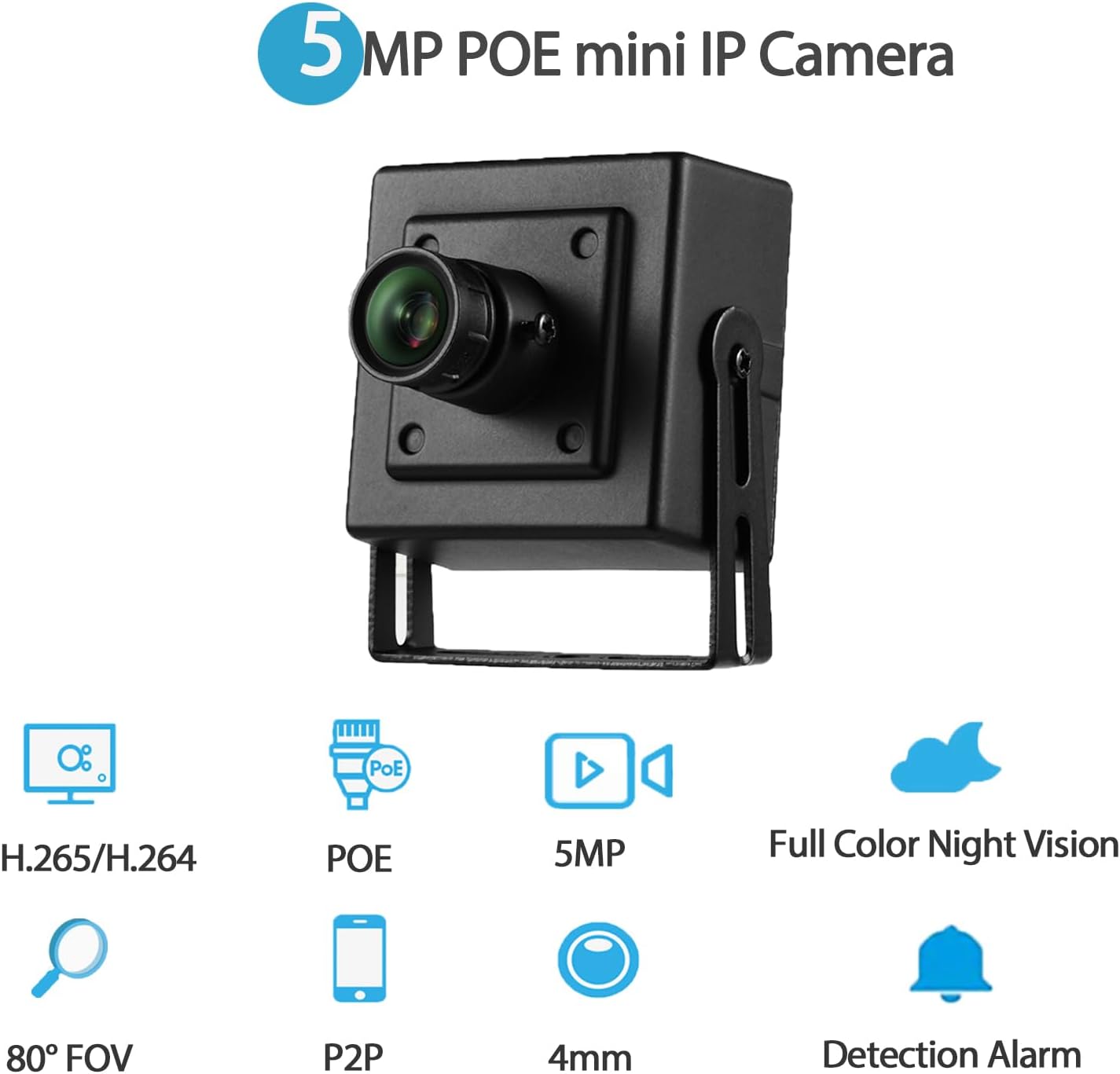
الصورة: أكثر منview of the camera's main features, including 5MP resolution, POE, full-color night vision, and motion detection.
3.2 مكونات الكاميرا
- غلاف معدني: Durable housing for the camera.
- عدسة 4 ملم: Fixed focal length lens for a wide field of view.
- حوامل التثبيت: Adjustable brackets for flexible installation.
- فتحة المسمار: للتثبيت الآمن.
- منفذ RJ45: For Ethernet connection and POE power (48V version).
- منفذ طاقة تيار مستمر: Auxiliary power input (supports 12V 2A).
الصورة: مفصلة view of the camera's physical components and dimensions.
4. تعليمات الإعداد
4.1 التثبيت المادي
- اختر الموقع: اختر موقعًا داخليًا يوفر ما هو مطلوب viewing angle and is within reach of an Ethernet cable. The camera is suitable for various indoor environments such as bedrooms, garages, living rooms, offices, and study rooms.
- تركيب الكاميرا: Use the included screws and mounting brackets to securely attach the camera to a wall or other suitable surface. Adjust the bracket to achieve the optimal camera orientation.
4.2 تشغيل الكاميرا
تدعم الكاميرا خيارين للطاقة:
- الطاقة عبر الإيثرنت (POE): Connect an Ethernet cable from a 48V 802.3af POE-enabled switch or NVR directly to the camera's RJ45 port. This method provides both power and data connectivity through a single cable.
- مصدر طاقة تيار مستمر مساعد: If POE is not available, connect a 12V 2A DC power adapter (not included) to the camera's DC power port. An Ethernet cable will still be required for data transmission.

Image: Illustration of POE connectivity, simplifying power and data wiring.
4.3 اتصال الشبكة
Connect the camera to your local network using an Ethernet cable plugged into the RJ45 port. Ensure your network provides internet access for remote viewجي الميزات.
5. تعليمات التشغيل
5.1 تثبيت البرنامج
ل view ولإدارة الكاميرا، قم بتثبيت البرنامج المناسب:
- تطبيق الهاتف المحمول: قم بتنزيل وتثبيت تطبيق "Linklemo" من متجر التطبيقات (iOS) أو متجر جوجل بلاي (Android).
- برامج الكمبيوتر: For Windows computers, use the VMS software. Note that VMS software is not available for MAC OS or Linux.
5.2 البعيد Viewing (P2P)
The camera supports P2P (Peer-to-Peer) cloud functionality, allowing you to view يعيش فوtage and playback recordings remotely from your mobile device or computer.
- افتح تطبيق "Linklemo" أو برنامج إدارة الفيديو (VMS).
- Follow the on-screen instructions to add your camera using its unique ID or QR code.
- Once added, you can access the camera's live feed and recorded data from anywhere with an internet connection.

الصورة: السابقamples of remote viewing through the Linklemo mobile app and VMS desktop software.

Image: P2P remote viewing on multiple devices.
5.3 Motion Detection Setup
The camera can be configured to detect motion and send alerts.
- Access the camera settings through the "Linklemo" app or VMS software.
- Navigate to the motion detection settings.
- Enable motion detection and configure sensitivity, detection zones, and notification preferences (e.g., push notifications to your phone).

Image: Motion detection alarm notification on a smartphone.
5.4 أوضاع الرؤية الليلية
The camera features full-color starlight night vision, providing clear color images even in very low light conditions (minimum illumination: 0.01Lux @(F1.2,AGC ON)).

Image: Full-color night vision capability in a low-light outdoor setting.

Image: Real picture comparison of day and night vision.
6. الصيانة
- تنظيف: امسح عدسة الكاميرا وجسمها برفق بقطعة قماش ناعمة وجافة. تجنب استخدام المواد الكيميائية القاسية أو المواد الكاشطة التي قد تُلحق الضرر بالكاميرا.
- تحديثات البرامج الثابتة: التحقق بشكل دوري من الشركة المصنعة website or the "Linklemo" app for available firmware updates to ensure optimal performance and security.
- إدارة الكابلات: Ensure all cables are securely connected and not exposed to potential damage or interference.
7. استكشاف الأخطاء وإصلاحها
| مشكلة | السبب المحتمل | حل |
|---|---|---|
| لا يوجد بث للصور/الفيديو | No power; Network connection issue; Incorrect software settings. | Check power supply (POE or 12V adapter). Verify Ethernet cable connection. Ensure camera is added correctly in Linklemo app/VMS. |
| جودة الصورة رديئة | عدسة متسخة؛ إضاءة غير كافية؛ مشاكل في عرض النطاق الترددي للشبكة. | Clean the camera lens. Ensure adequate lighting for optimal performance. Check network speed and reduce video quality settings if necessary. |
| كشف الحركة لا يعمل | Settings not configured; Sensitivity too low; Network issues preventing notifications. | Verify motion detection is enabled and configured in the app/software. Adjust sensitivity. Check network connectivity for notifications. |
| Cannot connect remotely | No internet access; P2P service issues; Firewall restrictions. | Ensure the camera and your viewing device have internet access. Check P2P status in the app. Configure router/firewall to allow camera traffic if necessary. |
8. المواصفات
| اسم الموديل | I706-P-FC-HS |
| دقة التقاط الفيديو | 5 ميجابكسل (2560x1920) |
| عدسة | 4 ملم |
| معدل الإطارات | 25 إطارًا في الثانية |
| الرؤية الليلية | Full Color Starlight Night Vision (Min illumination: 0.01Lux @(F1.2,AGC ON)) |
| ضغط الفيديو | H.265/H.264 |
| الاتصال | إيثرنت (شبكة محلية) |
| مصدر الطاقة | 48V 802.3af POE or 12V 2A DC (adapter not included) |
| نوع وحدة التحكم | أندرويد، آي أو إس، ويندوز |
| نوع التركيب | حامل الحائط |
| الاستخدام الداخلي والخارجي | داخلي |
| مجال ال View | 80 درجة |
| مادة | معدن |
| أبعاد المنتج | 1.77 × 1.57 × 2.09 بوصة |
| وزن العنصر | 6.4 أونصات |
| تصنيف الحماية الدولية | IP67 (Note: Product description states Indoor/Outdoor Usage: Indoor, but IP67 rating suggests outdoor capability. Follow manufacturer's primary recommendation for indoor use.) |
9. الضمان والدعم
For warranty information and technical support, please refer to the official REVODATA website or contact their customer service directly. Details are typically provided on the product packaging or the manufacturer's official support channels.
Manufacturer: REVODATA